Kadence Bundles Features: The Benefits of Going Pro

You might be wondering which bundle is right for you. Or, maybe you’ve been a Kadence free user for a while and wondering what benefits you’re missing out on.
There are a ton of free features in Kadence, and we’re delighted to support both of our free and paid users in creating more effective sites.
But I have some thoughts, and some favorite features. These are the reasons why Kadence Pro goes on every site I build, and some of the features that might be right for you.
Kadence Essential Bundle
If you’re looking for one of the stunning and unique Kadence Pro Starter Templates, then the Kadence Essential Bundle is perfect for you. These visually stunning templates are the easiest way to get started building a more effective website with Kadence. Head to the Starter Templates page and review the “Pro” tab to see exactly what you get.
But that’s not all. You also get access to some of the key features that make Kadence Pro one of the most powerful web development tools available.
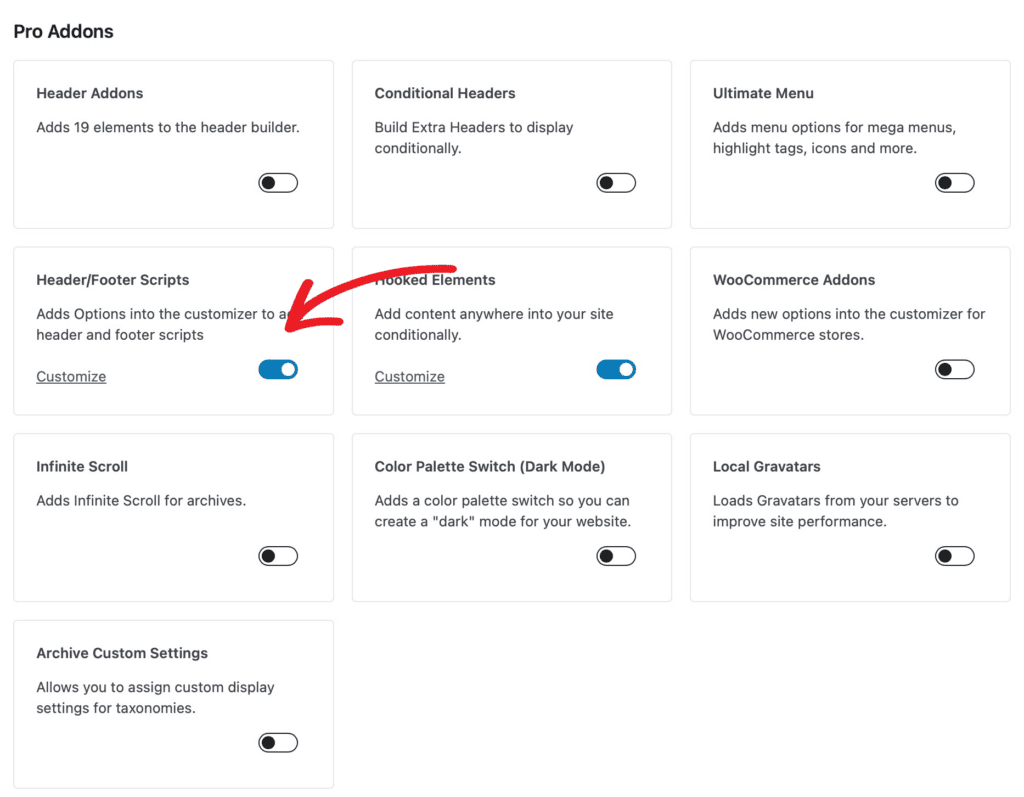
Header/Footer Scripts. In the past, I’ve always had to create a child theme to get the Google Analytics code in exactly the right place on my site. Enter the days of Google Tag Manager, and this was even more important because there’s an additional Javascript tag that needs to go after the opening <body> tag in your site. It seemed a little overkill to have to child theme only for adding scripts that I didn’t want wiped out on the next theme update.
With Kadence Pro, you can add header/footer scripts via the theme customizer so no need for the child theme. Your Google Analytics and GTM tags are easily added without editing theme files.
To do this, head to Kadence settings, and toggle on “header/footer scripts,” then add your script code via the customizer.
Saving form submission data to the database. If you’ve been building WordPress sites for a while, you’ve probably set up a form that didn’t exactly send form data via email as you expected it to. There’s nothing worse than hearing from a prospective customer that they filled out your contact form but you never responded. I learned early in my web development career to never trust a website’s sendmail service and to always store info in the database or in a protected file on the server. With Kadence Pro, saving form data to the database is as easy as a checkbox to make sure your form submissions are saved.
Of course you can also have your form data sent via email, and using an SMTP plugin and proper mail server setup can assist with deliverability. But it’s always nice to have this data saved on server as a backup, too. (And test your email sending capabilities with forms as well!)
Animate on scroll. I’m not a huge fan of a lot of animation on websites, but often a simple animation as a user is scrolling through a website can provide positive feedback for taking the time to scroll. With Kadence Blocks Pro in the Essential Bundle, you can add graceful animate on scroll effects to sections, images, text, and more. Like below.
This Headline Animates on Scroll
Header Addons & Conditional Headers. Choose from 20 pro header elements including contact elements, dividers, search bar, a toggle with slide out panels, widget areas, and more. As well, you can add conditional headers for specific needs, helpful when building out landing pages, squeeze pages, and other conditions when a different header makes sense.
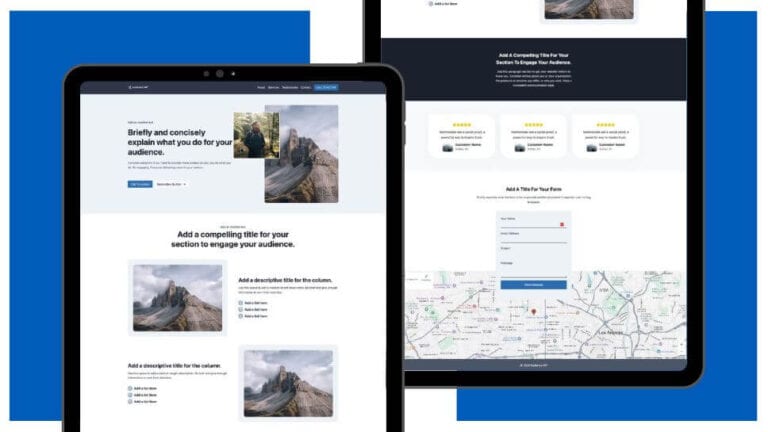
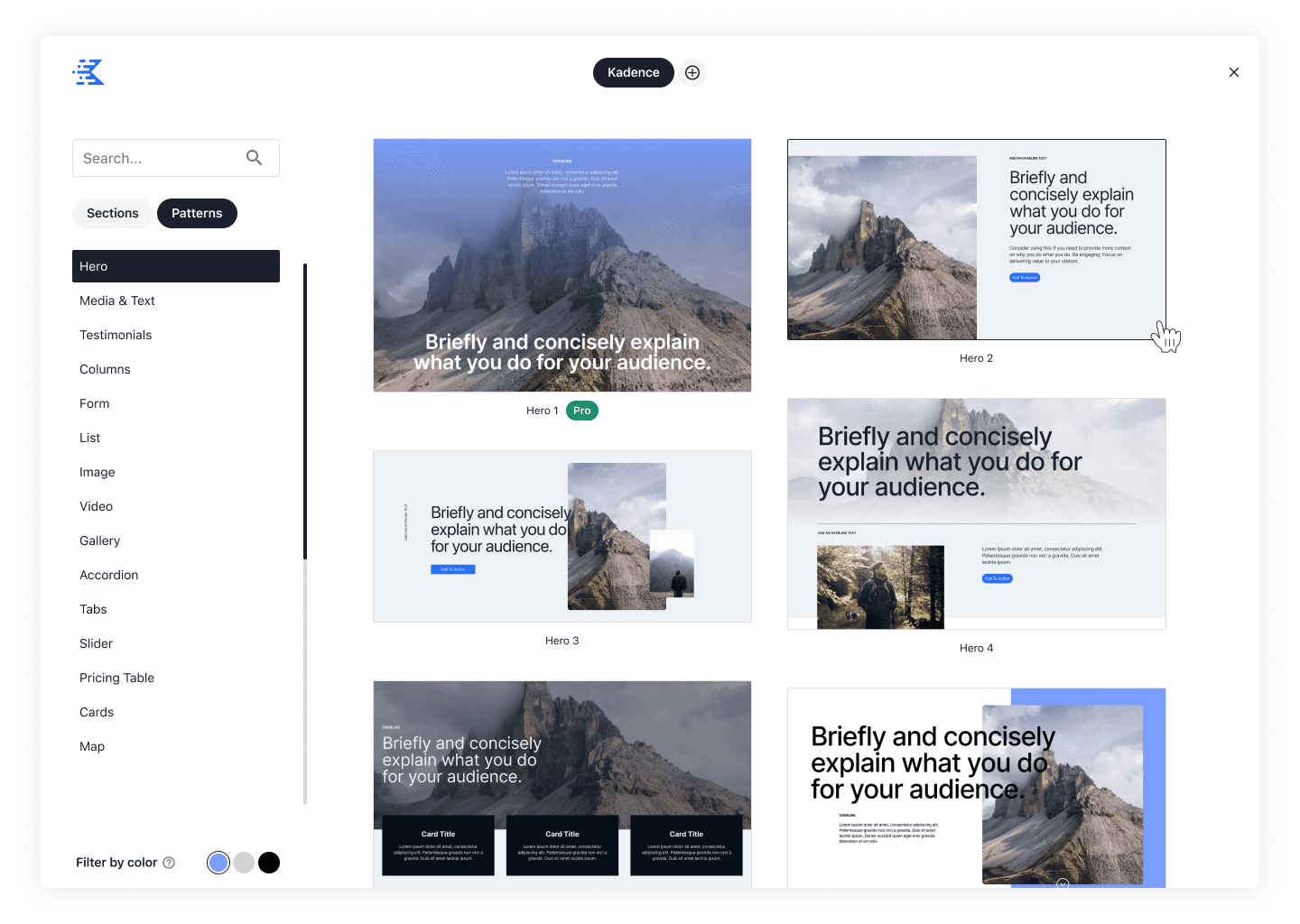
Pro Design Library Elements. The Kadence Design Library underwent some new changes that give site owners even more options when building out new landing pages, contact pages, or home pages. Not only do you get access to a library of pre-built pages, you have access to sections of pages that give you shortcuts to building out beautiful sites that inherit from your site’s theme colors and fonts. While there are a number of free design library elements, Kadence Blocks Pro gives you access to so many more.
Dynamic content with Kadence Elements. If you’re building with custom post types, Advanced Custom Fields, Metabox, Pods, etc. you know that sometimes building out a custom post type with dynamic theming is just easier. When you need to turn data entry over to end users without giving them the capability to edit designs, Kadence Elements is the easiest way to manage the display of content while empowering data entry team members to manage that content easily. Make sure you turn on Hooked Elements and then start building dynamic content.
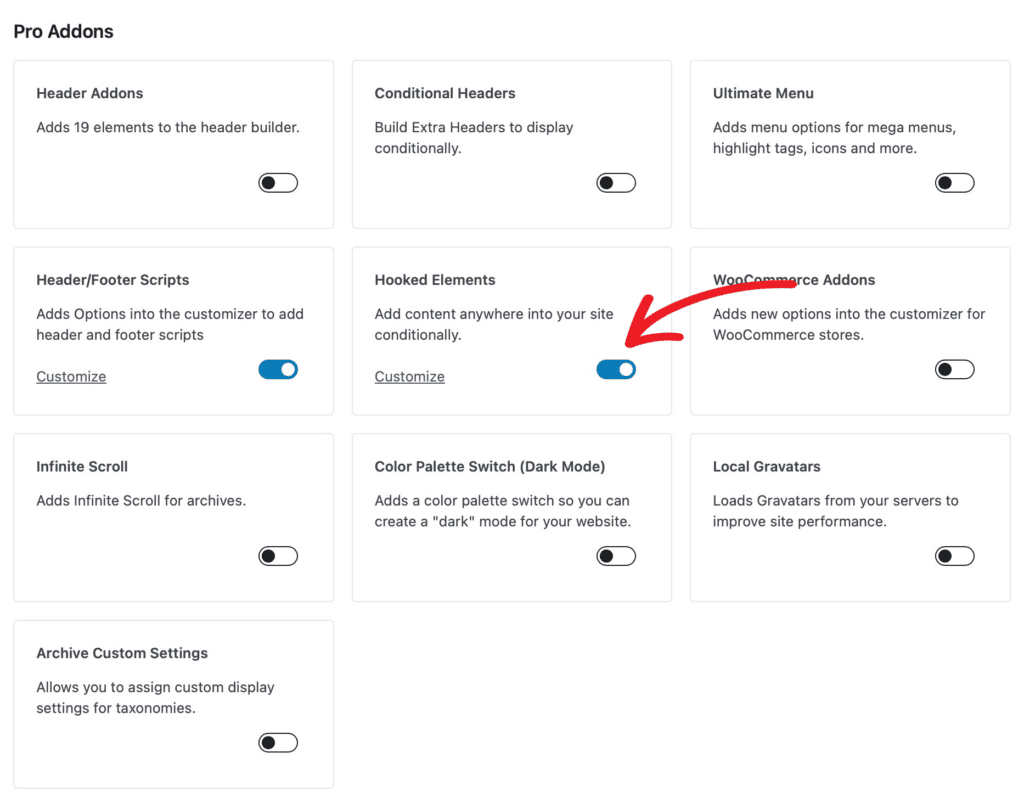
Kadence Elements is also an amazing tool for adding a bit of content to various places on your site without having to edit thousands of pages. Want a subscribe box at the end of your blog posts? Easy, add an element and set the display location to the end of your blog posts and it will update everywhere. Want to add it to just some blog posts? That’s easy too.
There are a number of benefits to Kadence Theme Pro and Kadence Blocks Pro, though these are my personal favorites. Working with Kadence changes your relationship with WordPress, making building fast and effective sites easier than ever before. You can review the product pages for a full overview. The Kadence Essential Bundle gives you access to both Kadence Theme Pro and Kadence Blocks Pro.
Kadence Full Bundle
When you’re looking to do even more with WordPress, the Kadence Full Bundle has so many more tools that can really empower web professionals to do even more. Not only do you get Kadence Theme Pro and Kadence Blocks Pro, you get access to everything that Kadence offers. If we add a new plugin, it gets added to your account. Here are some of my favorite features in the Kadence Full Bundle.
Kadence Cloud. This powerful plugin lets you develop design libraries that can make your design workflow easier. Have a few design options that you use often and want to put those in an easy to find and use location? Kadence Cloud is the plugin that streamlines workflows and makes building sites easier. This is the same functionality that we use for the Kadence Design Library, but you can easily create more of your own design elements in your own library that you can connect to any of your sites easily.
As well, there are a number of creative Kadence designers who are selling design libraries, building creative businesses on their own vision for sites. If you have a design business and you’re looking to create additional streams of revenue, Kadence Cloud is an amazing tool to help you do this.
Kadence Conversions. Popups, banners, and slide-ins are easy to build and deploy, right from the block editor. When you need to capture attention with easy-to-build sale banners, slide-in notifications, cookie consent forms, customized modals, Kadence Conversions makes it super easy. And when you need to schedule a midnight sale start or end, Kadence Conversions gives you the capability to time the end of a sale perfectly. No more midnight wake up calls for your web development team!
Kadence Shop Kit. If you’re working with WooCommerce, you’ve probably had to meander into PHP templates more than once. Kadence Shop Kit makes customizing WooCommerce easier than ever before. Setting up customized product pages, sizing charts, affiliate settings, and more are simplified with this powerful commerce tool.
Child Theme Builder. If you’re a developer looking to create an additional stream of income based on Kadence’s powerful suite of website building tools, the Child Theme Builder can make monetizing your creativity easier. Create child themes that use Kadence, and sell those to your own clients or even use them in your creative business. This YouTube video explains how easy it is to get started with the Child Theme Builder plugin.
Kadence has it all.
If you’re building sites with WordPress, Kadence has everything you need to create fast and effective sites, and you can do so… fast and effectively! As with all of the Kadence products, we showcase our commitment to speed and accessibility in everything we do.
Create Your Website With KadenceWP Today!


Written by Kathy Zant
Kathy is a writer and speaker who helps businesses and people thrive. She creates some of the best content and tutorials about how to get more out of technology, marketing how-tos that help you grow your business, reports on security issues you need to know as they occur, and gives you all the tutorials to stay ahead and secure your life and business.
By Kathy Zant
Kathy is a writer and speaker who helps businesses and people thrive. She creates some of the best content and tutorials about how to get more out of technology, marketing how-tos that help you grow your business, reports on security issues you need to know as they occur, and gives you all the tutorials to stay ahead and secure your life and business.
Updated July 22, 2024
Create Your Website With Kadence