Creating Engaging Coming Soon Pages with WordPress
Your WordPress site deserves to make an amazing first impression, even before it launches. A well-designed coming soon page can make that happen!
However, getting it right means thinking about what your visitors actually want to see. Your coming soon page should grab attention, persuade potential visitors to sign up, and give them a real taste of what’s ahead.
We’ll show you how to create that kind of page using Kadence Theme Pro. From proven design strategies to clever ways to capture leads, you’ll learn how to make your pre-launch phase really count.
Benefits of creating a coming soon page for your WordPress site
Before we jump in, we need to make an important distinction. You’ve probably come across pages that say “under construction,” and while that might’ve looked almost identical to a coming soon page, they serve different purposes.
A coming soon page is designed for brand-new sites to build excitement before launch, whereas maintenance pages are used by existing sites to keep visitors informed during updates. So, if you’re launching a new site, you’ll want to create a coming soon page. Here’s why it’s such a valuable part of your launch strategy:
- Build your email list from day one. Launching without an audience can feel underwhelming, right? That’s why adding an email signup form to your coming soon page is so important. Offering early-access perks or launch specials like “first month free” gives people a real reason to sign up.
- Show your brand personality. Your coming soon page is the perfect place to give visitors a glimpse of your values and unique approach, helping them feel connected to what you’re building before you even launch.
- Learn from visitor behavior. The pre-launch phase tells you so much about what your audience wants. Pay attention to which messages get shared most, what offers attract signups, and what questions people ask. This feedback is absolutely essential for fine-tuning your site before launch.
- Create genuine excitement with previews. Don’t just say you’re “coming soon.” You have to give people something to actually look forward to. Share enough to spark interest, but remember to save some exciting features for launch day! For example, if you’re opening a restaurant, showcase your signature dish or give a virtual tour of your space in progress. Or, if you’re launching an online store, share photos of your top products or offer early-bird discount codes.
How to set up your coming soon page with Kadence Theme Pro
Kadence Theme Pro includes a powerful Maintenance Mode feature designed to create professional-looking coming soon pages in just a few minutes. Here’s how to get started:
- Install and activate Kadence Theme Pro.
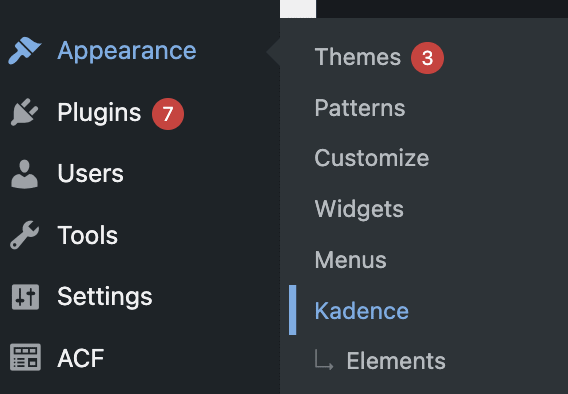
- Navigate to the Dashboard > Appearance > Kadence page.
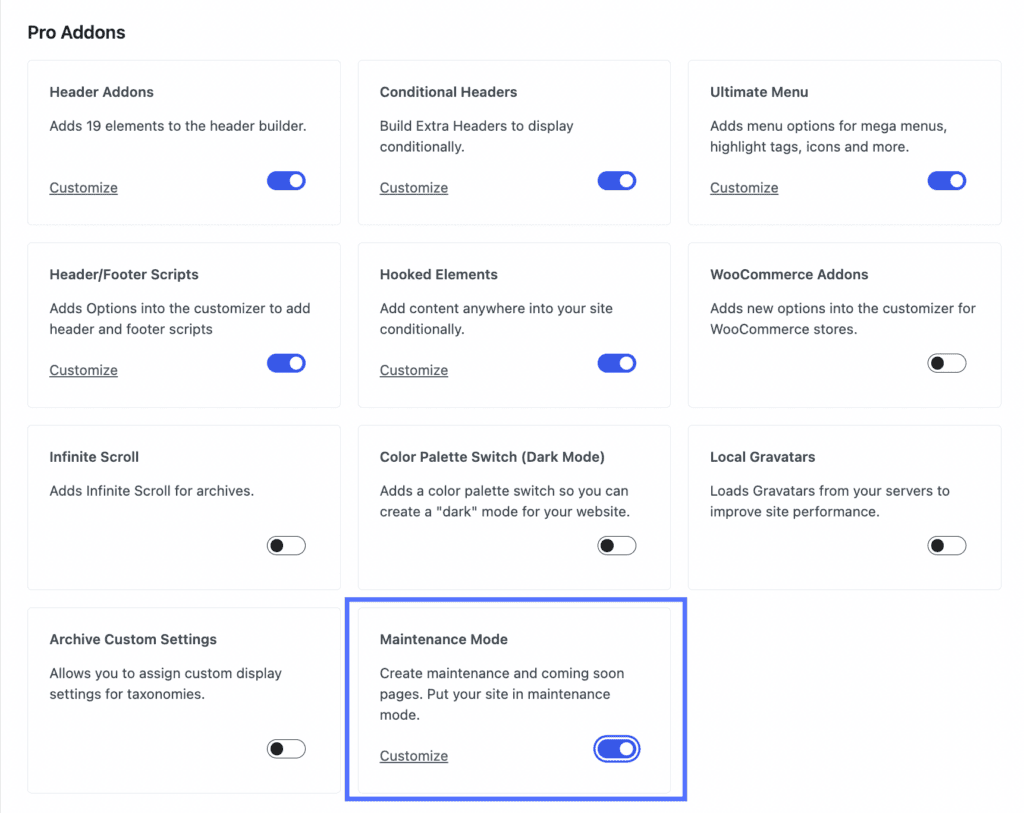
- In the Pro Addons section, locate and enable the Maintenance Mode feature.
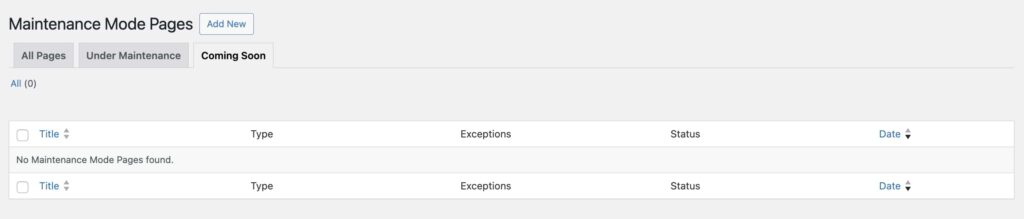
- Navigate to Dashboard > Kadence > Maintenance Mode and select “Coming Soon Mode.”
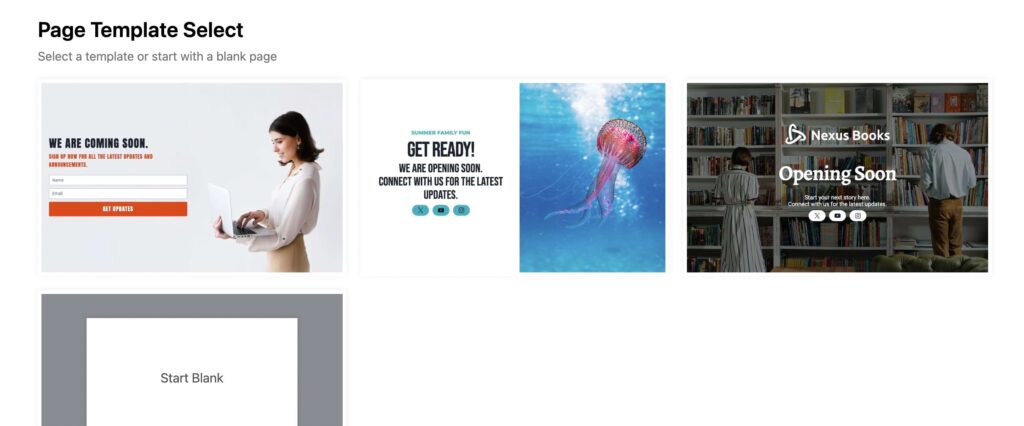
- Click Add New and choose from Kadence’s pre-made templates, or start fresh with your own design. Either way, you’ll get a professional-looking page that matches your brand.
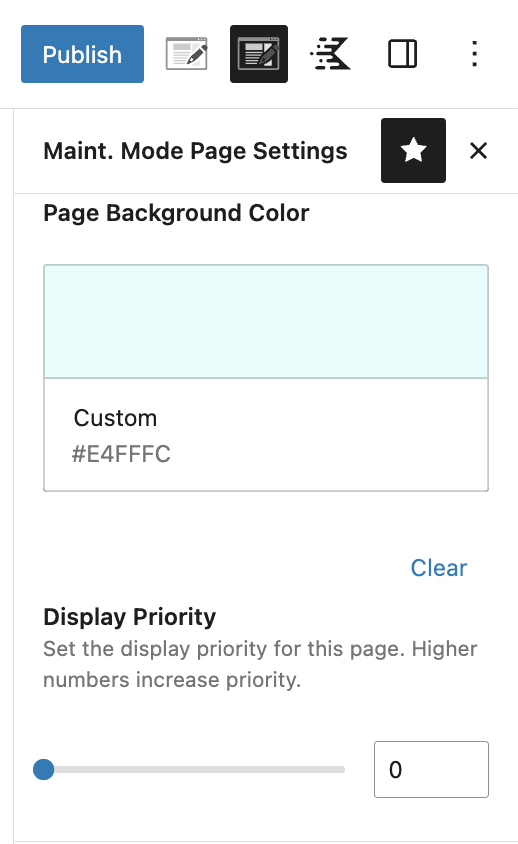
- Access the Maintenance Mode Settings to:
- Set the page background according to your brand’s style.
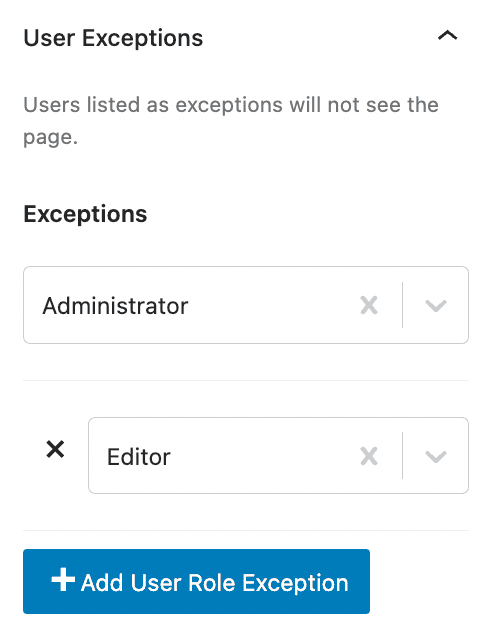
- Configure user role exceptions and set up access for logged-in users.
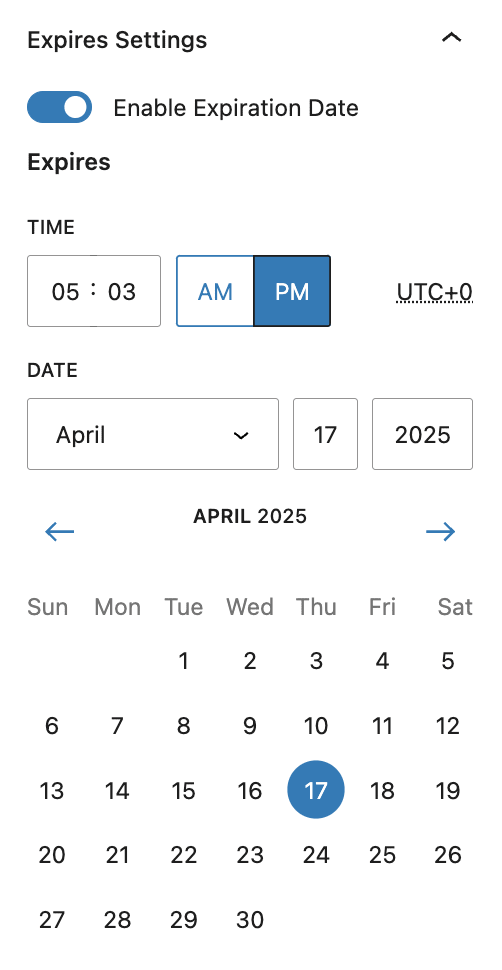
- Set an expiration date and schedule your launch.
- Save your changes and preview your page to make sure it looks exactly how you want it.
Other ways Kadence improves your coming soon page
Now that you know how to set it up, let’s talk about why Kadence is such a great choice for your coming soon page:
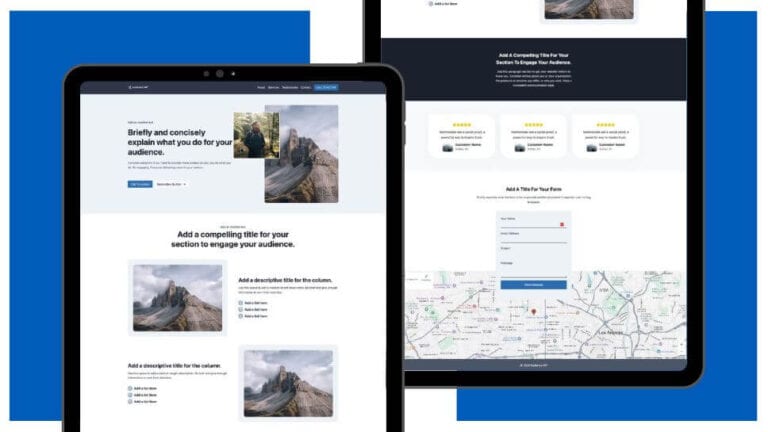
- The Kadence Theme offers beautifully designed templates you can quickly customize to match your brand. Just pick a template, add your content, and you’re ready to go.
- You can control who sees what. Want your team to access the main site while visitors see your coming soon page? You can do that! Administrators can view the live site by default, and you can easily extend access to specific team members or user roles.
- If you’ve got a launch date in mind, Kadence allows you to schedule exactly when your coming soon page should disappear. Set the date and time, and your site will automatically go live as planned — no need to worry about manual switching or staying up until midnight for your launch.
- Make your coming soon page stand out with full-screen designs. Using the Row Layout Block, you can create stunning edge-to-edge layouts that fill the entire screen. To do so, follow these steps:
- Start with a blank template and add a Row Layout Block.
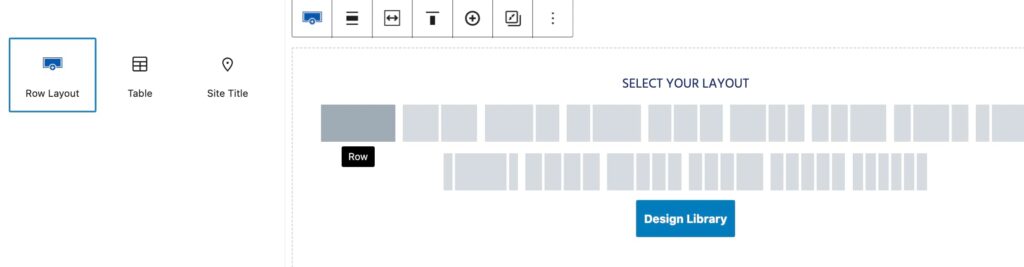
- Go to Row Layout Block Settings > Advanced Tab.
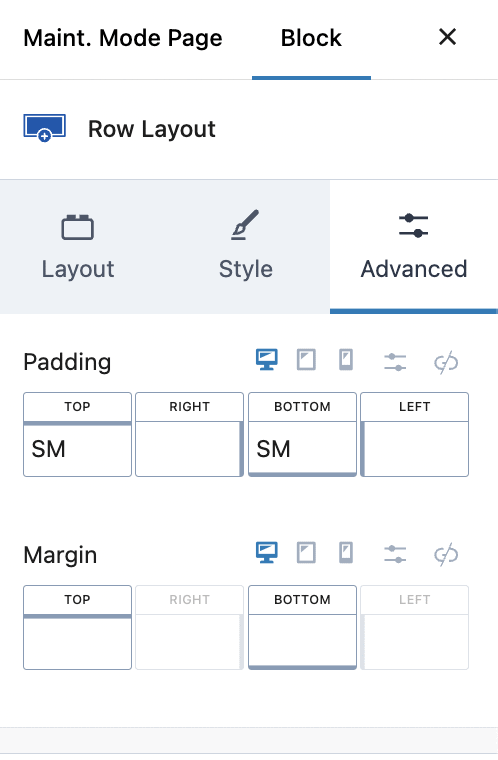
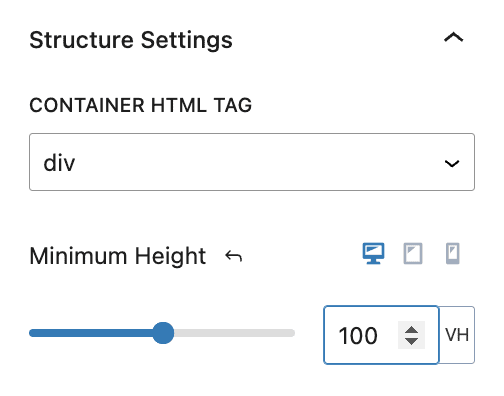
- Expand the Structure Settings and find the Minimum Height setting. Select the PX box to change it to VH (View Height) and set the value to 100. This creates a canvas that fills the entire screen, perfect for showcasing striking backgrounds, videos, or gradients.
Tips for optimizing your coming soon page
1. Keep the design professional
Your coming soon page should be easy to navigate and reflect your brand. Use your logo, brand colors, and high-quality images. Many visitors will check your page on their phones, so make sure it looks great on mobile devices. Thankfully, Kadence’s templates are responsive right out of the box, so this won’t take as long as you think!
2. Write compelling content
Start with a strong headline that tells visitors exactly what’s coming. Add a description of the core benefits your site will offer visitors. Sharing a clear message about how you’ll solve their problems or meet their needs is way more effective than simply listing features. Finally, you could use a countdown timer to build excitement, but only if you’re certain about your launch timeline.
3. Make signup simple
Place your email form where it’s easy to find, ideally near the top of your page. Keep it simple; asking for an email address is usually enough. Make your signup button stand out and tell people exactly what they’ll get for subscribing. Early access, launch day discounts, or exclusive content can work well, but make sure you can deliver on whatever you promise. Sometimes, the simple promise of being “first to know” about your launch is enough for interested visitors.
4. Add contact options
Make it easy for interested visitors to reach you. Add your social media links and a simple contact form for questions. These conversations can give you valuable insights about what your audience wants most from your site.
5. Encourage sharing
If someone’s excited about your upcoming site, make it easy for them to spread the word. Add social sharing buttons and consider offering small perks for referrals. For WordPress users, the Kadence Simple Share plugin (available with select Kadence plans) adds clean sharing buttons to your pages. It’s straightforward to set up, offers five button styles, and can be placed above or below your content.
6. Test everything
Before sharing your coming soon page, click through your page like a visitor would. Test every button, form, and link to ensure everything works smoothly.
And one last unofficial tip: Don’t use your coming soon page to stall (not that we think you would)! Be sure to pick a realistic launch date and stick to it. Your early subscribers are putting their trust in you, and following through builds credibility for your brand.
Launch your WordPress coming soon page with Kadence Theme Pro
The weeks before your website launch are full of opportunities. A thoughtfully designed coming soon page helps you build momentum, grow your email list, and connect with your audience while you perfect your main site.
Kadence Theme Pro gives you all the essentials to make this happen. You’ll get professional templates, easy customization tools, and smart features like scheduled launches — everything you need to turn your pre-launch phase into a success story. Start building your coming soon page with Kadence Theme Pro today!
Create Your Website With KadenceWP Today!


Written by Alexis Bryan
Alexis Bryan is a content marketing specialist at StellarWP with over five years of experience in the marketing industry. She loves writing and creating content for all kinds of audiences, from blog articles and website copy to videos and guides. Alexis enjoys crafting engaging and informative content that helps businesses and people thrive.
By Alexis Bryan
Alexis Bryan is a content marketing specialist at StellarWP with over five years of experience in the marketing industry. She loves writing and creating content for all kinds of audiences, from blog articles and website copy to videos and guides. Alexis enjoys crafting engaging and informative content that helps businesses and people thrive.
Updated February 4, 2025
Create Your Website With Kadence