Adding a Read More Tag
The read more tag allows you to cut off your content at any point of a post and add a clickable Read More tag that will display on archive pages in your WordPress site.
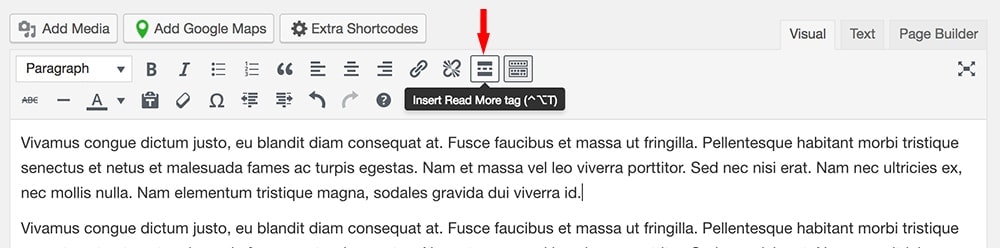
- From your post edit page, click where you want to cut off your entry content, then click “Insert Read More tag” from the visual editor toolbar.
- Now you need to set your blog summary to display as a full post. This can be done from your blog edit page under Blog Options:
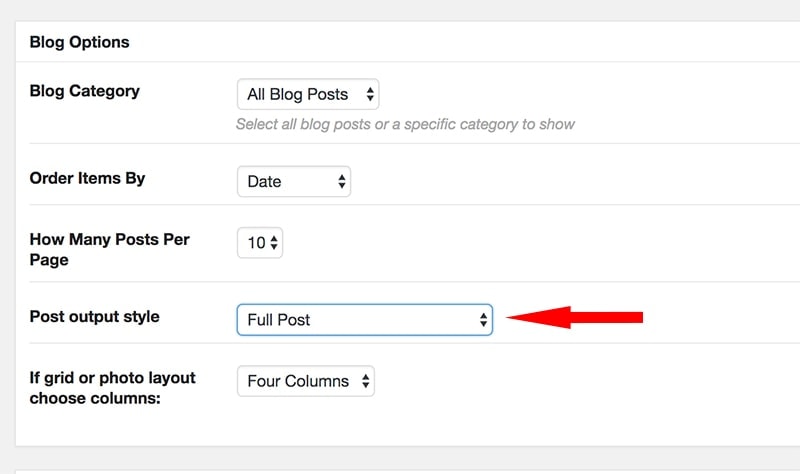
*Note this option will look different depending on the theme.
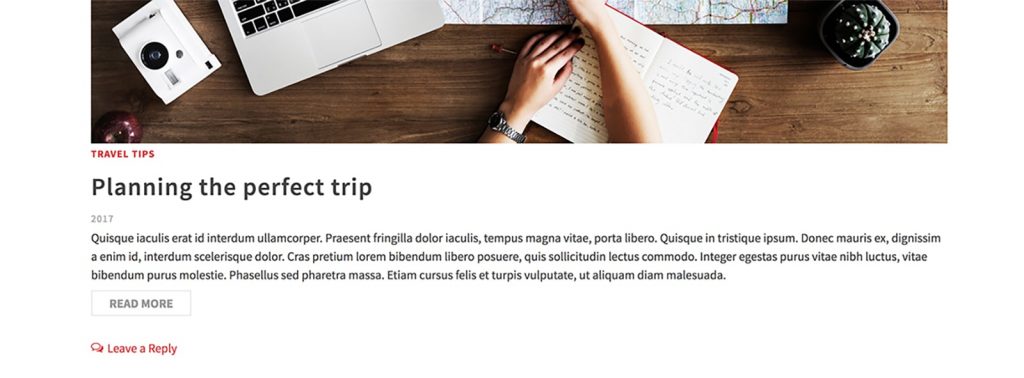
Archive page example:
Create Your Website With KadenceWP Today!


Written by Hannah
Hannah Ritner is the product expert at KadenceWP. With over 10 years at Kadence, she’s worn many hats, but her main drive has always been helping customers reach their goals. Hannah loves empowering people and has been a key player in building the Kadence Community. She’s all about making a real impact for businesses and their customers.
By Hannah
Hannah Ritner is the product expert at KadenceWP. With over 10 years at Kadence, she’s worn many hats, but her main drive has always been helping customers reach their goals. Hannah loves empowering people and has been a key player in building the Kadence Community. She’s all about making a real impact for businesses and their customers.
Updated July 22, 2024
Create Your Website With Kadence