Best Practices for Crafting Irresistible Exit-Intent Popups on WordPress
Did you know that exit-intent popups can save up to 15% of visitors who are about to leave your WordPress site?
However, the success of your exit popups depends entirely on how well they connect with your visitors. If your popup speaks directly to your audience’s needs, casual visitors are much more likely to subscribe and stay. But a popup that misses the mark? That’s just another distraction your visitors will ignore.
This guide will walk you through creating exit popups that actually resonate with your audience. You’ll learn which WordPress tools to use, how to craft compelling messages that capture attention, and, most importantly, how to time your popups perfectly for maximum impact.
But first…
What are exit-intent popups?
Exit-intent popups are smart overlays that spring into action at exactly the right time, like when someone moves their cursor toward that dreaded ‘close’ button or address bar. Using mouse-tracking technology, these popups give you one final chance to capture your visitors’ attention before they disappear.
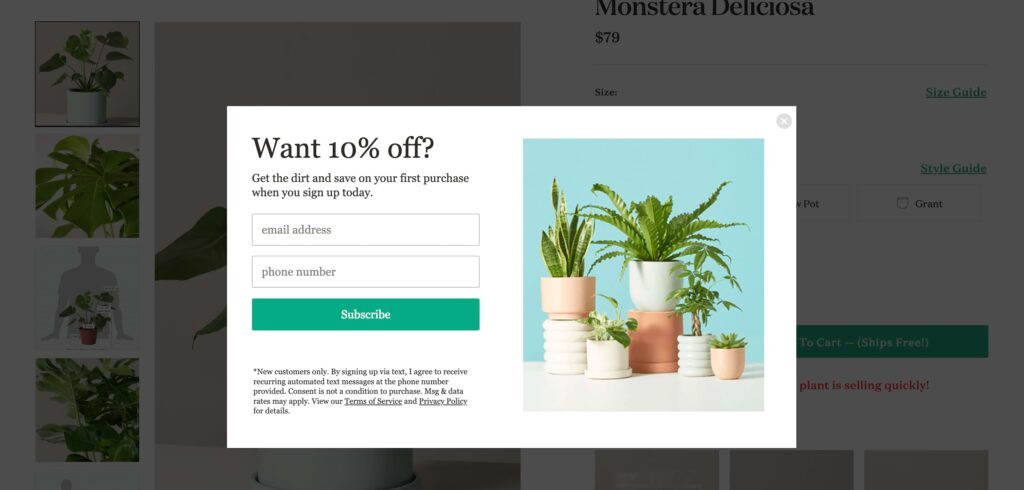
Timing really matters here. Studies show that 70 to 96% of visitors who leave your site will never return. That’s a staggering number of potential connections slipping away! But unlike popups that interrupt people mid-reading (we’ve all experienced those, right?), exit intent popups wait for the perfect moment — when visitors are planning to leave.
This strategic timing makes exit intent popups incredibly powerful for growing your email list, saving abandoned carts, or making that final special offer.
How to add exit intent popups to your WordPress site with Kadence Conversions
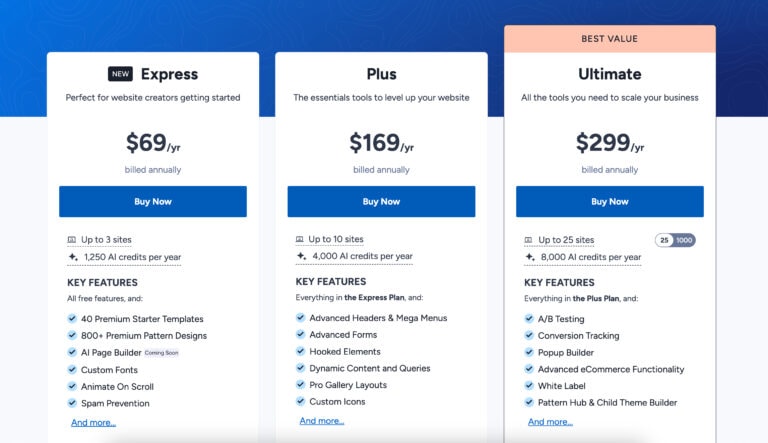
You’ll need two tools to get started: the free Kadence Blocks plugin (which you can download from the WordPress plugin repository) and Kadence Conversions (a premium plugin you can access by purchasing the Kadence Ultimate Plan. Once these are installed and activated, you’re ready to create your first popup:
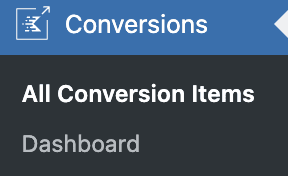
- Head over to Conversions > All Conversion Items in your WordPress dashboard.
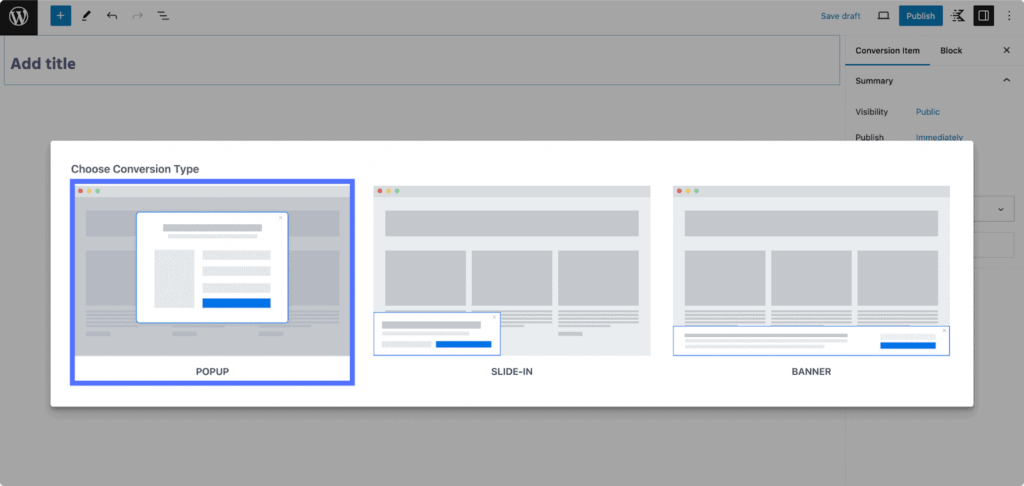
- Click the Add New button at the top of the page and select Popup from the conversion types.
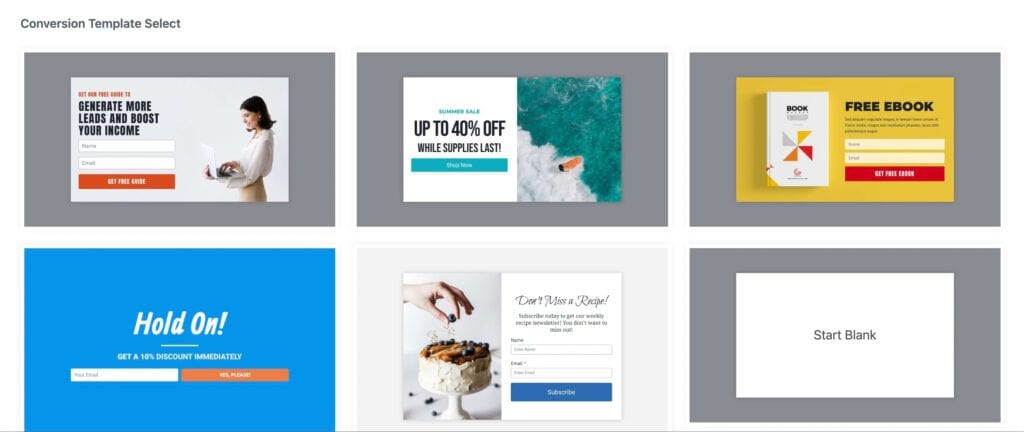
- You’ll see a collection of pre-designed templates ready to use, or you can start with a blank canvas if you prefer to build from scratch.
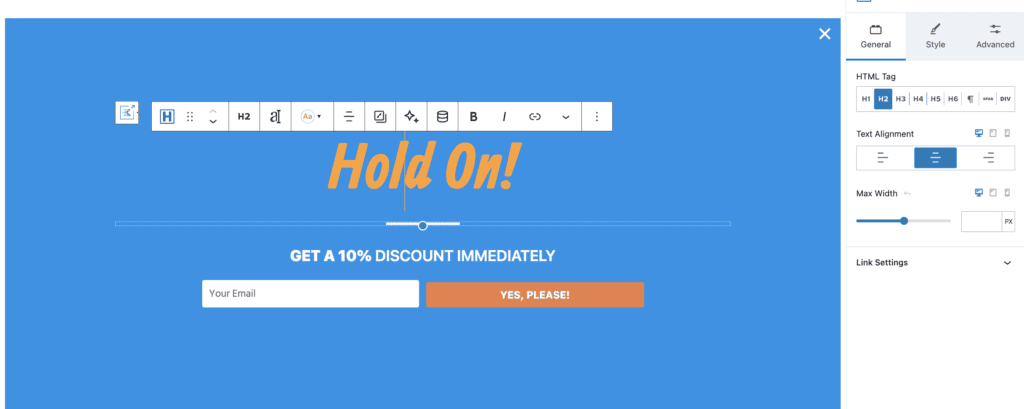
- With your template selected, it’s time to make it your own using Kadence Blocks. You can add form fields like name and email using the Form block and style the elements using Kadence Blocks’ built-in settings.
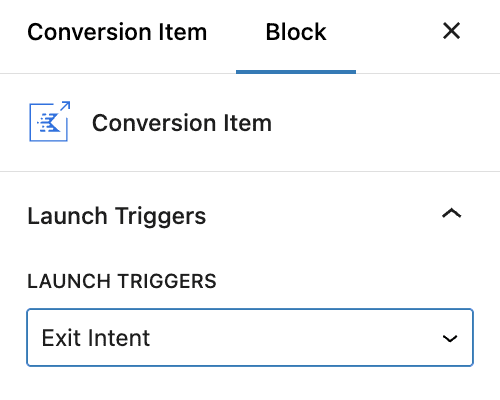
- Navigate to the Conversion Item settings in the sidebar. Here, you can:
- Select the Exit Intent under Launch Triggers.
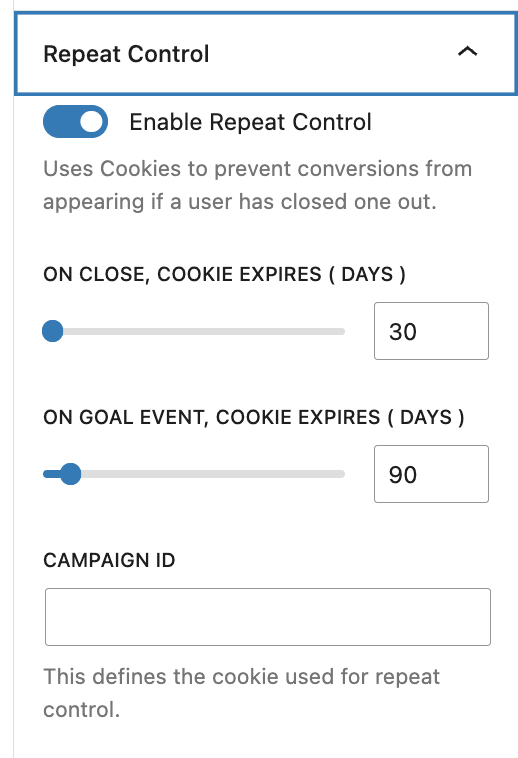
- Enable Repeat Control to prevent popups from appearing if a user has closed one out.
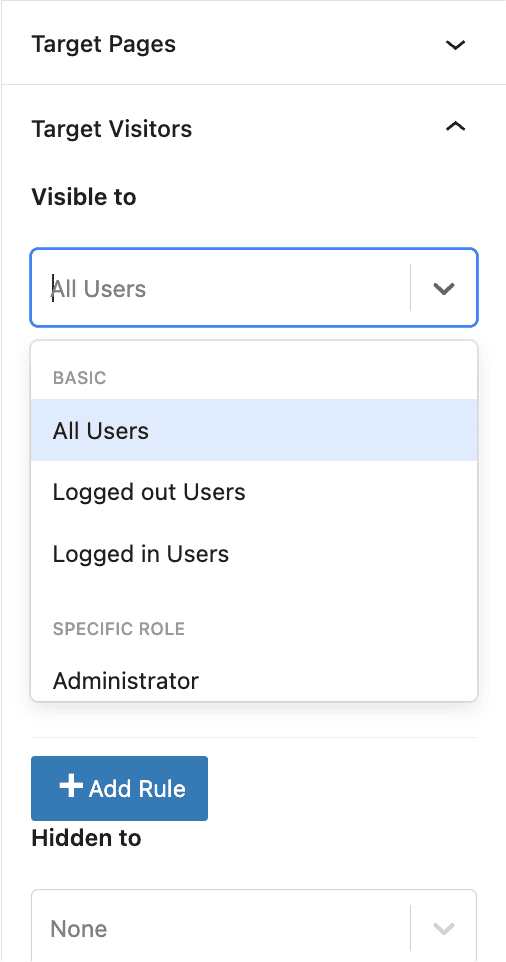
- Decide who you want to target and on which page. You can even opt to target based on a user’s device.
- Adjust the animation settings to your liking.
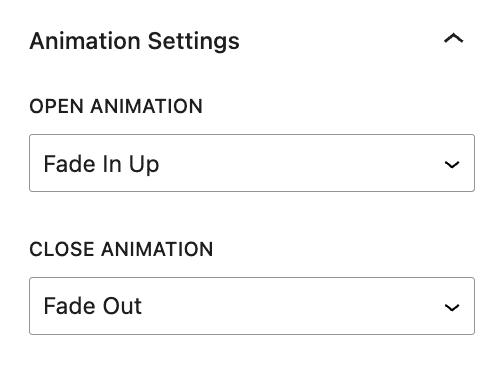
P.S. You’ll need to connect your email marketing service, enable analytics tracking, and define your conversion goals before you launch. These finishing touches will help you measure and improve your results over time.
Why Kadence Conversions is the best WordPress exit-intent popup solution
Kadence Conversions is the only tool that lets you create beautiful popups using the familiar WordPress block editor you already know and love. There’s no coding required and no clunky interfaces to learn, just the same Gutenberg editor you already use for your posts and pages.
The beauty of this native WordPress integration goes beyond familiarity. Your popups actually load faster because they’re built right into WordPress’s core system, not tacked on as a separate tool. This means better performance for your site and a smoother experience for your visitors.
Here’s what makes Kadence Conversions particularly valuable for your exit popup strategy:
- It comes with conversion-optimized, pre-built templates that you can customize to match your brand.
- While exit-intent detection is the star here, you get complete control over when your popups appear. Whether you want to catch leaving visitors, welcome new ones after a few seconds, or engage readers who’ve scrolled to the bottom of your content, you can time your popups perfectly for every situation.
- The powerful targeting system lets you show popups exactly where they’ll have the most impact. Display them on specific pages, target certain devices, or even respond to WooCommerce conditions like cart value. It’s all about showing the right message to the right person at the right moment.
- Thanks to intelligent resource loading, your site stays fast and responsive. Kadence Conversions loads assets only when needed, page by page, without relying on bulky JavaScript frameworks that slow things down.
- Built-in conversion analytics show you exactly how your popups are performing. Connect with Google Analytics, set custom goals, and use real data to make your exit popups even more effective over time.
Tips for creating high-converting exit popups
1. Time your popups perfectly
Your visitors need a chance to experience your content before seeing a popup. Rushing to show one immediately is like asking someone to marry you on the first date! Give them at least 30 seconds to engage with your page, or wait until they’ve scrolled partway through your content.
For your returning visitors, be extra thoughtful with your timing. Nobody likes seeing the same popup every time they visit your site. Use Kadence Conversions’ frequency controls to set reasonable gaps between appearances. Once a month often works well for most sites.
2. Put user experience first
If you’ve ever wrestled with a stubborn popup that refuses to close or keeps jumping back onto your screen after dismissing it, you know how frustrating it can be. And that’s what you should avoid. Make your close buttons clearly visible, and never hide or obscure the exit options.
Your popups should enhance the browsing experience, not hinder it. Keep your popups lightweight so they load quickly and don’t impact your site’s performance. Most importantly, when someone closes your popup, respect that choice. Kadence Conversions makes it easy to track and honor these preferences.
3. Personalize your message by page type
Someone reading your blog post about email marketing may have different interests than someone browsing your product pages. That’s why it’s important to match your popup’s message to where your visitors are in their journey.
For blog readers, consider offering a content upgrade, like a checklist or template that builds on what they’re reading. On the other hand, shopping page visitors would love free shipping or a special discount. Homepage visitors are often just getting to know you, so focus on newsletter signups with an irresistible lead magnet.
4. Offer real value to leaving visitors
The not-so-secret tip to stopping visitors in their tracks is offering something so valuable they can’t help but pause.
For example, if someone’s leaving your checkout page, a timely 10% discount code might be just the nudge they need. Or, if they’re abandoning a tutorial, offer a downloadable cheat sheet that makes implementation easier. Whatever you offer, make sure it’s specific to their needs and genuinely helpful.
5. Test different approaches
The best converting popup might not be your first attempt — and that’s OK! This is where A/B testing comes in handy. Try different headlines, test various incentives, or experiment with different value propositions to see what truly resonates with your audience.
Fortunately, you don’t need complex tools to run these tests. Kadence Insights (also included in the Ultimate Plan, along with Conversions) lets you run these experiments right inside WordPress.
6. Design for mobile first
With over 60% of web traffic now coming from mobile devices, your popups need to work flawlessly on smaller screens. But here’s the thing: mobile users have unique needs and behaviors.
Keep your design clean and touch-friendly. Those tiny buttons that work fine with a mouse? They need to be larger for touch screens. And while you might be tempted to add lots of form fields, remember that typing on mobile is more challenging. Stick to the essentials — every extra field is another reason for visitors to abandon your form.
Google pays special attention to how popups (or “interstitials” in Google-speak) appear on mobile devices. These are elements that appear between pages or over content. To stay in Google’s good graces, make sure your mobile popups don’t take over the entire screen — leave some of the main content visible.
7. Target different audience segments
Not all visitors are the same, so why show them all the same popup? First-time visitors might need a warm welcome offer, while returning visitors might appreciate something more exclusive.
Notice someone has items in their cart? Show them a special shipping offer before they leave. Kadence’s conditional settings make it easy to create these personalized experiences without any coding knowledge.
8. Connect your email marketing tools
Getting that initial conversion is just the beginning of your relationship with a visitor. Make sure your email marketing tools are properly connected so you can nurture these new connections automatically.
Set up those welcome emails to go out instantly, and use tags to remember where subscribers came from — this helps you personalize future communications.
Launch your exit popups with Kadence Conversions
Your WordPress site gets plenty of visitors who’d love to stay in touch with your brand. They just need a friendly nudge at the right moment. That’s exactly what exit-intent popups deliver.
Best of all, creating these powerful popups is super easy with Kadence Conversions. You get all the tools you need right in WordPress — design gorgeous popups using any block you want, set up smart triggers without touching code, and show your popup to exactly the right people at the right time.
Start turning those exit clicks into opportunities today with Kadence Conversions!
Create Your Website With KadenceWP Today!


Written by Alexis Bryan
Alexis Bryan is a content marketing specialist at StellarWP with over five years of experience in the marketing industry. She loves writing and creating content for all kinds of audiences, from blog articles and website copy to videos and guides. Alexis enjoys crafting engaging and informative content that helps businesses and people thrive.
By Alexis Bryan
Alexis Bryan is a content marketing specialist at StellarWP with over five years of experience in the marketing industry. She loves writing and creating content for all kinds of audiences, from blog articles and website copy to videos and guides. Alexis enjoys crafting engaging and informative content that helps businesses and people thrive.
Updated February 21, 2025
Create Your Website With Kadence