Getting Started with Google Analytics
Google Analytics will tell you everything you need to know about the traffic that is coming into your site. How many visitors is your site getting? What is it that’s driving them in? Which marketing tactics are working? Which aren’t? Which posts/pages are most popular? Google Analytics is here to answer all that and so much more!
Step one
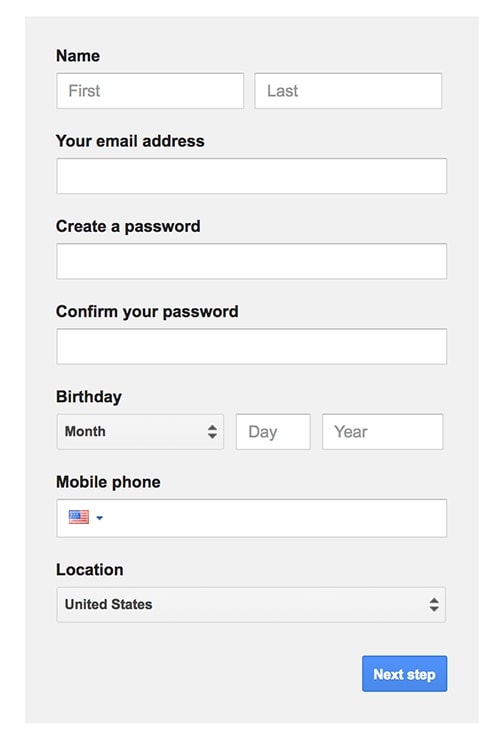
Create a Google Analytics account by navigating here. If you have a pre-existing Google account such as Gmail, Google Drive, Google Calendar, Google+, or YouTube, you can use your same account info. Otherwise, create a new one!
Step two
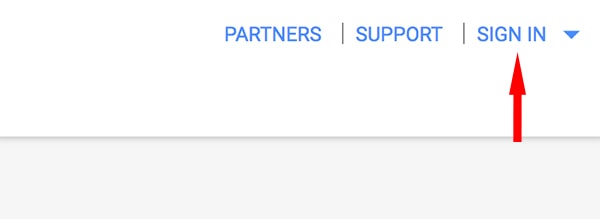
Once your Google account has been created, click Sign in >> Analytics.
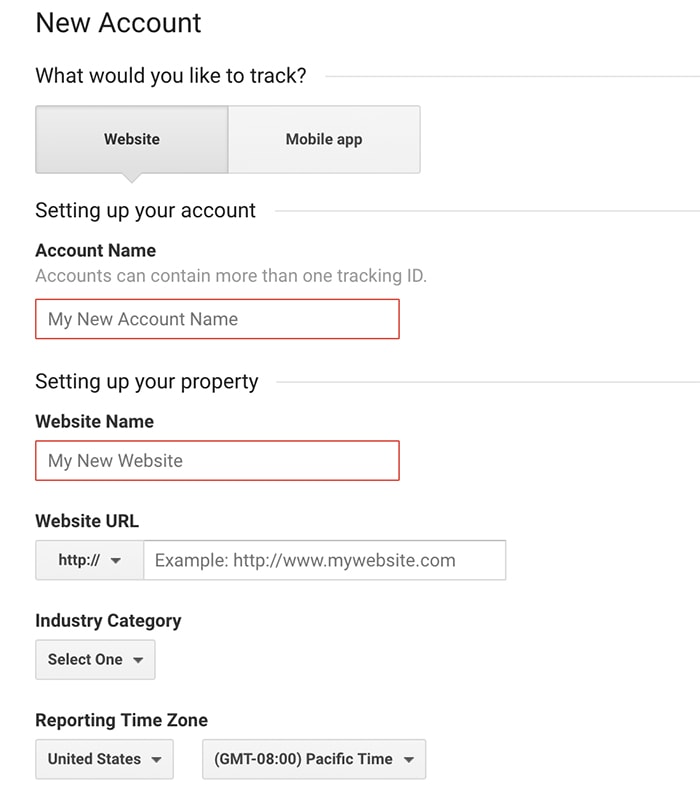
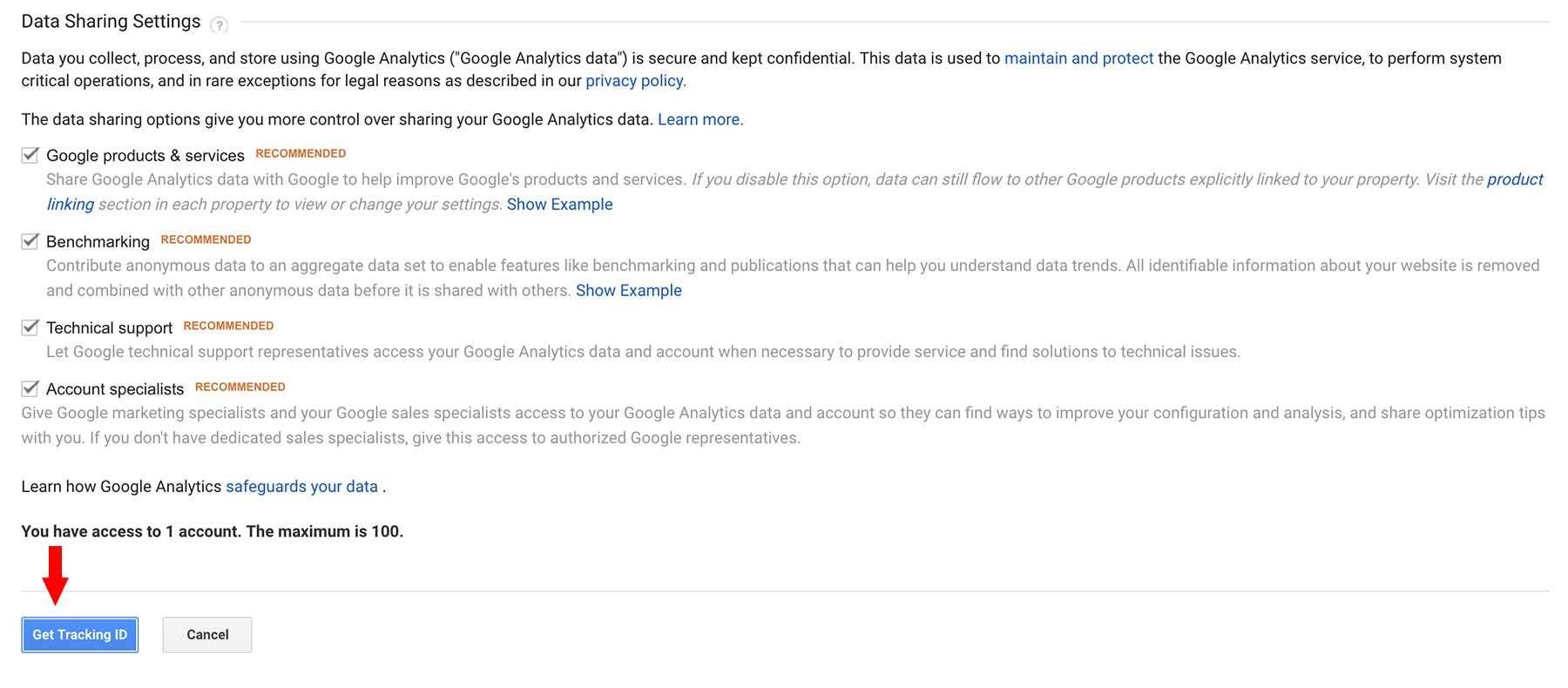
Create an account name, add in your website URL, and set your data sharing settings. Then click “Get Tracking ID”.
Step three
If you’re using a Kadence Premium theme you can paste your Google Analytics Tracking ID directly into the allotted space in Theme Options.
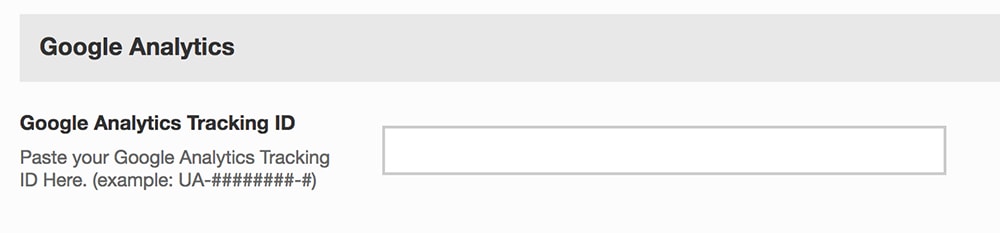
If you are not using a Kadence Premium theme, you can install a plugin like Insert Headers and Footers. After you have activated the plugin, navigate to Settings >> Insert Headers and Footers. Then paste your Google Analytics code into the headers section.
Another option for adding Google Analytics is to use a plugin such as Google Analytics for WordPress by MonsterInsights.
Create Your Website With KadenceWP Today!


Written by Hannah
Hannah Ritner is the product expert at KadenceWP. With over 10 years at Kadence, she’s worn many hats, but her main drive has always been helping customers reach their goals. Hannah loves empowering people and has been a key player in building the Kadence Community. She’s all about making a real impact for businesses and their customers.
By Hannah
Hannah Ritner is the product expert at KadenceWP. With over 10 years at Kadence, she’s worn many hats, but her main drive has always been helping customers reach their goals. Hannah loves empowering people and has been a key player in building the Kadence Community. She’s all about making a real impact for businesses and their customers.
Updated March 3, 2025
Create Your Website With Kadence