Notice: These forums are now retired and closed. For active support, please Submit a Ticket or visit our official WordPress.org community pages.
Kadence Theme | Kadence Blocks | Starter Templates | WooCommerce Email Designer | Ascend | Virtue | Pinnacle
Search Results for 'footer'
-
AuthorSearch Results
-
In forum: Pinnacle Theme
ok, Ben, I tried to take the PayPal button code and stick it into the Footer Output section and it won’t let me take save it. I did go into the staging site that I have and I installed File Manager plugin and went in there and deleted the footer.php file in the child theme in that staging site and then it let me save that code in the Footer Output part. However, it didn’t fix the problem of the Icons not showing and my PayPal button is now gone on that staging site. I’m hesitant to change it in the real site at this point. I wanted to see what you thought knowing that. Hope to hear from you tomorrow. thanks so much.
In forum: Pinnacle ThemeApril 2, 2019 at 6:08 pm #221920Hey,
You are overriding the footer.php file.You shouldn’t do that through your childtheme.
Just add the html that you’ve put into that file in your theme options > header and footer scripts. Place in the footer scripts.
then remove the footer.php file from your child theme and that will fix your issue.
Ben
In forum: Ascend ThemeApril 2, 2019 at 3:25 pm #221913Wow, I can’t seem to get my head around where or how to set a background image to end up with what my graphic designer wants. All we’re after is a background image (seen in the linked sample pages) that sits at the page bottom – with space between the content and top of said background image. It seems so simple – just add the background image to the footer (of which there are two, so that’s a bit confusing, thought probably more flexible). But I’ve tried every possible permutation, it seems, and still can’t get it to look like these mockups:
Page Example 1
Page Example 2So I thought I would just use a solid color footer + a background image at the bottom of the .contentclass div. It came a bit closer (current state of the site) but there’s a gap in the color AND the page content now wants to lay over the top of the grass image.
Yard Ethic Website
Can someone help? I used to build sites from scratch with HTML and CSS, but this one’s driving me nuts!
In forum: Ascend ThemeIn reply to: How to set image size in footer column?
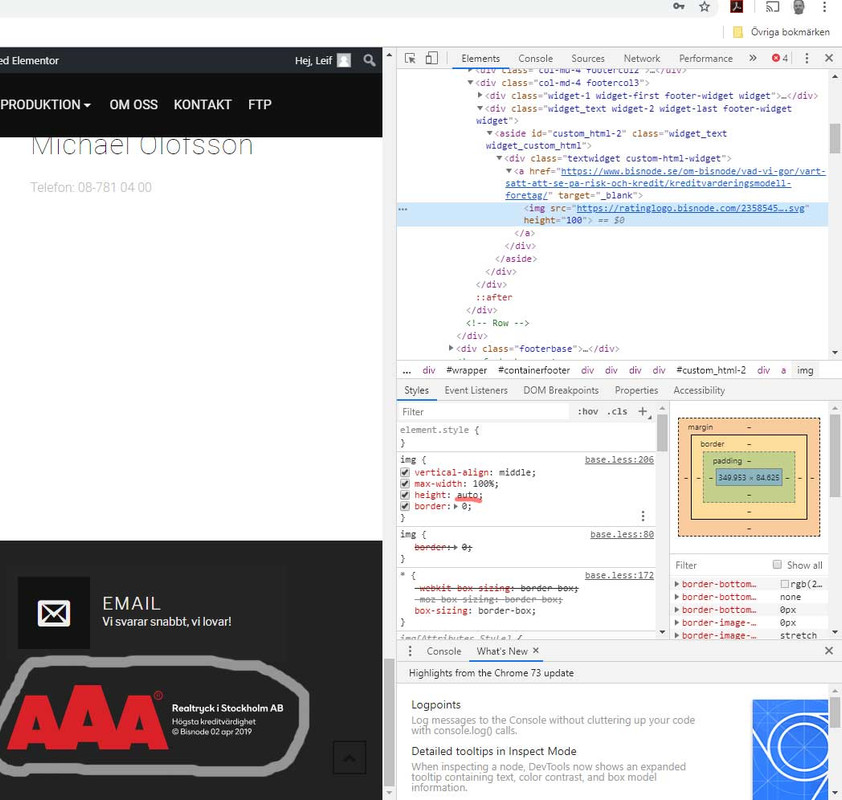
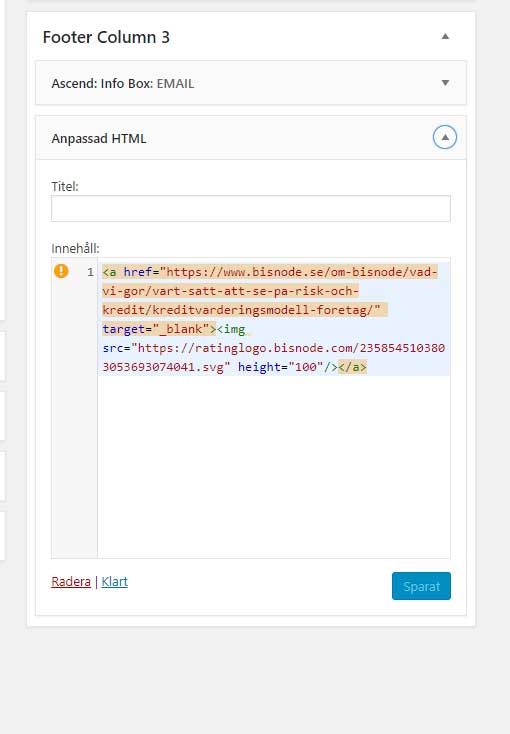
It looks like your footer image is already taking on a max height of 100px. Are you seeing something different? If you want to decrease this height you can override with this css:
#containerfooter .textwidget.custom-html-widget img {
    max-height: 80px;
}
Hannah
In forum: Ascend ThemeIn reply to: How to set image size in footer column?
In forum: Ascend ThemeIn forum: Virtue ThemeIn reply to: Foter
In forum: Virtue ThemeIn reply to: shop menu
In forum: Virtue ThemeIn reply to: shop menu
In forum: Virtue ThemeIn reply to: Creating an Intro page with Virtue
April 1, 2019 at 9:54 am #221715Yes, most splash pages use cookies so you releave some of the annoyance of how they work.
If you are set on making the home page your splash page you can hide the header and footer using css like this:
.home .headerclass, .home .footerclass {
    display: none;
}

.home .wrap.contentclass {
    padding: 0;
}
Ben
In forum: Ascend ThemeIn reply to: Footer
In forum: Ascend ThemeTopic: Footer
Hi,
I’ve got a problem with my footer. In the theme options i’ve chosen the 4 columns. But the 4th column isn’t shown next to the 3 but under the first one.
*Login to see link Here you can see it.
How do I change this?
Is there a css code?In forum: Virtue ThemeHello,
My client would like to have an Intro page to their website. I created a page using the “Landing Page” template without the header or footer which has a Kadence Slide Show on it. However, when I set that page to be the home page for the URL, it then converts back to having the header and footer. Any ideas how this page would show up as an intro page?
Thank you,
KathyIn forum: Virtue ThemeTopic: Virtue: Footer Conflict
Hi,
I am now working on a new website so I thought I would try another Kadence theme for a client. Downloaded Ascend. Deleted. Decided I like Virtue better. Downloaded Virtue theme….and now I can’t get the Ascend Demo footer to leave. I have done everything. I have created footer Text, formatted footer background color and font, but the site just will not recognize it. It keeps grabbing the Ascend footer.
Any suggestions?
PamIn forum: Virtue ThemeIn reply to: Primary Menu: Reposition
Nope … it didn’t work.
Hannah, could there be something else in my custom css that restricting this additional code?
.home_blog h3.hometitle {
text-align: left;
font-size: 26px
}.sidebar {
background: #F5F5F5;
padding: 30px;
font-size: 14px;
font-weight: 300;
}.home_blog_title h5.entry-title {
font-size: 28px;
font-weight: 700;
font-color: #000000
}.entry-content p {
font-size: 18px;
line-height: 30px;
}#containerfooter p {
font-size: 13px;
}.type-post .entry-title, .type-page .entry-title {
font-size: 35px;
color: black;
}ul.sf-dropdown-menu.dropdown span {
font-size: 16px;
}.topbar-widget .virtue_social_widget {
text-align: right;
}
.topbar-widget .virtue_social_widget a {
float: none;
display: inline-block;
}a {color:#dd9933;}
/*change border color #6e6e6e and shadow color #ccc to any color of your choice */
.post img {
border:0px solid #6e6e6e;
box-shadow: 10px 10px 5px #6e6e6e;
-moz-box-shadow: 10px 10px 5px #6e6e6e;
-webkit-box-shadow: 10px 10px 5px #c6e6e6e;
-khtml-box-shadow: 10px 10px 5px #6e6e6e;
}#containerfooter .virtue_social_widget.clearfix {
display: inline-block;
}
#containerfooter .widget-first {
text-align: center;
}div#kt_slider_home {
border: 0px solid #6e6e6e;
box-shadow: 10px 10px 5px #6e6e6e;
-moz-box-shadow: 10px 10px 5px #6e6e6e;
-webkit-box-shadow: 10px 10px 5px #6e6e6e;
-khtml-box-shadow: 10px 10px 5px #6e6e6e;
}
@media (min-width: 992px) {
aside#ktsidebar {
width: 30%;
}
.main.col-lg-9.col-md-8 {
width: 70%;
}
.custom_carousel_item .ccarousel_excerpt {
padding: 0 10px 10px;
min-height: 0;
}
#home-custom-carousel .custom_carousel_item {
-moz-box-shadow: none;
-webkit-box-shadow: none;
-o-box-shadow: none;
box-shadow: none;
background: transparent;
}
@media (min-width: 992px) and (max-width: 1200px) {
.col-md-6.clearfix.kad-header-left {
width:35%;
}
.col-md-6.kad-header-right {
width: 65%;
}
}In forum: Membership ForumsIn reply to: Text color in footers
Here’s some CSS that will allow you to set each font in your footer:
#containerfooter h3 {color:white !important;}
#containerfooter {color:black !important;}
.footercredits p {color: white !important;}
.footerclass a {color: blue !important;}
.footernav ul li a {color: white !important;}
Change the colors to whatever you like, and add the CSS to Theme Options> Custom CSS.
-Kevin
In forum: Pinnacle ThemeTopic: Remove white space in footer
In forum: Membership ForumsIn reply to: Text color in footers
In forum: Membership ForumsTopic: Text color in footers
March 28, 2019 at 9:26 am #221335I’m interested in having a footer section with a dark background. I can’t find any way to adjust the text color for any of the widgets – e.g., Text, Social Media. Suggestions? Does a fix need to be done for each type of widget used, or is there some overall way to do this? I’m guessing I’ll need some sort of CSS that includes (using RGB I’m considering)
style=”color:#fffff0″In forum: Reply To:Hi,
I have created a Welcome Page (without the footer & header – thanks to your template). How do I make it so the Welcome page shows first when new folks come to the website? And then after viewing the site the website’s URL defaults to the home page? I know if I make the Settings > reading > static “Welcome”, it will show the headers and footers.
Thank you,
Kathy -
AuthorSearch Results