This reply has been marked as private.
Hi- I have a 5 column post grid on my home page. On mobile, it defaults to 2 rows of 3 and 2. Is there a way to force it to just show them as a list, one after the other? I’ve been playing with css but can’t get it to work.
*Login to see link
This reply has been marked as private.
Hi
I am using a products filter in the Woocommece sidebar for my shop and on a laptop, the filters display on the left as expected but it displays at the bottom of the page on a mobile.
Looking through the forums, it seems this is expected but you can use css to change the position? Would you be able to help me move this sidebar to the top of the page on a mobile please?
Thanks
Dom
Happy Holidays All!
Is there any way to prevent off-screen Post Grid/Carousel block contents from displaying during page load?
*Login to see link ains/~marshbo6/
The post carousel is right below the words COMMERCIAL AND RESIDENTIAL
I’ve got a very unsophisticated method in use temporarily. I set max-height on the parent row, which has to be (crudely and not very successfully) adjusted for different media queries. I add padding to the bottom of the post container to prevent the “next row” from flashing during page load. So that you can see the content flash, I’ve turned off this extra padding for the time being.
Thanks!
Amy
Hey,
You can add an SVG as a background in certain formats. For example, if you have an SVG file. (note that the theme icons are not files for performance reasons and flexibility, by adding them inline you can change colors, etc.) or if the svg is in base64 format you can add all of the XML data and create a background using css like you see for the select. (note that the theme icons are not in this format because it’s limiting in how you can manipulate them).
Depending on your exact scenario of what you are trying to do I may be able to offer some suggestions most likely if you need these on every page making your own Icon font will make the most sense but in many places, you may be able to hook in an icon through a snippet of PHP.
Ben
Hi Greg,
Thanks for reaching out! For a free slider option, you can use a plugin like this: https://wordpress.org/plugins/smart-slider-3/ It allows you to display your slider via shortcode which you could add to the content area in your pages.
Hope that helps!
Kindly,
Hannah
Hello Ben,
Thank you for reaching out to us.
There is no built-in option within the Kadence theme to do this. On the other hand, you can make use of a plugin like Woo Custom Stock Status to show the stock status of the products on product archive pages.
Hope this helps and let us know if we can assist you further.
Best Regards,
Karla
Hello James,
Thank you for giving us access to your website.
The blocks listed on the console log are available if you have the Kadence Blocks Pro Addon. Upon checking your plugins list, I do not see the plugin for this. Please could you download the Kadence Blocks Pro from your Product Downloads page and install & activate it on your website to see if the issue will be gone.
Hope this helps and let us know if we can assist you further.
Best Regards,
Karla
Hello,
I am trying to improve the CLS for this URL:
*Login to see link
I have tried tinkering with various features in the blog post layout, but have not gotten anywhere.
My results can be seen here: *Login to see link
I have uploaded screeshots of my results.
Is there features in the theme I can try tinkering with to improve the CLS? Thank you
After updating WordPress to 5.6 and updating Virtue –Premium to 4.9.31, the Homepage Layout on the top page is blank and no longer displayed. Please tell me what to do. Currently only the header and footer are displayed.
Hi Hannah,
I changed the testimonial group’s name to “Customer Testimonials” and slug to “feedback” but the page at /feedback is still 404.
The individual testimonials have slugs in the form of /testimonial/{title}. That works. But /testimonial does not work. (Example: https://puppytrekgame.com/testimonial/ashleyevert-on-etsy/)
Any other ideas?
By the way, a minor suggestion. I was put through three sets of images by Google’s recaptcha to prove I was not a robot. You might consider using reCaptcha V3, the invisible version.
Best,
Keith
Using Kadence Pro Theme….
Without adding any other plugin, is it possible to insert JavaScript and CSS on a page by page basis?
I am using Gutenberg with Kadence Blocks.
Want to add custom :
Head
Body Top
Body Bottom
for some of my funnel pages.
-
This topic was modified 5 years, 4 months ago by
 Victor Smith.
Hi there, I have added buttons as shown in the attached image which are associated with the text and image above. However, as it stands, the buttons all appear at different levels due to the difference in paragraph length above which looks untidy. I could create a dedicated row for the buttons but then the buttons would not be next to their respective column content when the page collaposes. How can I keep the buttons in the right place while also making them all line up horizontally?
vizgard.com
Hi Hannah,
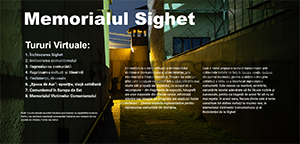
That image (https://www.memorialsighet.ro/wp-content/uploads/2020/12/turmemorialsighet.roro-300.png) I will let it where it is now, and I will place it again in the top of the content (above ”Fondatori Ana Blandiana şi Romulus Rusan” on front page, for ex.) on several pages including front page. It is that duplicate that I need to hide from desktop. The idea is that on mobile devices the duplicated image to display first. As it is now on sidebar, you have to scroll a lot until you see it.
Best regards,
Nicolae
Hi Keith,
Yes, when creating a testimonial group a page is automatically created showing the testimonial posts assigned to that group.
1. Try changing the name and slug of your testimonial group. The slug for testimonials is already “testimonials” so I think this is where the conflict is happening.
2. I think #1 will resolve this issue as well. Then I can provide css to remove the page title and icon.
3. Glad to hear it:)
Kindly,
Hannah
We are using Ascend Premium theme with a child theme and the print layout is not consistent with the one on the screen. Is there a way to improve this please? *Login to see link
Hello Kadence Team 😉
We are using your theme (child theme) for our new website and we want to reduce to minimum the new core vital “CLS”
In order to avoid CLS with fonts, i read that you must add a font’s preloading and property “font-display: optionnal”
I choose to run fonts localy (using option in Kadence theme) and add this code in Appareance > Kadence > Elements :
<link rel="preload" href="*Login to see link as="font" type="font/woff2" crossorigin="anonymous">
Now i have 2 issues:
– Pagespeed insights display this message: “Ensure text remains visible during webfont load”
– How i can add/modify the argument “font-display” in the font-face property calling the specific font?
Thank you for your support
Richard
Hi Ben,
I can still recreate the issue.
I cleared the chrome browser cache completely. And revisited the website. Clicked on 2 sub pages and it happend again.
Have a great day,
Tobias
Hello,
Here is a video that shows how to change the page layout while editing specific pages:
https://share.getcloudapp.com/P8um2GBe
Let me know if that helps or if you need anything else.
Thanks!
Chris