Apostrophes and Quotation Marks
To texturize or not to texturize, that is the question.
In the contemporary Unicode specs, it’s been left to “software” to sort out what Unicode characters for apostrophes and quotation marks are correct in context. Microsoft Word handles “smart” or “curly” apostrophes and quotation marks automatically. So does WordPress. We’ve gotten used to 20+ years of automagical text filtering, but sometimes it still doesn’t work right. Even Grammarly, with its sophisticated AI proofreader, isn’t perfect and may make a mess of your curly quotes and apostrophes. Here’s what you need to know to get your typography right as you type, with or without artificial interference.
Strangely, the half-width1, neutral apostrophe ' (U+0027) is accepted as both an apostrophe and a single quotation mark, while the current Unicode standard (15.0.0 chapter 6) calls the right single quotation mark ’ (U+2019 “the preferred character to use for [sic] apostrophe.” Even when a font mutes the differences between these characters, their unique qualities become apparent alongside each other and at larger scales.
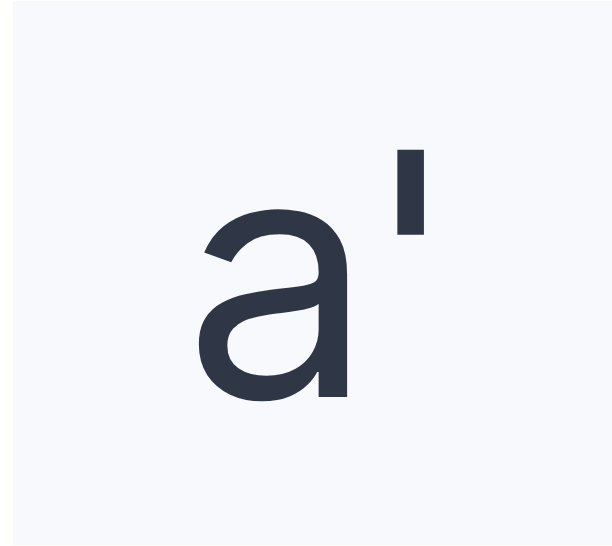
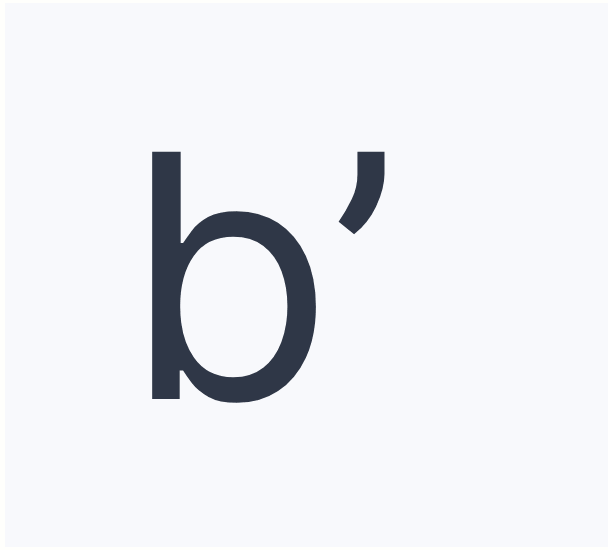
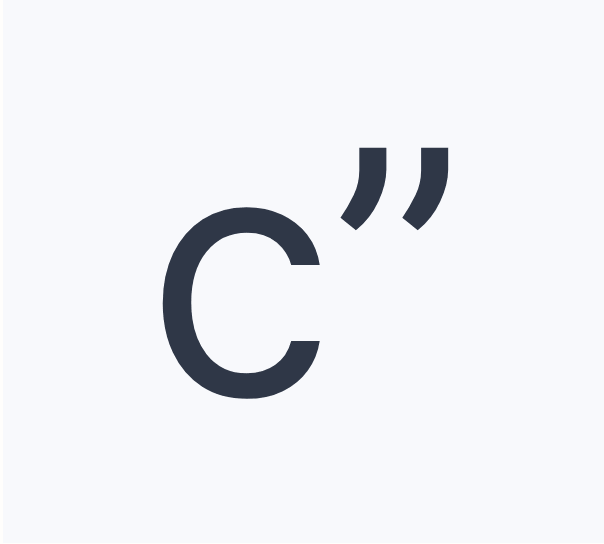
What we usually do is wrong. 🤷
North American English keyboards have the “neutral,” “vertical,” or “dumb” ASCII (0x27) and Unicode (U+0027) apostrophes ' mapped to the same key as the neutral quotation or surprisingly ancient western “ditto” mark " (ASCII 0x22 and U+0022), which sits above the apostrophe in the shift position.2 Don’t confuse it with the CJK/Asian Ditto Mark (U+3003) In practice, the neutral apostrophe can double as a single quote mark, and both the apostrophe and double quotes can be used to open or close quoted text on either the left or right side. 〃
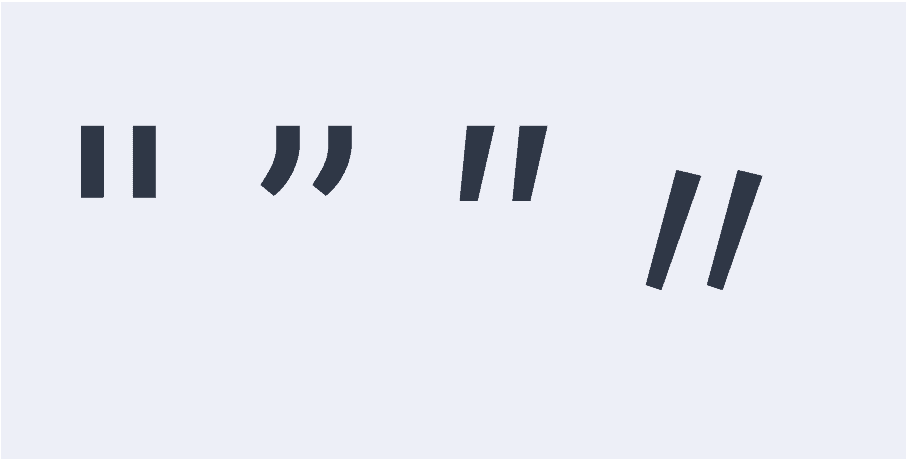
In the contemporary Unicode specs, it’s been left to “software” to sort out what Unicode character is correct in context. Microsoft Word handles “smart” quotes and “curly” apostrophes automatically. So does WordPress. We’ve gotten used to 20+ years of automagical text filtering, but sometimes it still doesn’t work right. Even Grammarly, with its sophisticated AI proofreader, isn’t perfect. Here’s what you need to know to get your typography right as you type, with or without artificial interference.
1I’m not sure when a “full-width apostrophe” might be needed, but it exists too. In Unicode, U+0027 and U+0022 are half-width characters with full-width counterparts in U+FF07 and U+FF02.
2Unlike European keyboard layouts, the North American approach doesn’t lead people to use backticks or grave ` and acute ´ accents for left-single quotes and apostrophes.
Getting apostrophes right — in English usage. ✅
The Punctuation Apostrophe and Right Single Quotation Mark are one and the same: U+2019, which is classified as punctuation. While originally intended as the right end of a single quote pair, for many years, U+2019 has also been “the preferred character for a punctuation apostrophe” in the Unicode standard. Like “smart” or “curly” quotes, writing and publishing software may mis/interpret the U+0027 character you type in a certain context as an apostrophe and change it to a U+2019.
Many languages use different characters to enclose quotations, but in most forms of English, these are the characters to use.
b’
U+2019 — for all your apostrophe and right single quote needs.
Fun Facts: Brits and (North) Americans nest double and single quotation marks in opposite ways. European quotation mark conventions vary widely as well:
“English”
« French »
„German“
»Slovenian«
”Swedish”
»Swedish books»
The Letter Apostrophe (U+02BC) has a specific linguistic function. Before Unicode 3.0, U+02BC was the preferred character for “punctuation apostrophes,” but since then, it has been given a more restricted definition as a “letter apostrophe” and is not classified as punctuation. As a letter apostrophe, U+02BC is for linguistic usage and is classified as a “modifier letter.” It should be used as a diacritic or a marker for a missing character within a single word, but not in the case of contractions.
Use it for representing a full glottal stop or missing sounds in transliterated speech when dialect, pidgin, accented, or colloquial pronunciations are used, and you want that semantic significance encoded into your text. For example, “Somethin’ wicked this way comes.”
Things can get tricky when a word like ‘Somethin’’ goes inside single or double quotes — “Somethin’” — or the language being used, like Onǫda’géga’ (Onondaga), has words that frequently end with a letter apostrophe.
cʼ
U+02BC may look the same as U+2019, but it is semantically distinct. It presents unique problems for indigenous languages and others that are defined in relation to a dominant written standard.
Self-described “language geek” Chris Harvey notes, “As a general rule, where Native speakers are bilingual in English, they use “English quotes,” and where they are bilingual in French, «French quotes» are more common (note there are not necessarily spaces surrounding the guillemets as in continental French).”
Prime Symbols (Metrics)
Meet the Primes: U+2032 is Prime (Single), U+2033 is Double Prime, U+2034 is Triple Prime, and U+2057 is Quadruple Prime. There are also 4 reversed prime counterparts.
′ ″ ‴ ⁗
Primes are a technical notation used in mathematics, science, linguistics, and music. They are classified as punctuation in the Unicode standard, and there are four of them, but don’t confuse them with apostrophes and quotation marks — unless you’re writing in Chinese, which does use double primes as quotation marks. 🤯
How WordPress Tries to Correct Typography 🤖
It’s not hard to type the proper characters for nicely styled “curly” quotes and apostrophes on a Mac (since OS X) as opposed to Windows and Linux. But since a Windows user co-founded WordPress, WordPress got Texturize.
On Macs:
Chris Bracco, “How to Use Curly Quotes on Mac OSX and Windows“
Alt + ] produces an opening single curly quote ( ‘ )
Alt + Shift + ] produces a closing single curly quote ( ’ )
Alt + [ produces an opening double curly quote ( “ )
Alt + Shift + [ produces a closing double curly quote ( ” )
Matt Mullenweg’s wptexturize() filter (first written for b2) has been in WordPress core from the beginning. It changes how a lot of your source text in content items is rendered on the front end, but it does not change the source itself. It does not run within the editor either, so you can’t see what it will do without looking at the front end or a preview.
In the era of the block editor, it makes sense for everything that happens to content published on the front end to also happen on the back end when it’s being written and edited. It also makes sense to turn wptexturize() off — completely. If your typography is in good shape at the source, you can globally disable wptexturize() properly with the following filter added to your theme’s functions.php file:
add_filter('run_wptexturize', '__return_false');Testing Texturize 🔤
In most cases, the old Texturize filter works well, and you don’t notice when it doesn’t. Here are the typical cases where it does and doesn’t work. In each example, I use neutral apostrophes and quotation marks set against (vs.) manually keyed-in “curled” apostrophes and quotation marks. When Texturize works, the result on both sides is the same.
Test’s vs. Test’s — OK
<p>Test's vs. Test’s</p> // wptexturize() makes the dumb apostrophe smart.Test’s vs. Test’s — OK
<p><strong>Test's</strong> vs. <strong>Test’s</strong></p>

// wptexturize() is unfazed by apostrophes within <strong> tags. They still get curled.“Test” vs. “Test” — OK
<p>"<strong>Test</strong>" vs. “<strong>Test</strong>”</p>

// wptexturize() is unfazed by apostrophes outside <strong> tags. They still get curled.Test‘s vs. Test’s — NOT OK
Test‘s vs. Test’s — NOT OK
<p><strong>Test</strong>'s vs. <strong>Test<strong>’s</p>

<p><em>Test</em>'s vs. <em>Test<em>’s</p>

// Look closely — the differences are subtle here. For some reason wptexturize() makes the first (neutral) apostrophes into U+2018 left single quotation marks when an HTML tag gets between them and the word they're part of.
Ultimately, consistent and accurate typography requires understanding the appropriate use of Unicode characters, and you need to be mindful of automated changes made by software.
Consider your punctuation
As you build out your content with Kadence Blocks, consider your punctuation and the appropriate use of Unicode characters. While there are not any specific issues with Gutenberg or Kadence Blocks, the texturize filter does run on all block content. Consider disabling it and type in exactly what you want to see in the rendered page output when using quotes and apostrophes in your content.
Create Your Website With KadenceWP Today!


By Dan Knauss
Dan Knauss is a technical content writer. He’s been a writer, teacher, and freelancer working in open source since the late 1990s and with WordPress since 2004.
Updated July 22, 2024
Create Your Website With Kadence