
The Ultimate Website Content Checklist
Missing crucial website content can cost you valuable customers and credibility. A website content checklist is your comprehensive guide to ensuring every essential page and element is in place before launch — from must-have legal pages to engaging blog content that converts visitors into customers.
Creating effective website content isn’t a quick sprint — it’s a strategic process that requires careful planning. With multiple pages to write, optimize, and maintain, it’s easy to overlook critical elements that your audience needs. A systematic content checklist helps you navigate this complexity, ensuring every page serves a clear purpose and aligns with both your business goals and your visitors’ needs. Think of it as your roadmap to building a complete, conversion-focused website from day one.
Ready to build a website with content that actually converts? We’ve put together a failsafe website content requirements checklist detailing all of the articles and landing pages you must write up before the big launch.
The non-negotiable website content checklist
First things first, you need to write up your non-negotiable pages. These are pages that every site should contain regardless of sector or organization type, and include:
1. Homepage
It shouldn’t come as a surprise to learn that your website requires a homepage. As the nerve center of your site, the homepage must contain compelling content that keeps visitors engaged and generates leads. It also needs to be highly informative, quickly converting visitors ready to purchase your goods and services and pointing casual visitors towards other pages that may interest them.
Achieving these goals is easier than it sounds if you follow a few rules. Here are four key components to include in your homepage:
- Your value proposition: This is a statement detailing precisely what your goods and services are and how they benefit users. Try to keep it short and sweet to avoid boring visitors, and don’t be afraid of including a few technical words if you operate within a niche market.
- Your unique selling points (USPs): Potential clients will want to know why they should select your organization over competitors. Perhaps you offer excellent value for money, impeccable customer service, or cutting-edge technologies unavailable anywhere else? Whatever your USPs, highlight them with eye-catching and concise content designed to catch the attention of visitors.
- Proof of business excellence: Adding evidence of your legitimacy and past business successes could push prospects into purchasing your goods and services. Evidence could include anything from the logos of corporate partners to brief testimonials. Just try not to overload your homepage with too much content – you can upload extensive case studies and information about corporate deals elsewhere.
- Calls to action (CTAs): CTAs are the short messages and links that guide users through the conversion process. Examples may include ‘Buy Now’ buttons, email newsletter sign-up forms, or information about signing up for a free trial. Try to incorporate multiple CTAs on your homepage and ensure they are visually bold and appealing.
This page is, unsurprisingly, one of your biggest opportunities to make a positive impression on your audience. To get inspired, it’s a good idea to look at a few homepage examples you admire.
2. About page
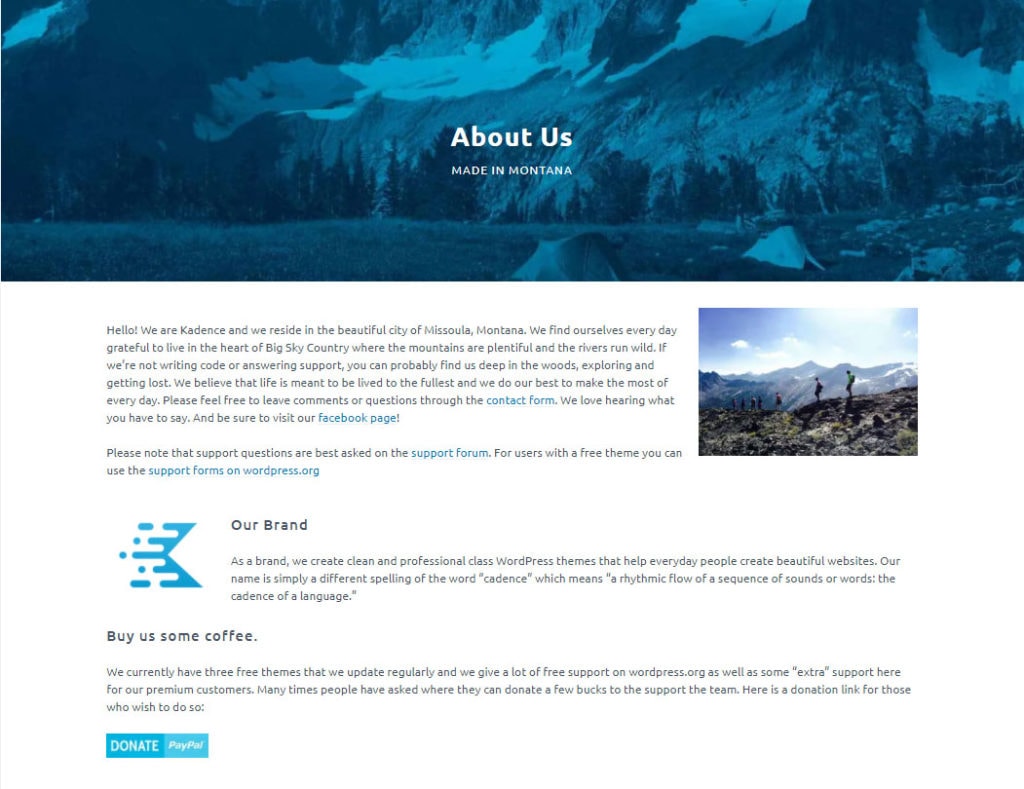
About pages tell visitors everything they need to know about your brand. They represent an excellent opportunity to tell your story, build customer trust, and highlight your key selling points. You may also wish to elaborate on your unique business model or add explanatory content that you cannot squeeze into your homepage.
So, what’s the secret to writing a killer About page? Here are a few tips for selling your brand:
- Add a backstory: Everyone loves a unique origin story. Including information such as how you came up with the company name or any chance encounters that facilitated its launch will endear your audience to your brand.
- Describe the problem you’re solving: Consumers love to invest in brands with a positive purpose. Perhaps you’re keen to make a particular sector more eco-friendly or change certain aspects of people’s lives.
- Look toward the future: Include a mission statement, including information about how you intend to achieve your goals. Prospects are more likely to trust a company with a clear growth strategy.
3. Team page
Your team page humanizes your brand and builds trust with potential customers. A well-structured team page shows there are real people behind your products or services.
Successful team pages will usually incorporate the following content:
- Professional, consistent headshots.
- Clear job titles and responsibilities.
- Brief professional backgrounds.
- Contact information (where appropriate).
- Hierarchy or department organization.
Once you have the essentials, it’s time to focus on how to elevate your team page content. Follow these tips:
- Balance professional achievements with personality.
- Keep bios consistent in length and tone.
- Update regularly as team members join or leave.
- Include a brief introduction about your company culture.
- Consider adding a careers section link if you’re hiring.
Remember to get team members’ approval on their profiles and photos before publishing, and ensure information stays current.
4. Contact page
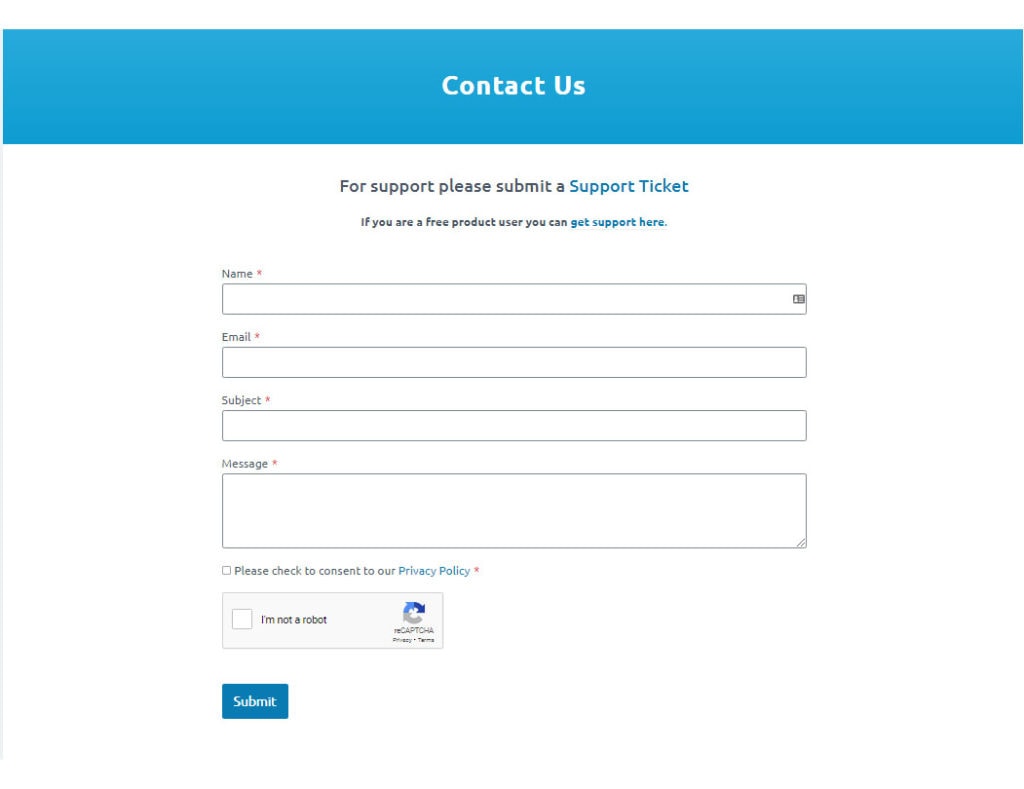
Your contact page is incredibly valuable, helping to convert leads to sales and ensuring that communication channels with stakeholders remain open. Try to incorporate only necessary information such as:
- A short contact form for sending quick enquiries.
- Your email address(es), phone number(s), and office address(es).
- Links to your social media accounts.
- A brief paragraph explaining how visitors should contact you and how you will help.
While the page should be highly informative, feel free to inject it with a playful tone if appropriate for your brand, as this could drive engagement.
5. FAQs
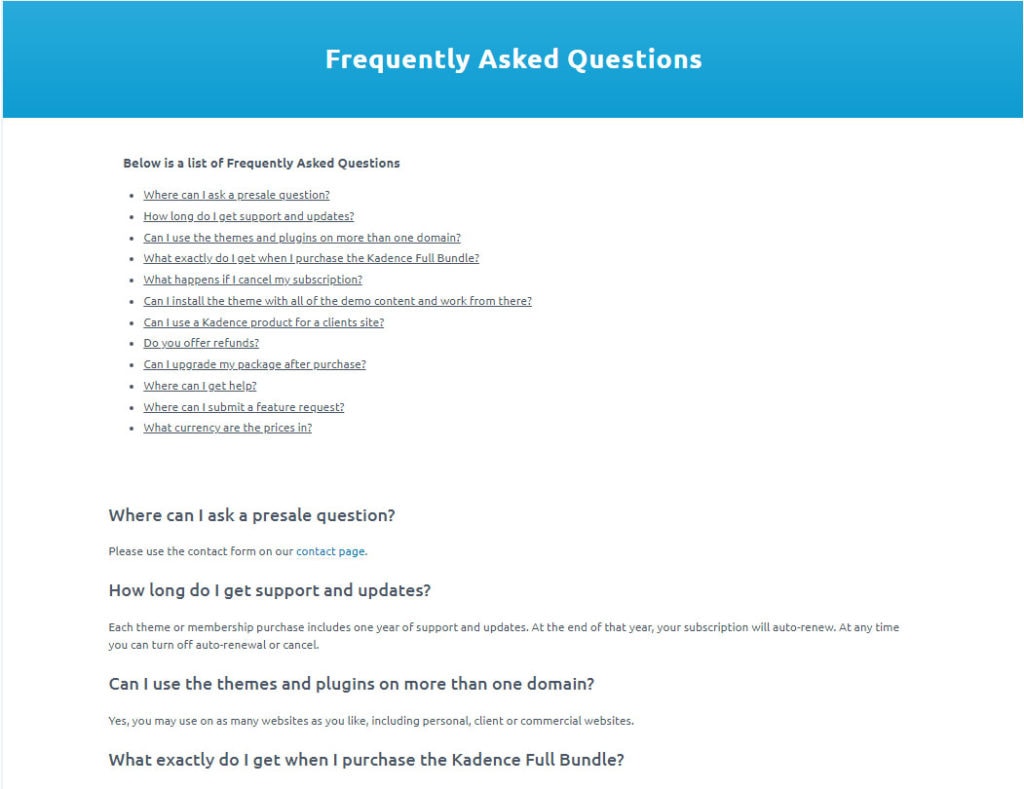
Including an FAQs page could significantly reduce the number of customer inquiries you have to deal with while saving your visitors time and effort. A comprehensive FAQs page enriched with keywords will also work wonders for your search engine optimization (SEO) strategy. Here are a few best practices to coming up with helpful FAQs:
- Look at competitors’ websites: What kind of questions do they include in their FAQs pages? Can you build on their answers or make the questions more relevant?
- Make the most of Google’s Autosuggest function: Find out what questions people frequently seek answers to.
- Use your sector-specific experiences to come up with useful FAQs: What doubts may customers have? What are the most common barriers to purchasing? Are there any locations you cannot ship to?
Once you’ve come up with a comprehensive list of key questions, write some short, jargon-free answers that provide genuine value to readers.
6. Privacy Policy
Most organizations are legally required to include a Privacy Policy page on their website. The purpose of such a policy is to inform site visitors about what kind of personal information you handle, how you collect it, and how you use it.
When writing the policy, you will need to account for all of the laws applicable to the locations where your site will be available. The most important rules to consider are those set out in the EU’s GDPR, CalOPPA in the US, and PIPEDA in Canada.
While this may sound complex, it doesn’t have to be. As long as you only collect data you genuinely need, protect user data with adequate cybersecurity measures, and offer transparent information about how you utilize information, you shouldn’t have any issues. One of the quickest and easiest ways to draft up a Privacy Policy is to check out competitor websites and emulate their privacy principles.
7. Terms and Conditions
Your terms and conditions page represents an important contractual document that establishes the relationship between your business and the parties who engage with your offerings. The length and nature of your terms and conditions will very much depend on the sector in which you operate. A few general points to include are:
- A statement clarifying that readers must accept your terms and conditions if they wish to engage with your site.
- Definitions of key terms.
- Payments terms, including what happens in the event of late payments.
- The responsibilities of all parties in respect to sales processes.
- Complaint procedure details.
- Any relevant guarantees or warranties.
- Which laws govern your contracts.
- How you intend to settle potential disputes.
- Delivery terms, including shipping costs.
8. 404-Error message
Even the most user-friendly websites experience server errors. If someone makes a typo in your URL or attempts to access a page that no longer exists, you need to let them know something’s gone wrong. This is where the classic 404-error message comes in. A helpful 404 page should include the following elements:
- A clear statement that lets users know the requested page is unavailable.
- Advice to help users correct possible URL problems.
- Links to key website pages that will always be available.
- Information about what to do if they would like more information.
TIP:
Looking for a simple but powerful way to create your website? Kadence Theme is the perfect solution for website owners. And if you want to power up your Kadence Theme be sure to download the Kadence Blocks as well!
The optional (but still very important) website content checklist
So, now your foundational elements are in place, it’s time to consider what else your website needs. This checklist includes a list of site sections that may be non-negotiable for certain organizations and not so relevant to others (a clothes retailer may not have much use for an events calendar, for example). Whether you include the following sections will depend, therefore, on your audience and key offerings.
9. A blog section
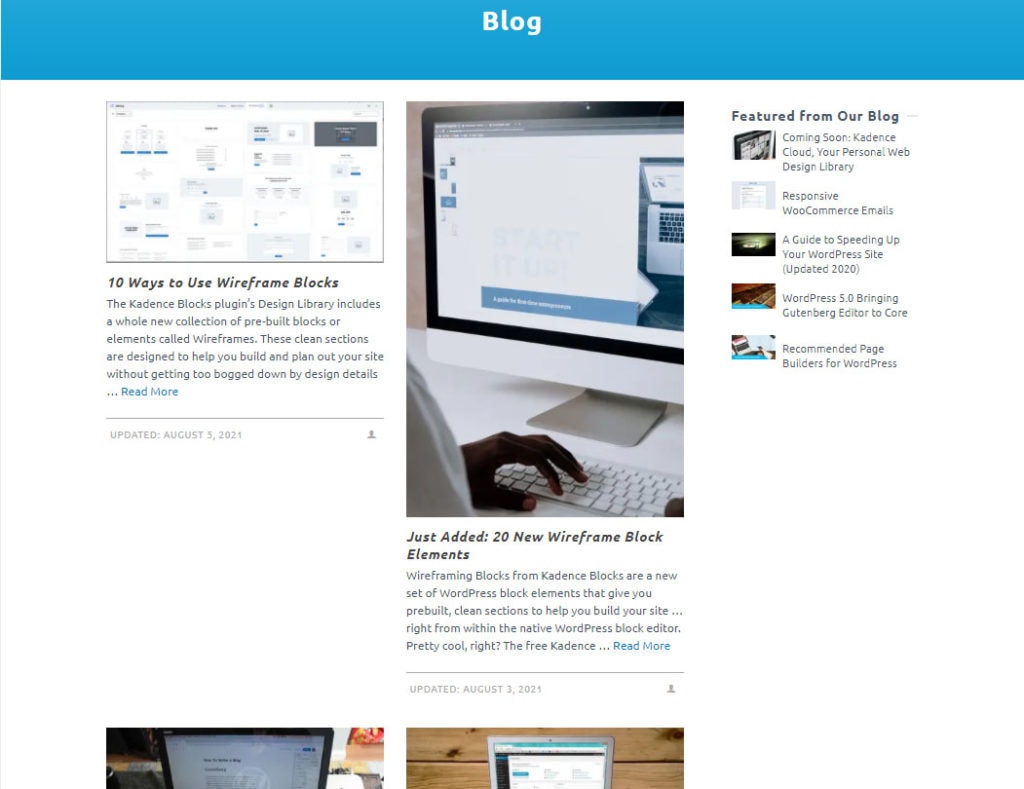
Okay, so this sits somewhere in between the non-negotiable and optional checklist. Once your site is up and running and you’re starting to develop a digital marketing strategy, you must start blogging to strengthen your SEO credentials, increase site visibility, and improve trust in your brand. A decent blog section should include an anchor page that links to your most recent posts, as well as a search tool to help users find older content.
To ensure your blog gains the traction it deserves, we recommend the following:
- Posting at least once every week: This will ensure that existing customers remain engaged and provide you with material to post across social media.
- Conduct keyword research before writing a blog: SEO posts must contain at least three or four relevant keywords. Use a keyword tool such as WordStream or SEMRush to find phrases that will satisfy Google’s algorithms.
- Ensure articles are easy to read: Search engines tend to favor sites with digestible paragraphs and simple language.
- Write content relevant to your audience: You won’t gain any new fans if you write dry content that visitors don’t feel passionate about. Try to keep up with trends in your sector and write articles with the potential to genuinely improve people’s lives.
- Include internal and external links: Search engines favor posts with a few valuable internal and external links, so try linking every article to compelling facts and figures or sites that may pique the interest of your audience. Just try to avoid linking to too many competitors.
- Add a CTA to the end of every post: A CTA doesn’t have to be overly salesy. Simply remind readers how your business can positively improve their lives and include a relevant link or contact details.
10. Author bios
Author bios build credibility for your content and help readers connect with your writers. When multiple contributors create content for your site, well-crafted author bios become essential website elements.
If your website content strategy is focused on building authority, make sure you have the following components in your author bios:
- Professional headshot or avatar.
- Current role and relevant expertise.
- Key credentials and certifications.
- Areas of specialization.
- Contact or social media links (if appropriate).
- Link to their published articles on your site.
In terms of format, make sure you have the following checked off your content checklist:
- Keep bios consistent in length (150–200 words recommended).
- Use third-person perspective for professionalism.
- Update regularly to reflect new achievements.
- Include a short version (50 words) for article snippets.
- Maintain the same structure across all author bios.
Strategic placement is just as important as the content itself. To get this right, add the following to your checklist:
- Create individual author archive pages.
- Add shortened versions at the end of blog posts.
- Include author snippets in article preview cards.
- Link bios to relevant team page entries.
- Consider a contributors’ page for guest authors.
Remember to get updated bio information from your contributors periodically and ensure all claims and credentials are verified before publishing.
11. Testimonials
If your company has been operating for several months or years, it is a great idea to add a testimonials page. Real-life positive reviews will help to garner trust in your brand and could represent the difference between a purchase and an abandoned cart.
You can draw testimonials from a range of sources, including Google reviews, social media posts, TripAdvisor reviews, customer surveys, emails, and more. Here are a few tips for curating excellent testimonial content:
- Get permission from customers before you use their testimonials: This is common courtesy and could save you from a PR disaster further down the line.
- Clear up grammatical errors and spelling mistakes: Typos and errors are very common in customer testimonials. As long as you don’t change the core message of a customer post, feel free to clean up any issues. It will make your site look much neater and more professional!
- Never write a fake review: We shouldn’t have to mention this, but you’d be surprised at the number of exaggerated or untrue testimonials floating around the web!
- Use testimonials with stats and evidence: Facts, figures, or photographic evidence will prove how effective your goods and services are!
12. Lead generation landing pages
Your website content checklist must include lead generation landing pages to capture valuable visitor information. There are a few pieces of essential content you need to prepare, from attention-grabbing headings to glowing user reviews.
Headers are your chance to showcase in a few words what you do and what value your customers can expect. To make sure your headings are impactful, add the following to your website content requirements checklist:
- Compelling headline that states the offer.
- Supporting subheadline explaining the value.
- Brief introduction (2–3 sentences maximum).
- Trust indicators (customer logos, testimonials, statistics).
Content that makes information about your offering clear, digestible and engaging is no small feat. To make sure your content is hitting the mark, add the following to your checklist:
- Clear description of what visitors will receive.
- Bullet points highlighting key benefits.
- Preview of the offered content (if applicable).
- Deadline or scarcity indicators.
- Value proposition statement.
As well as informative content, you’ll need the right approach for your lead capture forms. Here’s what you’ll need to consider:
- Form field labels and placeholder text.
- Submit button copy (avoid generic “Submit”).
- Privacy policy snippet.
- GDPR compliance text.
- Thank you page content.
- Follow-up email copy.
Last but not least is social proof elements. User-generated content like testimonials can be incredibly powerful and persuasive, but social proof extends beyond review. Add the following to your checklist:
- Testimonial snippets.
- Statistics or results.
- Industry awards or certifications.
- Media mentions.
Remember to keep all content focused on a single conversion goal and ensure every element supports your value proposition. Test different versions of your headlines and CTAs to help you understand how your landing pages should be optimized.
13. Service page content
Service pages are vitally important for organizations that offer a range of different services. To ensure the pages drive as much engagement as possible, you should include the following elements:
- Descriptions of key service features: What can customers expect from individual services? Do you offer a range of different packages? Say, for example, you offer B2B SEO services. Do your offerings include keyword research, web design, image sourcing, or other relevant tasks?
- The benefits of your services: What do customers stand to gain from your company? Perhaps you offer unusually attentive customer services, highly competitive prices, or use cutting-edge technologies. Be explicit about what makes your organization’s services special.
- Jargon-free information: Customers want jargon-free information that is appropriate to their demographic. Only use technical language where necessary.
- Pricing (or information about obtaining a quote): Be transparent about your pricing and include a price list if possible. If prices vary between jobs, add a CTA offering potential clients the opportunity to obtain a free, no-obligation quote.
14. Portfolio page
A portfolio page showcases your best work to build credibility and demonstrate expertise.
If you want your portfolio to have the intended impact of impressing and engaging your audience, add these core portfolio site content requirements to your checklist:
- Project title and completion date.
- High-quality visuals (photos, videos, or screenshots).
- Clear project descriptions.
- Client information (with permission).
- Results or outcomes achieved.
- Technologies or methods used.
Once you’ve created exceptional content for your portfolio, it’s time to organize it:
- Categorize projects by industry, type, or service.
- Place your strongest work at the top.
- Limit entries to recent and relevant projects.
- Include a brief introduction explaining your approach.
- Add filters if you have numerous portfolio items.
Remember to update your portfolio regularly with new projects and remove outdated examples to keep content fresh and relevant.
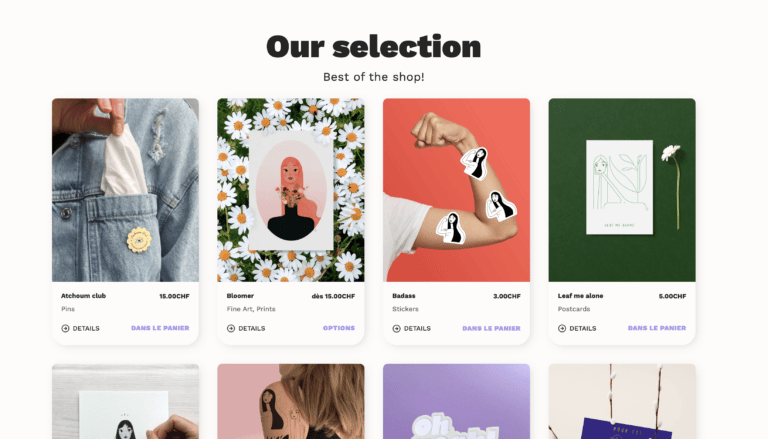
15. E-commerce store page
Your website content checklist must include a well-structured e-commerce store page if you’re selling products online. Here’s what to include when writing and organizing your store page content:
Essential store page content requirements:
- Value proposition statement explaining your store’s unique benefits.
- Category descriptions and navigation text.
- Promotional banner copy.
- New arrivals section with product descriptions.
- Best-sellers showcase with compelling product highlights.
- Shipping and returns policy snippets.
- Search bar with helpful placeholder text.
Navigation content checklist:
- Category names and descriptions.
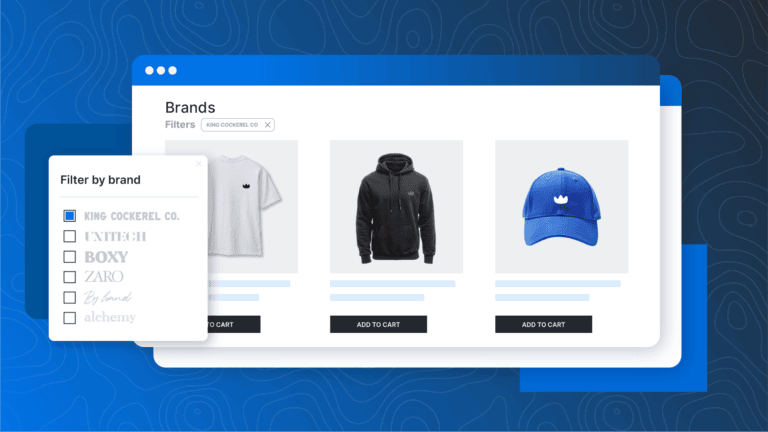
- Filter labels and options.
- Sorting criteria descriptions.
- Sale section copy.
- Shopping cart text and instructions.
- Wishlist feature descriptions.
Dynamic content checklist:
- Seasonal promotion templates.
- Stock status message formats.
- Price display guidelines.
- New product announcement formats.
- Limited-time offer templates.
When writing your e-commerce store page content, ensure all text elements are consistent with your brand voice and optimize for both search engines and user experience. Update your content regularly to reflect current offerings and promotions.
16. Product page content
Product pages are similar to service pages, informing site users of the key features and benefits of your products. Unlike service pages, however, product pages are often very short and, if your offerings change on a seasonal basis, may have an expiry date. Here are a few elements to include to boost the efficacy of your product pages:
- Long-tail keywords and meta descriptions to enhance your SEO strategy.
- Bullet points to make the content quick and easy to read.
- Key design features and USPs.
- Links to other products customers may enjoy.
It is also important to avoid duplicating content across different products, as this could harm your search engine ranking.
17. Events page content
If your website includes events, your content checklist must include a well-organized events section on your website. This will shape how people perceive the quality of your event before they sign up, so crossing off every item in this checklist should help you increase attendance. Add the following elements to your event pages:
Event listing content checklist:
- Event title and tagline.
- Clear date and time information.
- Location details (physical address or virtual access instructions).
- Registration or ticket pricing information.
- Capacity limits and restrictions.
- Speaker or host biographies.
- Agenda or schedule overview.
- FAQs section.
Event description checklist:
- Compelling event summary.
- Key benefits of attending.
- Target audience information.
- Prerequisites or requirements.
- Cancellation policy.
- Contact information for queries.
Calendar layout content checklist:
- Monthly/weekly view descriptions.
- Category labels and filters.
- Past events archive text.
- “No events” placeholder message.
- Calendar navigation instructions.
- Subscribe/export calendar feature text.
Remember to maintain consistent formatting across all event descriptions and update content regularly to remove outdated events. Include clear calls-to-action for event registration and ensure all time zones are specified for virtual events.
18. Video content
Your website content checklist should include a video section if you’re using multimedia content. A dedicated video section helps visitors easily find your visual content while ensuring search engines can properly index it through supporting text. Here’s what to prepare:
Video page content checklist:
- Section introduction explaining your video content’s value.
- Video titles and descriptions.
- Category or playlist descriptions.
- Transcript or closed caption text.
- Video duration and upload date information.
- Relevant tags and categories.
- Clear navigation instructions.
Supporting content checklist:
- Brief creator/speaker bios.
- Related resource links.
- Call-to-action text for each video.
- Sharing instructions.
Remember to optimize your video descriptions for search and maintain consistent formatting across all video content.
19. Shipping policies
It is vital that you set realistic customer expectations surrounding your shipping capabilities. Failure to do so could result in unmanageable levels of customer complaints and inquiries – not particularly helpful when you’ve got a growing business to run! As a general rule, your shipping policy should include information about:
- Order processing times: How long do orders take to ship? Do wait times include weekends/holidays? Are you particularly busy at certain times of the year?
- Shipping costs: Note details such as the free shipping threshold, if applicable, and the cost of next day/expedited deliveries.
- In-store pickup information: If you offer in-store options, include information such as pickup times and available locations.
- International shipping: Sending goods overseas takes longer than domestic delivery and tends to be more expensive.
Make your website content checklist watertight with these best practices
Before diving into content creation, ensure every page follows these essential guidelines for maximum impact:
Content structure and readability
Your visitors scan content before they read it in detail. Strong structure and readability aren’t just about aesthetics — they directly impact how long people stay on your page and whether they’ll take action. Follow these guidelines to make your content instantly accessible:
- Create compelling headlines that clearly communicate value.
- Break text into scannable chunks with descriptive subheadings.
- Keep paragraphs short (2–3 sentences maximum).
- Use bullet points and numbered lists for easy digestion.
Technical optimization
Even the best-written content won’t perform well if search engines can’t properly index it. These technical elements form the foundation of your content’s visibility and performance:
- Craft unique meta titles and descriptions with target keywords.
- Optimize images with descriptive alt text and compressed file sizes.
- Ensure mobile responsiveness across all content elements.
- Maintain consistent formatting and styling.
Strategic internal linking
Beyond SEO, internal linking is about creating a coherent journey for your visitors and helping them discover more value on your site. A well-planned linking strategy keeps visitors engaged and moving through your content:
- Connect related content to keep visitors engaged.
- Create content clusters around key topics.
- Link to high-value conversion pages naturally.
- Use descriptive anchor text for better user experience and SEO.
- Balance link distribution (aim for 2–3 internal links per 500 words).
User engagement elements
Engagement elements transform passive readers into active participants. These components help break up text-heavy content while providing additional value and encouraging user action:
- Include relevant featured images that add value.
- Place clear CTAs at strategic points.
- Add interactive elements where appropriate (videos, calculators, etc.).
- Incorporate social proof when possible.
Content quality
Quality content builds trust and authority in your industry. It’s not just what you say but how well you deliver on your readers’ expectations and needs:
- Focus on solving specific user problems.
- Back claims with credible data and sources.
- Update content regularly to maintain relevance.
- Maintain a consistent brand voice across all pages.
Remember: every page on your site should serve both your visitors’ needs and your business goals. These guidelines help ensure your content delivers on both fronts.
Time to get creative!
Great content doesn’t write itself. Now you know the vital ingredients of an effective website, it’s time to start creating!
Kadence WP offers an amazing theme and blocks to help you take your creativity to the next level. Download and install Kadence Blocks today for free, then start creating your site in exactly the way you envision.
Create Your Website With KadenceWP Today!


Written by Hannah
Hannah Ritner is the product expert at KadenceWP. With over 10 years at Kadence, she’s worn many hats, but her main drive has always been helping customers reach their goals. Hannah loves empowering people and has been a key player in building the Kadence Community. She’s all about making a real impact for businesses and their customers.
One response to “The Ultimate Website Content Checklist”

By Hannah
Hannah Ritner is the product expert at KadenceWP. With over 10 years at Kadence, she’s worn many hats, but her main drive has always been helping customers reach their goals. Hannah loves empowering people and has been a key player in building the Kadence Community. She’s all about making a real impact for businesses and their customers.
Updated March 6, 2025
Create Your Website With Kadence

Very in-depth and informative guide, this checklist lives up to its name of truly being ‘ultimate’