
Creating Alerts, and a Business, with Kadence Blocks and Kadence Cloud
Using Kadence Blocks for Alerts
One of the members of the Kadence Web Creator Community on Facebook, Jake Pfohl, recently posted some examples of using Kadence Blocks for alerts. This collection of creative blocks using Kadence was such a great implementation of the features in Kadence, we reached out to Jake, who runs StartBlogging101.com and StartBloggingBlocks, to see if we could share his post with the wider Kadence community as a part of a tutorial about alerts. Full disclosure, Jake is a Kadence affiliate.
Jake kindly said yes, so here are some samples of his alerts that should get you thinking about how you communicate important information with your website visitors.
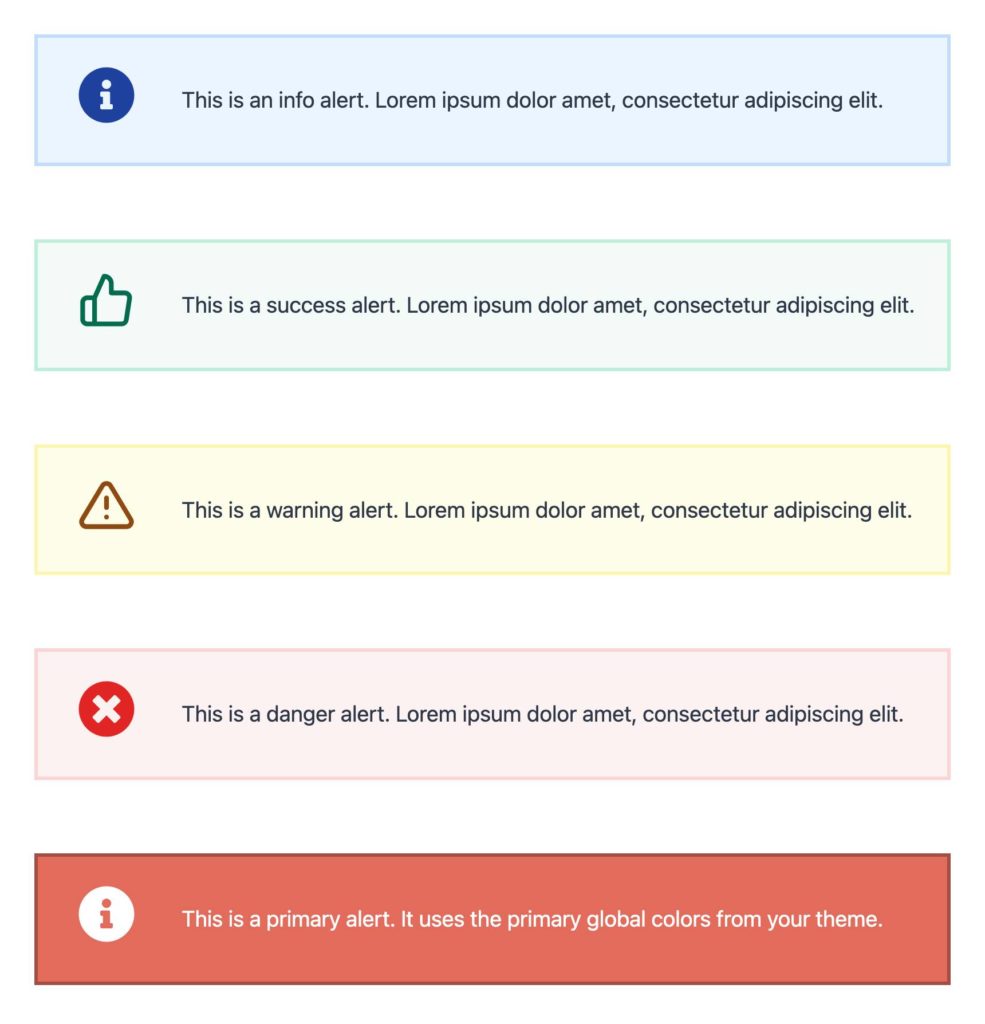
Why and when a website should use alerts
Using alerts in your WordPress website is inevitable, whether you’re communicating success in a completion of an activity, or if you’d like to call out attention to a specific piece of content. Alerts play a significant role in user experience design, whether it’s providing feedback on action or warning users of the consequences of their actions. Making conscious design decisions about alert presentation and using color and layouts to draw attention to alerts is critical to turning a simple sentence into something that draws a user’s attention to an important fact.
When you are displaying an alert to a user on your site, you want it to carry some weight. It needs to be recognizable as an alert and immediately noticeable with a clear message of what’s going on, what needs to be done, or what the user needs to know.
Did you just read that?
Unfortunately, even though the web started as a way to share written content, we’ve learned over time that users rarely read and will only turn to documentation when they are in trouble and can’t intuitively understand the task at hand.
They’re more likely to give up than try to solve their problem. As such, alerts need to be considered and well designed so that users get the data that they need in order to be successful on your website with as much clarity and kindness as possible.
Types of website alerts
There are a number of different types of alerts that a user might need to see on a website. These include, but of course are not limited to:
Error Messages
Good error messages are polite, precise, and constructive. They need to be clearly visible, reduce the work required to fix the problem, and educate users along the way. Error messages should be brief and to the point while still teaching users a bit about how the system works and give them information they need to use it better. An error message means something isn’t quite right, and it should have some warning associated.

Success Messages
There’s nothing more confusing to a user than performing an action and then wondering whether or not their action went through. For example, if a user completes your contact form, what happens next? Did the message go through? When will you respond? Who will respond? Users want to know that their actions had the intended consequence, so ensure you let them know what happens next. Even if something does go wrong and there’s a bug, letting them know that something was wrong is better than letting them know it went through when it really didn’t.
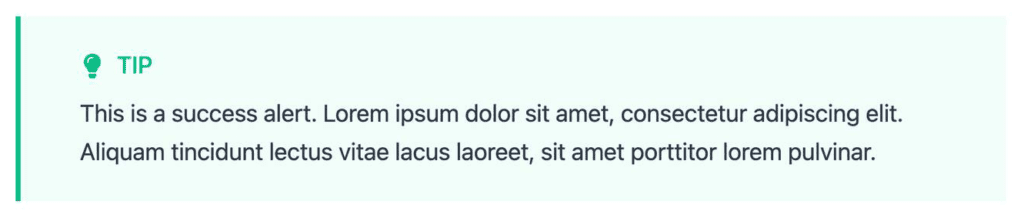
Low Stock Notifications
In eCommerce implementations, a low stock notification can let a user know that they should take action quickly. Stock notifications can add to the encouragement for users to take action based on the short supply of the thing they’re shopping for. Notifications can be the perfect way to get that information in front of your shoppers. An info alert could be an easy way to do this.
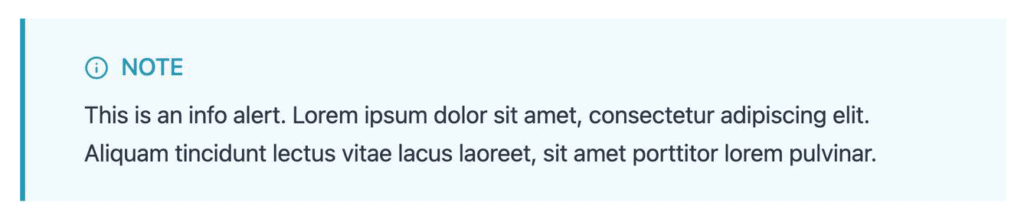
Promotional Notifications
If your eCommerce store is running a promotion, a notification about that promotion can make the difference between a closed window post-window shopping and a completed sale.

Outage Notifications
If for some reason you have a system outage, even if it’s not related to your website, a notification can help reduce customer service overload and help customers feel a sense of relief when something goes wrong. For example, an ISP’s notification that there is a service outage in a specific area can lessen the telephone support load. If your store is having technical issues with your support email system, letting customers know before they attempt a request can be helpful in managing expectations.

Distinguishing Importance
Not all alerts are created equal. A low stock notification shouldn’t have the same gravity as an error message. There are a number of ways that you can establish gravity. These include language, font sizes, font style, text color, alert border shapes, styles, sizes and even images.
Never use color as the only indication of importance. Always include redundant cues that color-blind users can see. As well, if you use images in alerts, make sure you properly add accessibility alternative text and aria labels as needed so that screen readers can adequately communicate important alerts to users.
Standardization of alert experiences
Ensuring that your alerts are standardized in design ensures that users recognize that they’re being alerted. Often when an alert needs to be displayed, a user has many other demands on their attention. Ensuring that your alert stands out, is styled in a way that looks like an alert ensures that your alert gets the attention it requires.
Doing so with Kadence Blocks is easy. This is where Jake’s work comes in.
How to create various styled alerts with Kadence Blocks
Jake created 4 different types of alerts, many of which are free to download from his cloud service (that uses Kadence Cloud). You can take a look at how to get these for free on his site. But we also wanted to show you how easy it is to develop your own alerts, personalized for your own website, audience, and communication needs.
Let’s take a look at Jake’s alerts. After connecting the Kadence Blocks design library on our site to Jake’s server, we see a number of styled alerts we can easily incorporate into our site. Some of these are pro options, and Jake is offering design elements beyond alerts that are interesting too. (We’ll let Jake tell you about those.)
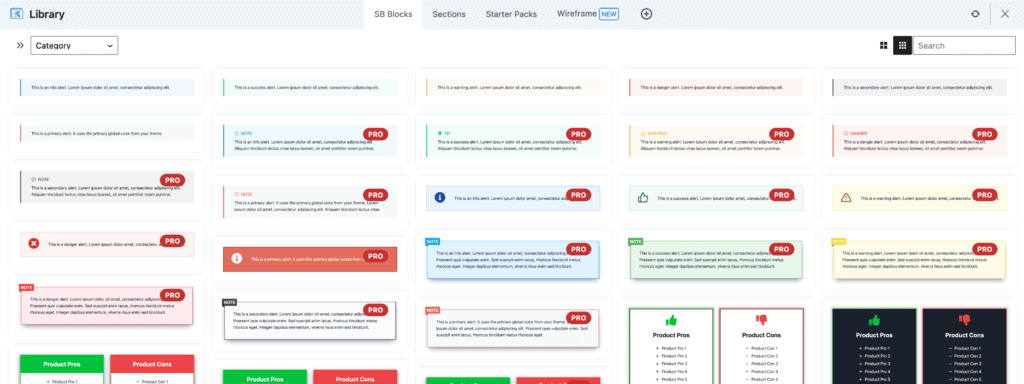
We can download Jake’s free alerts via his Kadence Cloud implementation and take a look at how they’ve been designed. He’s organized them into 6 primary types:
- Info alert
- Success alert
- Warning alert
- Danger alert
- Primary alert
- Secondary alert
Each uses style and color to communicate messages to users in a way that is cohesive. If you use this collection, it’s apparent that you’re being alerted to something on the site.
How he built it
Using Kadence Blocks, Jake and the Start Blogging team built each alert using various styles available in Kadence. These are all set within a Kadence Section Block. The basic settings of his alert section block all use the following:
- Alert section block padding was set to 1.5 REM for top & bottom and 3 REM for left and right.
- Border width was set to 0, except on the left where it’s set to 4. The left border color is then set to a stronger color but within the same shade as the background color.
- The text within the alert is set using paragraph text that is easily customized.
Building these alert blocks is pretty simple to do, which is one of the reasons we wanted to showcase what Jake had done. You could easily replicate Jake’s work, but some of his more complex blocks could very well be worth going Pro with his blocks depending on your needs.
Sharing via Cloud Server
It is worth mentioning that Jake is both offering free versions and selling pro versions of these designs built on Kadence Blocks using Kadence Cloud, and he’s not alone. There is a growing economy of designers, agencies, and developers that are creating amazing content using Kadence Blocks and creating additional revenue streams by doing so. We’ll be featuring more Kadence creators in upcoming blog posts.
You can use Kadence Cloud to not only create a business selling designs to other WordPress users, you can create a Kadence Cloud instance on which you share design elements between your own various websites. If you’re working with clients who build out their own pages, you can offer design elements on your own cloud instance to help them use your library of design elements. This is of course not limited to alerts. Anything that can be built with Kadence Blocks can be added to your own design library.
We’ve got a full video explanation that walks through doing so on the Kadence Cloud page. Kadence Cloud is included in Kadence Full Bundle, so you can get started designing faster and building additional revenue streams with Kadence easily. The Kadence Full Bundle also includes a number of other useful tools including Kadence Conversions, Kadence Shop Kit, and many other useful tools.
Create Your Website With KadenceWP Today!


Written by Kathy Zant
Kathy is a writer and speaker who helps businesses and people thrive. She creates some of the best content and tutorials about how to get more out of technology, marketing how-tos that help you grow your business, reports on security issues you need to know as they occur, and gives you all the tutorials to stay ahead and secure your life and business.
12 responses to “Creating Alerts, and a Business, with Kadence Blocks and Kadence Cloud”
-

-

Is there controll of notification? is it possible to make it appear on form submission for example? Сan I add the cross to close the notification?
Thank you for assistance!
Best, Alex -

Great work by Jack. Time to try Kadence Bundle
-

Jake’s Youtube channel is very good, you should definitely check him out.
-

Thanks for all the kind words, everyone! Glad to hear you’re enjoying the blocks and all the blog content/YouTube videos 🙂 Also, I owe a massive thank you to Kathy and the whole Kadence team for featuring my work with Start Blogging Blocks on their blog – A dream come true!
-

I’ve been using Kadence for a long time on my niche website and it’s really cool. Strongly recommended !!
-

Thank you for this article. Notifications are definitely something that I have to consider with my own website.
-

Jake Pfohl I want to thank you for your efforts
-

Wow! great work by the way Jake.
-

Top amazing content.
Soon I will be using kadence blocks for my new website content.
-

Website alerts are important. I’ve been using Kadence to build my website and I found it so user friendly. I hope this new feature is as well.
-

Lovel this! Thanks Jake, cant wait to get to the premium blocks.
By Kathy Zant
Kathy is a writer and speaker who helps businesses and people thrive. She creates some of the best content and tutorials about how to get more out of technology, marketing how-tos that help you grow your business, reports on security issues you need to know as they occur, and gives you all the tutorials to stay ahead and secure your life and business.
Updated May 27, 2024
Create Your Website With Kadence

Jake Is the man when it comes to Kadence! Solid work.