
The Kadence Creative Kit plugin gives you access to Premium Starter Templates and Design Library Items. The Creative Kit plugin is available in the Kadence Express Plan or greater. (Get Creative Kit ⧉.) This plugin gives you the initial tools to start designing a creative Kadence website using Premium Kadence Designs.
Requirements for Creative Kit:
- Premium Design Library Items, Creative Kit Blocks, and Animate On Scroll features require the Free Kadence Blocks plugin to be active on the website.
- Premium Starter Templates require you to have the following active on your website:
-The Free Kadence Theme
-The Free Kadence Blocks Plugin
-The Free Kadence AI-Powered Starter Templates Plugin.
Installing Creative Kit
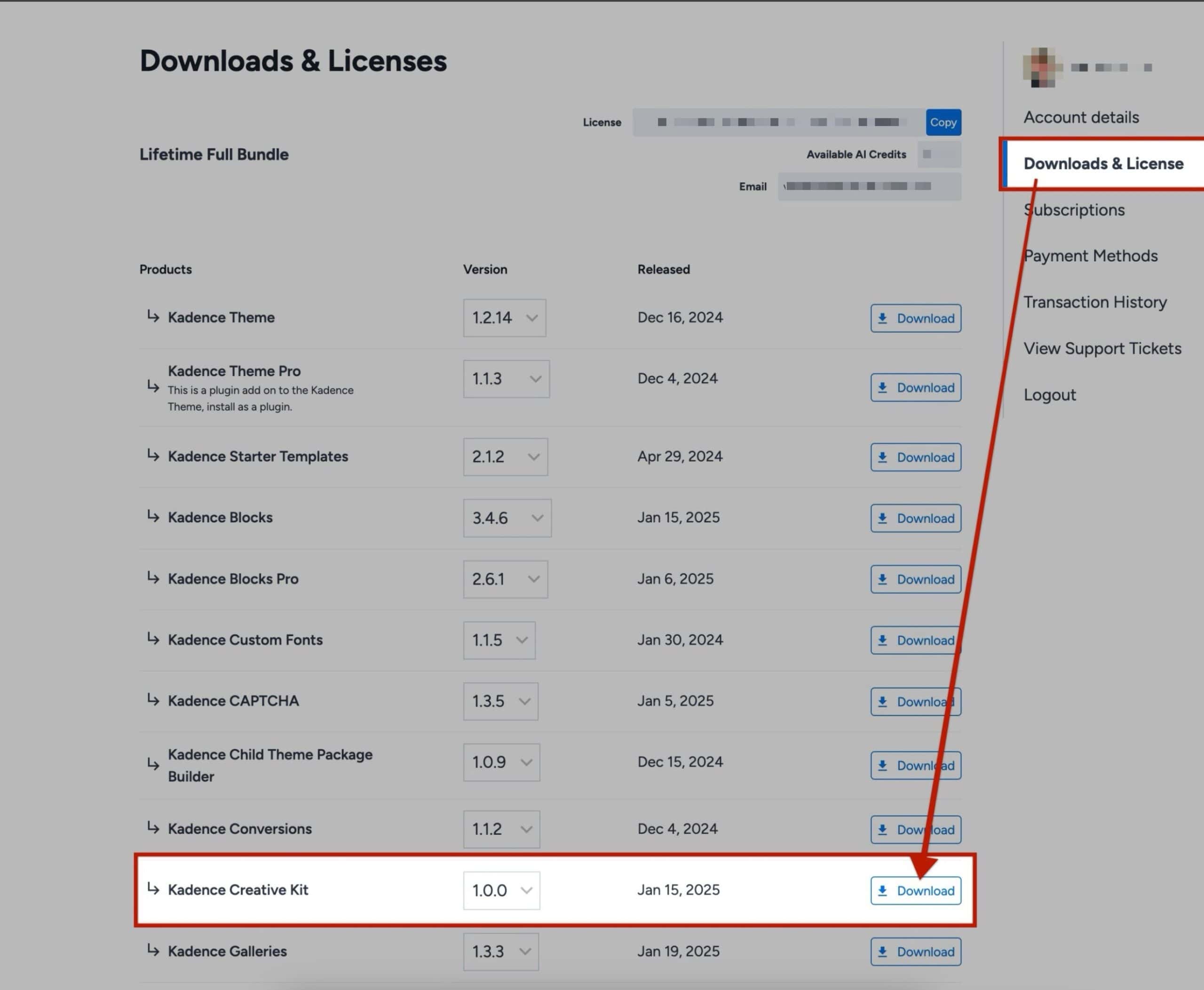
In the KadenceWP Account Dashboard, navigate to the Downloads & Licensing tab and download the Kadence Creative Kit plugin.
Once the plugin is installed, leave it in the compressed (.zip) format. Then, navigate to your WordPress Dashboard -> Plugins -> Add New Plugin page and click on the Upload Plugin button at the top of the page.
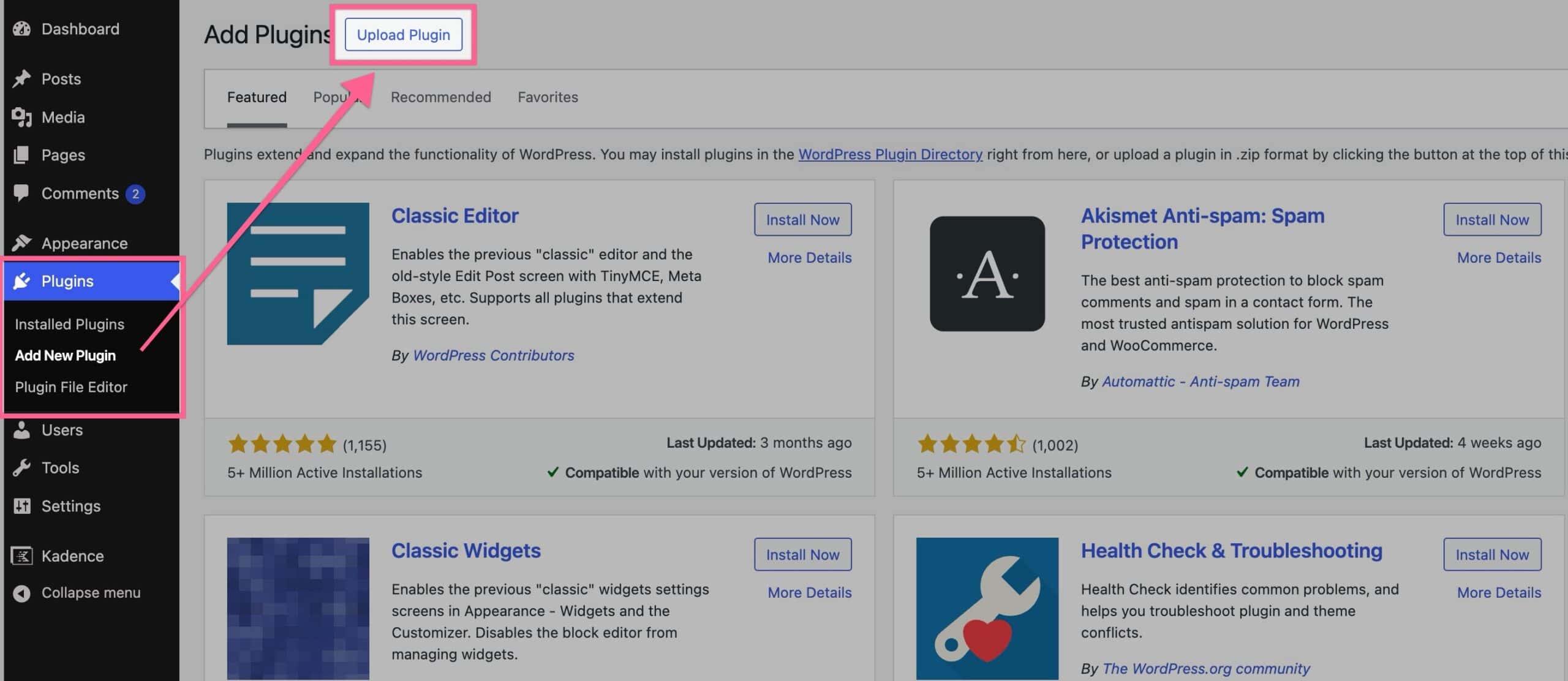
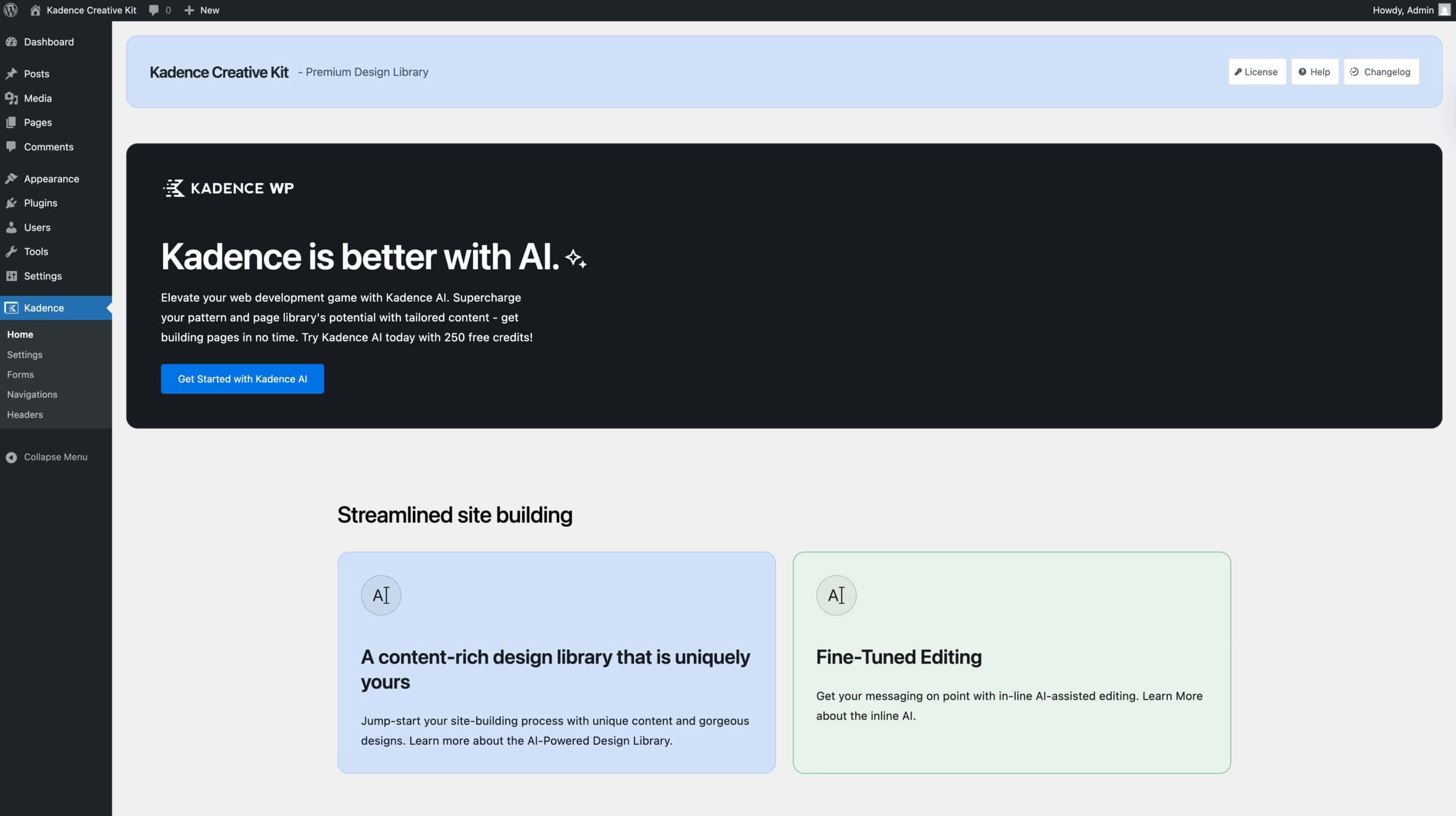
Upload the Creative Kit Plugin ZIP file to your website and activate it. Once finished, the plugin is ready to be used.
Using Premium Design Library Items
Creative Kit grants access to all of the Kadence Premium Design Library Designs. This feature requires the Free Kadence Blocks Plugin to be activated on the website.
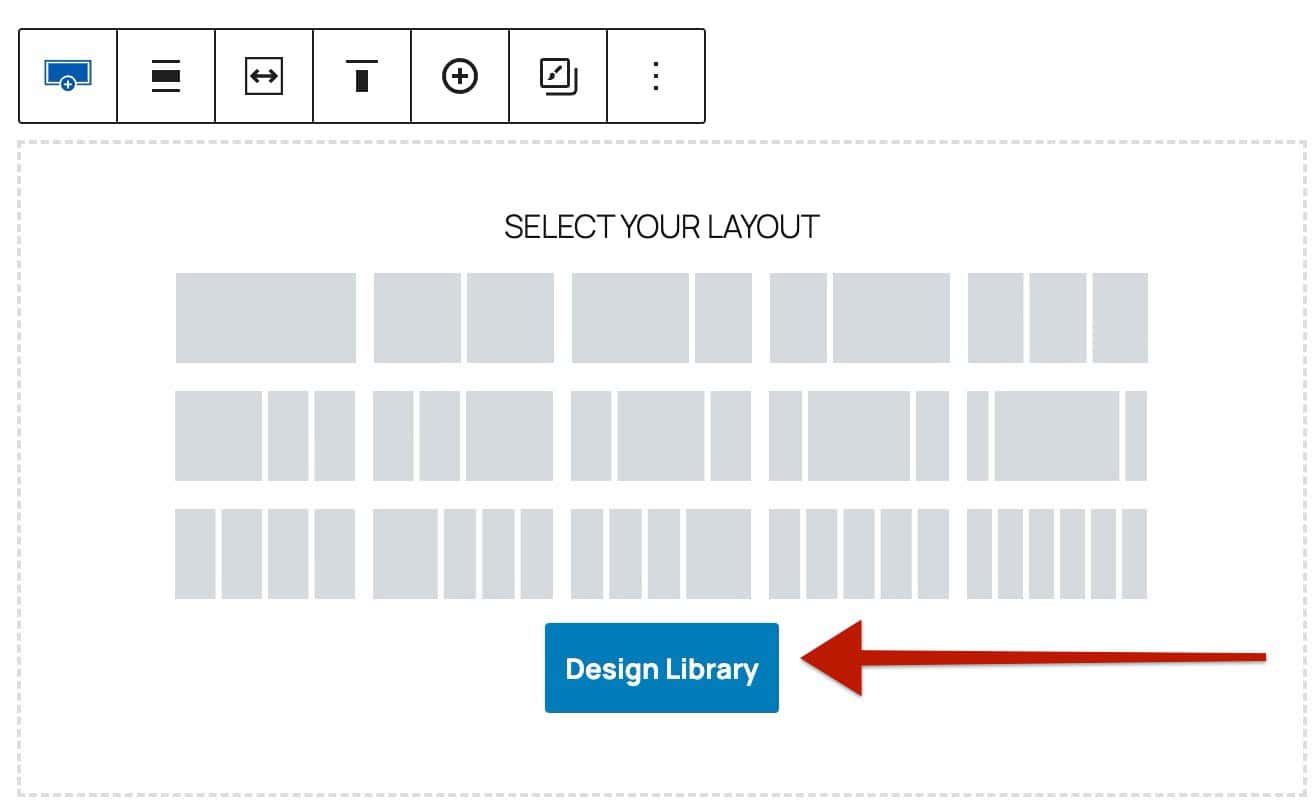
The Kadence Design Library can be accessed in the top left of the WordPress Editor by clicking the Design Library button. Additionally, when adding a Kadence Row Layout Block to a page, you can also access a Design Library button to add Design Library Items.
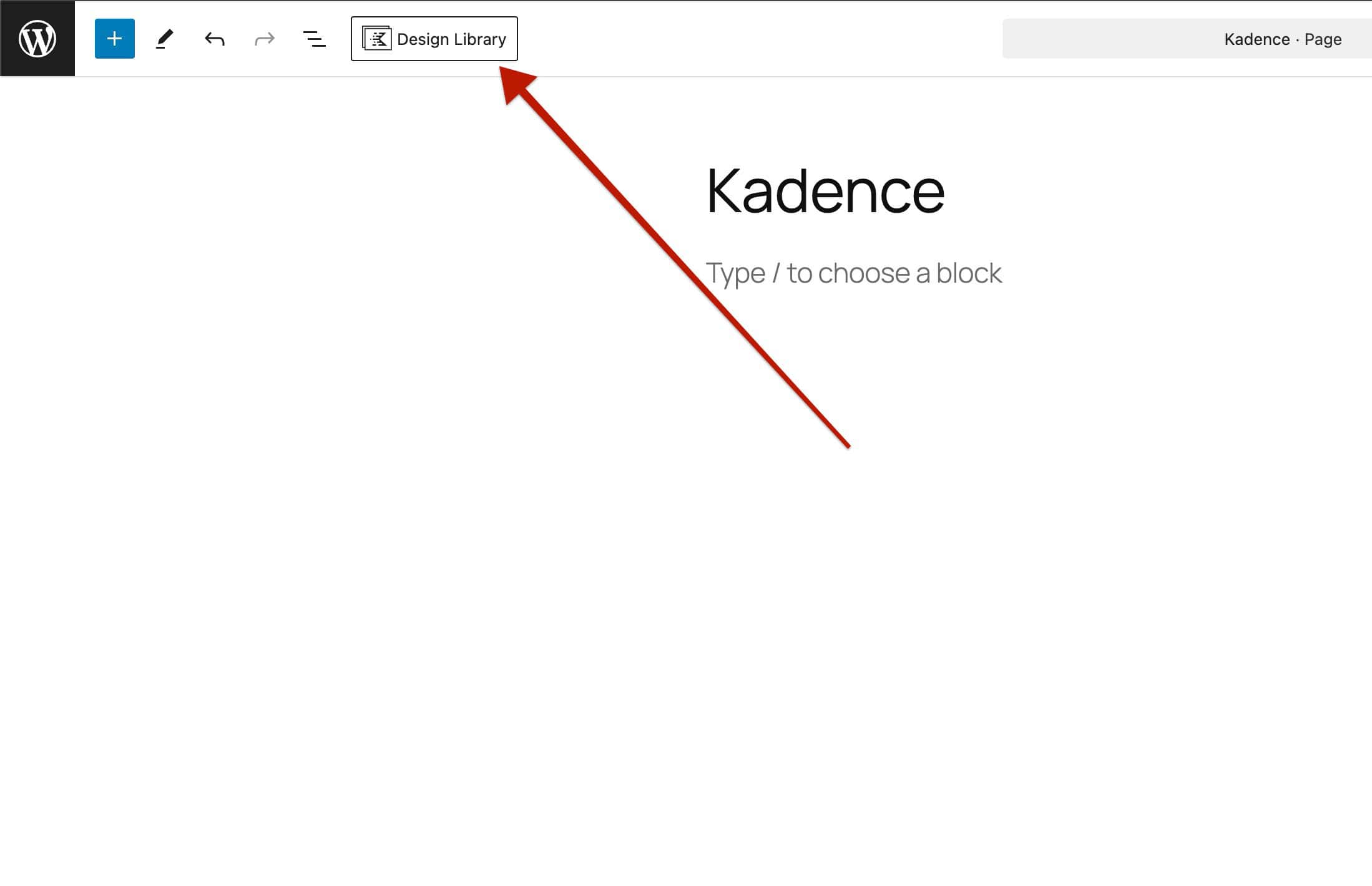
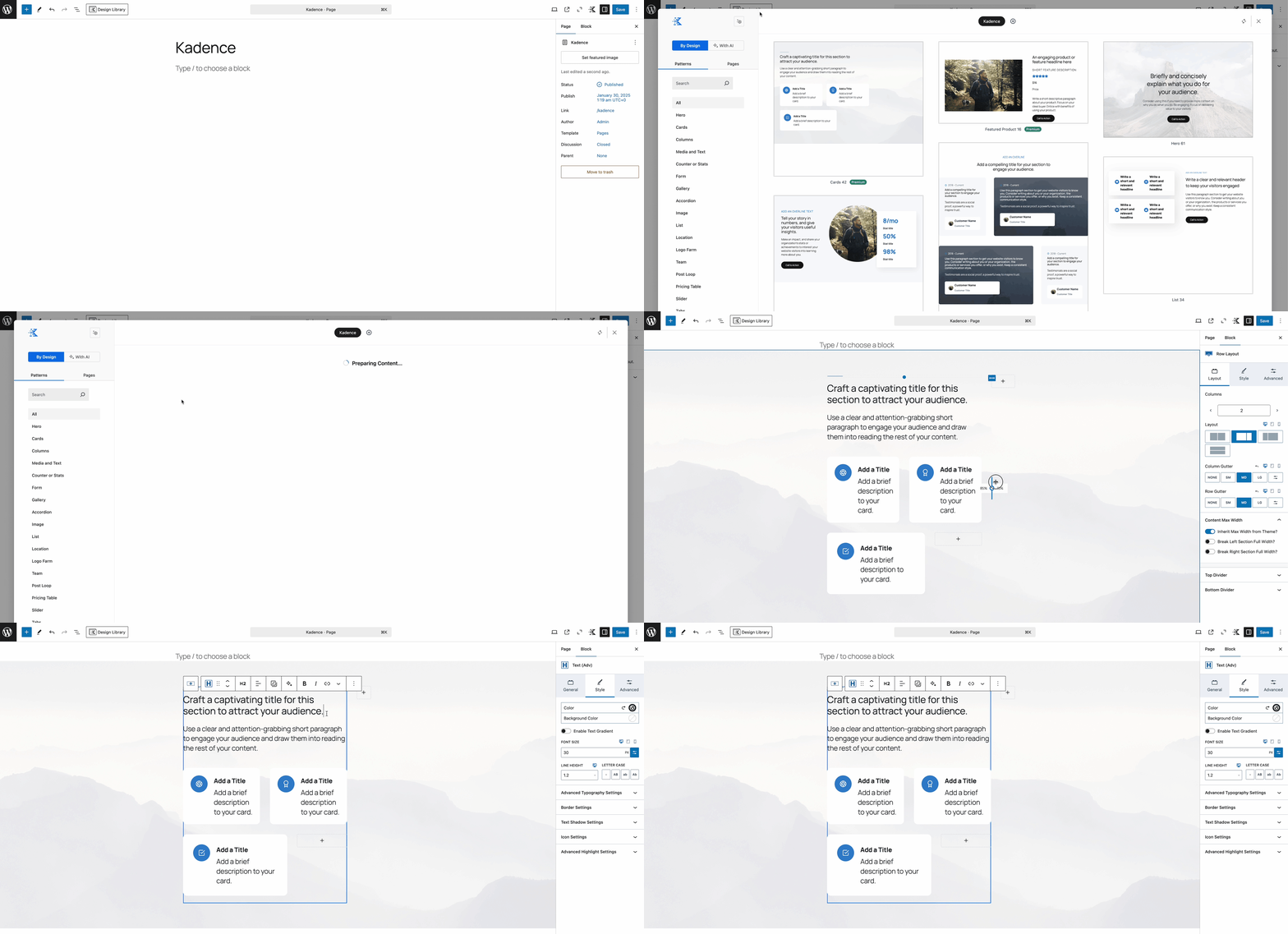
Once in the Design Library, you can select a Free or Premium Item to add it to the post or page. Then, you can customize the blocks and content to meet your design goals.
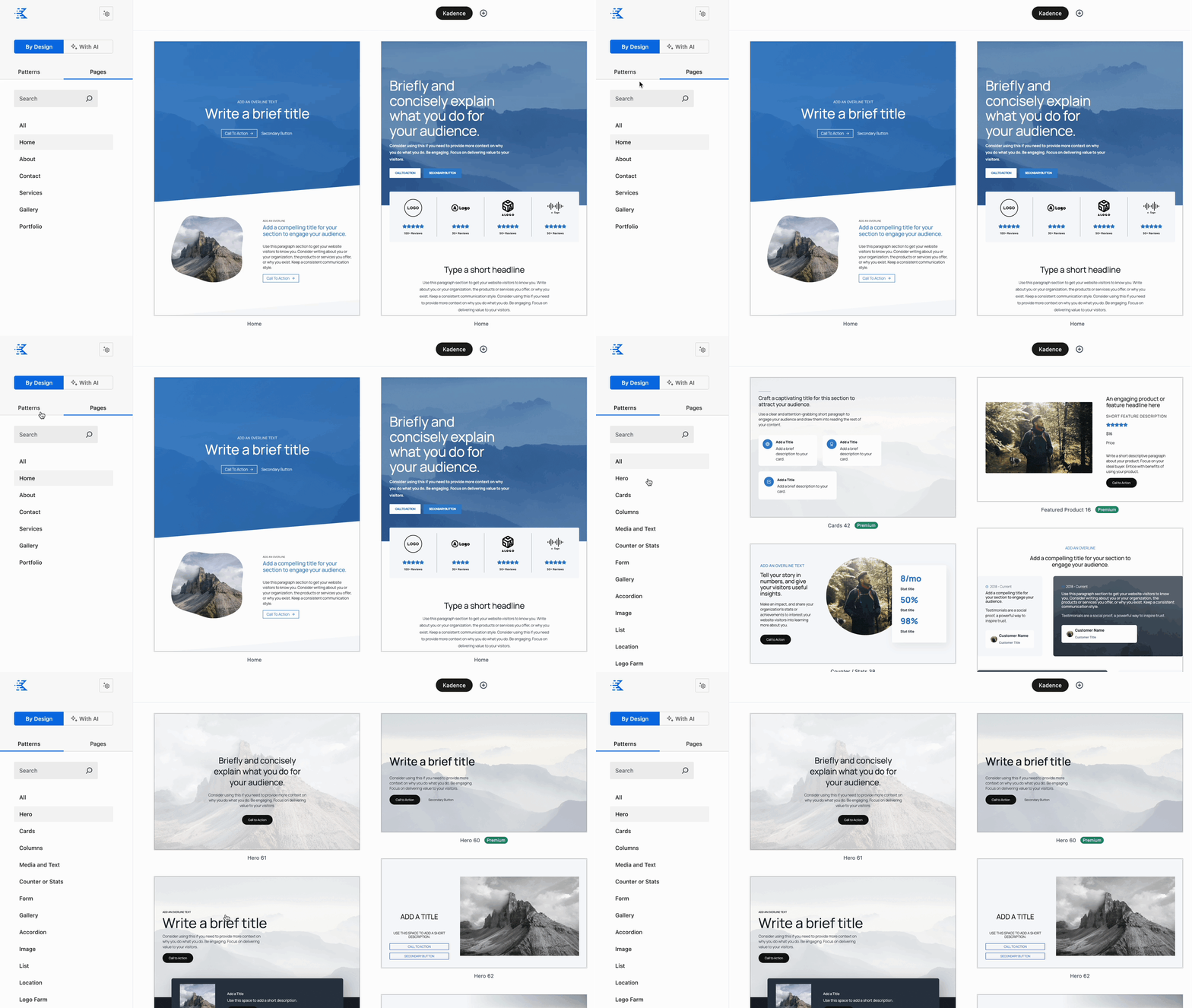
The Design Library features both Patterns and entire Pages. Use the tabs in the top left of the Design Library to navigate between the two content types. Inside of each tab, use various categories to help find specified design and sample content.
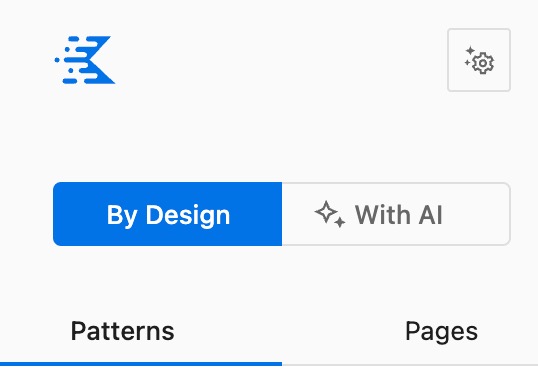
Kadence AI can also be incorporated into the Design Library. This can be activated by using the With AI button above the Pattern and Pages tabs. This feature requires the Free Kadence AI-Powered Starter Templates Plugin to be activated on the website and for Kadence AI to be Activated as well.
You can use the following resources to get started with Kadence AI and the Design Library.
- You can view the Activating Kadence AI document by clicking here.
- You can view the Kadence AI Powered Design Library document by clicking here.
You can also learn more about the Standard Design Library (Without AI) by clicking here.
Using Premium Starter Templates
Creative Kit will give you access to Premium Kadence Starter Templates. This feature requires the Free Kadence AI-Powered Starter Templates Plugin, the Free Kadence Blocks Plugin, and the Free Kadence Theme to be activated on the website.
Starter Templates can be accessed from the Dashboard -> Site Assist -> Starter Templates page.
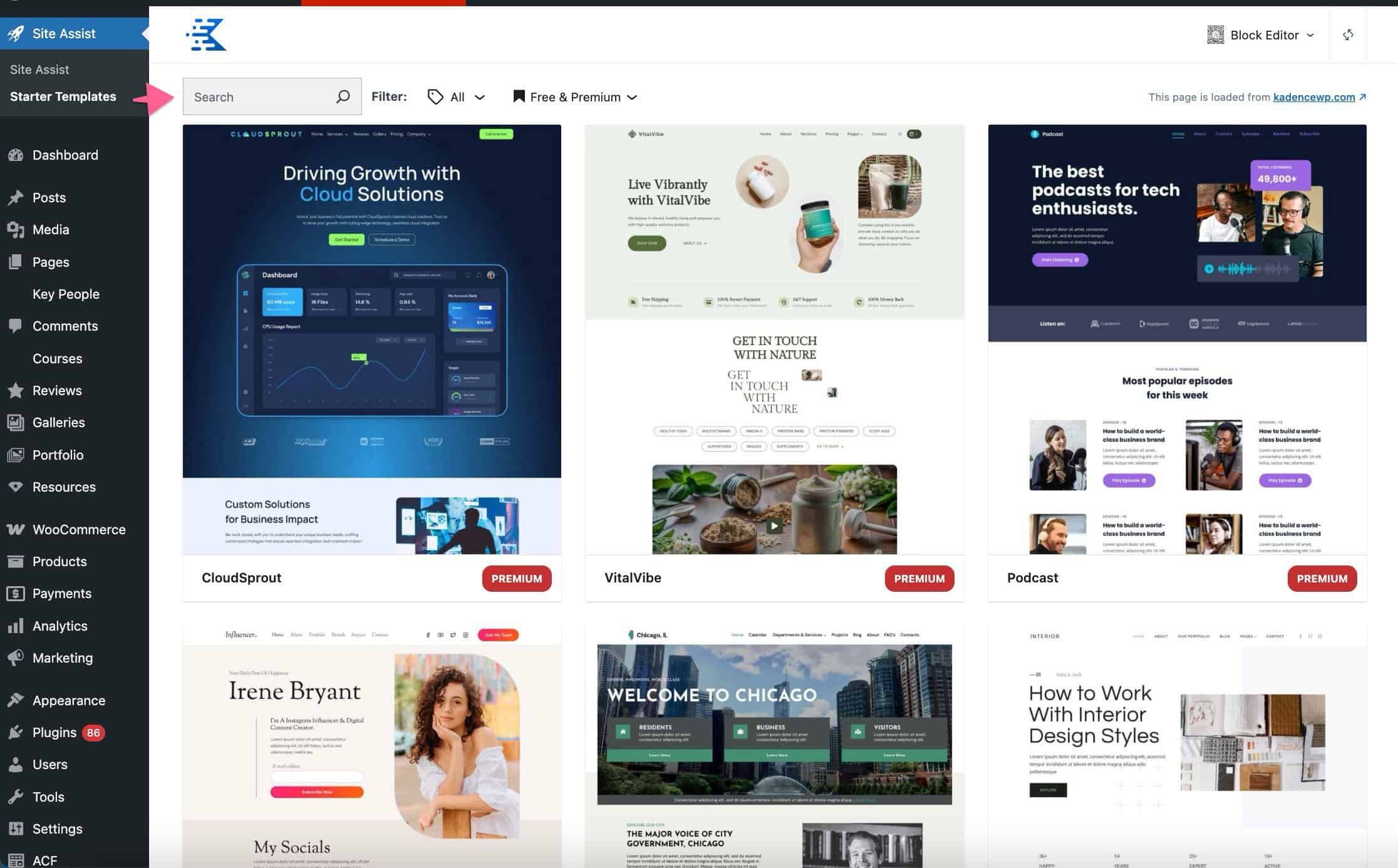
You will have the option to Activate Kadence AI Starter Templates or to use Pre-Designed Templates. To learn more about Activating Kadence AI Starter Templates, click here. If you use AI Starter Templates, once you finish the initial AI Setup Wizard, you will be directed to view and select AI-Powered Templates.
Otherwise, if you do not want to use Kadence AI Powered Templates, click on the Pre-Designed Templates link to begin browsing the Kadence Block Editor Starter Template Library.
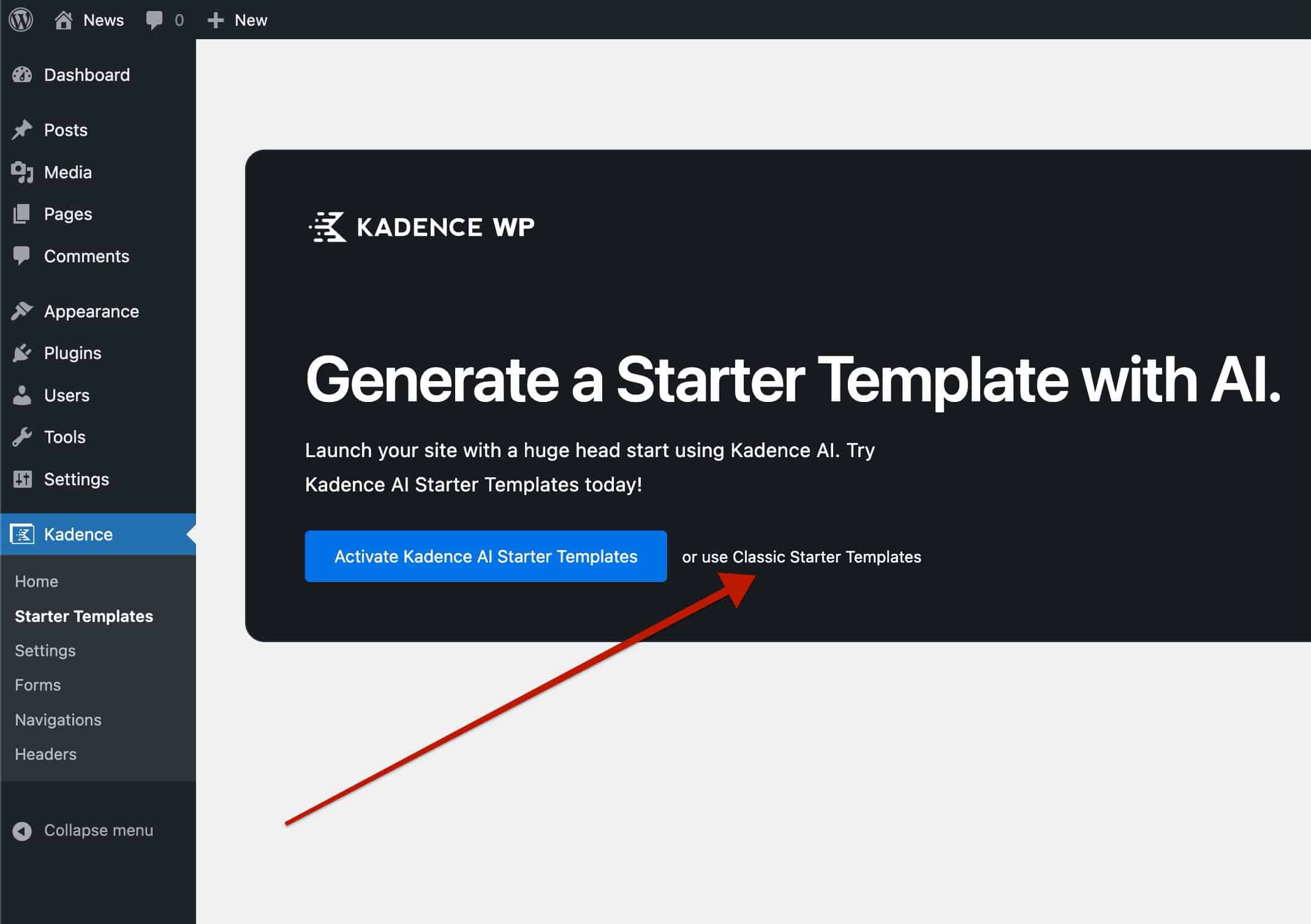
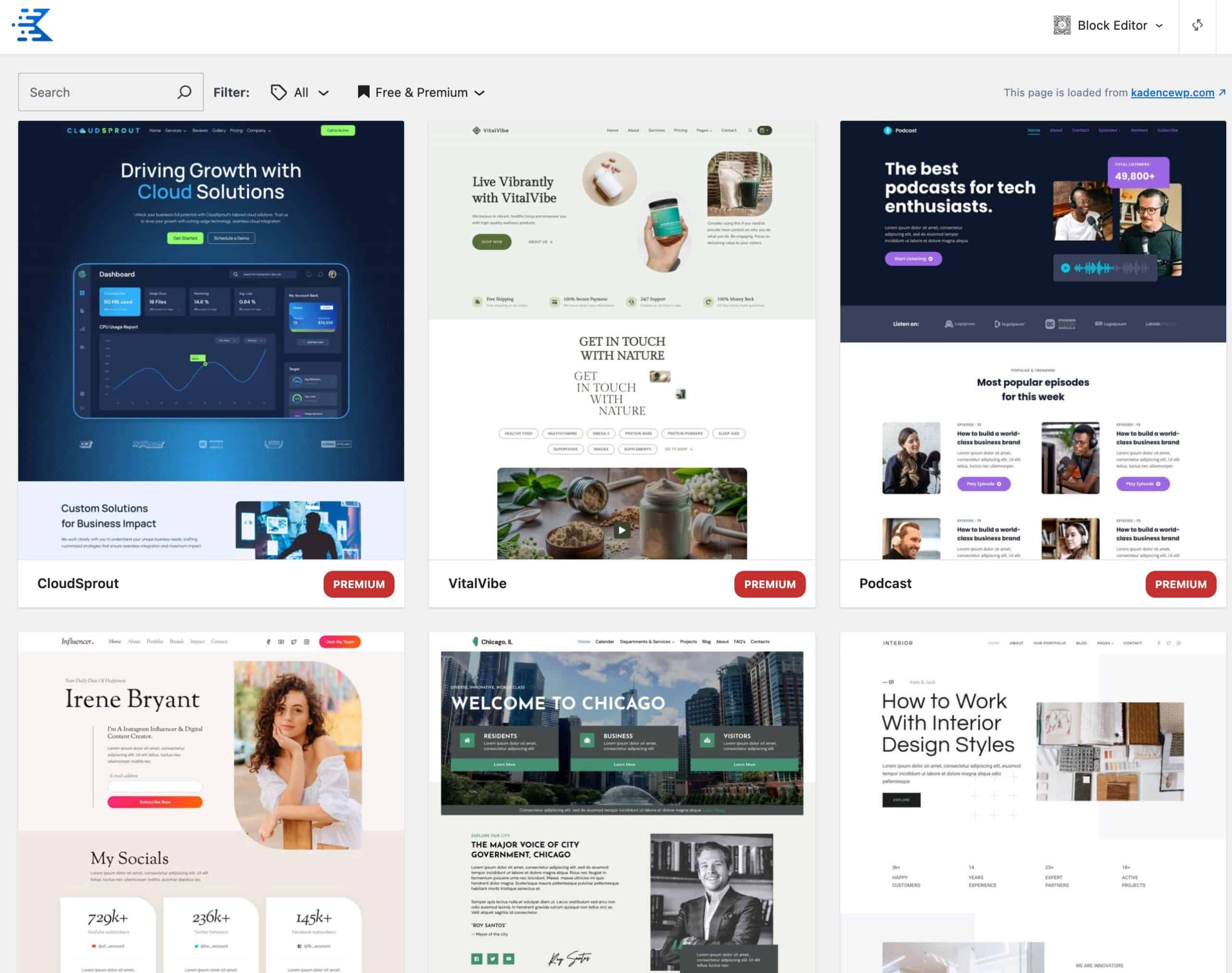
You. can click on a specific Starter Template to view it and can install it directly to your website using the Starter Template Wizard.
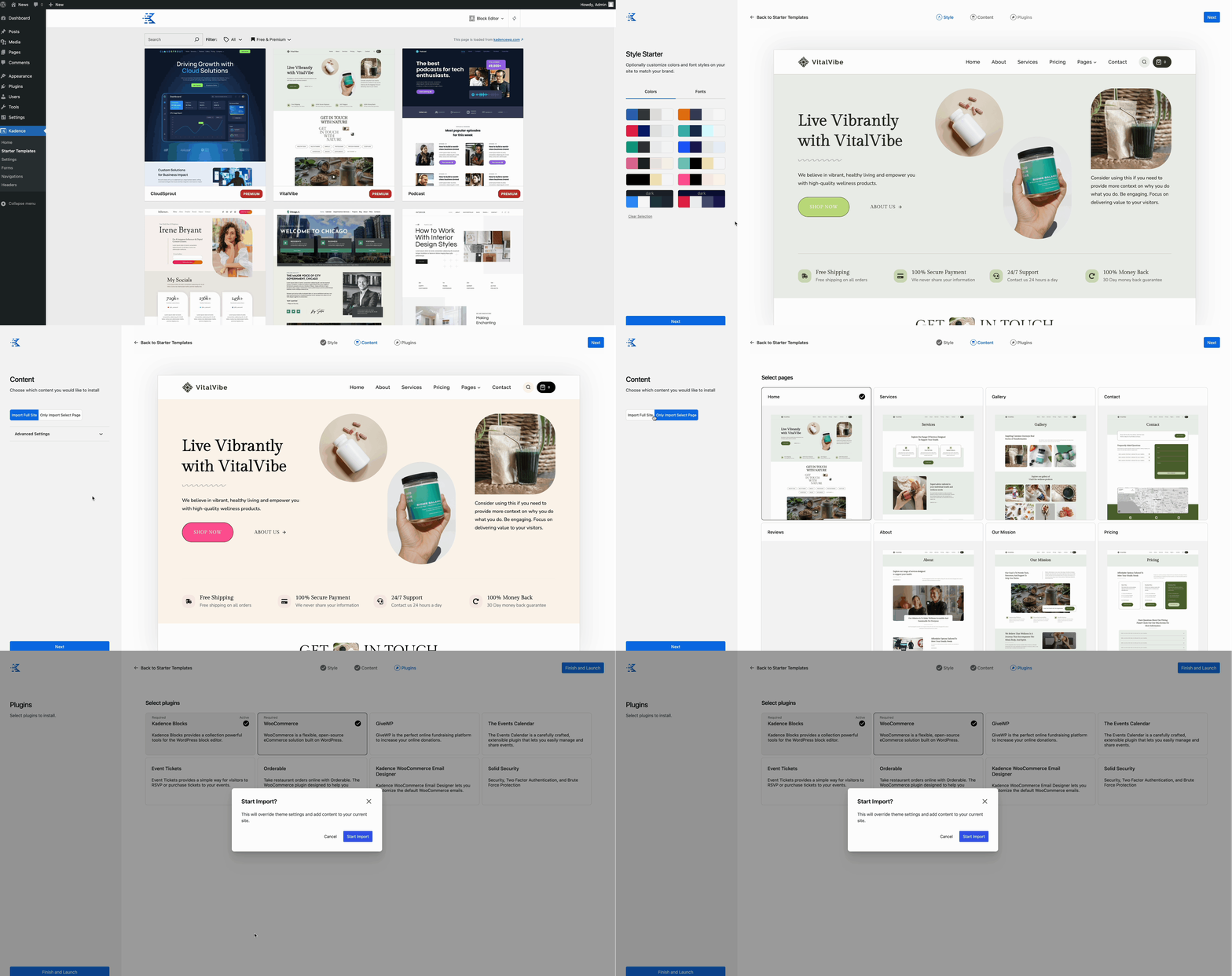
- You can learn more about importing Pre-Designed Templates by clicking here.
- You can learn more about importing AI-Powered Starter Templates by clicking here.
Animate On Scroll (Kadence Blocks feature)
The Creative Kit Plugin unlocks Animate On Scroll (AOS) within the free Kadence Blocks plugin. This allows you to add animations to applicable free Kadence Blocks, helping enhance/guide the user experience.
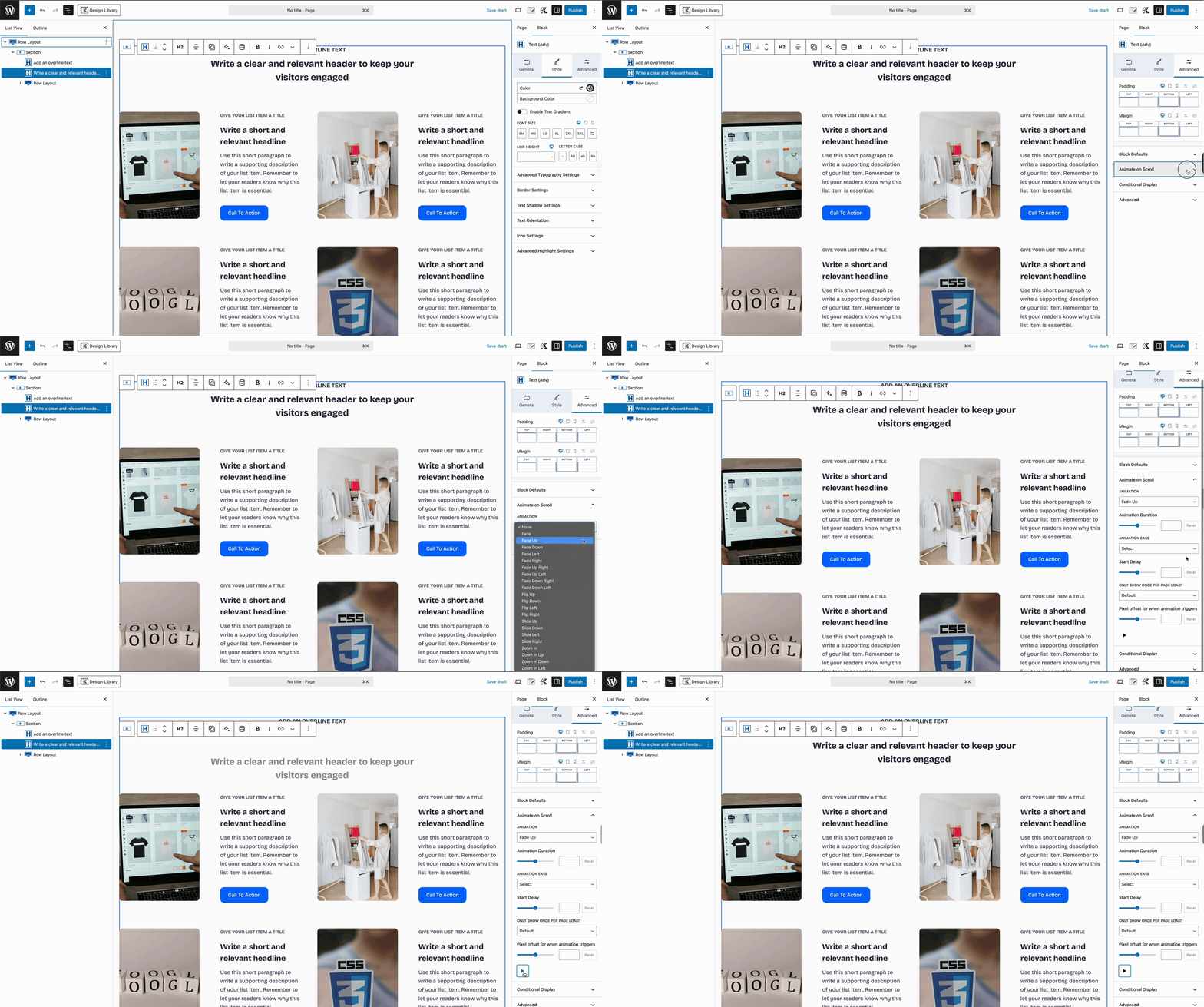
Certain Kadence Blocks support AOS. For a full overview of which blocks support this feature and how to use this feature, refer to the official document here.
Marquee (Adv) Block
The Creative Kit Plugin extends the free Kadence Blocks plugin by adding the Marquee (Adv) Block. The Marquee (Adv) Block lets you create scrolling marquee-style content, perfect for adding eye-catching motion and creative visual effects to your website.
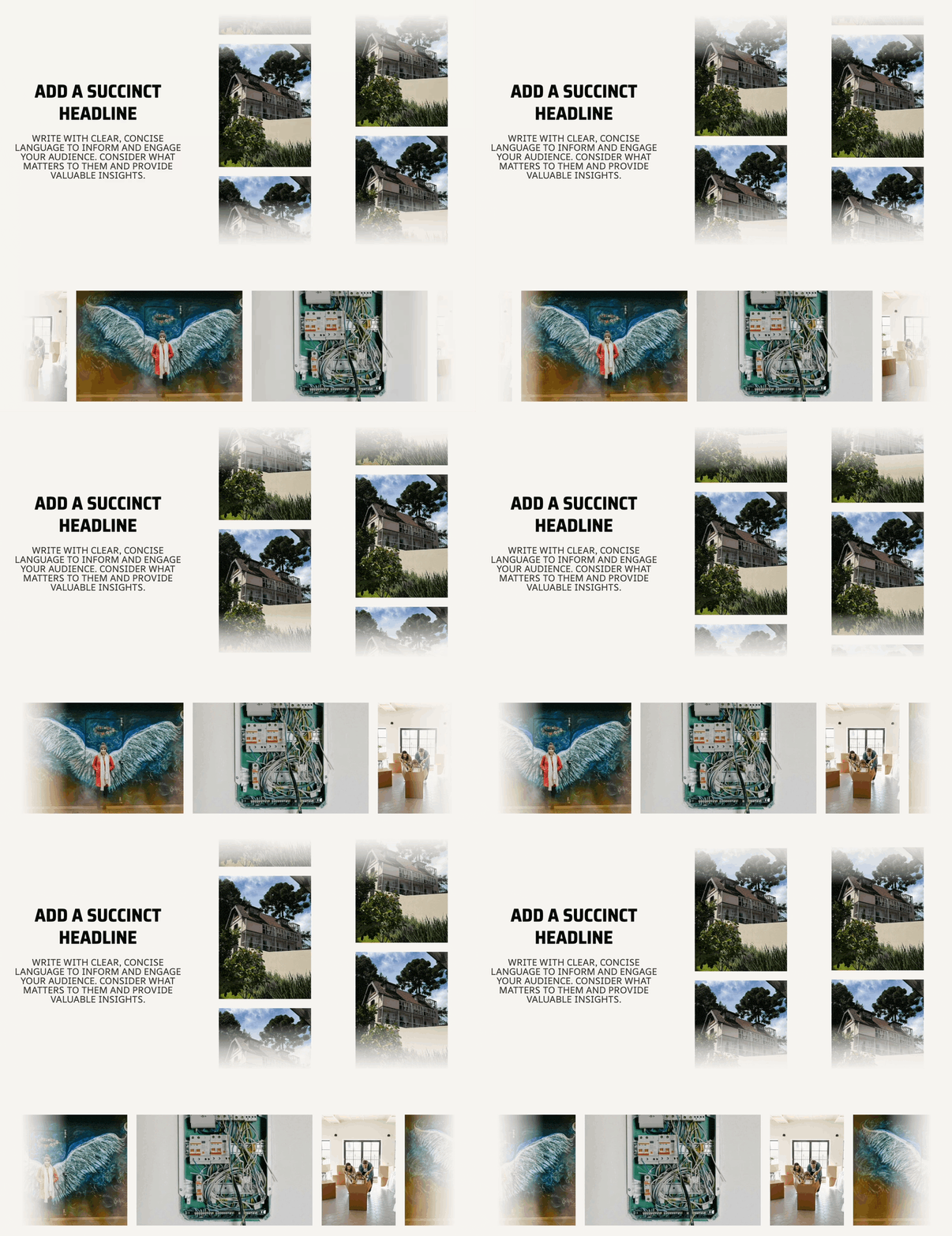
For a full overview of the Marquee (Adv) Block and how to get started using one, refer to the official document here.

