
Notice: These forums are now retired and closed. For active support, please Submit a Ticket or visit our official WordPress.org community pages.
Kadence Theme | Kadence Blocks | Starter Templates | WooCommerce Email Designer | Ascend | Virtue | Pinnacle
Search Results for 'child theme'
-
AuthorSearch Results
-
In forum: Virtue Theme
Topic: cmb2_get_metabox ID Array?
Hello Team Kadence!
Happy Thanksgiving!
I’m hoping you can help me with something. I need to target several metaboxes (updating the description field/options for sidebars). I’m using this as my function in my child theme:
function change_sidebar_metabox() {
$cmb = cmb2_get_metabox('bloggrid_metabox');
if (is_object($cmb)) {
$cmb->update_field_property('_kad_page_sidebar', 'name', __('Show/Hide Sidebar', 'virtue'));
$cmb->update_field_property('_kad_page_sidebar', 'desc', __('Without the sidebar, the layout will be fullwidth.', 'virtue'));
$cmb->update_field_property('_kad_page_sidebar', 'options', array(
'yes' => __('Show Sidebar', 'virtue'),
'no' => __('Hide Sidebar', 'virtue'),
));$cmb->update_field_property('_kad_sidebar_choice', 'desc', __('If you have elected to hide the sidebar, choosing a sidebar will not change anything.', 'virtue'));
}
}add_action('cmb2_init_before_hookup', 'change_sidebar_metabox', 21);
function change_sidebar_metabox2() {
$cmb = cmb2_get_metabox('blogliist_metabox');
if (is_object($cmb)) {
$cmb->update_field_property('_kad_page_sidebar', 'name', __('Show/Hide Sidebar', 'virtue'));
$cmb->update_field_property('_kad_page_sidebar', 'desc', __('Without the sidebar, the layout will be fullwidth.', 'virtue'));
$cmb->update_field_property('_kad_page_sidebar', 'options', array(
'yes' => __('Show Sidebar', 'virtue'),
'no' => __('Hide Sidebar', 'virtue'),
));$cmb->update_field_property('_kad_sidebar_choice', 'desc', __('If you have elected to hide the sidebar, choosing a sidebar will not change anything.', 'virtue'));
}
}add_action('cmb2_init_before_hookup', 'change_sidebar_metabox2', 21);
It works well but so far, I need to add it for each and every template I want to target (in this case both bloggrid_metabox and bloglist_metabox). From the CMB2 docs, cmb2_get_metabox should accept an array (unless I’m misunderstanding it). But no matter what I do, I just get a config error (id required) so I figure I’m doing it wrong or misunderstanding how to set this up. Setting them up separately causes the IDE to freak out about duplicate code so trying to combine the functions (and streamline the code and maintenance of said code). Is this something you can help me with? Thank you!
In forum: Membership ForumsIn reply to: Cross sells cart page bug?
In forum: Ascend ThemeIn reply to: linking price in Woocommerce shop page
In forum: Ascend ThemeIn reply to: linking price in Woocommerce shop page
In forum: Kadence ThemeHello,
Is there a way to style the title of individual pages? I need to add a margin to the title only on some pages but not all. I could do this with a child theme and a custom page template or a whole bunch of not:(page) css but I thought I would check to see that it isn’t hidden somewhere in the Kadence theme customizer. Along the same lines, is there a way to add a body class to a page?
I have worked with the legacy themes for years but the Kadence theme is new to me—it’s pretty amazing! And the starter templates have been very useful.
Thank you,
AmyHi Kadence!
I have a javascript error (slick-min.js).
The page loading fails after the first paint.
The problem looks to happen only when there is a gallery with only one image.I found a similar problem on the forum, but with a different Kadence plugin: *Login to see link
Basic Troubleshooting:
1. We are using the latest version of Kadence product and WordPress. All plugins/theme are up-to-date.
2. I have tested with all plugins deactivated and also with Ascend default theme (Child theme disabled).
3. I did review the Frequently Asked Questions area.I will send URL and error message in a private message.
Thanks!
HugoIn forum: Virtue ThemeTopic: My video is cropped
Hi,
I am having trouble inserting a video in a blog post. It gets copped! Why? Can I change that?
I would rather have my video embedded, but I was “not allowed” and I am not sure it’s Elementor or my Virtue child theme…
Link: *Login to see link
Latest wordpress, Virtue child theme
Cheers!
In forum: Virtue ThemeIn reply to: Testimonial image size
Thanks Hannah, that’s certainly a step in the right direction!
There is no other css (I am aware of) for this site. As I couldn’t use a child theme, all the css is in “Theme Options > Advanced Settings”I have added your code and the image is now nearer the text.
But we now have the slightly strange effect where the content is further up the screen than it’s background. Please see the image.
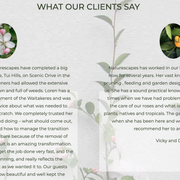
Thanks for your help,
Phil.In forum: Virtue ThemeIn reply to: Testimonial image size
Hey Phil,
I’ve been trying to recreate this on my site and am unable to. Something is outputting 130% of bottom padding but I can’t tell what. You can override with this css:.kadence-post-image-intrisic.kt-image-ratio-133-33 { padding-bottom: 250px !important; }Are you adding anything to your child theme that might be outputting the padding?
Regards,
HannahIn forum: Kadence ThemeIn reply to: Translating search result page
November 11, 2020 at 6:19 am #260405Hi Hannah & Karla, thank you for your help.
I was finally able to hook correctly the child theme and the translation is working now with loco translate.
Have a nice day.In forum: Kadence ThemeIn reply to: Problems moving from Ascend to Kadence theme
November 10, 2020 at 6:50 pm #260396Hello Ben,
Thanks for the reply.
1) When do you expect to release the Kadence theme with this hook ?
In the meantime I created a Kadence-child theme, copied over template-parts/content/single-entry.php and added ‘in_same_term’ => true, at line 47. This works and gives me a temporary workaround.2) I see what you mean, and added the search bar. Thanks.
3) The contact widget is the right idea but doesn’t have the icons I am looking for so I will probably go back to some raw HTML code.
4) While setting up the kadence-child theme I tried to use the Import/Export function, but the import failed with this error:
Fatal error: Uncaught Error: Call to undefined method Kadence_Starter_Templates\Customizer_Import_Export::sideload_image() in /homepages/.../wp-content/plugins/kadence-starter-templates/inc/class-import-export-option.php:358 Stack trace: #0 /homepages/.../wp-content/plugins/kadence-starter-templates/inc/class-import-export-option.php(307): Kadence_Starter_Templates\Customizer_Import_Export::import_images(Array) #1 /homepages/.../wp-content/plugins/kadence-starter-templates/inc/class-import-export-option.php(176): Kadence_Starter_Templates\Customizer_Import_Export::import_data(Object(WP_Customize_Manager)) #2 /homepages/.../wp-includes/class-wp-hook.php(287): Kadence_Starter_Templates\Customizer_Import_Export::import_export_requests(Object(WP_Customize_Manager)) #3 /homepages/.../wp-includes/class-wp-hook.php(311): WP_Hook->apply_filters(NUL in /homepages/.../wp-content/plugins/kadence-starter-templates/inc/class-import-export-option.php on line 358I used the https://wordpress.org/plugins/customizer-export-import/ plugin and it worked. Both export functions (Kadence & the plugin) produce exactly the same file, so the problem seems to be with the Kadence Import. I would upload the 26KB dat file, but the forum uploaded won’t let me (even if I change the file name suffix). I can give you more information if you need it.
Regards,
NickIn forum: Kadence ThemeIn reply to: Kadence theme child
November 6, 2020 at 2:11 pm #260196Esto me funciono! Gracias.
/**
* Enqueue child styles.
*/
function child_enqueue_styles() {
wp_enqueue_style( ‘child-theme’, get_stylesheet_directory_uri() . ‘/style.css’, array(), 100 );
}add_action( ‘wp_enqueue_scripts’, ‘child_enqueue_styles’ );
In forum: Kadence ThemeTopic: Kadence theme child
November 6, 2020 at 1:50 pm #260193Hola acabo de crear mi tema hijo manualmente creando la carpeta theme-child y dentro de ella el archivo functions.php y el style.css sin embargo al elegir mi tema hijo no toma las modificaciones del estilo css.
este es mi archivo functions.php
add_action( ‘wp_enqueue_scripts’, ‘theme_enqueue_styles’ );
function theme_enqueue_styles() {
wp_enqueue_style( ‘parent-style’,get_template_directory_uri() . ‘/style.css’ );
}In forum: Kadence ThemeIn reply to: Translating search result page
November 6, 2020 at 10:37 am #260184I’m sorry, i’m confused between the hook you gave me and this Loco’s screen. I can see my child theme with no translation here.
not sure what to do in fact to make it work (the hook seems to have no effect and not sure what is its purpose anyway). Thank you. In forum: Kadence Theme
In reply to: Translating search result page
November 6, 2020 at 10:30 am #260183Hi Karla,
thank you for your answer.
Can you help me a little more, i did add that to my child theme’s functions.php file and then what exactly ? Do i need to do something else cause it’s still not working. Thank you 🙂In forum: Kadence ThemeIn reply to: Translating search result page
Hello Frederic,
Thank you for reaching out to us.
You should load the child theme’s text domain. To do that, add this hook on your child theme’s functions.php file:
function wpdocs_child_theme_setup() {
   load_child_theme_textdomain( 'my_parent_theme', get_stylesheet_directory() . '/languages' );
}
add_action( 'after_setup_theme', 'wpdocs_child_theme_setup' );
For more information regarding this, please refer to this page.
If you would like to contribute to the Kadence Theme available languages please send your PO file to [email protected].
Hope this helps and let us know if we can assist you further.
Best Regards,
KarlaIn forum: Kadence ThemeNovember 5, 2020 at 2:08 pm #260127Hi,
my website is in French and I’m using a child theme and even with Loco Translate installed, i can’t manage to translate “Search results for:” and “Read More”. I did translate those 2 strings in French but it’s still showing up in english (cache cleared).
Has it something to do with the child theme text-dommain ? (see screenshot).
If so what should i do exactly about that ?
Thanks for your help.In forum: Ascend ThemeNovember 5, 2020 at 9:28 am #260098Hello
We have a site which includes several CPTs. This includes a member news CPT as well as others controlled by third party plugins. If I switch Featured Images on in the Theme options under Custom Post Types, I get an image on the Members Posts (good) but also on one of the other CPT (which does not have a featured image and so looks really bad).I assume that you are controlling the image display by hooking into somewhere in the_content. Could you share a snippet that will allow me to selectively include the image in my member news only please?
Alternatively, if there is a better way of doing this, some advice would be useful. I already have a child theme.
Thanks
MandyIn forum: Virtue ThemeIn reply to: Insert Featured Image Code
In forum: Virtue ThemeTopic: Insert Featured Image Code
-
AuthorSearch Results



