
Notice: These forums are now retired and closed. For active support, please Submit a Ticket or visit our official WordPress.org community pages.
Kadence Theme | Kadence Blocks | Starter Templates | WooCommerce Email Designer | Ascend | Virtue | Pinnacle
Search Results for 'page '
-
AuthorSearch Results
-
In forum: Kadence Theme
In reply to: Unresolved issues with moving from Virtue to Kadence
Hey,
2. This css will remove the max-width for the logo:.site-branding a.brand img { max-width: none; }And this css will center align it:
.site-branding {
    margin: auto;
}
Is that what you’re envisioning? Sorry if I’m misunderstanding.
3. It looks like you’re using a default page template rather than a sidebar page template. Have you tried adjusting this from your edit page under Page Settings?
4. Would you mind sending login info so I can look into this?
Kindly,
HannahIn forum: Kadence ThemeIn reply to: Shop pagination
March 9, 2021 at 5:00 am #264215Hi there,
That’s the problem, in my customize – woocommerce – product catelog, there are no ‘Products per row’ and ‘Rows per page’ option.
Please help.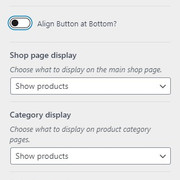 In forum: Kadence Theme
In reply to: Shop pagination
Hello,
You can set the number of products per row and rows per page by going to Customizer > WooCommerce > Product Catalog – https://share.getcloudapp.com/L1uNl0N9.
Hope this helps.
Regards,
KarlaIn forum: Kadence BlocksIn reply to: Adding custom CSS in Kadence Blocks Pro
March 9, 2021 at 1:23 am #264207Hi Hannah,
Thank you for reply. I am trying things with a plugin called Editor Plus that allow me to set Global CSS and I can also add custom CSS to each block. problem is sorted out now.
I am loving Kadence blocks, We have created the homepage using Kadence blocks. it’s fantastic,
regards
ArunIn forum: Membership ForumsIn reply to: Modal for Mobile
March 8, 2021 at 12:05 pm #264190Thanks for the reply Chris,
The link was in my original post FLOMAPS.COMI do not want a link to my subscription page. That is what I replaced with a Modal.
The Modal works just fine on Desktop but does not work on Mobile.In your reply you said “You can create elements that show up on just mobile sites or just desktop or tablet”…
Does that mean it has to be either or, not both?
Also, where is this setting to show up only on one or the other. I did not see that option/setting anywhere.Thanks,
DanIn forum: Membership ForumsIn reply to: Modal for Mobile
Hello,
You can create elements that show up on just mobile sites or just desktop or tablet. What you could do is create just a button that takes you to subscribe page with a subscribe form. Modals should work on mobile, but without a link to investigate further to see if this is a bug or a plugin conflict that would be your best option.
Thanks!
Chris
In forum: Kadence ThemeIn reply to: Shop pagination
March 8, 2021 at 1:30 am #264173Hi there,
If I have hundred of products, it is impossible to show them at one page, I need the Shop to show maybe twenty products per page only.
Then at the bottom of the page, user can click “NEXT” for other pages.
Thank you.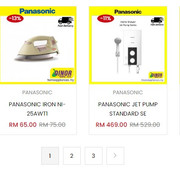 In forum: Kadence Blocks
Hi there,
I am trying to figure out if this layout here can be achieved with Kadence Blocks:
*Login to see link -> The Special Offers section.
Basically this segment should be full width and divided in two sections.
The text on the left doesnt have the full page width.
The right section has a background image, which is fixed.I think there should be some nesting of several row blocks, but I am not able to wrap my head around it.
Thanks
BlerimIn forum: Kadence ThemeIn reply to: Remove Google fonts from Kadence Theme
March 6, 2021 at 11:28 am #264164Hey this issue is same with me both on gtmetrix and google page speed insights. The specific one is nunito sans even if its not used by any of my plugin nor any customizer settings. Please rectify Ben.
In forum: Membership ForumsTopic: Modal for Mobile
March 6, 2021 at 7:02 am #264158I use a Modal in an element on my Home Page for a email subscriber optin form.
The Modal button works great on Desktop but not on Mobile.
On Mobile if someone uses the button the page just locks up – cannot scroll or anything.
Is there any options for Elements or Modals to link to a different page if in Mobile?
Or any other options or suggestions for using Modals on Mobile?FloMaps.com
Thanks,
DanIn forum: Kadence BlocksIn reply to: Post Grid – Unique Layout
Thanks Hannah,
I managed to get the structure and the posts I wanted to display and I’ll have to do the rest with custom css, see page now. It’s a pity the Posts block doesn’t have block level settings for text/title margin/padding/line heights and gutter & border styling, etc. We could then use it for more bespoke style home page usage without custom css.
Cheers
In forum: Kadence ThemeTopic: Login Button
March 5, 2021 at 11:19 pm #264153Hi..
I am using the Kadence Theme Pro and also Kadence Blocks Pro.
I enabled the “My Account” widget on the header, which opens the pop-up for visitors to log in.
Is there a way to create a button that triggers this same login pop-up so I can display this button on the page, rather than only in the header?Thanks
In forum: Virtue ThemeIn reply to: Icons
March 5, 2021 at 3:34 pm #264146sorry I missed this topic. Here you go, a check is added for mobile and then it’s returned so that the mobile markup is not broken.
add_filter( 'nav_menu_css_class', 'custom_filter_out_classes', 11, 4 );
function custom_filter_out_classes( $classes, $item, $args, $depth ) {
	if( is_array( $classes ) ) {
		foreach ( $classes as $key => $class ) {
			if ( strpos( $class, 'fa-' ) !== false ) {
				unset( $classes[ $key ] );
			}
		}
	}
	return $classes;
}
add_filter( 'walker_nav_menu_start_el', 'custom_filter_add_icon_class', 11, 4 );
function custom_filter_add_icon_class( $item_output, $item, $depth, $args ) {
	if ( isset( $args->theme_location ) && 'mobile_navigation' === $args->theme_location ) {
		return $item_output;
	}
	$icon_class = array();
	$custom_classes = get_post_meta( $item->ID, '_menu_item_classes', true );
	if ( $custom_classes ) {
		foreach ( $custom_classes as $custom_class ) {
			if ( strpos( $custom_class, 'icon' ) !== false || strpos( $custom_class, 'kt-icon' ) !== false || strpos( $custom_class, 'fa-' ) !== false ) {
				$icon_class[] = $custom_class;
			}
		}
	}
	$atts                 = array();
	$atts['title']        = ! empty( $item->attr_title ) ? $item->attr_title : '';
	$atts['target']       = ! empty( $item->target ) ? $item->target : '';
	$atts['rel']          = ! empty( $item->xfn ) ? $item->xfn : '';
	$atts['href']         = ! empty( $item->url ) ? $item->url : '';
	$atts['aria-current'] = ! empty( $item->current ) ? 'page' : '';

	$atts = apply_filters( 'nav_menu_link_attributes', $atts, $item, $args, $depth );

	$attributes = '';
	foreach ( $atts as $attr => $value ) {
		if ( ! empty( $value ) ) {
			$value       = ( 'href' === $attr ) ? esc_url( $value ) : esc_attr( $value );
			$attributes .= ' ' . $attr . '="' . $value . '"';
		}
	}
	if ( ! isset( $args->link_before ) || ( isset( $args->link_before ) && empty( $args->link_before ) ) ) {
		$args->link_before = '<span>';
		$args->link_after  = '</span>';
	}

	$title = apply_filters( 'the_title', $item->title, $item->ID );
	$title = apply_filters( 'nav_menu_item_title', $title, $item, $args, $depth );

	$description = ! empty( $item->description ) ? '<span class="sf-description">' . esc_attr( $item->description ) . '</span>' : '';
	$icon        = ! empty( $icon_class ) ? '<i class="' . esc_attr( join( ' ', $icon_class ) ) . '"></i>' : '';

	// No Description for submenu items.
	if ( 0 !== $depth ) {
		$description = '';
	}

	$item_output  = $args->before;
	$item_output .= '<a' . $attributes . '>' . $icon;
	$item_output .= $args->link_before . $title . $description . $args->link_after;
	$item_output .= '</a>';
	$item_output .= $args->after;
	return $item_output;
}
In forum: Kadence ThemeIn reply to: Kadence Blocks not showing up
March 5, 2021 at 10:22 am #264137Honestly, not really. This is the home page that was created when I pulled in the starter template. How do I use what is in the theme and choose gutenberg? I didn’t choose the classic editor but it does appear to be a plugin. Should I deactivate the plugin? Please tell me what I need to do to use the theme starter template and kadence.
Thank you,
HughIn forum: Membership ForumsIn reply to: Ascend mini cart – button view cart not working
In forum: Virtue ThemeIn reply to: Side bar on Shop Page
Hello Cassie,
Thank you for reaching out to us.
If you chose Full Layout for the Display the sidebar on Shop Page? and Display the sidebar on Product Category Pages? options in Theme Options > Shop Settings, then the sidebar should not show on your shop and product category pages. Additionally, if a page has a sidebar, it will definitely not show below the footer.
To confirm, have you purged your website/server caching to see if the issue will be fixed? If that did not fix the issue, please try deactivating your other plugins one by one to see if one of them may be causing the issue.
Hope this helps and let us know if we can assist you further.
Regards,
KarlaIn forum: Membership ForumsIn reply to: Home Page Setup Changes in Ascend
Hi Sebastian,
Apologies for the delay! And sorry this has been the case for you. You can set a static page as your homepage from Settings > Reading. Just make sure you then have Page Content enabled in the homepage layout manager in Theme Options > Home Layout.1. Yes, you can use the “Override and use a Shortcode Slider” option from in your Page Title and Sub Title settings in your edit page.
2. Yes, you just would need to set your homepage as static from Settings > Reading as I mentioned above.Hope that’s helpful!
Kindly,
HannahIn forum: Kadence ThemeIn reply to: Kadence Blocks not showing up
In forum: Virtue ThemeIn reply to: Layout trouble with Woocommerce and Email Designer
Hi Karla,
thank you for your message. It works now. I can change the email type like its supposed to be. I have no idea why and what happened, but I can use your email customizer finally 🙂 Thank you, if you did something there.
The second issue I was able to solve as well with the plugin cartflows. The checkout page looks much better now.
I guess there is a lot of mess up with all the plugins. WE will start the website soon from scratch to get rid of things that are not needed for the website
I appreciate your support! Muchas gracias Hanna & Karla!
In forum: Ascend ThemeIn reply to: Featured Images not Appearing when posting on Social
Hey Team.. I am having this same issue..
Could you possibly take a look for me to see if I have something breaking my page?my site is https://nemersboutique.com/
-
AuthorSearch Results



