Notice: These forums are now retired and closed. For active support, please Submit a Ticket or visit our official WordPress.org community pages.
Kadence Theme | Kadence Blocks | Starter Templates | WooCommerce Email Designer | Ascend | Virtue | Pinnacle
Search Results for 'page '
-
AuthorSearch Results
-
In forum: Kadence Theme
Topic: Menu per page
In forum: Kadence ThemeHi Hannah,
All software is up to date and we’ve tried without plugins. I can also see issue the issue when I use Chrome inspector tool on desktop browser and select mobile view. But I can’t see anything strange in code or anything that could do this. It appears to only affect the home page.
Of Note: I haven’t recently noticed the backend home page editing issue recently so hopefully that’s gone away.
thanks
In forum: Kadence ThemeHi … my header is sometimes, but not always, very long when first viewed. After refreshing the page, it is ‘normal’ as I had intended. Logo in top row, navigation + social on middle row, nothing in bottom row. It’s looks like the middle row extends down the page with the background color. this happens on several computers, not just mine.
website: *Login to see link
all software is up to date.Suggestions would be appreciated! Thanks.
-
This topic was modified 5 years, 4 months ago by
PeterB.
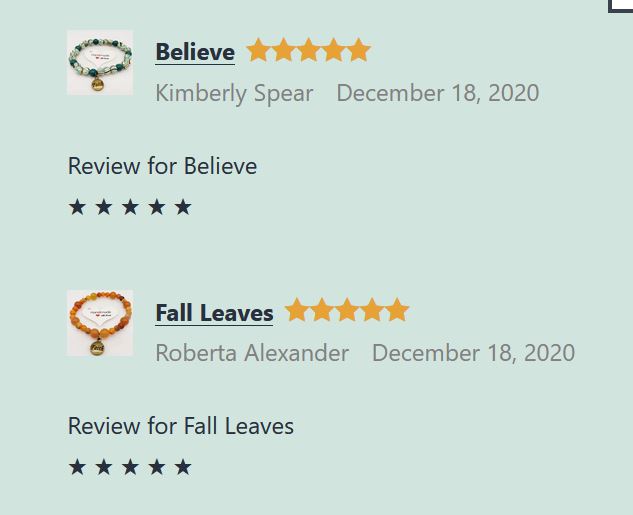
In forum: Kadence BlocksIn reply to: Glitch with stars on product reviews block
In forum: Kadence ThemeIn reply to: Ad post settings for the custom types
In forum: Kadence ThemeIn reply to: Export settings of Kadence Theme
I have imported the demo data from this plugin https://wordpress.org/plugins/kadence-starter-templates/
I have also made various changes after importing data from this plugin.
There is an option in kadence theme to export import theme data. To what extent data can be exported and imported from this option in Kadence theme.
I mean to say will it export pages, posts, widgets and the data also. In forum: Kadence ThemeIn forum: Membership Forums
In reply to: background image per page
In forum: Membership ForumsTopic: background image per page
In forum: Kadence ThemeIn reply to: Single-content Heading style: margin: 1.5em 0 .5em
In forum: Virtue ThemeTopic: Theme Extensions
Hello Team Kadence!
I’m doing some work on a site and noticed that even with the Portfolio and Woocommerce extension turned off the options for the blocks still show under the Home Layout. Other options appear to be gone (as expected). I was looking at the code and found this for Woocommerce:
$field = Redux::getField( OPTIONS_SLUG, 'homepage_layout' );
unset( $field['options']['disabled']['block_three'] );
unset( $field['options']['disabled']['block_nine'] );
unset( $field['options']['disabled']['block_ten'] );
Redux::setField( OPTIONS_SLUG, $field );But they are still present (I even disabled my child theme, and plugins, and ran just Virtue Premium). Same with the Portfolio extension. Is this a bug/something you can recreate?
In forum: Virtue ThemeIn reply to: Navigation Bar
Try using this css instead:
@media (min-width: 992px) {
li.current-menu-item.current_page_item {
    border: 1px solid #000;
}
li.current-menu-item.current_page_item.menu-item a:hover {
    text-decoration: none !important;
}
.stickyheader .is-sticky ul#menu-main1 {
    margin-top: 5px;
}
ul#menu-main1 {
    margin-top: 30px;
}
.kad-header-style-three #nav-main ul.sf-menu > li > a {
    line-height: 50px !important;
    height: 50px !important;
}
ul#menu-main1 a:hover {
    text-decoration: underline;
}
}
How does that work for you?
Kindly,
HannahIn forum: Virtue ThemeIn reply to: Yoast Breadcrumbs
In forum: Kadence ThemeIn forum: Kadence ThemeIn reply to: How to activate Breadcrumbs
Hello Eric,
Thank you for reaching out to us.
You can activate the breadcrumbs by going to Customizer > Page Layout, enable the Show Page Title? option, and click the eye icon for the Breadcrumbs – https://share.getcloudapp.com/llunEgA7. To set which breadcrumb function to use, got to Customizer > General > Breadcrumbs. This is useful if you want to use other plugin’s breadcrumbs function rather than the theme’s – https://share.getcloudapp.com/P8um1NzP.
Hope this helps.
Best Regards,
KarlaIn forum: Kadence ThemeIn reply to: Different Backgrounds on different pages
Hi,
There is no built-in function to set a background that is set to an individual page. If you would like to make a feature request for this you can do so here: https://www.kadencewp.com/roadmap-blocks/feature-requests/
In the meantime, you can do this using custom css.
Regards,
BonnIn forum: Ascend ThemeIn reply to: From where to replace a homepage title image
Hi Hannah,
Thanks so much for your prompt response!
I completely missed them sorry!
Just a little suggestion, I just thought it might be useful if we could also replace the default image from Appearance > Customize. This may be helpful especially for novice WP users like myself.When it comes to the homepage title image for mobile devices, I’m considering using a portrait orientation.
Is it possible to change from the current landscape orientation?I have another question, if you don’t mind.
Should I have a home page title? I’ve already got a title on the image itself and the title is part of the design, so I don’t particularly need to show it separately. But, is it better to have a home page title as well as a subtitle, for an SEO purpose or something?
Should I maybe enter the title from the Home Page Header section anyway and change the color to perhaps transparent so that you can’t see it randomly on my image, while Google knows??!
Again I’m a novice user and a newcomer here, so sorry for these questions!I’m looking forward to hearing from you.
Regards,
MiwaIn forum: Ascend ThemeHi again-
Here’s the private development version:
From the top mega-menu, try “About” and then “Carbon Footprint”.
See how the “Environment” tab (now) opens correctly? Your code add-on for the footer worked (for that).
However… as a consequence, see how the tabs themselves (on any page using them) now DON’T work 🙁
I hope this helps? Thanks as always.
John
In forum: Ascend ThemeHi again Hannah-
OK, first of all you can ignore the Pastebin related replies. That was and still is a block for me – BUT in the interests of time I asked the client to try the link (she didn’t mind the risk) – and the good news is Paste Bin works for her, so I got the code.
Good and bad news to report on that though!
GOOD: The addition of the code enabled what I needed (great, thanks).
BAD: When you’re *ON* the page in question, having added that code the *on page* tabs themselves no longer work! 🙁So I’ve had to remove it for now. Any other ideas?
John
PS. I can send a demo link from the development version of the Site if it helps? (the project had to launch yesterday but I’m keeping the development version online for now too).
In forum: Kadence ThemeI have a WordPress blog and using Kadence WP theme. I have a small query, i have assigned several categories for each posts. Now, I just want to show main category in post listing such as blog page, search page, etc.
I hope team will help me regarding this matter.
-
This topic was modified 5 years, 4 months ago by
-
AuthorSearch Results