
Notice: These forums are now retired and closed. For active support, please Submit a Ticket or visit our official WordPress.org community pages.
Kadence Theme | Kadence Blocks | Starter Templates | WooCommerce Email Designer | Ascend | Virtue | Pinnacle
Search Results for 'page '
-
AuthorSearch Results
-
In forum: Membership Forums
In reply to: Masonry layout for posts
In forum: Ascend ThemeIs there a way to assign a max height for a gallery (including its caption space) in order to prevent the up/down shift of the nav arrows and the text below it on the page that occurs during image transition when captions are of greatly different lengths?
Thank you!
In forum: Virtue ThemeIn reply to: Breadcrumps info
Thank you for fast reply.
I added this CSS nut still no changes.
Example of page: https://nedvizhimostexpert.ru/registratsiya-prav-i-sdelok-s-nedvizhimostyu/sobstvennost-na-nedvizhimost-ranee-voznikshee-pravo/
Should I make any additional changes in theme breadcrump otpions?In forum: Membership ForumsIn reply to: Kadence Galleries formatting
In forum: Membership ForumsIn reply to: Masonry layout for posts
March 24, 2020 at 2:35 pm #246697maybe it didn’t reach you
Nope, that is not an email address to use, it’s for form notifications only. Please post logins here. 🙂
It appears the current news page is gone? I created a test page and didn’t have any issues using the masonry layout. Can you please recreate your current news page how you had it before?
Also please remove this this css from your child theme:
/* Mobile portrait (and larger)*/
.kt-post-grid-wrap[data-columns-ss="1"]>.kt-blocks-post-grid-item, .kt-post-grid-wrap[data-columns-ss="1"]>.kt-post-masonry-item {
    width: calc(100% - 30px) !important;
}

/* Tablet portrait (and larger)*/
@media (min-width: 768px) {
	.kt-post-grid-wrap[data-columns-sm="2"]>.kt-blocks-post-grid-item, .kt-post-grid-wrap[data-columns-sm="2"]>.kt-post-masonry-item {
    	width: calc(50% - 30px) !important;
       }
}

/* Tablet-landscape (and larger)*/
@media (min-width: 992px) {
    .kt-post-grid-wrap[data-columns-md="3"] > .kt-blocks-post-grid-item, .kt-post-grid-wrap[data-columns-md="3"] > .kt-post-masonry-item  {
    		width: calc(33.33% - 30px) !important;
	}
}
Ben
In forum: Membership ForumsMarch 24, 2020 at 2:24 pm #246695Hey,
– Is that possible with the breadcrumb system of Ascend out of the box? (If yes, then how do I configure/define the hierarchically of posts/pages? At Menu-Level? At Post/Page Level?)
No, if you need that kind of control you would need to use your own breadcrumbs.
What you can do:
You can assign a page as the “parent” blog page in your theme options > breadcrumb settings and that will make your breadcrumbs home > page > category > post.Then you could use CSS to hide all category links. Not ideal but a possible workaround.
Or you can setup a redirect for your category links, so that anytime someone tries to access a specific category they are redirected to a page you want, see this plugin: https://wordpress.org/plugins/safe-redirect-manager/
You certainly can switch off, I’m not aware of any breadcrumb plugin that would give you that kind of control.
The filter you linked to is for Breadcrumb NavXT, it’s not a default WordPress filter.
Ben
In forum: Membership ForumsTopic: Kadence Galleries formatting
Greetings Kadence,
I hope you may be able to help.
I’m using individual, single item galleries for displaying a handful of images of paintings for sale (as I like the interface when hovering over the images)!
The problem I’m encountering is that I have them all set to single column square format for a regular layout on the page even though the blowups are different proportions. On my draft page, the third gallery will only display the landscape image even when the gallery format is set to square.
The draft page is here: *Login to see link
If there’s a workaround for this I’d be really grateful.
Many thanks,
Andrew.
In forum: Ascend ThemeIn reply to: Woo-commerce Styling
HI Hannah,
On the category page,I can’t see the item title,it’s still white on white. Even with the CSS adjustment above.
http://darklandbrewery.co.uk/product-category/bottles/On the checkout page, the textboxs are dark grey when you type into them. You also can’t see the ‘Place Order’button, or the payment method text.
http://darklandbrewery.co.uk/checkout/How come these aren’t in the theme options, and have to be CSS coded?
Thanks.
In forum: Virtue ThemeIn reply to: Product columns and more..
Hi John,
Sorry for the delay!
1. Are you just wanting a two-column layout for your product archives? In Theme Options > Shop Settings you can set the “Shop Product Column Layout” to Two Column.2. There isn’t a default way to show only subcategories above your product archive. You would need to display that shortcode above your products in your shop page and homepage. Just be sure that you’re clearing your cache.
3. Try using this css:
.product-category.grid_item a h5:hover {
    background: rgba(155,155,155,.8);
}
4. Looks like the slider already is a single column on mobile. What exactly are you wanting to change?
Hannah
In forum: Membership ForumsHello,
I have a site Greek – English and i use wmpl. I created a template for the shop that it works fine for both languages and the same for the products. I created one for the categories pages, the Greek categories displays fine but the English categories display the woocommerce default one.
Greek —- *Login to see link
English — *Login to see linkCan you help me?
In forum: Membership ForumsMarch 24, 2020 at 8:17 am #246663Hello all, Hello Ben,
as I understand breadcrumbs, they are automatically generated hierarchically when I use WP built-in categories.
As example:
Home >> Category1 >> Post1 (Post in Category1)
Home >> Category1 >> Post2 (Post in Category1)
When I click on the “Category1” in that breadcrumb examples, then a WP built-in Category page opens. That is not what I need.I look for a solution to use my own hierarchy in breadcrumbs, more to use breadcrumbs for menu-structure-purpose or site-structure purpose.
As example, a target breadcrumb would be:“Home”(Page) >> “Career Landing Page”(Post or Page) >> “Single Job Posting 1″(Post1)
“Home”(Page) >> “Career Landing Page”(Post or Page) >> “Single Job Posting 2″(Post2)So when the user click on “Carrier Landing Page” in that breadcrumb example, a “normal” WP Page (or Post) should open.
– Is that possible with the breadcrumb system of Ascend out of the box? (If yes, then how do I configure/define the hierarchically of posts/pages? At Menu-Level? At Post/Page Level?)
– Or do I have to switch off breadcrumb in Ascend and do I have to generate them through a 2nd party plugin like “Breadcrumb NavXT”?
– Or is that possible with the breadcrumb system of Ascend, by using the following default filter of WP, to target a Category-page to a “normal”-page? Is that filter compatible with your themes? -> add_filter(‘bcn_breadcrumb_url’… *Login to see linkBest regards
Sebastian-
This topic was modified 6 years, 1 month ago by
Sebastian C..
-
This topic was modified 6 years, 1 month ago by
-
This topic was modified 6 years, 1 month ago by
-
This topic was modified 6 years, 1 month ago by
In forum: Ascend ThemeIn reply to: Product Images aren’t Displayed Properly
In forum: Pinnacle ThemeIn reply to: Pagespeed
March 23, 2020 at 9:36 pm #246653Hey,
The nazy-load plugin was only a little tweak, I find it useful. It’s not going to fix your images just does a better job of lazy loading and delivers them from a CDN. I didn’t suggest it as something that would dramatically improve your score.The biggest issue is your page size, it shouldn’t be over 2mb, ideally, it’s less than 1mb. Currently, yours is 8.6mb
But again getting a perfect score is totally different you would need to optimized down to just a few plugins, lose wordFence and simplify your home page. The pursuit of that comes at a high cost and not usually the right thing to focus on. Load time is what actually affects your users.
Ben
In forum: Ascend ThemeHello,
I use Ascend theme for multiple websites, and I’m having an issue on only one them where the mobile top bar icons, link back to Home page, not the link assigned to them. I have added them via: Theme Options -> Mobile Header -> Mobile top bar icons. Each set to a different link, but when clicked all of them return the sites home page. I tried removing these icons and then adding the social icon widget via: Widgets -> Mobile Top Icon Bar Widget Area -> Ascend Social Links, and the issue persists.
When I do an Inspect via browser, they do show the link set to the sites home page not what I had set them to. I’ve never had this issue before, and it just started doing it today, was working prior. No new plugins or CSS added since they last worked, so I am a bit stumped as to why.
Any help is greatly appreciated!
The site is in Maintenance Mode so please advise what level access you require.
Thanks so much,
HeidiIn forum: Ascend ThemeIn reply to: Product Images aren’t Displayed Properly
In forum: Pinnacle ThemeIn reply to: Pagespeed
Hi Ben,
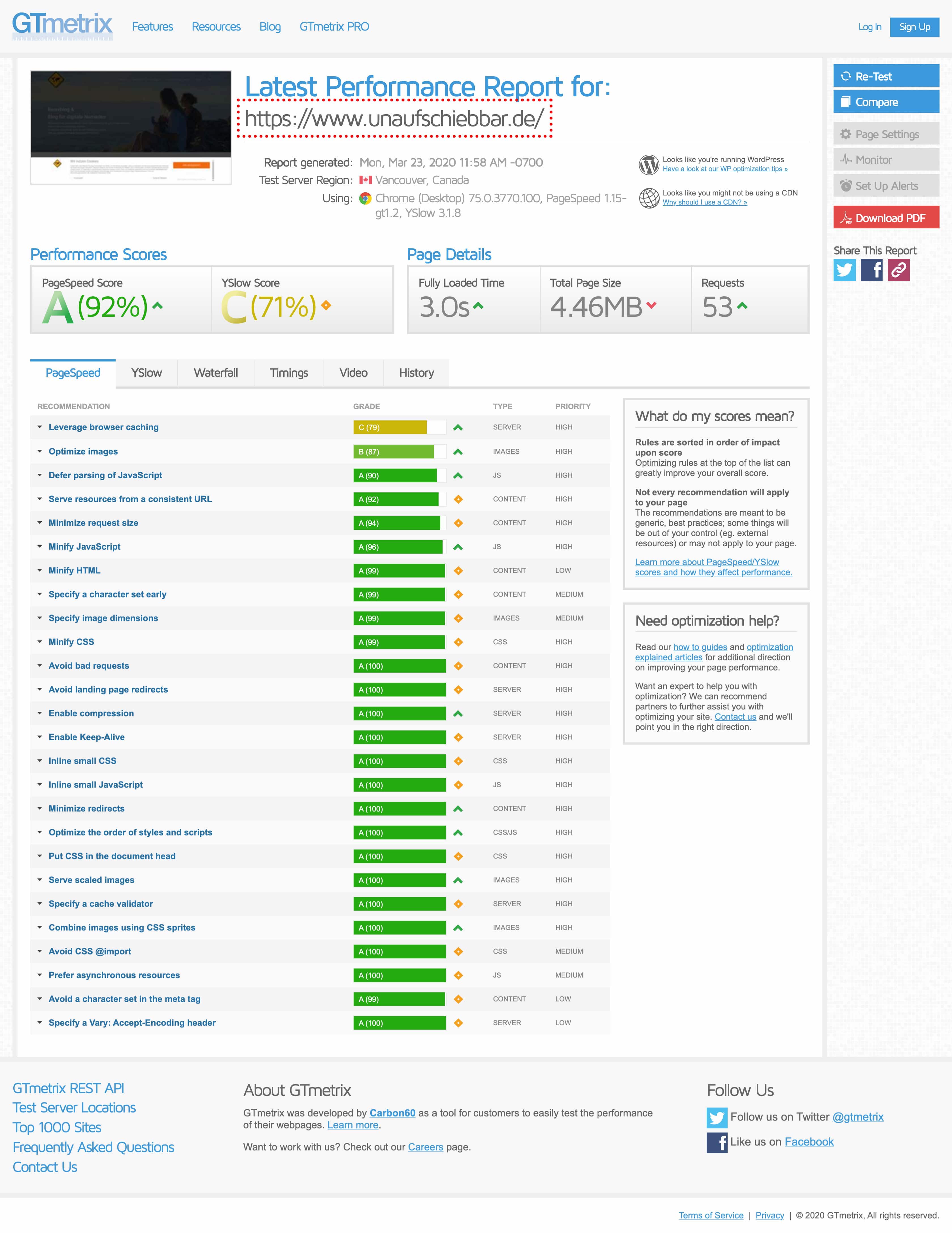
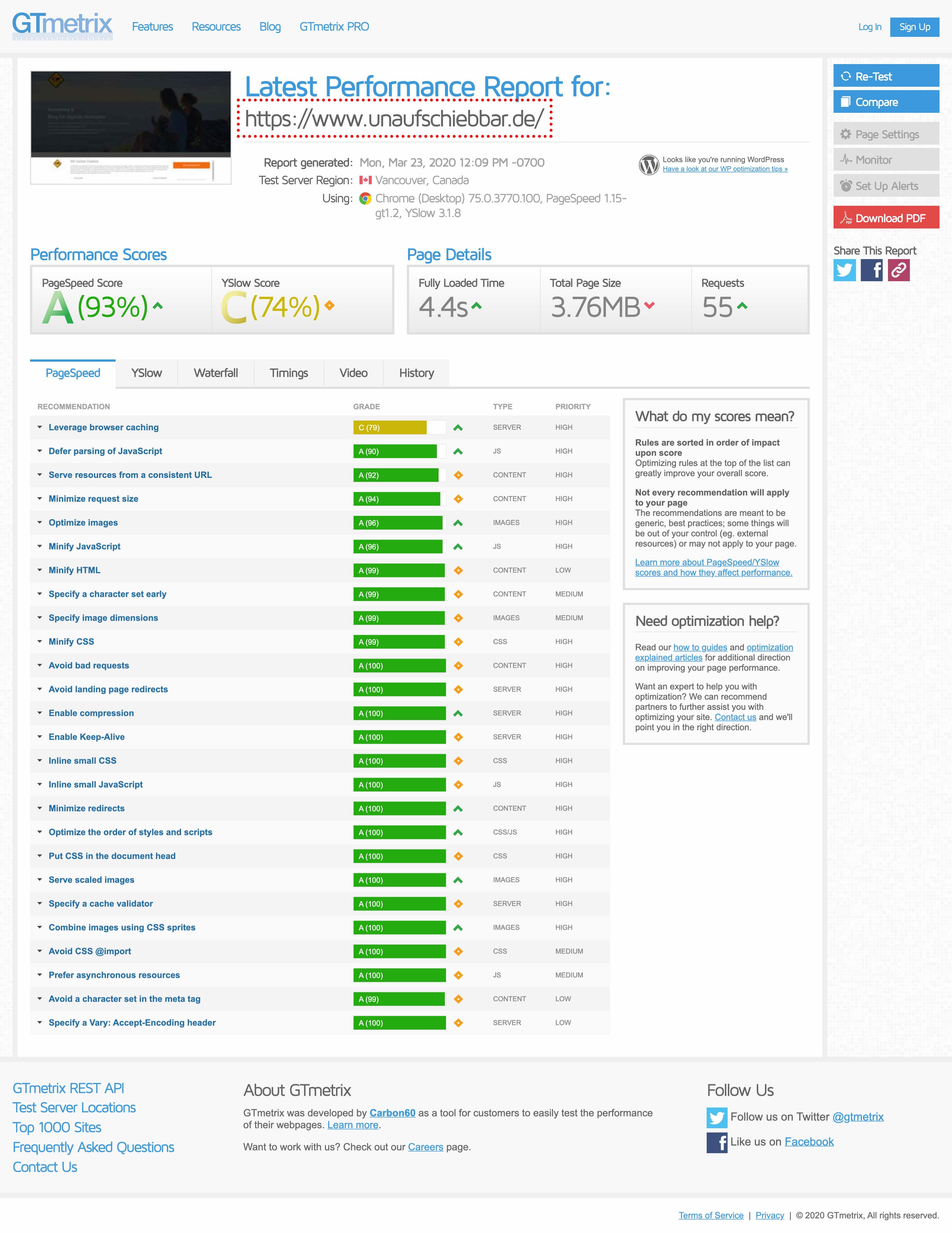
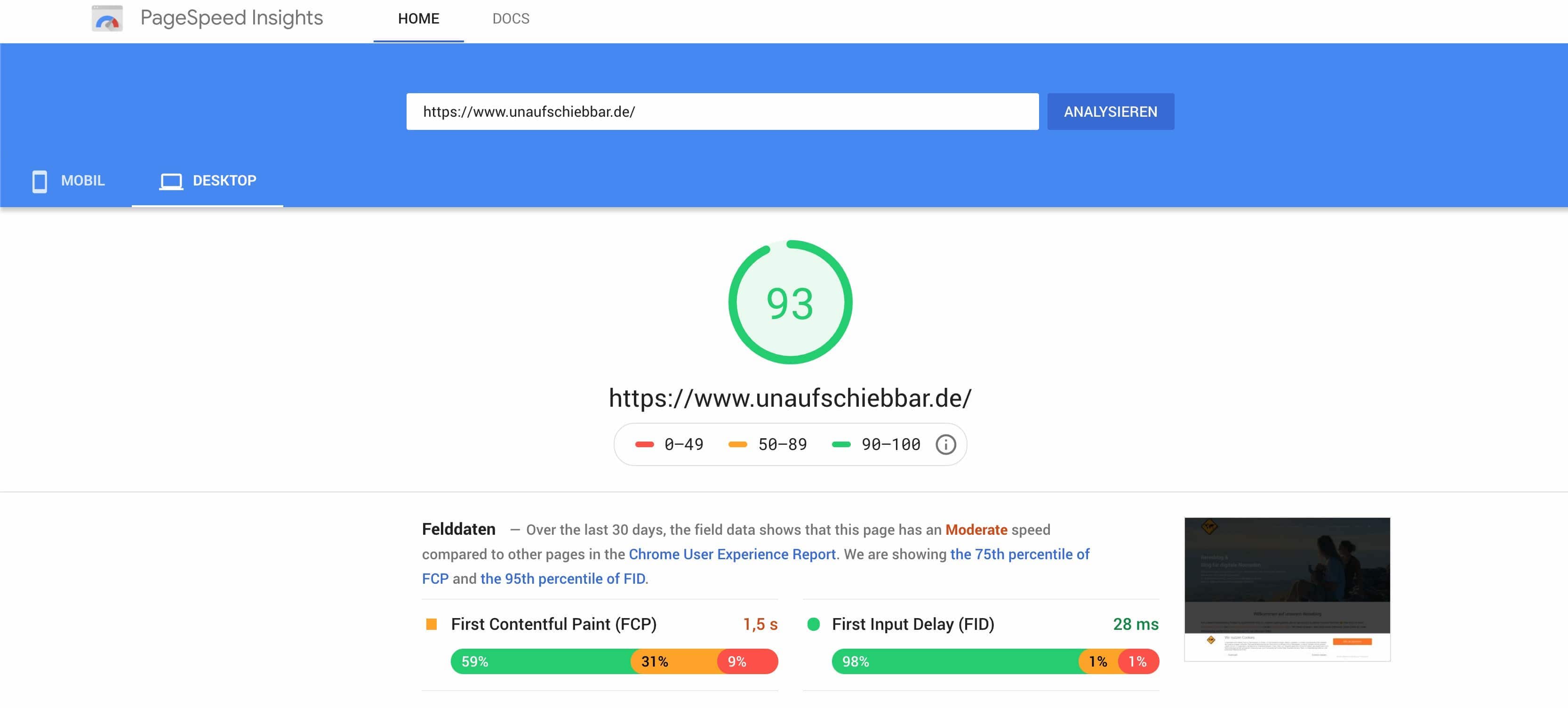
thank you very much. I gave the plugin a second shot (and also deactivated lazy load). Here are the results:
GTMatrix before (without nazy-load Plugin)
GTMatrix after (with nazy-load Plugin)
Pagespeed before (without nazy-load Plugin)
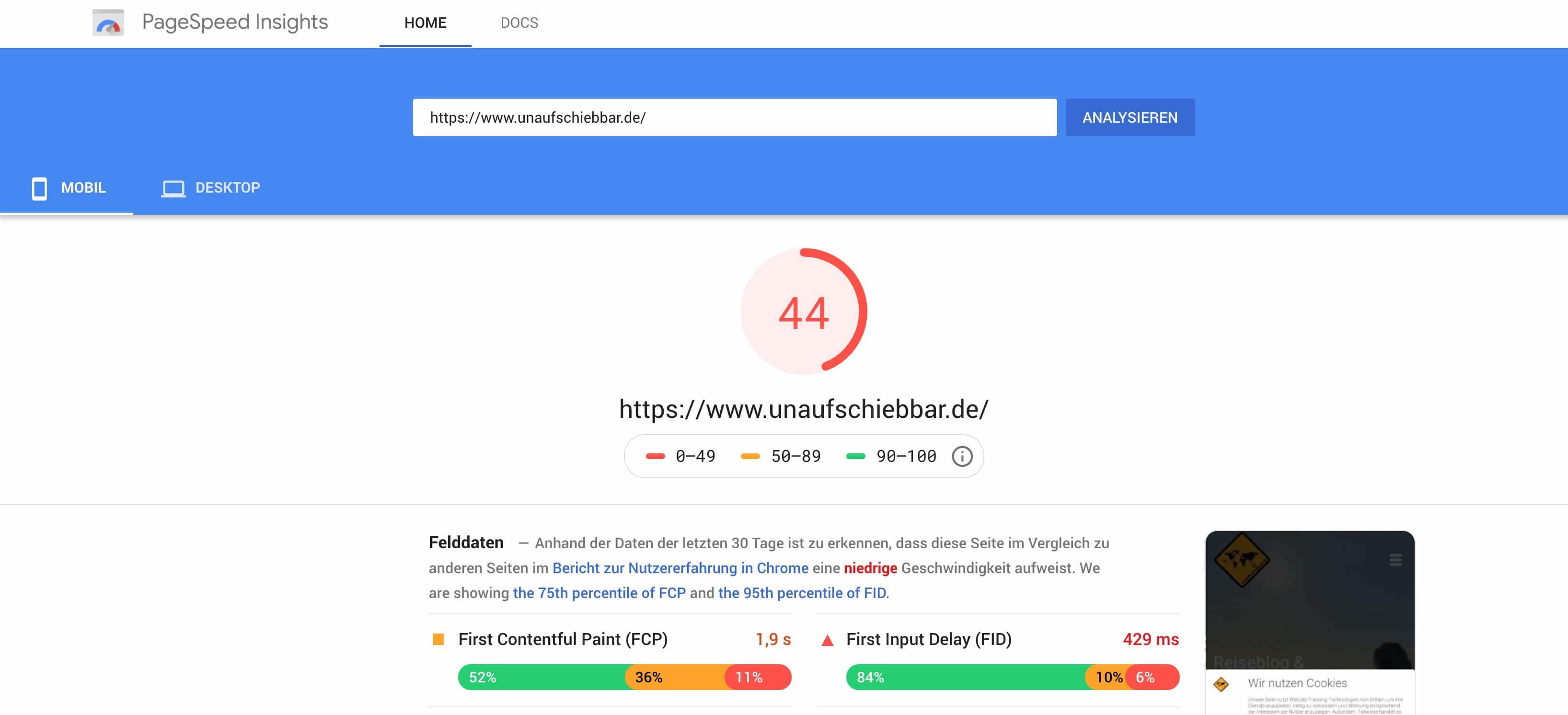
Pagespeed after (with nazy-load Plugin)
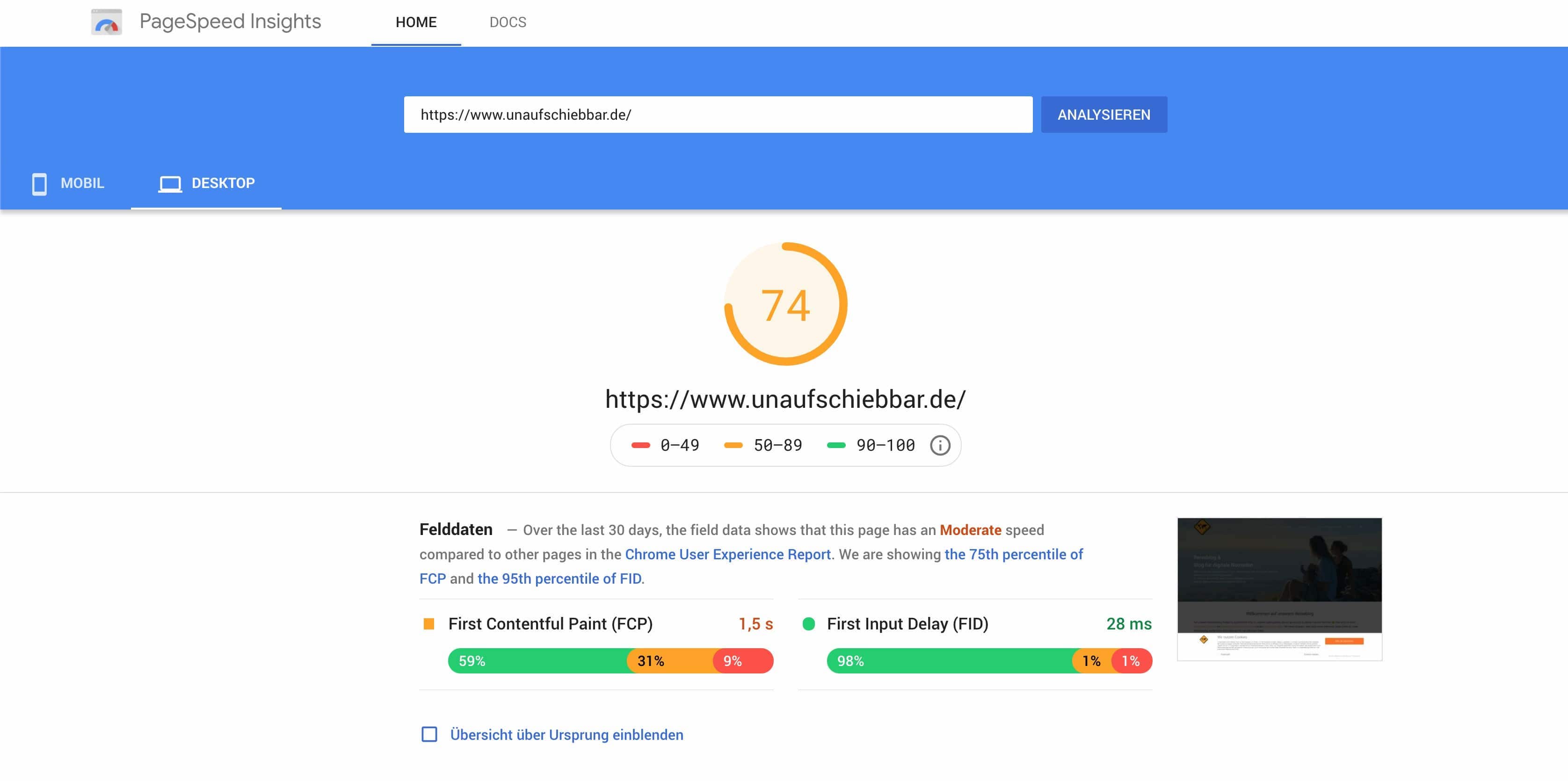
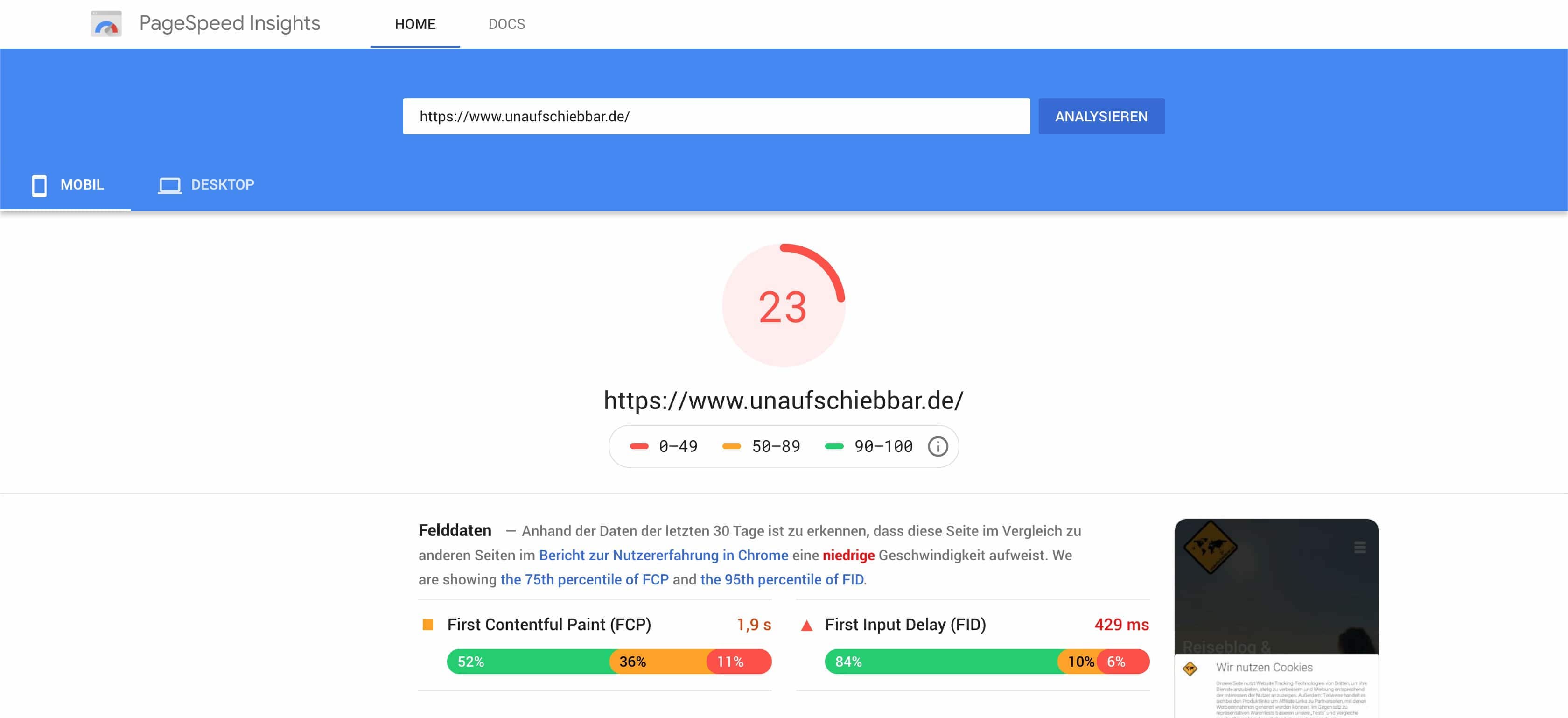
Unfortunately I can´t see big improvements. For Googles Pagespeed Score its even more worse. Or is it only working if I am using a cdn like cloudflare?
Its very hard to run the website without analytics, facebook pixel, google ads etc. And I also reduced the plugins (from 36 to 28 now). Many of them need two plugins for the premium version. But for example I killed analytics plugins and used the kadence integration. And killed the fb pixel plugin to integrate the code directly in the header.
In summary:
For me I will try to reduce more plugins, try to reduce images sizes and try to reduce some java script files (like fb pixel). Maybe you can give me some advice regarding the nazyload-plugin and if a CDN like cloudflare is necessary?
Thank you very much.
Best regards
In forum: Ascend ThemeIn reply to: social media share buttons on side and below banner
March 23, 2020 at 11:23 am #246625Hey Hannah,
Thank you, where exactly do I add the code (home page css or …? sorry I know it might be a stupid question
In forum: Virtue ThemeIn reply to: Modify The WooCommerce MyAccount Page’s Layout
In forum: Ascend ThemeHi Ben,
I hope you, your team, and your family are safe. I needed a little favor from you.
Recently, I changed my Theme’s Layout Settings: Site Layout Max-Width from 1440px to 1740px. Since then the images on my single product page are not displayed properly. Could you look into this, please?
—
Best,
MinhajulIn forum: Virtue ThemeIn reply to: Warning when activating learnpress
-
This topic was modified 6 years, 1 month ago by
-
AuthorSearch Results



