
Notice: These forums are now retired and closed. For active support, please Submit a Ticket or visit our official WordPress.org community pages.
Kadence Theme | Kadence Blocks | Starter Templates | WooCommerce Email Designer | Ascend | Virtue | Pinnacle
Search Results for 'site'
-
AuthorSearch Results
-
In forum: Virtue Theme
In reply to: Icon boxes broken
[iconbox icon=”icon-mobile” iconsize=”50px” link=”http://www.purple-dog.co.uk/website-design/” color=”#55296a” background=”#dfbfe4″ hcolor=”#ffffff” hbackground=”#55296a”]
MOBILE FRIENDLY
Responsive Websites
[/icon
In forum: Virtue ThemeIn reply to: Icon boxes broken
In forum: Pinnacle ThemeIn reply to: Issue with portfolio grid
In forum: Virtue ThemeIn reply to: main content
In forum: Pinnacle ThemeHello there
First of all thank you for a beautiful theme.
My website is build as a one-page website, using anchor tags in the top custom menu to navigate up and down on the site. Im using a custom piece of javascript (found on these forums, originally posted by Ben I think), to enable smooth scrolling from menu item to menu item, and it works beautifully, EXCEPT for 1 menu item that insists on jumping instantly instead of scrolling. I’m hoping someone can shed some light as to why it persists to jump instead of scrolling, as all the menu items and their anchor tags look exactly the same.
The website in question is http://www.vildtogvin.dk and the menu item that is bugging me is “åbningstider”.
The code I’m using is <script type=”text/javascript”>jQuery(document).ready(function ($) {$(‘#nav-main’).localScroll({offset: 0});});</script>
EDIT: the problem does NOT seem to be present in google chrome, however Firefox and Safari both display the issue.
Thanks
Frederik Schlosser
In forum: Virtue ThemeIn reply to: Featured Projects Heading
Hi karn simply click the box that says “hide title” on the lower right by your featured image and product gallery images see my site at http://www.canelogallery.com still working on it 🙂
July 31, 2015 at 1:42 am #51030Hello Ben and Hannah.I have a slight issue with Woocommerce checkout page. The website in question is tropicisleliving.com. I use Paypal Pro to accept credit cards but the alignment of the credit card info areas have always been jumbled. Not sure what is causing that. I have already tried disabling other plugins.Any suggestions?
Another minor cosmetic issue with the same website above is that visiting the page on an iPad you will notice its not scaled to screen size properly. The page will scroll to the left and right and can be zoomed in or out. Any suggestions on that?
Thanks in advance.
In forum: Pinnacle ThemeIn reply to: how to align center product listings
July 31, 2015 at 12:26 am #51025.kad_product_wrapper { max-width: 800px; margin: 0 auto; } @media (min-width: 480px){ .kad_product_wrapper .kad_product { width: 50%; } } #home-product-carousel { max-width: 800px; margin: 0 auto; } @media (min-width: 480px){ #home-product-carousel .kad_product { width: 50%; } }add this css:
also by the way you have an error on your site caused by this plugin: contact-form-7-datepicker
Ben
In forum: Virtue ThemeHi Ben
I’m so astonished you found that so quickly.
Which tools have you used to find out that plugin “Ultimate addons for Site Origin” was the guilty one ?I updated this add on and everything is fine now.
Thank you so much for your help.I change the status of this post to “Solved”.
Best regards.
RobertIn forum: Virtue ThemeIn reply to: Footer call to action
July 30, 2015 at 3:25 pm #51002Hmm, I will need to add that to the wpml translation file in the next update. right now if you open ‘wpml-config.xml’ file and add this:
<key name="sitewide_action_text" />
<key name="sitewide_action_text_btn" />
<key name="sitewide_action_link" />
<key name="sitewide_footer_shortcode_input" />
just below
<key name="virtue_premium">That will tell wpml to pick it up.
Ben
In forum: Virtue ThemeIn reply to: Menu Spacing
July 30, 2015 at 2:41 pm #50988How will this affect Mobile views of our site?
In forum: Virtue ThemeIn reply to: Woocommerce & Demo 1
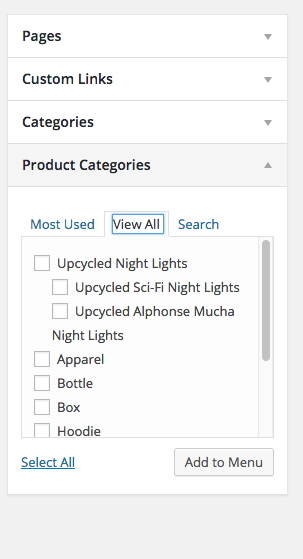
July 30, 2015 at 2:36 pm #50984Here is what I can see on your site:
 In forum: Pinnacle Theme
In reply to: how to align center product listings
July 30, 2015 at 2:28 pm #50975Hey,
Your site is hidden behind an under construction.If you can post a login or remove the under construction I would be happy to help.
Ben
I have a YouTube embedded on one of my products and it’s playing, the sound only, on all the products without being embedded on them to.
I currently have it disabled to avoid confusing my clients but if you want I can activate it so you can check it out.
My site is PatrikMedia.com
Thanks very much.In forum: Virtue ThemeIn reply to: Web Speed /Home Page Yoast /Revolution Slider
July 30, 2015 at 2:14 pm #50965Hey,
Just to be clear In my option redirecting to a what you would think is a SEO good domain is a really bad idea. It will split your seo efforts cause search engines to think of you as spam and cause you to be way worse off. Your domain name is such a small part of your SEO. Think about google, amazon. DO you know of any successful brand that is forcing a redirect?I’m not saying you don’t use the image in the slider. I’m saying you just upload that into your wordpress site using the add media and assigned that as your featured image in yoast for the home page.
Ben
In forum: Virtue ThemeTopic: Site tagline
July 30, 2015 at 1:59 pm #50961hi there,
is it possible to still show the “site tagline” when choosing the header style “basic, with shrink for sticky” please?
it disappears when that style is chosen.
Thanks,
KarlIn forum: Virtue ThemeIn reply to: Web Speed /Home Page Yoast /Revolution Slider
Thanks Ben
I was told that the url for the site mindfulnessmeditationbooks.com was good as it as all the words that precisely describes what the site is all about.
Stonecircle.ie is the branding and much shorter also has a connection locally in Ireland hence the 301.I followed up with the host and so far got no joy!!
I would appreciate your advice regarding whether or not I should use stone circle as the key domain and drop the mindfulness meditation books name or live with the 301.
The image is a ken burns effect on the slider which we want to keep
Thanks a lot for all your advice and suggestions to date
AnthonyIn forum: Pinnacle ThemeIn reply to: Header Title & Subtitle outline
In forum: Virtue ThemeTopic: Primary Menu Mini Cart
Hello!
I have added the minicart to the primary menu, but the icon looks small compared to the other icons, and the product list looks weird, the quantities and price are far too close with the product name and it doesn’t look good. Is there a way to make the products name be 2 lines instead of one so that there is enough space between name and quantity/price?
My website is *Login to see link
Thanks!
In forum: Virtue ThemeIn reply to: Woocommerce & Demo 1
This reply has been marked as private.July 30, 2015 at 11:02 am #50936 -
AuthorSearch Results



