
Notice: These forums are now retired and closed. For active support, please Submit a Ticket or visit our official WordPress.org community pages.
Kadence Theme | Kadence Blocks | Starter Templates | WooCommerce Email Designer | Ascend | Virtue | Pinnacle
Search Results for 'widget '
-
AuthorSearch Results
-
In forum: Virtue ThemeMay 9, 2019 at 5:39 pm #225259
ok, in your settings > page builder go to the layout tab and tell me what you see under “Use Legacy Layout Engine”
If that is set to never change it to detect or always.
If it’s set to detect try setting to always.
If that doens’t work use the virtue: image widget instead of the siteorigin image widget and then test.
Ben
In forum: Virtue ThemeIn reply to: Hide Topbar Icon Menu on mobile
Hey Caroline,
Try adding this to your custom css box in Theme Options > Advanced Settings:@media (max-width: 768px) { .topbarmenu { display: none; } .col-md-6.col-sm-6.kad-topbar-right { width: 100%; } .topbar-text { display: inline; } .topbar-widget { text-align: center; } }Hope that helps!
Hannah
In forum: Virtue ThemeIn reply to: Hide Topbar Icon Menu on mobile
In forum: Virtue ThemeIn forum: Virtue ThemeIn reply to: It’s my fault (I’m pretty certain)
In forum: Virtue ThemeHi,
I made a new page on my site named “xxx” with the plan to replace an existing page which was called “about”. I then deleted the original “about page” and renamed my temporary “xxx” page to “about”. (I suspect this is very bad practice?!)
Anyways, everything worked as hoped, but now I have my product category filter, recently viewed products, and search bar appearing on the bottom of this new page when they shouldn’t be anywhere on this page. These widgets are used in my shop/products area but they don’t show up on any of my other non shop related pages (as expected). By default, I’ve left off the options to hide these widgets off my other pages as I never had a problem with them appearing so this is confusing. Also, I’m confused as to why these widgets are appearing at the bottom of the page when they are all set to sidebar placement.
If I rename my new page to something other than “about”, the problem goes away. So it seems there is a conflict and I’ve managed to break something. I could just rename the “about” page but I’d like to know if there is a possible answer to my baffoonery?
Apologies in advance for this as I can almost guarantee it’s completely my fault..!
In forum: Ascend ThemeI have to think I’ve done something wrong, but I’ll be darned if I can figure out what. I created a page called Inventory, generated a Visual Editor widget, and in it placed the [wpinventory] shortcode for that plugin. When I try to display that page, however, it displays my BLOG page. I’ve tried this from multiple browsers and even flushed the cache on them. The troublesome page is HERE. Any thoughts?
Just discovered that if I copy or rename this page to something else (inventory2 for example) it displays fine. That page is HERE. ???
In forum: Virtue ThemeIn reply to: move button over in top bar
Hello,
Try adding this CSS to Theme Options> Advanced Settings:
.kad-topbar-right {
    width: 100%;
}

div#topbar-search {
    display: flex;
    flex-direction: row;
    justify-content: space-evenly;
}
Also remove the empty text widget. Let me know if that works for you.
-Kevim
In forum: Ascend ThemeMay 8, 2019 at 10:40 am #225099Hi Hannah,
thanks for the quick response!
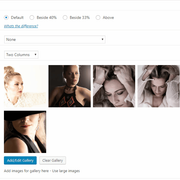
Before opening the ticket I actually installed Elementor to try just that, but I guess I’m too stupid 🙂Whatever I do, I could only add the Ascend Galery widget to the text portion of the portfolio item, I cannot edit the left half of the item.
And I cannot configure a 1-column portfolio item.So could you describe how to do that?
Or just do it yourself, I will post credentials to my staging site in the next private comment.Attached two screenshots of what I tried.
 In forum: Virtue Theme
In reply to: Two column icon grid in mobile view
Hey Anita,
Try adding this to your custom css box in Theme Options > Advanced Settings:@media (max-width: 768px) { .so-widget-sow-features-default-923171ad8067 .sow-features-list.sow-features-responsive .sow-features-feature { width: 50% !important; float: left; } }Hope that helps!
Hannah
In forum: Ascend ThemeHey Christian,
You can create a slider like this using the Ascend: Gallery widget. Are you using a page builder plugin such as Siteorigin or Elementor? Both of those would allow you to add widgets to your portfolio posts.
Let me know if you need further help setting this up!Hannah
In forum: Virtue ThemeHi,
I’m trying to create a two column icon grid for my site’s home page mobile version.
I’ve used both rows split into two equal parts, and also the SiteOrigins Features widget. All I end up with is the icons centered underneath one another. Is it possible to achieve what I want?Regards,
AnitaIn forum: Virtue ThemeIn reply to: Widget Area Frozen
In forum: Virtue ThemeIn reply to: Loaded Kadence Slider Pro/ Mysterious White Space
In forum: Virtue ThemeTopic: Widget Area Frozen
Hi,
I am not able to modify my widget area at all.
None of the drop down areas are clickable.
I do see the prompt to modify widgets with preview mode, but that doesn’t work either.
Link to website if needed:
In forum: Virtue ThemeIn reply to: Problem with Site Origin Post Carusel
Hi
I have a number of posts that used to look fine, but now don’t! I did an update to the Siteorigin package this morning, so I am assuming that has impacted the display.
For an example of what it has done – *Login to see link
You can see that all the images now cover the whole page!I have been into one of the posts to update it although the logos of the sponsors still don’t look quite right (they are getting cropped) but it will give you an idea of what it should look like – *Login to see link
Help!
Many thanks
SusieIn forum: Ascend ThemeIn forum: Virtue ThemeIn reply to: Loaded Kadence Slider Pro/ Mysterious White Space
In forum: Virtue ThemeIn reply to: Loaded Kadence Slider Pro/ Mysterious White Space
The slider at the top of the page is not coming from the text widget. The slider at the top of the page is coming from Theme Options> Home Page Header.
You deleted the second slider, so the text widget is trying to pull it through shortcode. But now that it’s been deleted, the slider doesn’t exist. So that’s why you’re getting the error message.
Does that make sense? The text widget is not adding the slider under your header. The slider under your header is being set in Theme Options> Home Page Header.
Hopefully that clears things up.
-Kevin
-
AuthorSearch Results



