Home Page Pinnacle Premium
Step one – Create a new page and call it “Home” (or whatever you like).
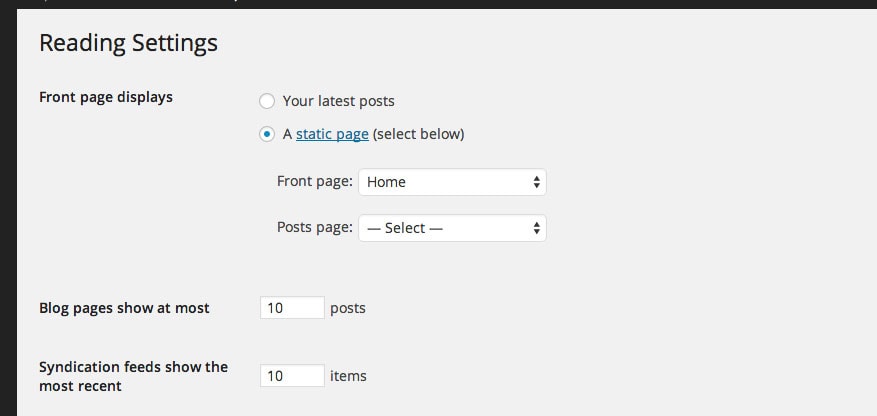
Step two – Set that page as your front page in Settings > Reading (Note* Don’t set your post page here. You don’t need to with this theme).
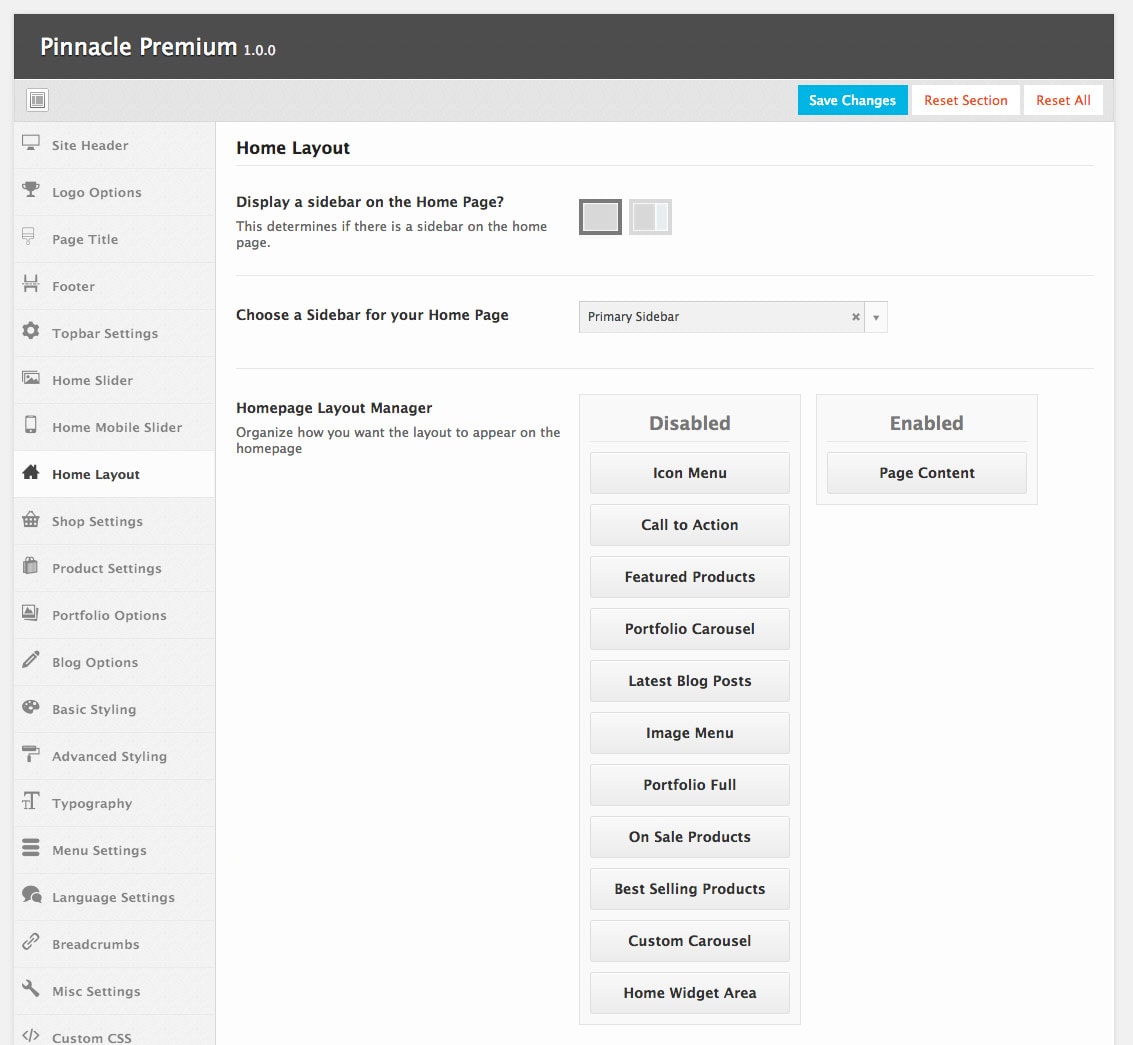
Step three – Go to Appearance > Theme Options > Home Layout
- Choose if you want to have a sidebar on your page.
- If so, choose a sidebar to use.
- Enable the modules you want and organize them the way you want in the Home Page Layout Manager.
- Adjust the settings on your enabled modules.
Create Your Website With KadenceWP Today!


Written by Ben Ritner
Ben Ritner is the Sr. Director of Product at StellarWP and the founder of Kadence WP. Ben builds innovative tools that empower individuals and small businesses to compete with major corporations on the web. He creates comprehensive tutorials that guide users through WordPress, enabling them to build effective and engaging websites. His expertise in product development, strategy, and marketing drives innovation and success for users worldwide.
By Ben Ritner
Ben Ritner is the Sr. Director of Product at StellarWP and the founder of Kadence WP. Ben builds innovative tools that empower individuals and small businesses to compete with major corporations on the web. He creates comprehensive tutorials that guide users through WordPress, enabling them to build effective and engaging websites. His expertise in product development, strategy, and marketing drives innovation and success for users worldwide.
Updated July 22, 2024
Create Your Website With Kadence