
Design with intention: Explore the latest Kadence theme styling updates
At Kadence, we believe great design should be both effortless and intentional. That’s why our latest theme update introduces a suite of new styling customizations that give you even more creative control over your website’s look and feel. From responsive font sizing with clamp values to expanded color palettes and newly designed button styles, these updates make it easier than ever to create a cohesive, polished design that reflects your brand. And the best part, you don’t need to touch a single line of code!
What’s new in the Kadence theme update
These new additions go beyond cosmetic changes. They’re designed to help you maintain visual consistency while giving you the flexibility to evolve your design as your site grows.
These theme updates lay the foundation for a more unified, design-forward experience that will seamlessly connect theme styling with future block enhancements.
1. Clamp settings for responsive fonts
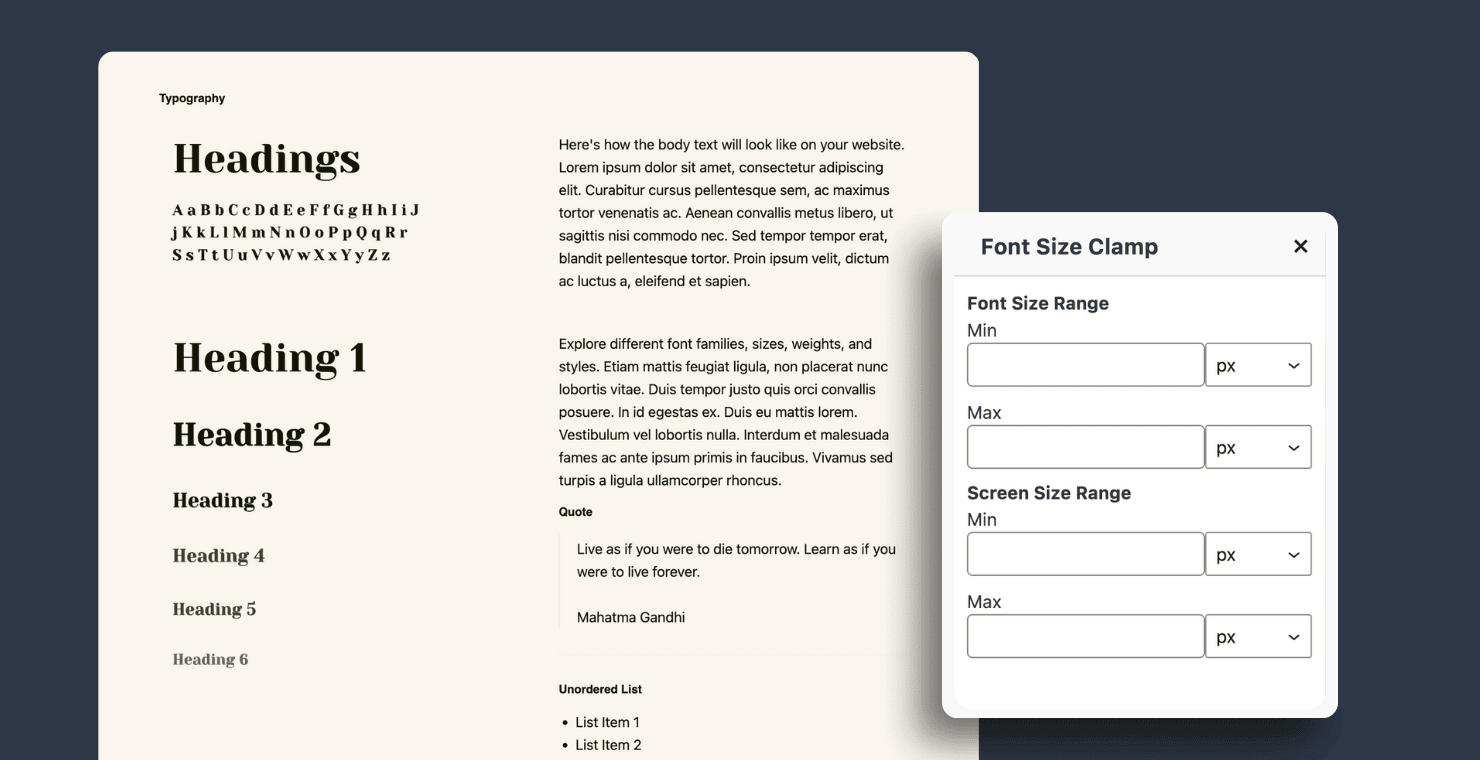
Typography plays a key role in creating balance and readability across your website. With Kadence’s new clamp settings for font sizes, achieving perfect responsiveness is effortless.
Clamp values let you define minimum, preferred, and maximum font sizes that automatically adapt to a user’s screen width. This means your text always looks just right – large enough to read comfortably on mobile, yet beautifully balanced on wide desktop displays.
In short, clamp-based typography helps you design with consistency, accessibility, and performance in mind. It’s another step toward intentional, scalable design that gives you complete control over your type hierarchy while ensuring your content looks great on every device.
2. New style guide
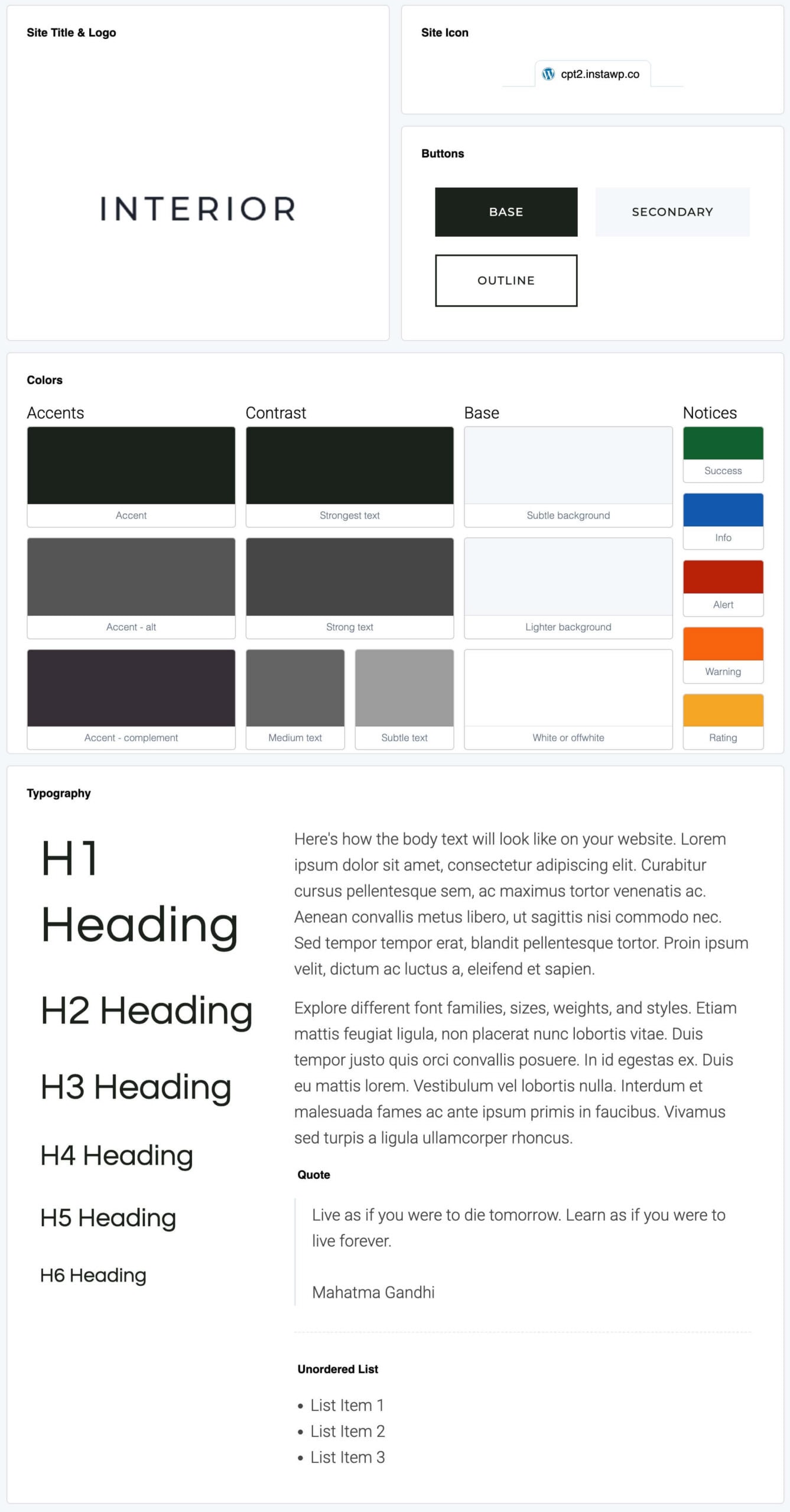
Consistency is the foundation of intentional design. With the new Style Guide, all your key design elements are brought together in one place, making it easy to maintain a cohesive look and feel across your entire site.
Instead of navigating through multiple menus, you can now manage your core design settings from a single page. This centralized layout makes it faster and easier to fine-tune your site’s appearance while ensuring every element works together in harmony.
The Style Guide acts as your visual reference point, helping you see how your design choices interact in real time. Whether you are adjusting font pairings, testing color contrast, or refining button styles, the Kadence Style Guide streamlines your workflow and keeps your design consistent, purposeful, and ready for what’s coming next with Blocks 4.0.
3. Expanded Color Palette
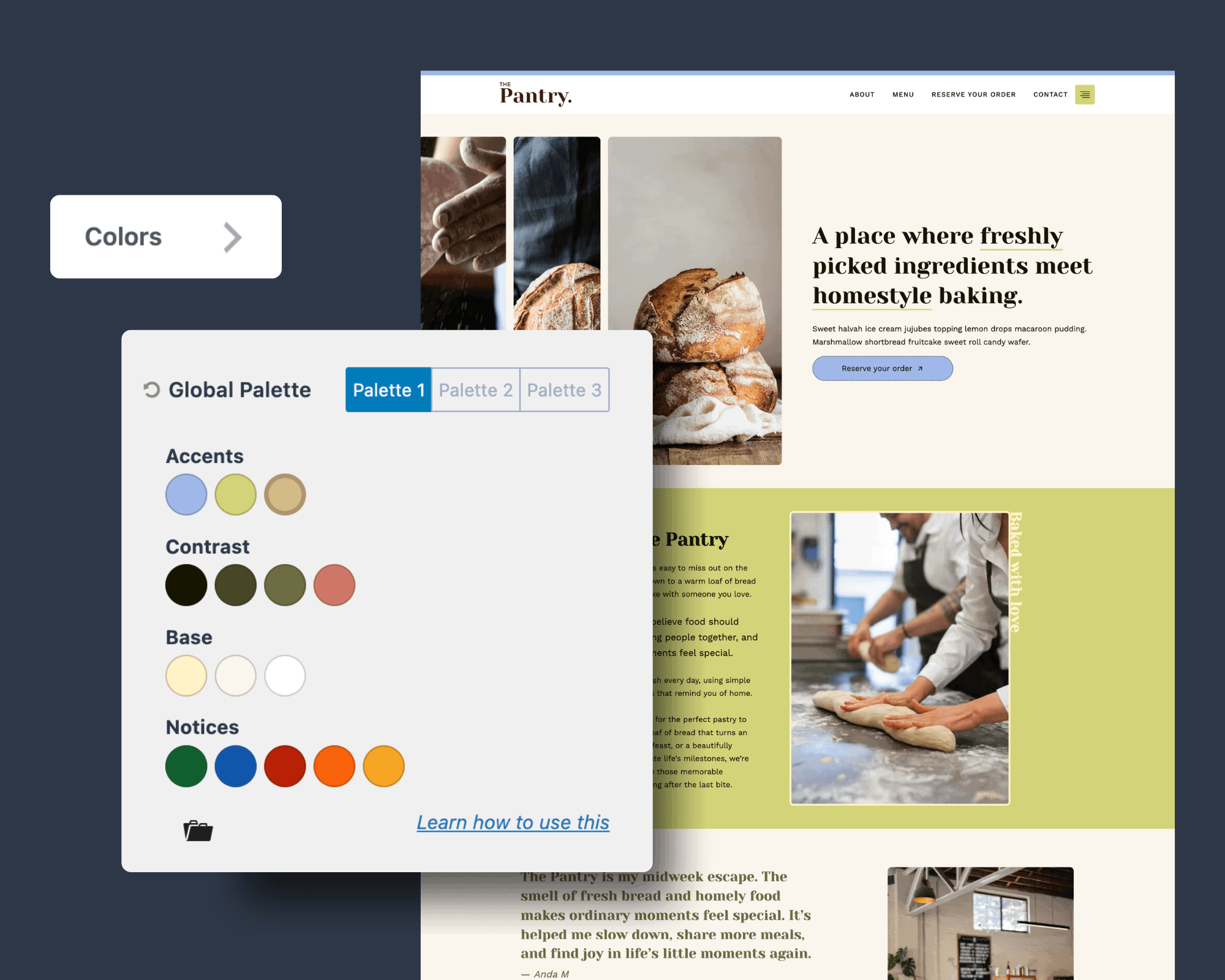
Color plays a powerful role in shaping how visitors experience your website. With this update, the Kadence Theme introduces an expanded color palette that gives you more flexibility and precision when designing your site’s visual identity.
In addition to the standard global and brand colors, Kadence now includes notification colors that make it easy to style alerts, confirmations, and messages consistently across your site. Whether you’re displaying success, warning, or error states, these new color options help maintain a cohesive look while improving usability and accessibility.
Alongside these colors, Kadence as also introduced a new Accent Complement color. This color is automatically generated as a complementary tone to your main accent color, helping create visual balance and harmony throughout your site. By default, the accent complement is linked to your main accent color, so when you adjust your primary accent, the complement automatically updates to maintain that cohesive relationship.
However, if you’d like greater creative control, you can unlink the Accent Complement color and customize it independently. This flexibility allows you to experiment with unique combinations, whether you’re aiming for subtle contrast, a tonal shift, or a distinctive look that perfectly matches your brand’s personality.
The expanded palette ensures that every element, from buttons to headings to notifications, feels connected and intentional. It’s all about giving you more creative control to design a website that looks beautiful and communicates clearly, no matter the context.
4. New Secondary Button and Outline button styling options
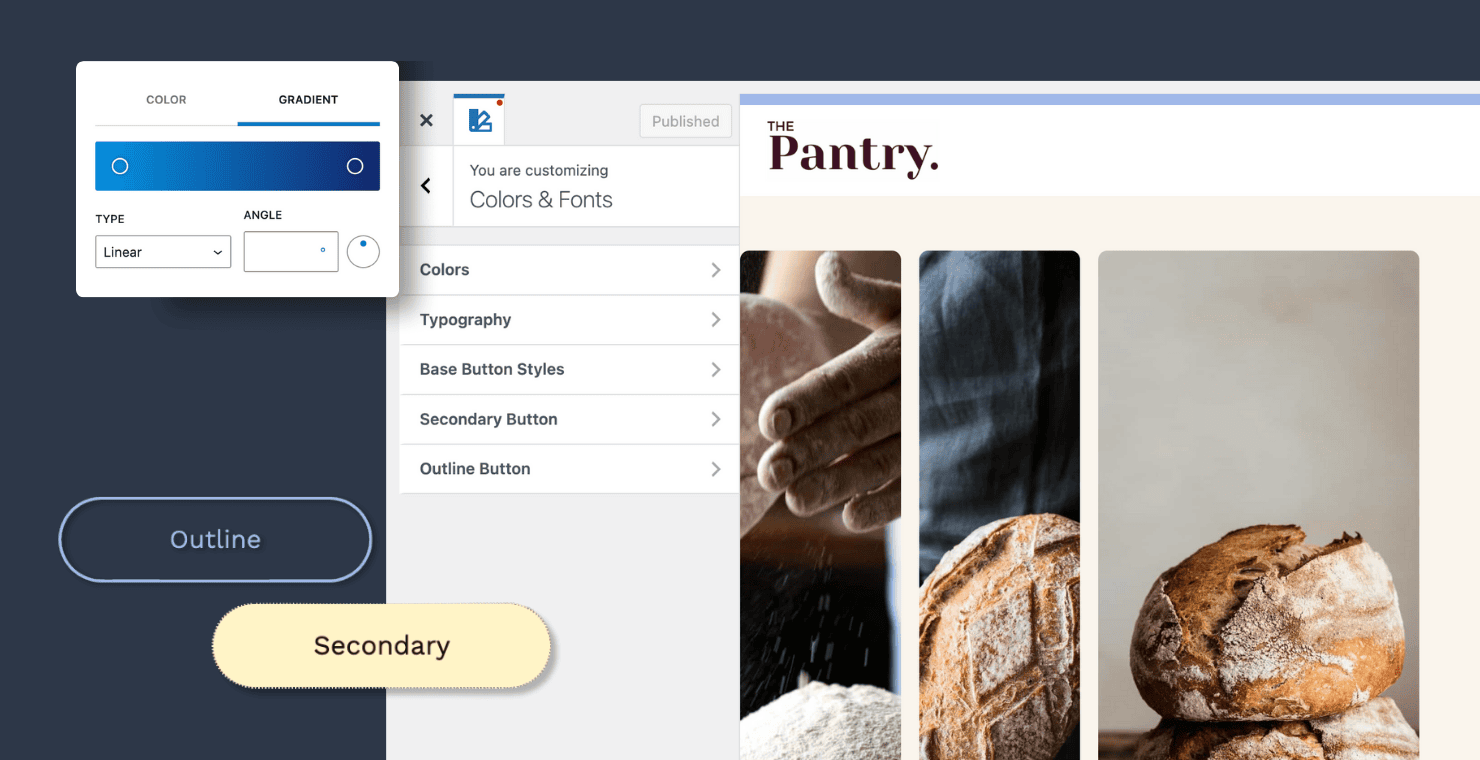
Buttons play an important role in guiding visitors through your website. With this update, Kadence gives you even more flexibility to make them stand out. The new secondary button option introduces a refined way to create visual hierarchy between your primary and secondary actions, helping users navigate your site with clarity and purpose.
Alongside this, Kadence has added styling options for outline buttons, allowing you to customize borders, hover states, and colors for a cohesive yet distinctive look. These new controls make it easy to design buttons that match your brand’s personality while maintaining accessibility and consistency across your site.
Together, these button enhancements empower you to design with greater intention, ensuring every call-to-action feels clear, polished, and perfectly aligned with your site’s design.
Additional new feature: You can now use gradients in buttons, allowing you to add smooth color transitions for a more dynamic and modern look.
5. CSS Class for page
And last but not least, you can now add a custom class to individual pages, which automatically applies to the body element of that specific page, giving you even more control over page-specific styling and customization.
Designed for the future and with intention
Every enhancement in this theme update was made with the future of Kadence in mind. These improvements lay the groundwork for Kadence Blocks 4.0, focused on giving users an even more streamlined, design-driven building experience.
By introducing features like clamp settings, the Style Guide, an expanded color palette, and enhanced button options, Kadence ensures your site design seamlessly aligns with the next generation of Blocks.
This update marks another step forward in Kadence’s mission to make great design simple and accessible for everyone, giving you the confidence to create sites that look consistent, professional, and uniquely yours.
Update your Kadence Theme today and discover how easy it is to design with clarity, creativity, and intention.
Create Your Website With KadenceWP Today!

8 responses to “Design with intention: Explore the latest Kadence theme styling updates”
-
-
Hi,
After the update, I no longer have the option to set fonts using clamp — only standard units like px, rem, and em are available.-
If you are still having issues, I recommend reaching out to our support team who should be able to assist you!
-
-
Hi Nicola
I use 16px / 1 rem for Basis and 50% rise untill I reach H1.
Do you have tipps how I should new clamp settings for Responsive settings?-
Hi Hans, we are working on documentation on how to use clamp settings. As soon as it has been completed I will share it with you.
-
-
Hi Nicola, I really like these new features, thank you very much for your informative and well-written blog article! Now looking forward to the (hopefully) next one with you announcing the start of Kadence Blocks 4.0… 😊
Keep up the great work! -
A good and needed update.
-
Kadence is the best! If I set up my clamp settings in the theme customizer, how can I mirror the “Advanced Text” font sizes to match? Example: H1 matches ADV Text 3XL, H2 matches 2XL, H3 matches XL, H$4 matches LG, H5 matches MD, and H6 matches small…. I would love to be able to keep the settings in the theme consistent with ADV Text sizes. Great work Kadence and thank you!


By Nicola Tweed
Nicola is the newest member of the Kadence marketing team, stepping in with more than 10 years of hands-on web design experience. She knows exactly what it takes to create beautiful, user-friendly websites that connect with people and get real results.
Updated November 6, 2025
Create Your Website With Kadence

After the update, I no longer have the option to set fonts using clamp — only standard units like px, rem, and em are available. I try in private mode too.