
Introducing Kadence Blocks 3.1
The Kadence team is proud to announce the release of Kadence Blocks 3.1. This latest update includes our new Advanced Form Block, which will transform how you can use and edit custom forms in WordPress. This release also includes another new block, some minor features, and bug fixes. This update complements a new update to Kadence Blocks Pro 2.0, which includes structural updates, performance improvements, and new features. Let’s dive in!
What’s New?
The Advanced Form Block
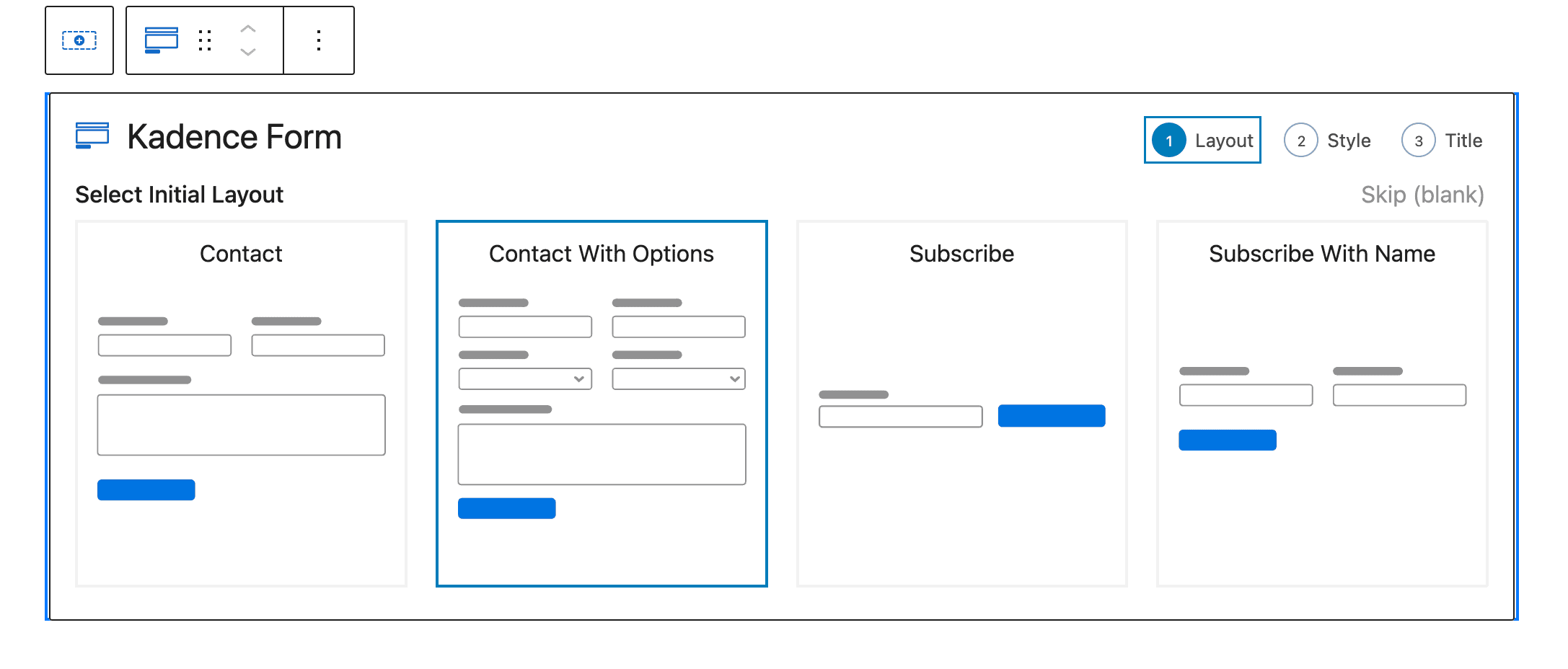
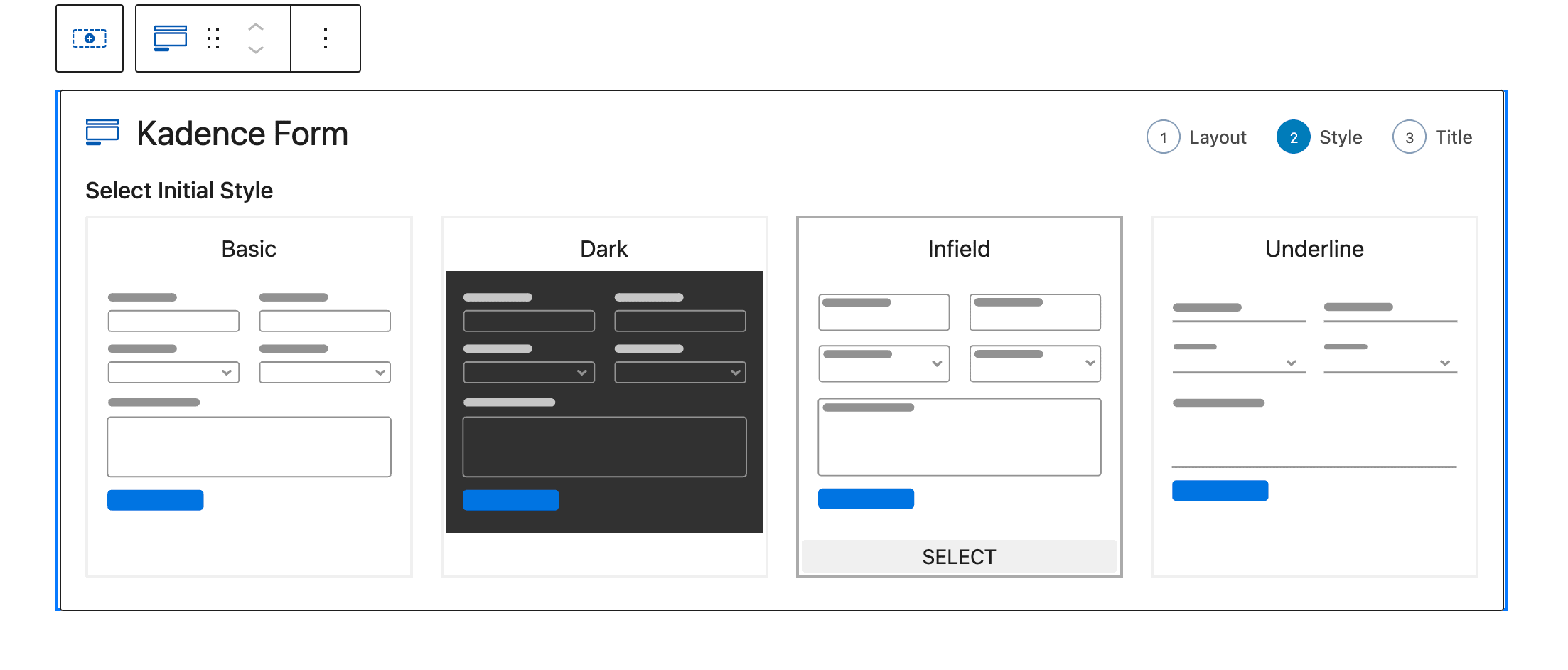
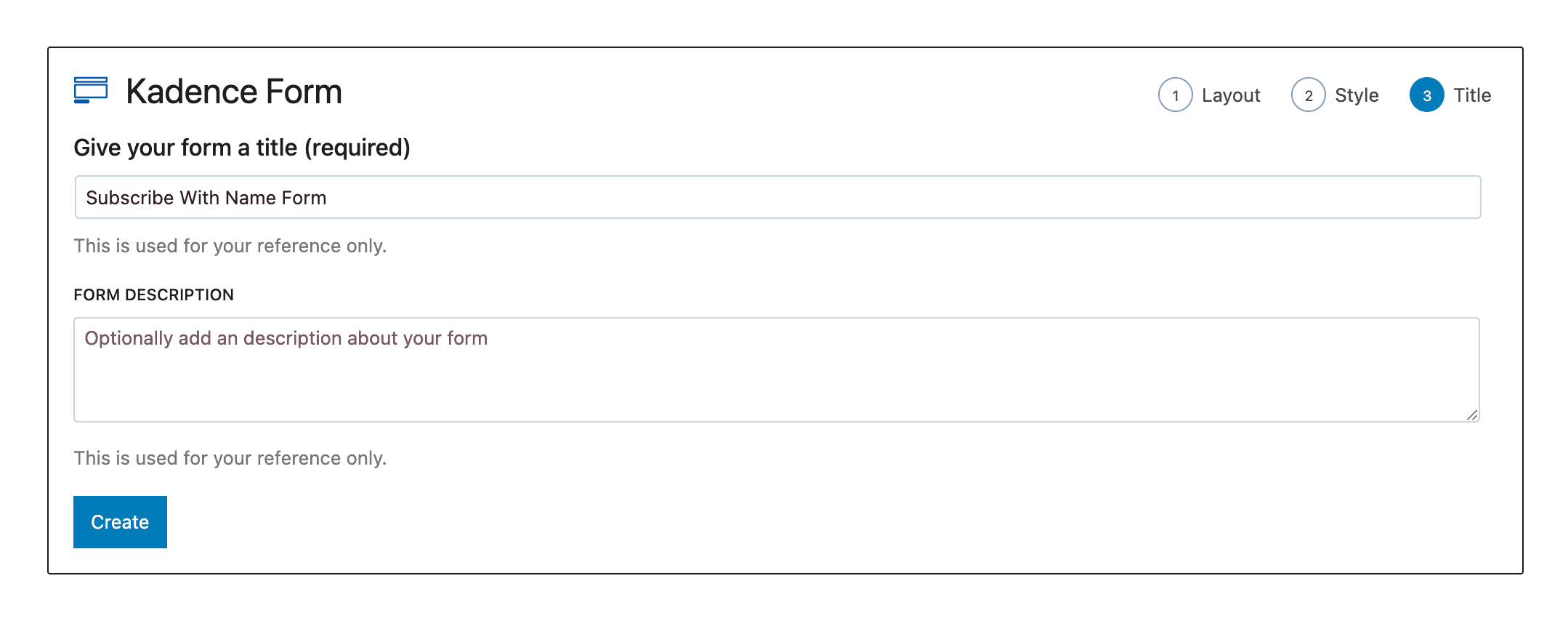
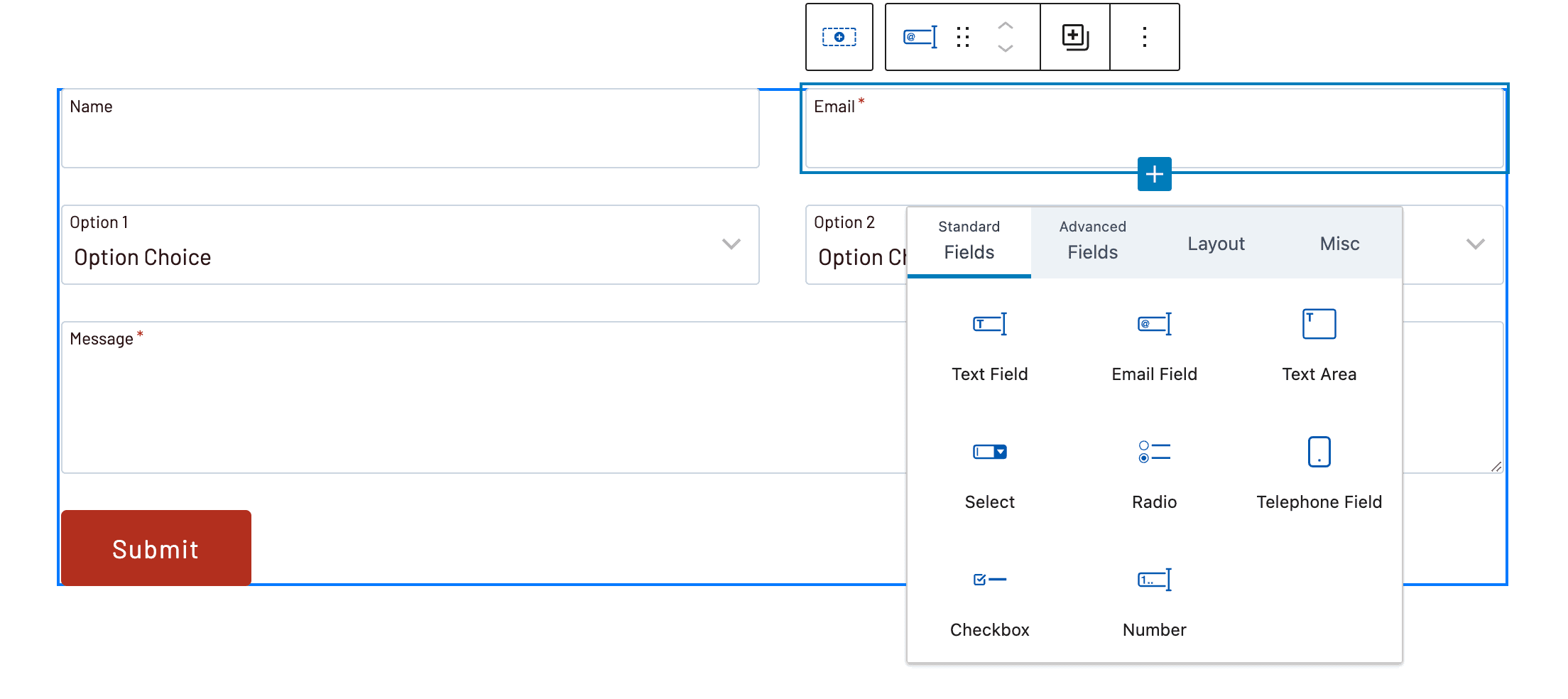
Kadence Blocks has had a basic form block through the years, and this clean and simple form was perfectly adequate for basic contact forms or newsletter subscription forms. However, many Kadence users have wanted a more robust form solution. The release of Kadence Blocks 3.1 marks phase one of a much more advanced form builder with the new Kadence Advanced Form Block. Unlike the previous basic form block, this new block is stored as a custom post type, so it can be edited from within a page or within an easy-to-find forms area in the WordPress administrative dashboard. The new Kadence Advanced Form Block has been designed to be dynamic and extendable with many commonly requested features. These include:
- Basic wizard when creating new forms with preset styles.
- Inline and Float label styles.
- New input fields like file upload, date, etc.
- Advanced styling options for Checkboxes and Radio button inputs.
- Support for dark backgrounds.
- reCAPTCHA, hCapcha, Turnstile support to prevent bot and spam form submissions.
- A much requested ConvertKit integration (Pro feature).
This new Advanced Form Block has our whole team excited! It’s a rock-solid foundation to start building really advanced form features that open a new opportunity for data-driven WordPress sites development that requires no coding experience for site owners. With an editor built directly into the WordPress block editor, the Kadence Advanced Form block has been designed for the new era of WordPress.
We have a lot in store for the Advanced Form Block. Look out for new features in future versions, including conditional fields!
The Progress Bar Block
Data visualization is an important element of site design, and we now offer the Kadence Progress Bar Block to give WordPress site owners a new tool for showing complex data relationships in an easy to understand visual representation. The new Kadence Progress Bar block has three specific shapes that can be used to represent progress through a process as well as other completion oriented values. The initial launch includes three styles with tons of settings and really engaging animations.
New Editing Settings
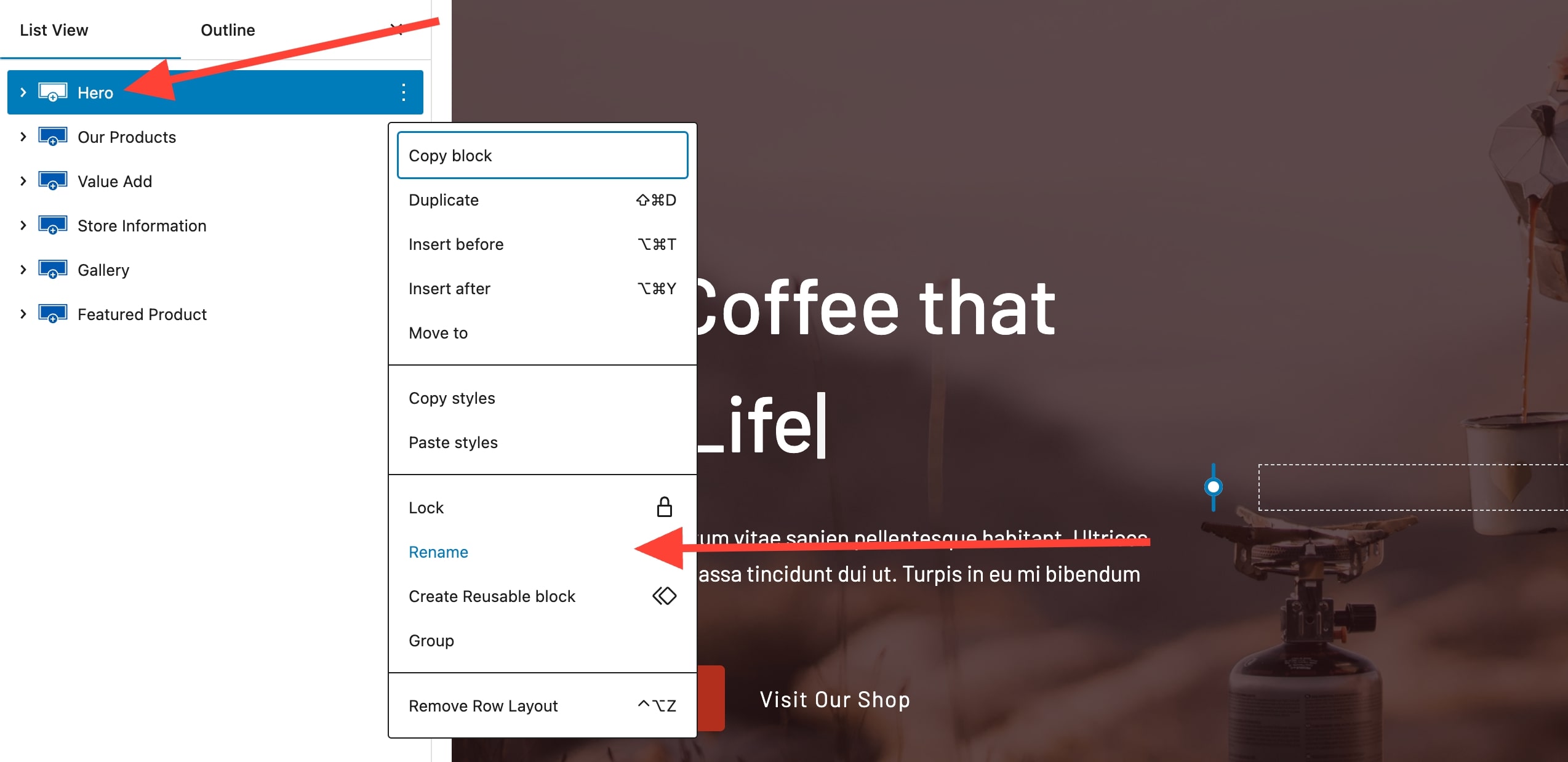
Renaming Blocks in List View
When working with large pages in the WordPress block editor, it can be difficult to quickly find content requiring a quick edit. It can be challenging to navigate content in the list view to find precisely the right section to edit. With 3.1 you can now edit the name of the block in the list view, making it easier to organize your content and quickly get to the section or block you need to edit.
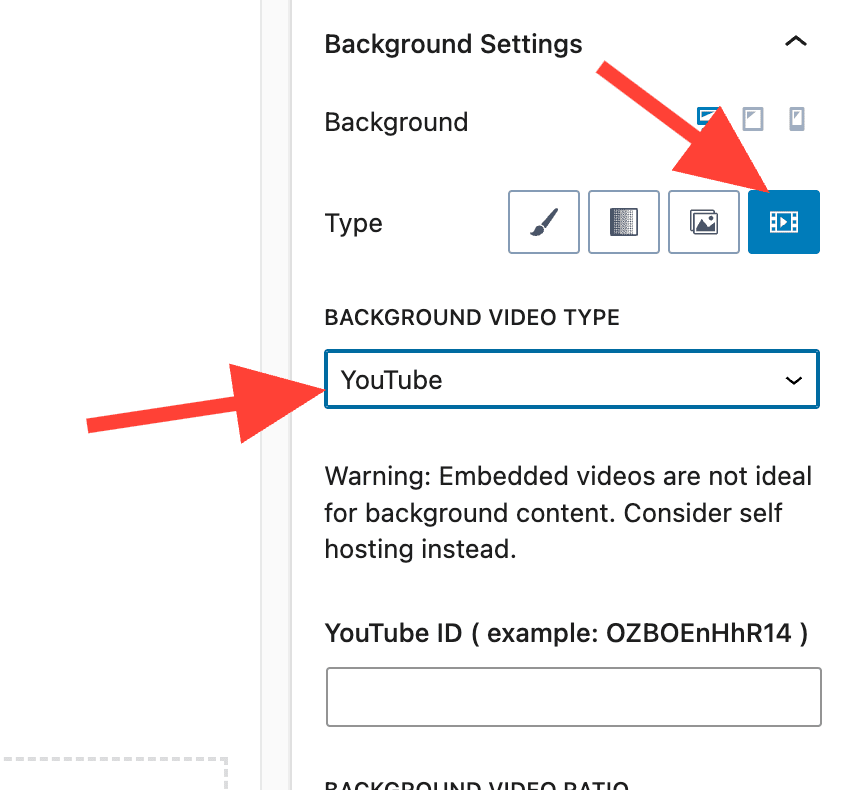
Youtube and Vimeo Background Videos in Row Layout Block
You can now use Youtube and Vimeo videos as background videos for your rows.
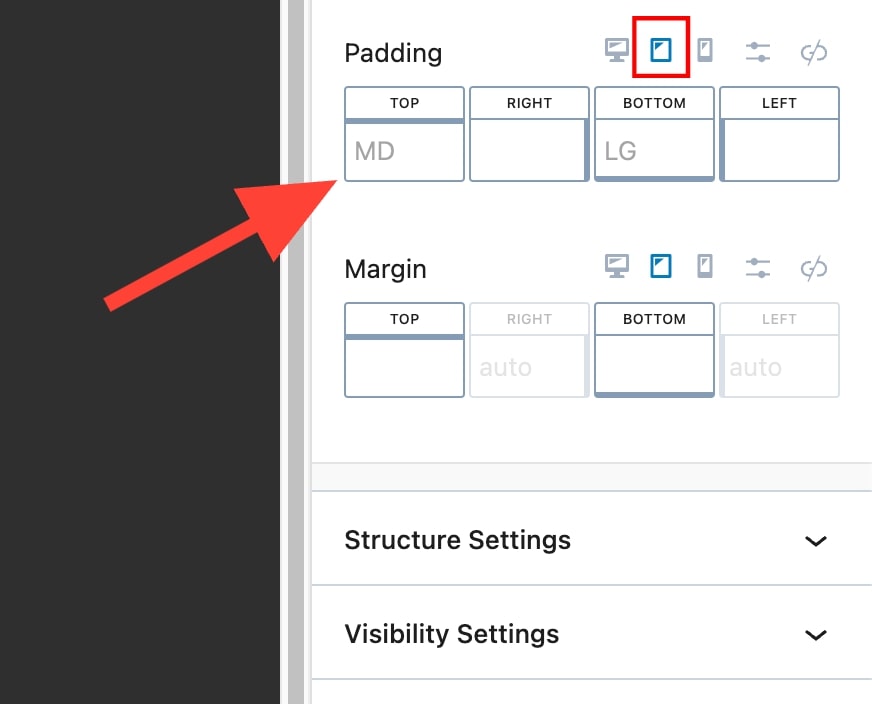
Padding/Margin Will Show Inherited Sizes for Tablet and Mobile
Thanks to the members of the Kadence Facebook group for this suggestion, you can now identify inherited sizes for tablet and mobile. It’s a tiny but notable change to the way our measurement controls work. Previously you couldn’t see what was set for the desktop when viewing/editing tablet or mobile, and now the inherited setting is visible and slightly opaque making it a little bit easier to build out your content without needing to switch contexts as much.
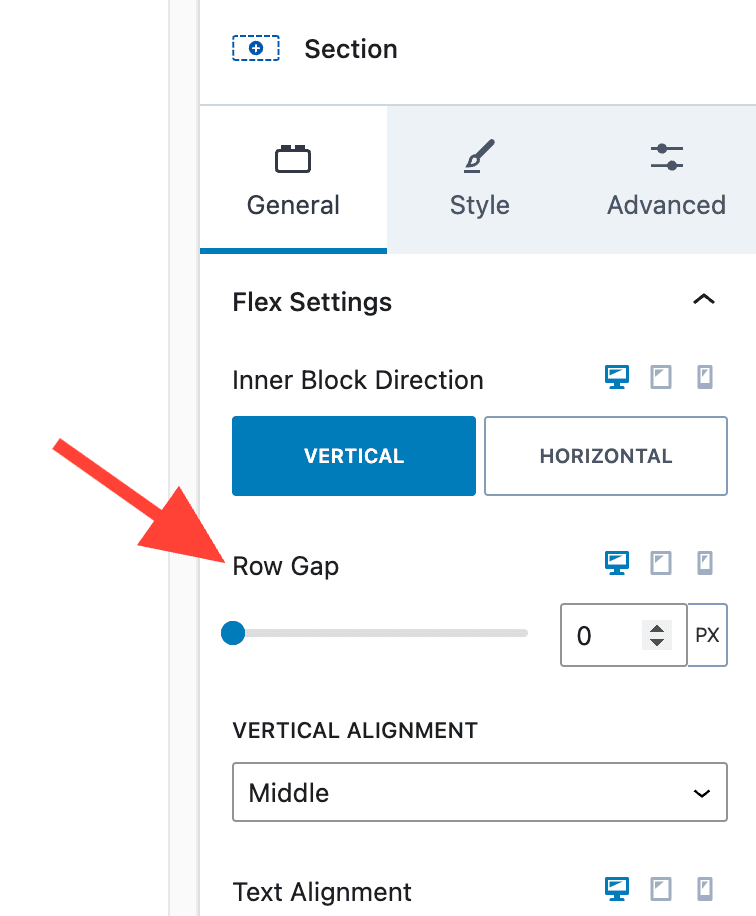
Section Block now has Vertical Row Gap Settings
Site owners can now easily adjust the spacing between blocks added inside a row layout with the row gap.
Gradient Controller has a Location Input for Precise Placement
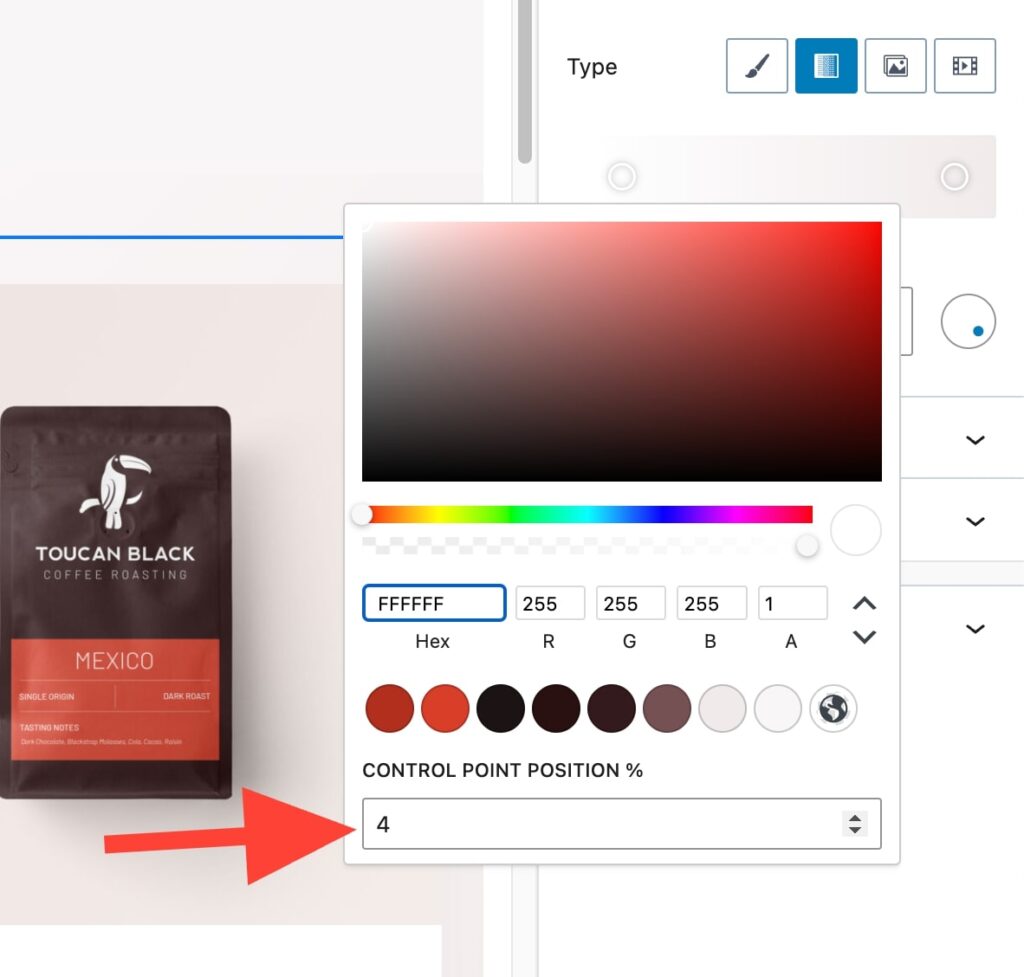
Another small feature but essential for those wanting to precisely control their design, we’ve added an option to set the control point position using an input field instead of just providing the option to drag the control point around, making it easy for site owners to get the exact location when creating custom gradients.
Other Notables Updates
- Updated Framework to use sitewide Unique ID to prevent any conflicts with styles.
- Added dynamic block labels in the list view for Advanced Text and Advanced Button blocks.
- Added Flex Basis settings to section block.
- Updated Block names for easier searching. Moved Advanced to (adv).
- Added no follow & sponsored options to links in the icon list block.
- Added an option for local Google Fonts if not using the Kadence Theme (option already exists in the Kadence Theme).
What’s New in Kadence Blocks Pro 2.0?
Code rewritten, modernized, and improved.
Like all the work we did with Kadence Blocks 3.0, the Pro version of Kadence Blocks required an update to refactor Kadence Blocks Pro to get its core structure current with WordPress. This refactoring means better stability and better performance. Plus we are now in a much better place to innovate further with new advanced blocks and AI integrations. Here are the notable highlights:
- Updated build structure completely and now use component libraries.
- Updated React structure of blocks to be functional and use API v2.
- Rebuilt how we compile and output frontend CSS for block customizations.
- Rebuilt our front-end Javascript to not use any jQuery sliders.
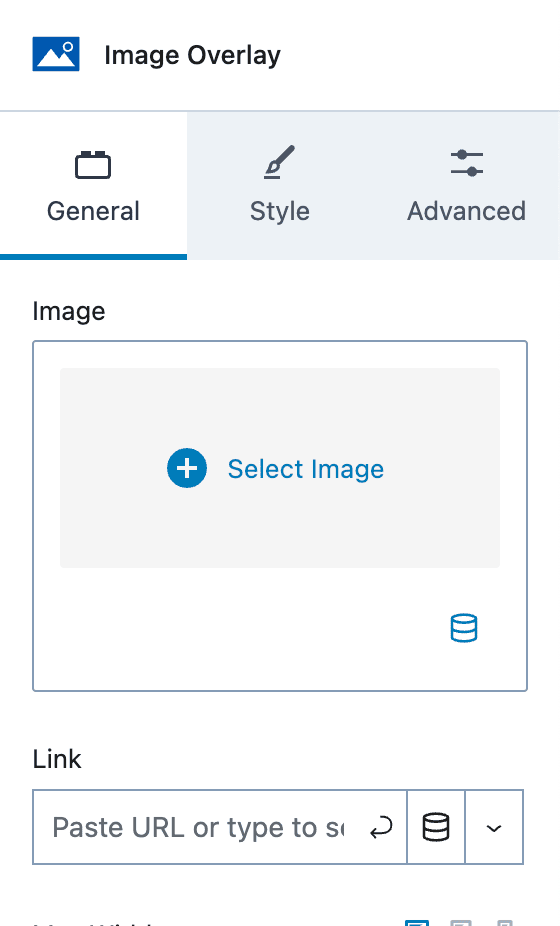
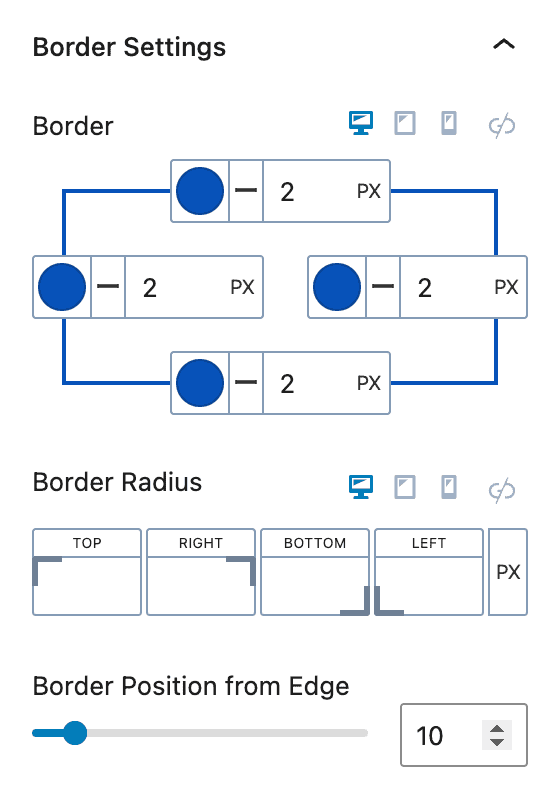
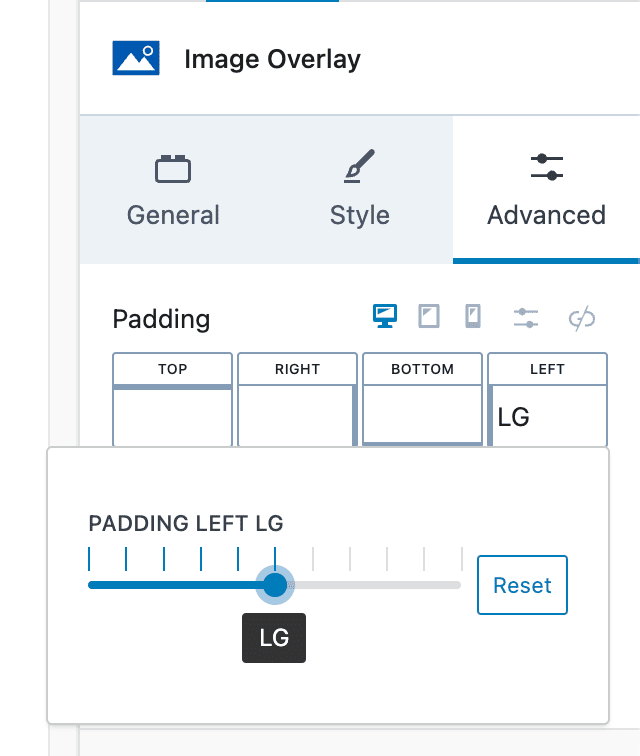
Along with the code structure, we also updated the block settings across all Kadence Pro blocks. Now you will see tabbed settings, more uniform components like the padding and margin with visual changes as well as the use of variables in sizes instead of static sizes.
What’s Next for Kadence Blocks?
We are actively working on quite a few projects to continue innovating the way WordPress users build fast and effective sites. While we don’t have timelines solidified, the Kadence team is working hard to get these into our user’s hands as quickly as we can. We will be publishing more information about each project as we near completion of the following initiatives:
- Kadence AI
- Kadence Pexels Integration
- Kadence Repeater Block for ACF and Meta repeater fields
- Conditional Fields in the Advanced Form Block
- Multistep in Advanced Form Block
- Global Styles
- Advanced Navigation Block
- Advanced Header Block
- Advanced Query Block with Advanced Filtering
Go Pro
If you’re not already up and running with Kadence Blocks Pro, now is such an exciting time to start! There are so many wonderful benefits to going pro including custom pro blocks and pro add-ons, dynamic content, custom icons and fonts, and premium design libraries. Plus there’s so much more coming down the pipe. Don’t miss out!
Create Your Website With KadenceWP Today!


Written by Ben Ritner
Ben Ritner is the Sr. Director of Product at StellarWP and the founder of Kadence WP. Ben builds innovative tools that empower individuals and small businesses to compete with major corporations on the web. He creates comprehensive tutorials that guide users through WordPress, enabling them to build effective and engaging websites. His expertise in product development, strategy, and marketing drives innovation and success for users worldwide.
7 responses to “Introducing Kadence Blocks 3.1”
-
-
Thank you!
-
Brilliant Ben & C°. Good stuff with this Block 3.1 update.
—-
Ben, ask Kathy and the iThemes team to create a nice tutorial on using the DESIGN GALLERY tool.
Clients and myself, we easily use this function on daly basis to create fast modules for our pages (promos, mktg/comm actions).
Tell us how to properly include these templates within the Starter templates, and eventually how to use them with the Elementor editor. I have hard time using Gutenberg and thanks Ben for making it more user friendly with your development within Kadence. Remember you need to fo slower on your explanations with foreign languages clients. It seems that sometimes you forget about it. I lived in the US for 15years, half of my family lives in the US …but here people speak french. And I do believe you could get your shares on french WP market…Plus in this place of the world, properly fibre connected, they could use services from WP-Kadence for promoting themselves. I do know lots of people around Serre-Chevalier Valley, an other true hearted Big Sky Country & certainly best top ski zone of the Alps (wild mountains in La Grave ski resort). Authentic mountains like yours in Missoula, Montana. I would love to share with you Ben, Hannah and your team that unique place one day.
—
HOLS —– 2024 in France
Next vacations…in the Alps.
Give me a call if you decide to ski on my mountains. I’ll find you a nice cheap chalet for you and…,
I’ll be your ski-instructor (as I was in the french ski team as I was a junior kid) and lived in Briançon-Monetier for 15 years. I know the owner of that chalet. (No commercial act here from me!!! ;0) I promise!!!
https://www.booking.com/hotel/fr/chalet-altitude-le-monetier-les-bains.fr.html?aid=1482198&label=rentbyowner–key-rbo_d-web_page-refine_menuid-1691232815834_referralid-4-BC-1635585_hotel-BC-1635585_oztoken-MTI4NzgzMDgwMi4xNjkxMjMyNzI4&sid=cfa86bcd9cdf83c62bb7ac0c97c316b8&dcs_click=1&dest_id=1635585&dest_type=hotel&dist=0&group_adults=2&group_children=0&hapos=5&hpos=5&no_rooms=1&req_adults=2&req_children=0&room1=A%2CA&sb_price_type=total&sr_order=popularity&srepoch=1691232830&srpvid=96b44c9de1a00165&type=total&ucfs=1&activeTab=photosGallerySo ” A bientôt”. See you there or in Missoula.
-
This looks an amazing update.
Kadence blocks is used on all our client sites as it give us and clients unparalleled flexibility to design and maintain websites.
-
We love to hear it. Thank you for using Kadence!
-
-
Hi, love the form update!
Where can I find the captcha settings on a created form, or are they automatic?
All the best,
/John-
CAPTCHA settings need to be added to each individual form. There is some documentation that walks you through it here. https://www.kadencewp.com/help-center/docs/kadence-blocks/advanced-form-block/
-


By Ben Ritner
Ben Ritner is the Sr. Director of Product at StellarWP and the founder of Kadence WP. Ben builds innovative tools that empower individuals and small businesses to compete with major corporations on the web. He creates comprehensive tutorials that guide users through WordPress, enabling them to build effective and engaging websites. His expertise in product development, strategy, and marketing drives innovation and success for users worldwide.
Updated May 27, 2024
Create Your Website With Kadence

Thank you for getting better and better.
It’s not a bad decision to purchase a lifetime full bundle as you guys are rock as well as this Kadence theme and plugins.
Thank you for making website easier using WordPress+Kadence and keep the good team and work!