Skip to content
Help Center
  • Pricing
  • ProductsExpand
    • Premium PlansGet all the tools you need in one plan
    • Kadence ThemeLightning-fast performance theme for modern websites
    • Kadence BlocksDrop in ready designs with advanced controls for pixel perfect websites
    • Kadence Shop KitCreate a more effective WooCommerce shopping experience
    • Kadence ConversionsBoost sales and build engaged audiences with popups and banners
    • Kadence InsightsEasily create A/B tests. Optimize your pages to drive higher conversions.
    • View All Products
    • Get Kadence + Hosting
      In One Place

      Enjoy faster setup, top-tier performance, and worry-free WordPress hosting – Kadence Theme, Kadence Blocks, and Solid Security all pre-installed.

      Learn More

  • Kadence AI
  • Starter Templates
  • Blog
  • SupportExpand
    • Resource HubStart here for guides, Product docs, FAQs, and Troubleshooting tips, all in one place.
    • Contact SupportStuck on something? We’re here to help! Open a ticket for top-notch support.
    • Contact Our TeamGot pre-sales questions or need help choosing a plan? Open a ticket and our team will guide you.
    • About usCrafted with love in Missoula, Montana. Meet the team behind the mission.
Account Account
Get Kadence
Kadence Theme
  • Features
  • Pro
  • Starter Templates
  • HelpExpand
    • Documentation
    • Facebook Group
    • Submit a Ticket
    • Feature Requests
    • Roadmap
    • Changelog
Help Center
Kadence Theme

Getting Started

Customize Settings

Header

General WordPress

Troubleshooting

  • Troubleshooting White/Blank Screens in the Editor or Customizer
  • How to Download Previous Versions of the Kadence Theme and Plugins
  • Recommended Server Resources

Advanced

Theme Kit Pro

  • Kadence Custom Fonts

Kadence Elements

Hooked Element Guides

  • How to Design a Post Grid/Carousel using a Kadence Element

Woocommerce

  • Home
  • Knowledge Base
  • Kadence Theme
  • Kadence Blocks
  • Block Tutorials

Create a Full Screen Landing Page

What is a Full-Screen Landing Page

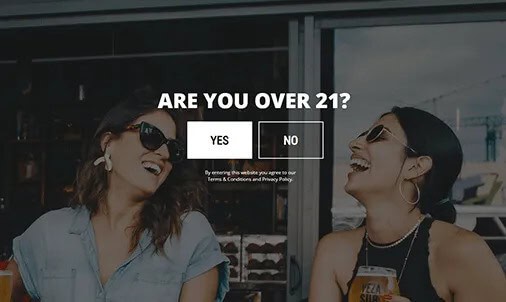
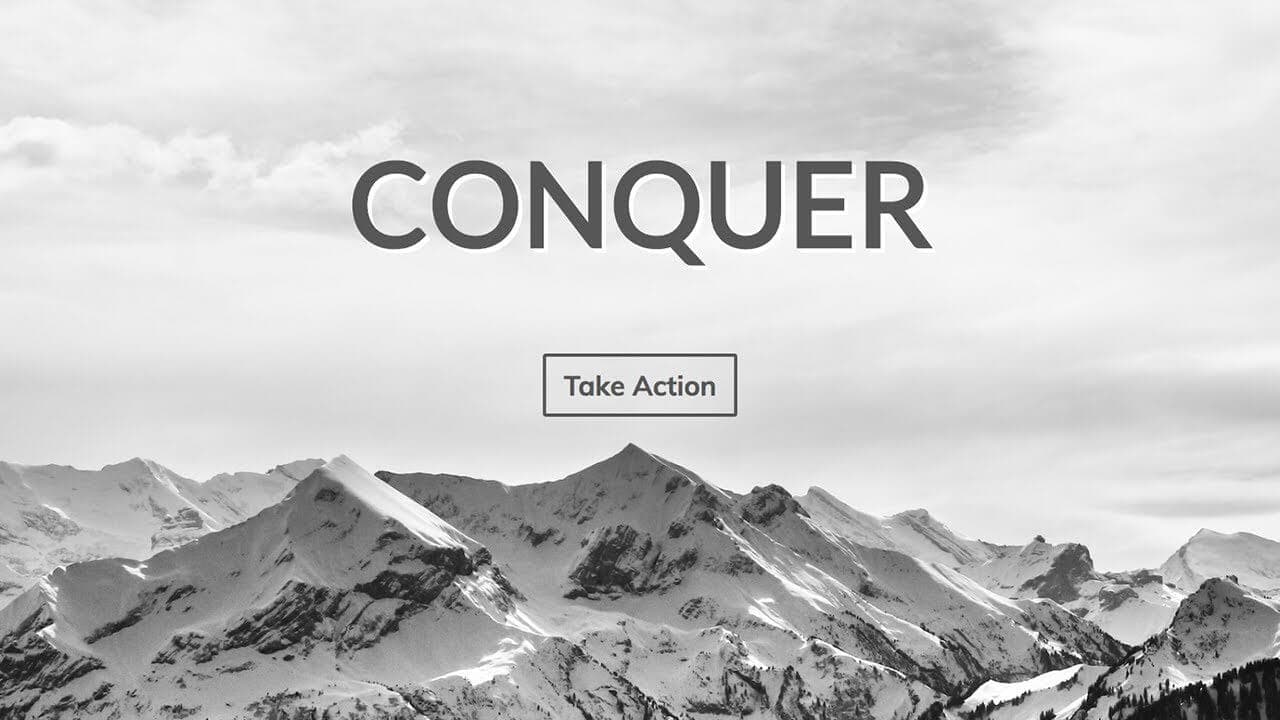
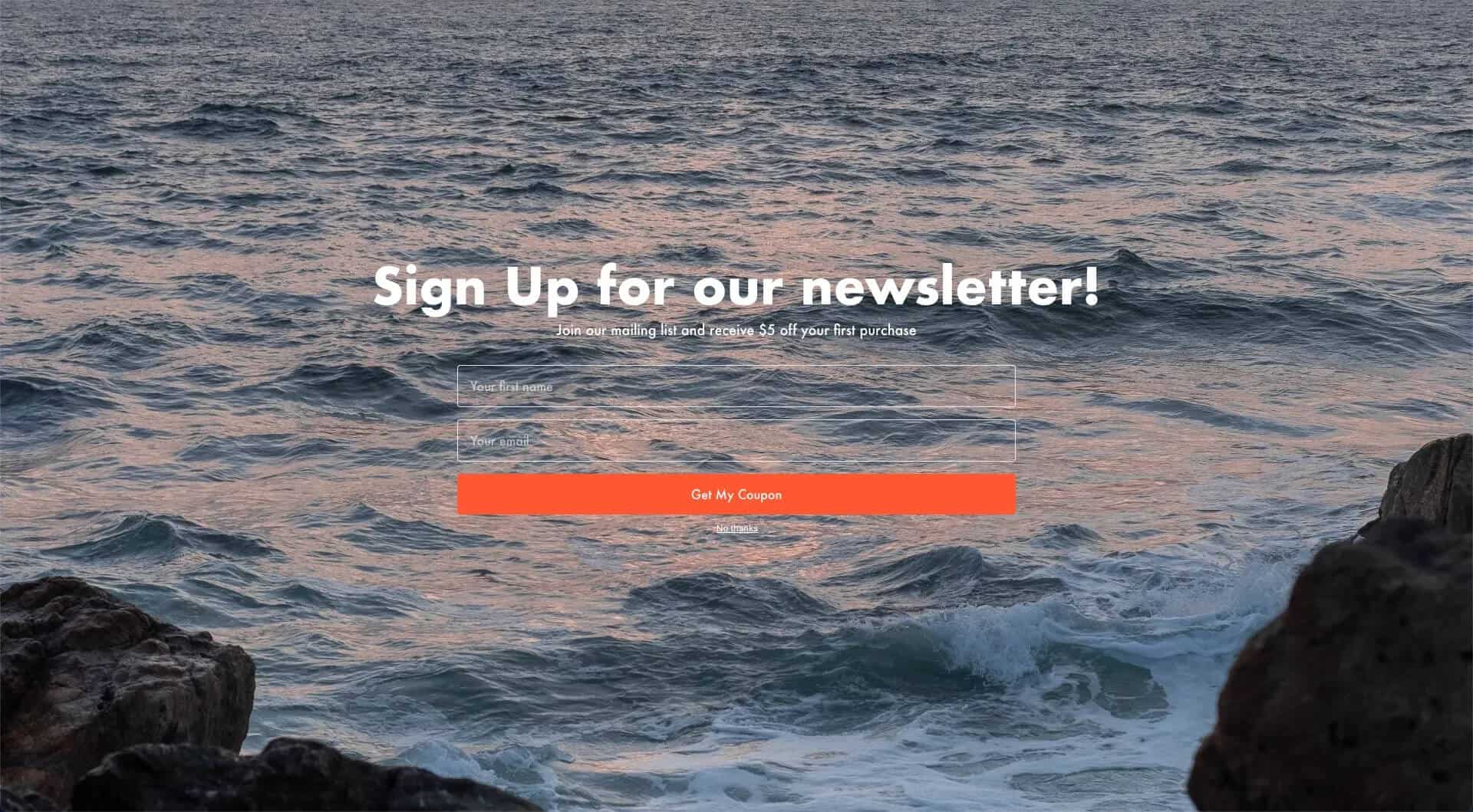
A full-screen landing page fills the entire browser view, delivering your main message or call-to-action (CTA) without distractions. There’s no scrolling, no below-the-fold content—just one powerful screen that every visitor sees.
These pages work especially well for:

  • Maintenance announcements
  • “Coming Soon” announcements

We actually use this technique for our templates in Kadence Theme Kit Pro’s Maintenance Mode feature.
The Benefits

Typically, a full-screen landing page doesn’t include headers, footers, or any elements that could divert attention from your core message. It’s simple, direct, and effective—perfect for keeping your audience focused.

Making a Full Screen Page

For this demo, I’ll be using the following plugins and themes:

  • Kadence Theme
  • Kadence Blocks

I’ll be making a full screen landing page to hype up a new product launch. There will be three main steps:

  • Remove theme elements
  • Setup a full screen container
  • Add Content

Remove Theme Elements

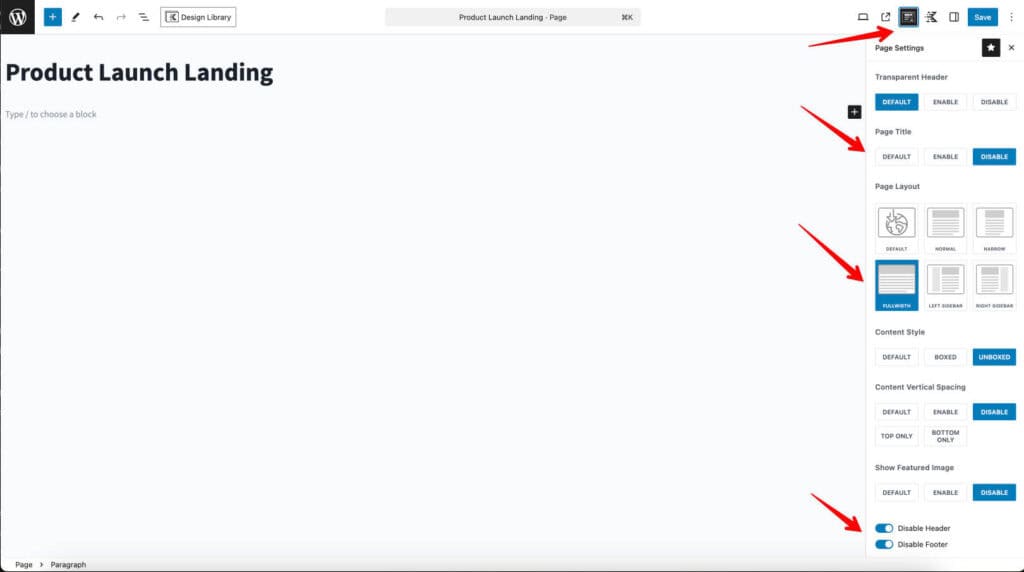
After making a new page on my site, the first thing I want to do is make it so only the block content I add to this page will be shown and can fill the whole screen. I’ll do this by removing the header and footer from this page along with making sure this page is full width. Kadence Theme has a slew of options to disable theme elements and adjust layout per page.
Setup a Full Screen Container

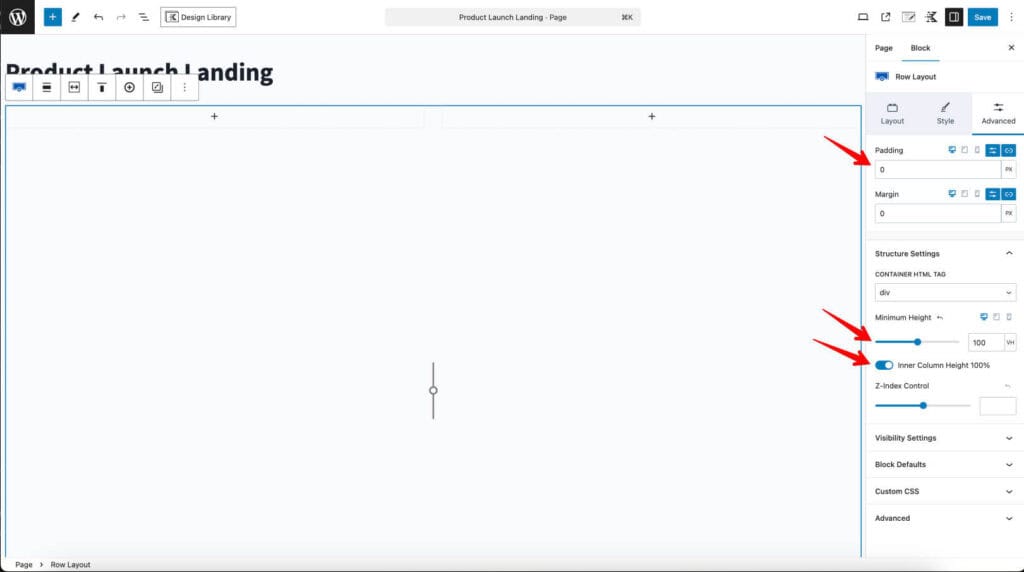
Now that we have our page setup, we need a container that will fill the screen. For this I’ll be using the Row Layout block in a two column layout.
The full screen magic is setting the minimum height to 100vh (viewport height) and the inner column height to 100%. I’ll also clear any default padding/margin.
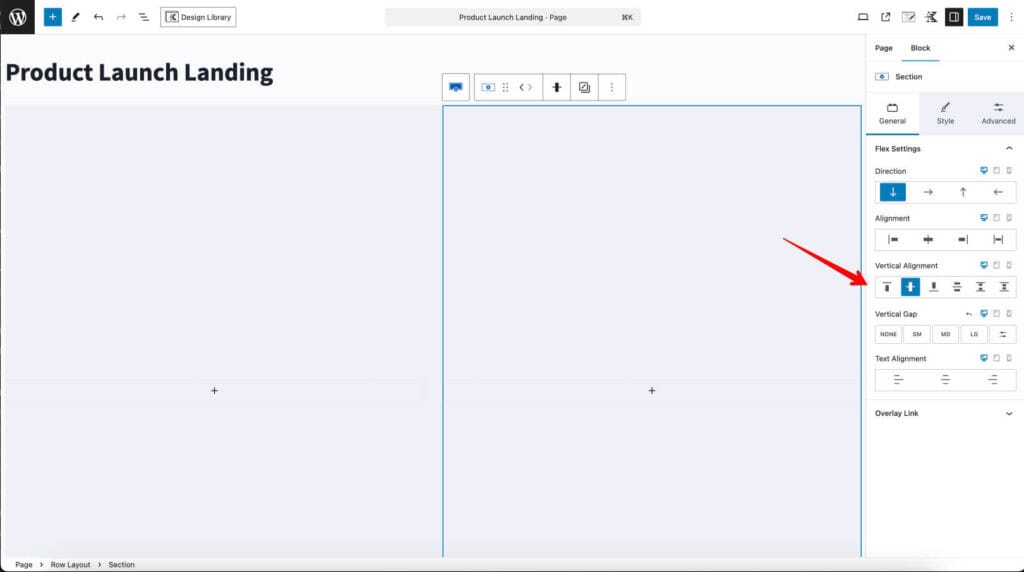
Setting a background background color will ensure I cover up any background from the theme. It’ll also be important to set the inner sections vertical alignment to center.
Add Content

Now I can do whatever I want within the row layout for content. Just have to make sure not to put in more content than will fit in a screen.
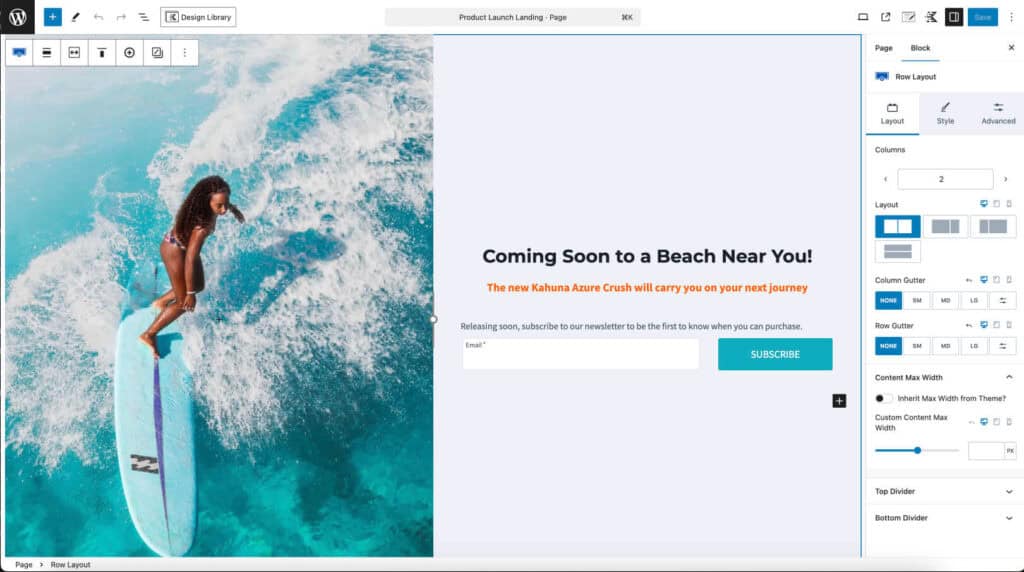
For this design I’m going to add a big image of my upcoming product as a covering background on the inner section on the left. Then I’ll add some text and a Kadence Advanced Form block on the right to ask for signups so they can get a notification when the product drops.
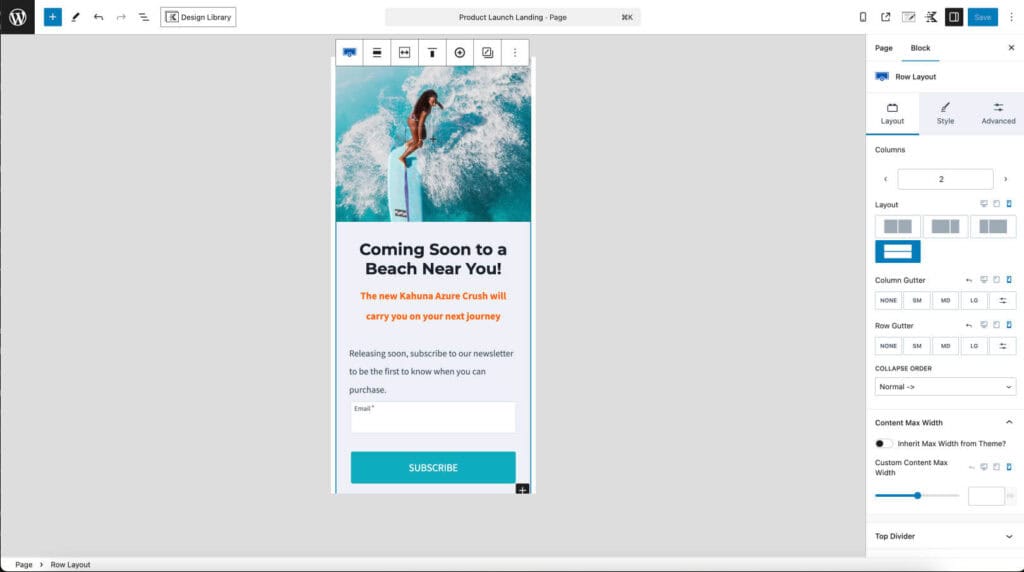
Checking on mobile, the sections stack vertically by default which is great. I added some spacing to the image section so it doesn’t collapse completely since it’s technically a background image.
Conclusion

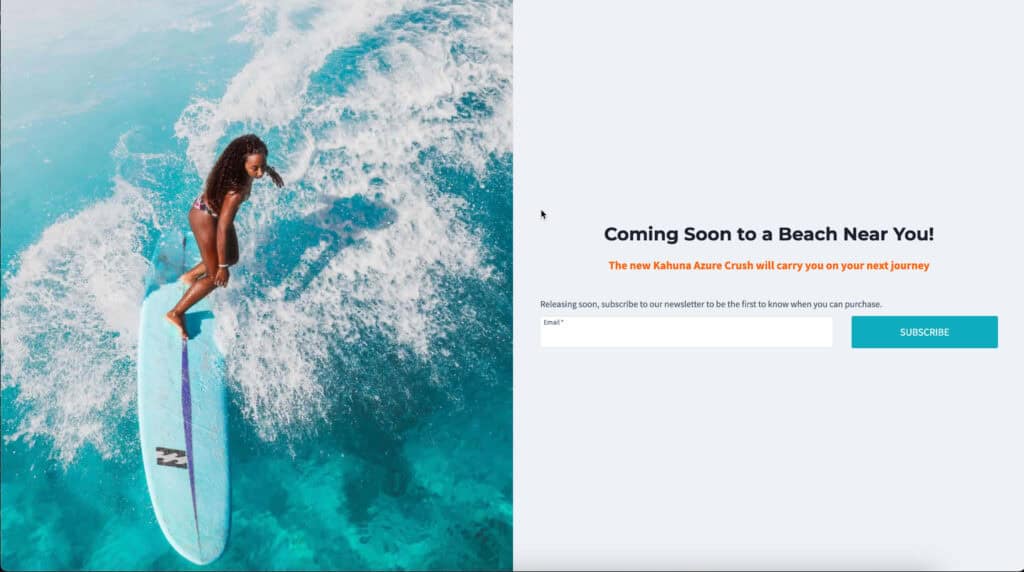
A compelling fullscreen landing page made quick and easy with Kadence Theme and Kadence Blocks.

Do you feel this document was helpful?
The Kadence WP Logo
Crafted in Missoula, Montana
  • Follow Kadence on Facebook
  • Follow Kadence on Youtube
  • X
  • Follow Kadence on Instagram
Trustpilot
Products
  • Kadence Plans
  • Kadence Theme
  • Kadence Blocks
  • Kadence AI
  • Kadence Starter Templates
  • Kadence Shop Kit
  • Kadence Conversions
  • Kadence Pattern Hub
  • View All
Resources
  • Blog
  • Podcast
  • Knowledgebase
  • Support ticket
  • Feature Requests
  • FAQ
  • WordPress Hosting Services
About Us
  • About Kadence
  • Become an affiliate
  • Contact us
  • Terms
  • Privacy Policy
  • Security
Our Partner Brands
  • SolidWP
  • LearnDash
  • The Events Calendar
  • GiveWP
  • MemberDash
Kadence Community
  • Kadence Marketplace
  • Join the Facebook Group
  • Subscribe to our YouTube Channel
© 2024 Kadence WP | All prices are in USD
Logo for StellarWP an umbrella brand of Premium WordPress plugins
  • Pricing
  • Products
    • Premium PlansGet all the tools you need in one plan
    • Kadence ThemeLightning-fast performance theme for modern websites
    • Kadence BlocksDrop in ready designs with advanced controls for pixel perfect websites
    • Kadence Shop KitCreate a more effective WooCommerce shopping experience
    • Kadence ConversionsBoost sales and build engaged audiences with popups and banners
    • Kadence InsightsEasily create A/B tests. Optimize your pages to drive higher conversions.
    • View All Products
    • Get Kadence + Hosting
      In One Place

      Enjoy faster setup, top-tier performance, and worry-free WordPress hosting – Kadence Theme, Kadence Blocks, and Solid Security all pre-installed.

      Learn More

  • Kadence AI
  • Starter Templates
  • Blog
  • Support
    • Resource HubStart here for guides, Product docs, FAQs, and Troubleshooting tips, all in one place.
    • Contact SupportStuck on something? We’re here to help! Open a ticket for top-notch support.
    • Contact Our TeamGot pre-sales questions or need help choosing a plan? Open a ticket and our team will guide you.
    • About usCrafted with love in Missoula, Montana. Meet the team behind the mission.
Account Login
  • Features
  • Pro
  • Starter Templates
  • HelpExpand
    • Documentation
    • Facebook Group
    • Submit a Ticket
    • Feature Requests
    • Roadmap
    • Changelog