Notice: These forums are now retired and closed. For active support, please Submit a Ticket or visit our official WordPress.org community pages.
Kadence Theme | Kadence Blocks | Starter Templates | WooCommerce Email Designer | Ascend | Virtue | Pinnacle
Search Results for 'page '
-
AuthorSearch Results
-
In forum: Ascend Theme
In reply to: Images are not displayed on Product Page
July 2, 2018 at 10:38 am #194635Hey,
There seems to be an issue with javascript breaking on your page. without javascript running the gallery doesn’t fade in.There is some strange javascript on your site including a call for jQuery directly from google:
https://ajax.googleapis.com/ajax/libs/jquery/2.1.3/jquery.min.js
Can you tell me if you are intentionally adding that?
Ben
In forum: Membership ForumsIn reply to: K Galleries Feed?
Hi Kevin
Let me try to explain better, one of the galleries that I recently created is https://digitalflightwire.com/gallery/5505/
At some point, Google Search Console tries to URL index a page with the address https://digitalflightwire.com/gallery/5505/feed/ and says that it is not found resulting in a URL crawl error.
I not sure where the second page with the /feed/ extension came from?
Cheers and thank you so mucn,
Mark
In forum: Ascend ThemeIn reply to: “Error: OK (200)” when installing demo content?
July 2, 2018 at 10:33 am #194631Hey,
I can’t seem to access that page. It takes me to a 404 as if you’ve got redirects on the normal login page. Are you intentionally redirecting from the normal login?Ben
In forum: Virtue ThemeJuly 2, 2018 at 10:10 am #194622Hey,
If you’re using upsell products you can change “You may also like… ” to whatever you want in the theme options > language settings.If you’re using the Kadence related content (which allows you to connect any kind of post) then you can set the title in the product itself right next to where you select the related content or set the default in the plugin settings.
If you want to rearrange the layout and output of the product page you would need to use a plugin like https://www.kadencewp.com/product/kadence-woocommerce-elementor/ or this: https://www.kadencewp.com/product/kadence-woo-template-builder/
Ben
In forum: Membership ForumsJuly 2, 2018 at 10:06 am #194621Hey,
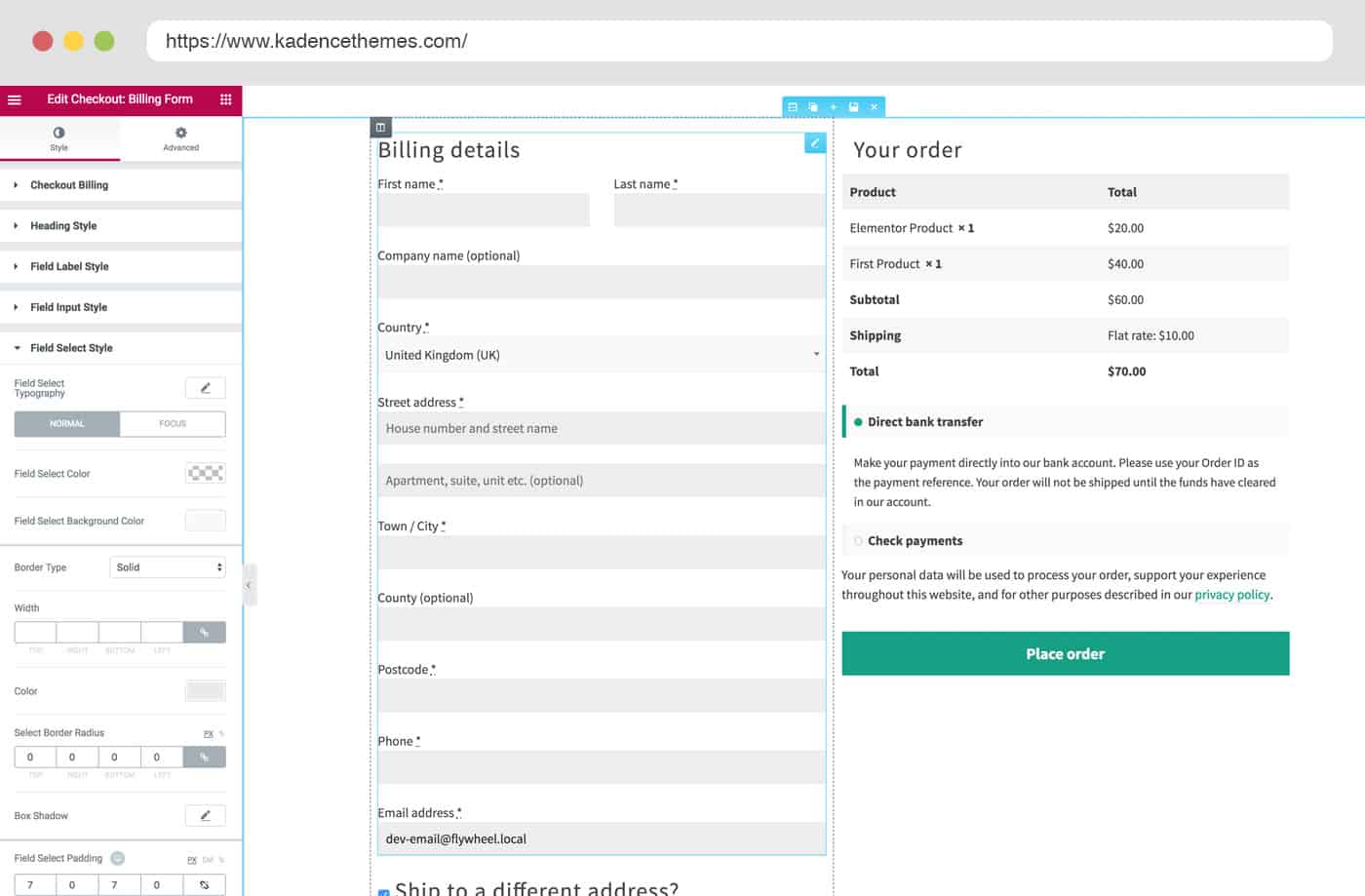
I added a template for you to test with and let me know if that is what you want. Go to Woocommerce > template builder and set the template for the checkout page to be the one i created for you.Ben
In forum: Virtue ThemeIn reply to: AMP Product Pages
Hi Ben
I understand the logic. However, loading such a big image must take some time. I was looking at it from the page speed point of view. The image is simply too big in proportion to the rest of the content. But if this is given by the responsiveness. Let it be.
Thanks anyway.
JohnIn forum: Virtue ThemeIn reply to: Virtue Premium google maps widget not working
July 2, 2018 at 9:30 am #194612Hey,
I don’t see a map on the page you linked to. can you please create your own topic and post a link directly to the page where you have added the map then I’ll be able to see whats happening.Ben
In forum: Virtue ThemeIn reply to: Blog Feature Image Not Displaying in Archives
In forum: Virtue ThemeIn reply to: Blog Feature Image Not Displaying in Archives
Hello,
Try going to theme Options> Blog Settings, and set “Blog Post Summary Default” to a portrait or landscape image. This will automatically display your featured image on the blog page.
You can set the blog summary for each individual post if you wish to show certain posts differently.
Does that work for you?
-Kevin
In forum: Virtue ThemeIn reply to: Virtue Premium Theme Update Conflicts
In forum: Virtue ThemeIn reply to: javascript for gravityforms not working
In forum: Virtue ThemeIn forum: Ascend ThemeTopic: Gallery Heading
Hi guys, I wonder if you can help. I have created a Kadence Gallery and added the required images and set a background image for the gallery page. The gallery title appears in the header image (which is fine) but also below the header too. I would to not show the gallery title under the header image. Is there a way of doing this please?
Here’s a link to the gallery so you can hopefully see what I mean *Login to see linkMany thanks
ChrisIn forum: Virtue ThemeTopic: Woocommerce
Hello! I get this message when I try to update Woocommerce: Your theme (Virtue – Premium) has obsolete copies of some WooCommerce template files. These files may need to be updated to ensure compatibility with the current version of WooCommerce. You can see which files are affected by page system status. If you are unsure, please contact the subject’s author.
What to do?
In forum: Membership ForumsTopic: K Galleries Feed?
Hey guys, just a quick question about K Galleries.
I’ve been monitoring my Google Search Console and I’m getting lots of index errors from /gallery/galleryname/feed/
I’m not sure what the feed extension is but Google says that it is linked from the gallery page, it is not something that I have created, presumably it is automatically created.
Moreover, I’ve set up Yoast to not index gallery pages. Just wondering if this is something I should be concerned about?
Cheers and thank you in advance!
Mark
In forum: Ascend ThemeTopic: Turn off all comments
In forum: Membership ForumsJuly 1, 2018 at 4:10 pm #194568Hi Kevin
I have made a test product now for you to use: https://thisgiantpapiermacheboulderisactuallyreallyheavy.com/shop/
I have managed to sort out the two columns on the checkout page but I would like the Order Summary and payment info to be under the shipping address portion – as per your screenshot https://www.kadencewp.com/wp-content/uploads/2018/06/checkout_edit-min.jpg
Also is there a way to easily add a GST (Tax) Number to a customer invoice email or do I need to use the new Kadence WooCommerce Email Designer?
ThanksIn forum: Ascend ThemeTopic: bug last update
Hello,
since last update i have 2 bugs on my website (Ascend 1.5.2)1) Only in Desktop Chrome Browser (Mobile Chrome seems to work and Firefox works well):
In Single Post Pages the slider for the last posts does not load the images with lazyload. The first images still load normally, but as soon as the slider scrolls further the images are missing (sometimes they load at the second cycle).
I use Lazyload by WP Rocket, which is supported in your theme.
Problem exists since update 1.5.1Screenshot:
2) Chrome and Firefox
At the Ascend widget: Gallery -> Slider -> Thumbnail Slider=true
Each time the slider scrolls further, 1 preview image disappears.Screenshot:
Link for both:
*Login to see linkIn forum: Membership ForumsIn forum: Ascend ThemeIn reply to: Default page
-
AuthorSearch Results