
Notice: These forums are now retired and closed. For active support, please Submit a Ticket or visit our official WordPress.org community pages.
Kadence Theme | Kadence Blocks | Starter Templates | WooCommerce Email Designer | Ascend | Virtue | Pinnacle
Search Results for 'page '
-
AuthorSearch Results
-
In forum: Membership Forums
In reply to: Ascend shop page
June 4, 2018 at 2:08 pm #1921101. Here is the css:
.post-type-archive-product #content {
    padding-top: 0;
}
2. You can use this css:
.image_menu_item_link .image_menu_message {
    left: 0;
    top: 0;
    padding: 0;
    right: 0;
    bottom: 0;
}
.image_menu_item_link .image_menu_message h4, .image_menu_item_link .image_menu_message h5 {
    transform: none;
}
3. Kadence woo extras will let you change the text but you would have to use a child theme and edit woocommerce if you want to remove the action behind it making it to every button is just a link to the product page.
You can set a minimum height on your product titles in your theme options > shop archive settings.
In forum: Virtue ThemeIn reply to: Woo archive: Main loop dont work
In forum: Virtue ThemeIn reply to: Woo archive: Main loop dont work
Hi Hannah and Ben,
Many thanks for the quickly response.
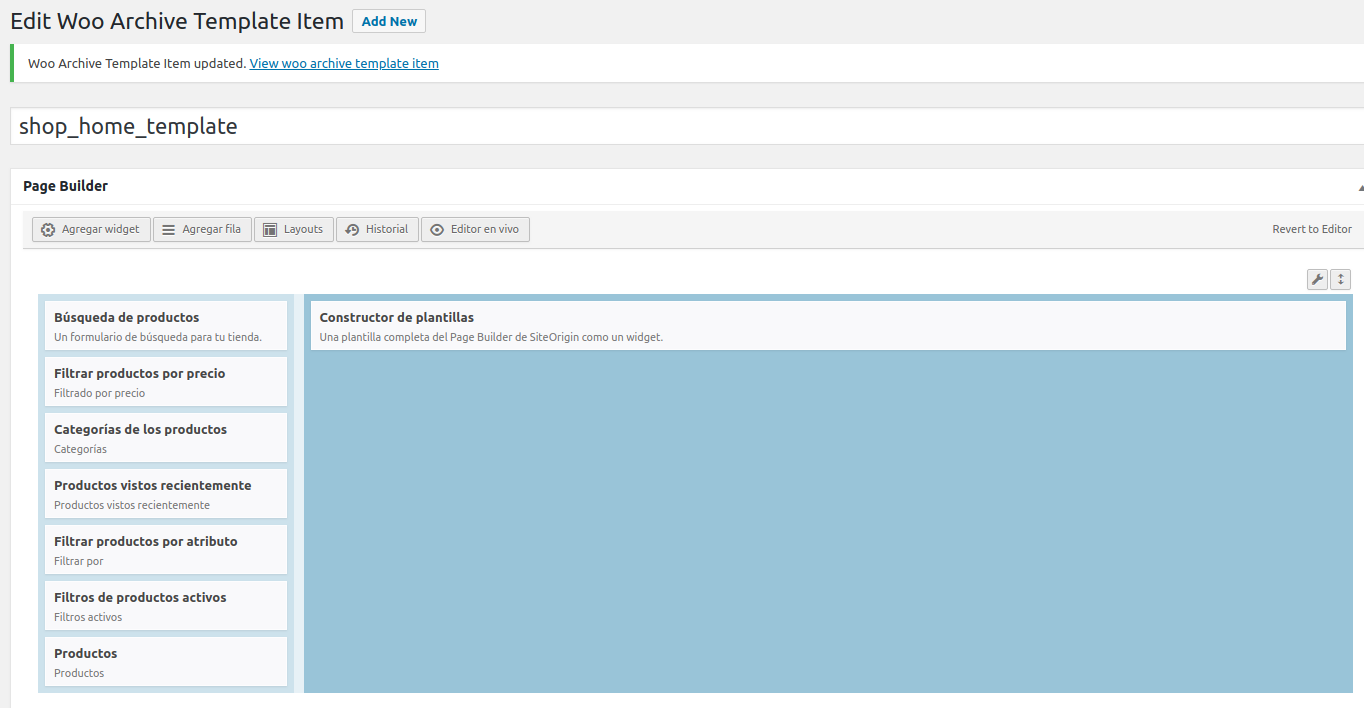
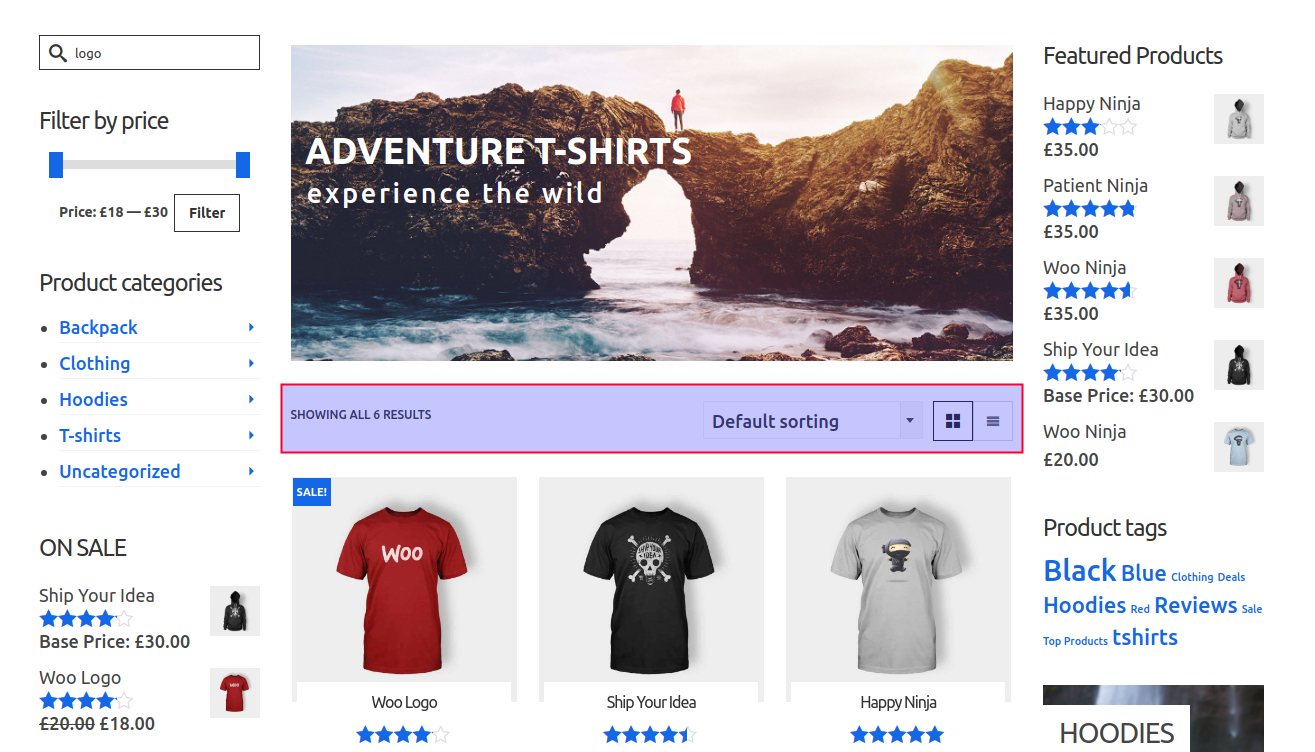
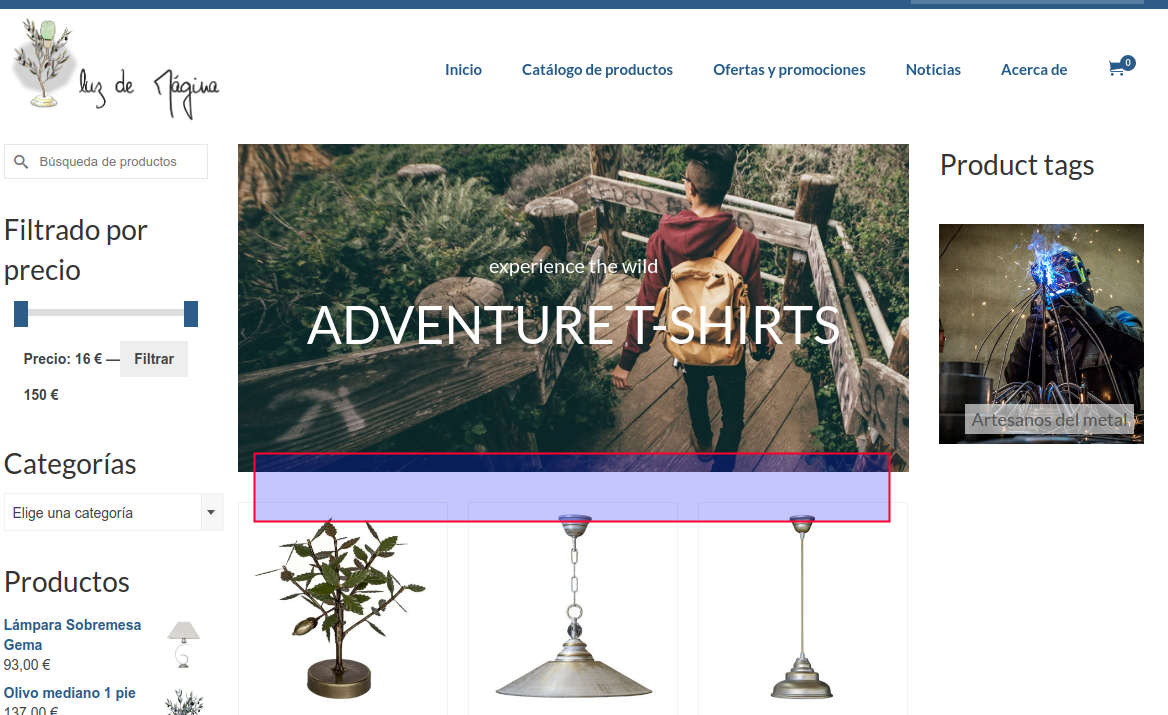
Hannah this work for me, now I can use the SiteOrigin and Kadence Widgets but seems that many other widgets dont works. I’m using “Woo Builder: Product Archive Multiple” and there are some widget that dont works, like the top page Ordering and change the list of product visualization, you can see this in the next link https://www.luzdemagina.es/tienda/
Some images about that.
Many thanks,
JuanRa.In forum: Ascend ThemeIn reply to: Logo above site title
This reply has been marked as private.June 4, 2018 at 12:45 pm #192095In forum: Membership ForumsIn reply to: Ascend and pads in vertical view
I checked the Pagebuilder settings, and enabled “Collapses columns differently on tablet devices.”. This helped a lot and also your CSS, thank you! Now the images are collapsed on two rows. I can accept that 🙂
The devices that I have tested are Samsung Galaxy Tab A (of different generations).
Regards,
Pamela
In forum: Membership ForumsIn reply to: Ascend and pads in vertical view
June 4, 2018 at 11:23 am #192083What Devices specifically? What version of browser etc. Help me so I can recreate.
You can change the width at which columns break down into rows in your pagebuilder settings.
If you want to you can also make the font size smaller for the buttons on your specific tablet.
Something like this:
@media (min-width: 780px) and (max-width: 800px) {
.kadence_image_widget_caption .btn {
    font-size:14px;
}
}
In forum: Membership ForumsIn reply to: Ascend shop page
In forum: Membership ForumsTopic: Ascend shop page
Hello!
I’ve built a test page for a shop. It is like a copy of your Shop template, and I have used Woo Templates for the shop page. Can you pls help me with these small things:1. Gap bellow header
Bellow the header and the Kadence slider pro is a white gab. How can I reduce it to 0px.
2. Image Menu Title and Subtitle
I would prefer to have the h4 heading aligned top and left on the image without any margins,
also in mobile and pad view.
3. Is there a way to get all Ascend Product Carousel boxes of equal height? Can all products be with Read more link instead of Add to Cart? I’ve tested that products without price in WooCommerce get Read more link instead of Add to Cart.In forum: Membership ForumsIn reply to: Ascend and pads in vertical view
Hello Ben,
I’m quite sure that this is an Android problem. I have tested it in several Samsung Pads.
(In laptops it looks nice when the screen is minimized to pad view)Also my first request is still open:
I’ve on one row three Ascend: Images widges, one in each column. This works fine on desktops and in mobile phones, but in vertical view in pads, the boxes are not of equal height. I would like to have all three Image widges of equal height in pad vertical view or collapse them like in mobiles.
On the same page (I send the link in a private message)Pamela
In forum: Ascend ThemeLunarpages found no errors in log. I did extract my full backup in CPanel just in case I need to restore the subdomain.
For now, I am working in that page again. Thank you for any help you can provide. I want three things to happen:
1. I want the About Us page to look like the screenshot above except for the html code incorrectly placed for the image signature. That means I want it to be full page across as the screenshot that will align with the other widget margins on the page.
2. I want the image signature added to the Dean Reganess Split Content widget description and need the html code to do that correctly so that it is centered in the place the screenshot shows it. When I added another row/Ascend image widget below it for the image signature it put the image signature too far from the preferred placement.
3. I want the text “Stone is Integrity….” in red.In forum: Virtue ThemeIn reply to: Woo archive: Main loop dont work
June 4, 2018 at 9:29 am #192063if you want to make a custom page and want to add woocommerce products to it you can use the woocommerce shortcodes: https://docs.woocommerce.com/document/woocommerce-shortcodes/
BEn
In forum: Virtue ThemeIn reply to: Issue with JT Event Calendar
In forum: Ascend ThemeHello,
This has to be setup within the page edit screen for each page. See here:
http://docs.kadencethemes.com/ascend-premium/page-title-subtitle-settings/You should be able to configure those setting within the page template and it will override whatever the site default is. Does that work for you?
If you’re still having problems, please post a link so I can take a look.
Thanks,
KevinIn forum: Virtue ThemeTopic: Issue with JT Event Calendar
June 4, 2018 at 5:35 am #192041Hi Guys
Appreciate all your support so far – many thanks for your time !I have a question which I realise you might not be able to help with, but thought I would ask anyway 🙂
I have the JT Event Calendar installed as a 3rd party plugin. It works well however it keeps pushing the Kadence Virtue theme templates primary sidebar below the footer
See here
*Login to see linkWhen I create the event there is no dropdown so I can choose “Fullscreen” so it ends up using the Default Template which has the sidebar by default.
How can I change this Event Page to use “Fullscreen”? Is there some custom css coding I can use for that page??Many thanks and keep up the great work 🙂
Cheers
WallisIn forum: Ascend ThemeJune 4, 2018 at 2:17 am #192035Hi all,
I have someone helping us with the setup of our site running Ascend Premium.
We have the following question:
“We would like to add a unique header image to each of our pages but are unable to find a setting that allows us to do so. We have tried hiding the Page Title area and adding an image to the top of each page but unfortunately the image is not spanning the width of the page in the same way that the standard header image/page title is.”Is there a solution to this please?
Many thanks,
BartIn forum: Virtue ThemeHi Ben,
There is a bug on woocommerce variations. With every change of a variation selectbox becomes 20% bigger until page refresh. I mean if you choose 3 variations it becomes 60% bigger.
Happens to me on android.
In forum: Virtue ThemeIn reply to: Woo archive: Main loop dont work
Hey,
The woo template widgets are meant to be used within the woo template builder. You can create a new archive template by navigating to Woo Templates from your WP Dashboard, then you can go to Template Settings and Select Default Template for shop page. Does this work for you?Hannah
In forum: Virtue ThemeIn reply to: Add New Woo Archive Template Item dont work fine
I was working on the About Us page and must have done something screwy. Your help definitely needed to rescue me with this page. Here is the error message below I get in Page Builder when clicking on the top widget and attached screen shots (one within PageBuilder, the other image of how I want the page to look minus the code error showing that probably created the problem). I am thinking I am going to have my host provider, Lunarpages restore the backup of just that subdomain if possible. I can’t seem to be able to do it myself in the CPanel. I have a full backup of my database file from yesterday where subdomain is stored. In the meantime, any suggestions?
—
Internal Server Error
The server encountered an internal error or misconfiguration and was unable to complete your request.
Please contact the server administrator at [email protected] to inform them of the time this error occurred, and the actions you performed just before this error.
More information about this error may be available in the server error log.
Additionally, a 500 Internal Server Error error was encountered while trying to use an ErrorDocument to handle the request.
—In forum: Ascend ThemeJune 3, 2018 at 3:29 pm #192022Hello,
I’m using Ascend theme and installed contact form 7 with Flamingo.
I can’t send any mail from my contact page : *Login to see linkI opened css :
button[disabled], html input[disabled] {
cursor: default;
}
Do you have any idea to solve my problem ?Thank you
Arnaud
-
AuthorSearch Results



