
Notice: These forums are now retired and closed. For active support, please Submit a Ticket or visit our official WordPress.org community pages.
Kadence Theme | Kadence Blocks | Starter Templates | WooCommerce Email Designer | Ascend | Virtue | Pinnacle
Search Results for 'site'
-
AuthorSearch Results
-
In forum: Virtue ThemeAugust 13, 2018 at 12:06 pm #198731
I need the username to your wordpress site to login. if you want me to after your host looks at things.
Ben
In forum: Virtue ThemeIn reply to: Portfolio Permalink
August 13, 2018 at 11:45 am #198722Hello. I am having the same problem as described above. After the latest update, all my portfolio links were broken and getting a 404 error message. My first instinct was to verify my portfolio settings; and they were as intended, so I re-saved my theme settings and then refreshed my permalinks, but that did not work out this time. It actually made it WORSE as now the pages are on a constant re-direct loop, generating a “too many redirects message”… Please help!
Update: the “too many redirects” went away after I deleted all my cache files BUT the links still say “portfolio” instead of what I have set up under “portfolio options”. I have re-saved my permalinks and deleted my caches numerous times, to no avail.
P.S.: I use Virtue Premium “Bold” on my site.
In forum: Virtue ThemeAugust 13, 2018 at 11:18 am #198703So you mention mobile menu and galleries. Both of those issues would happen if javascript isn’t loading. On the one site that I can see you are missing javascript. (you should certainly fix your SSL issues that is massively important) But the main issue is that you don’t have javascript loading.
To me it looks like a hook in the footer is missing which made me think it’s possible a file in the theme was edited.
Ben
In forum: Virtue ThemeDo the menus on those sites work when nextgen is not active?
The only site that’s loading for me is:
hlpartjournal.comOn that site, you’re getting a bunch of mixed content errors having to do with loading http and https. Take a look at this tutorial to make sure you got it setup correctly:
https://www.kadencewp.com/adding-ssl-wordpress/The others don’t seem to be working properly.
-Kevin
In forum: Virtue ThemeAugust 13, 2018 at 10:08 am #198687I have 4 websites that use the Virtue Premium theme. Two of the 4 are problematic in the way I described above.
cheztoipainting.com
hlpartjournal.comThe other two are still ok with respect to the mobile menus
hlpdesigns.com (WooCommerce, not using NextGen Gallery)
rantingeccentric.com (new site, not much content)Thanks for your help!
In forum: Virtue ThemeIn reply to: Kadence gallery problems after recent update
In forum: Virtue ThemeBen,
I upgraded the shop for heavenandnaturestore.com to the latest version of everything… WP, Virtue, WC and other plugins. The result seems to be as follows:
Since the upgrade, the phone (and email, actually) appear again on the New Order email, however they don’t show up where they used to: Above The Billing and Shipping in an area called Customer Info…instead, they now show just below the billing address – almost like they are part of that information there. (I think I preferred it the old way, but what is there now is fine, so no need to take further action on this matter.)
Another side effect of the upgrade (and this IS a problem – reason number #465 I HATE upgrading!!!) is that now all of the images shown as thumbnails throughout the site are a fixed height and width, skewing the image.
Previously, we had custom CSS and WC settings configured to force the entire image to fit into the space and NOT screw it. (You have provided some custom CSS in the past so that the overall heights and widths of the thumbnail spaces are constrained/fixed, but the image inside if it is properly dimensioned with no screwing nor cropping – it shrinks the entire images to fit within the space.)
If you look at the Virtue theme’s settings under Advanced Settings, you will see the custom CSS that you previously provided to accomplish this tasks. Since the upgrade, that CSS no longer seems to be functioning (at least not creating the same result as before).
On https://heavenandnaturestore.com/product-category/spiritual/angels/ look down at the 4th/5th row and you can really see the screwing of the angle images. (If you click into one of those product, you can see that the actual image is MUCH taller than it is wide, so the thumbnail is squishing the height. Another thing to note is that items that are wider than tall – or less tall proportionally than the thumbnail space – it is NOT screwing them. So, it seems to be partially working, but if an item is much taller than it is wide – and to a greater degree than the thumbnail height to the thumbnail width – then it squishes/skews the height. Instead, it should be maintaining the full height of the thumbnail space and making the thumb less-wise – for taller images – so that the proportions are maintained and the entire image fits in the space.) So yes, either the width or height will always be less than the available thumbnail space, unless the proportion of the image is EXACTLY the same as the thumbnail space.
Ben, can you go into this site and fix the customer CSS (and/or WC thumbnail display settings) to accomplish the above (and make it work like before the update) please? (Or, provide the updated CSS here and I will replace all of the previous CSS with the new stuff.) In any case, I definitely want to clean-up/remove any old/unused/ineffective custom CSS, and replace it with up-to-date, working, proper custom CSS – if needed – to accomplish this proper thumbnail sizing. (Again, I just want it to work like we had it working before the update.)
Greatly appreciate your help!
-DanIn forum: Virtue ThemeIn reply to: Kadence gallery problems after recent update
You should not be adding that script in your custom css box. The css box is only for css. You can add the script into your header output in Theme Options > Header and Footer Script output. If you don’t see this option make sure it has been enabled from Theme Options > Theme Extensions.
On your other website, I’m seeing the gallery display normally. What exactly isn’t working?
Hannah
In forum: Virtue ThemeIn reply to: Kadence gallery problems after recent update
In forum: Virtue ThemeIn reply to: Secondary Menu full width
1. Looks like you put your site in maintenance mode. Are you able to temporarily remove that?
2. Try adding this css:
@media (max-width: 768px) {
.topclass h3 {
    padding-left: 0 !important;
}
.topclass img.alignright {
    width: 100%;
    max-width: 150px;
    float: none;
    display: inline;
}
}
Hannah
In forum: Virtue ThemeIn reply to: Error in logs
In forum: Reply To:In forum: Pinnacle ThemeIn reply to: How To Make Home Page Title Slider Full Screen
In forum: Virtue ThemeTopic: Gutenberg
In forum: Virtue ThemeIn reply to: Responsive icon-links in footer widget
Try adding this to your custom css box in Theme Options > Advanced Settings:
@media (max-width: 992px) {
.widget-1.widget-first.footer-widget.widget {
    width: 100%;
}
.col-md-4.footercol1 {
    text-align: center;
}
}
Does that work for you?
You can attach a screenshot using a site like this: https://postimages.org/Hannah
In forum: Virtue ThemeActually, I meant this particular block:
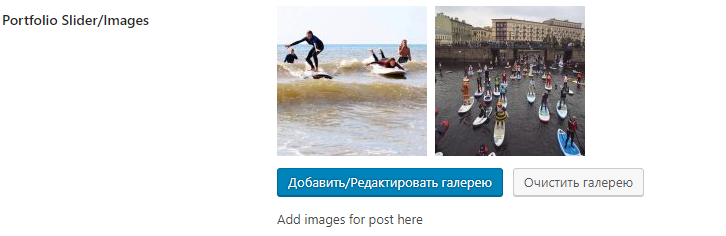
Every other meta fields are imported properly, except this one. Yeah I understood your answer, that’s exactly what I experienced.
I just wonder if there is a way to still properly transfer posts with images to site with content.
In forum: Virtue ThemeHi
I’m using the free version of Interactive 3D FlipBook for a pdf a client wants as a flipbook on their website.
*Login to see linkAfter installation the flipbook displays perfectly on the page via shortcode, but when trying to edit widgets in the primary sidebar the SiteOrigin widget fields appear blank (Sidebar > Layout Builder > SiteOrigin Editor widgets)
I’ve cleared cache, re-saved the permalinks
Any suggestions?
In forum: Virtue ThemeTopic: image menu styling
I have a problem to style my image menu items (I am doing this using the widget on the home page) I want to place the text in the middle and without the white frame around that text. Cant find the way of doing this at all. I would like to send you screen shot but meanwhile you can view it when you scroll on the website: *Login to see link
YOu will see 6 portfolio categories created using image menu item. I hope you can help.
Many thanks
MagdaIn forum: Virtue ThemeHi,
How do I add the wallpaper / background image as shown in the Boxed layout here – *Login to see link
I am referring to the image of the beach.
My other question is will it appear across all the pages of the website?
Regards
YogiIn forum: Virtue ThemeHello,
On this page here, at the bottom, the pictures in the four siteorigin-image’s widget are not being displayed in the same size. Although all the pictures have quite the same size originally.
I’ve been trying everything on different parameters and still can’t have the pictures displayed at the same size.
What am I doing wrong ?
Thanks.
Gerard -
AuthorSearch Results



