
Notice: These forums are now retired and closed. For active support, please Submit a Ticket or visit our official WordPress.org community pages.
Kadence Theme | Kadence Blocks | Starter Templates | WooCommerce Email Designer | Ascend | Virtue | Pinnacle
Search Results for 'site'
-
AuthorSearch Results
-
In forum: Ascend Theme
In reply to: Spacing issue / Disable ‘back to top’
In forum: Virtue ThemeTopic: virtue premium not working…
June 5, 2018 at 12:25 pm #192197I have Moesia theme, and Free Virtue, but when I switch to V premium, it shows plank page at my web site? tried to create new pages and and also with old pages, but not is happening. Help?
In forum: Ascend ThemeIn reply to: Spacing issue / Disable ‘back to top’
In forum: Ascend ThemeHey,
I’m working on a site for a client and when I test the homepage using my mobile, I find I’m able to scroll right slightly, with an empty looking space running down the entire right side of the page.
I thought it was likely an issue I’d created on my own so loaded up the demo page I’ve based the site on, and the issue seems to be present there too.
I’m not sure but I think the ‘scroll to top’ arrow that appears may be the thing causing the page to ‘grow’. (it doesn’t appear to fully fit my devices’ screen space)
Apologies if there is already an option for this, but is there somewhere I can disable the ‘scroll to top’ button for mobile devices?
And, if that isn’t the cause – Do you have any ideas on what else might be causing it?*Login to see link – Using this as my “base”.
If you’re unable to recreate I can take a screenshot for you.
Many thanks in advance as always!
In forum: Virtue ThemeTopic: favicon not working…?
On one of our sites (www.rebeccagallagher.com), the favicon is displaying the Shopify icon instead of the favicon we have listed in the Theme Options>Misc Settings.
The favicon on the Shopify portion of our site is displaying the RG favicon correctly, but for some reason it’s not working here.
Is there something obvious that I’m missing here?
Thanks,
DeanIn forum: Ascend ThemeIn reply to: slider in Home page different Ascend premium
June 5, 2018 at 11:27 am #192183Hey,
Just to be clear. Can you post to the demo site that you want yours to look like?Ben
In forum: Membership ForumsIn reply to: Virtue: Google Map
In forum: Ascend ThemeIn reply to: Product Image Aspect Ratio & Load Speed
Your second post is correct. Once the thumbnails are regenerated, your page speed should be where it was before. I’m not sure if loading the page will make it regenerate the thumbnails anymore quickly though.
I’m sure comet cache is a fine plugin. For more tips, we have a great post on how to improve site speed here:
https://www.kadencewp.com/need-for-speed/And for optimizing images, this guide should come in handy:
https://www.kadencewp.com/best-practices-for-images-sizes-and-optimization-in-wordpress/Let me know if that’s helpful!
-Kevin
In forum: Ascend ThemeIn reply to: Product Image Aspect Ratio & Load Speed
Hello,
The reason it takes a long time for the change to appear is due to the fact that WooCommerce has to regenerate all of the thumbnails on your site when you change the size or aspect of your product images. Every time you change that, it’s going to take awhile for the first load. It may be faster for you to run this plugin when changing the image size, but probably the same:
https://wordpress.org/plugins/regenerate-thumbnails/Also be sure you’re using caching and optimizing images via compression and using proper image sizes.
-Kevin
In forum: Virtue ThemeIn reply to: Same mobile menu as computer menu
In forum: Membership ForumsIn reply to: Virtue: Google Map
In forum: Virtue ThemeHi Ben,
I spoke with the Plugin Developer and after some effort he could figure out and this is what he had to say:
“The problematic code runs on the file /wp-content/themes/virtue_premium/lib/woocommerce/woo-single-product-hooks.phpand it is the following:
/*
*
* WOO VARIATION ADD TO CART
*
*/
function kad_woo_variation_add_to_cart(){remove_action( ‘woocommerce_single_variation’, ‘woocommerce_single_variation’, 10 );
remove_action( ‘woocommerce_single_variation’, ‘woocommerce_single_variation_add_to_cart_button’, 20 );
add_action( ‘woocommerce_single_variation’, ‘kt_woocommerce_single_variation’, 10 );
add_action( ‘woocommerce_single_variation’, ‘kt_woocommerce_single_variation_add_to_cart_button’, 20 );
if ( ! function_exists( ‘kt_woocommerce_single_variation_add_to_cart_button’ ) ) {
function kt_woocommerce_single_variation_add_to_cart_button() {
global $product;
?>
<div class=”variations_button”>
<?php woocommerce_quantity_input( array( ‘input_value’ => isset( $_POST[‘quantity’] ) ? wc_stock_amount( $_POST[‘quantity’] ) : 1 ) ); ?>
<button type=”submit” class=”kad_add_to_cart headerfont kad-btn kad-btn-primary single_add_to_cart_button”><?php echo esc_html( $product->single_add_to_cart_text() ); ?></button>
<input type=”hidden” name=”add-to-cart” value=”<?php echo absint( $product->get_id() ); ?>” />
<input type=”hidden” name=”product_id” value=”<?php echo absint( $product->get_id() ); ?>” />
<input type=”hidden” name=”variation_id” class=”variation_id” value=”” />
</div>
<?php
}
}
if ( ! function_exists( ‘kt_woocommerce_single_variation’ ) ) {
function kt_woocommerce_single_variation() {
echo ‘<div class=”single_variation headerfont”></div>’;
}
}
}
add_action( ‘init’, ‘kad_woo_variation_add_to_cart’);The line:
remove_action( ‘woocommerce_single_variation’, ‘woocommerce_single_variation_add_to_cart_button’, 20 ); what actually does is to remove the new template that ships with WooCommerce 3.4 on the native WooCommerce file variation-add-to-cart-button.php. This file now has the woocommerce_before_add_to_cart_button hook that we are interested about and in which the options should be displayed according to your option placement settings. The theme replaces this native template with the function above kt_woocommerce_single_variation_add_to_cart_button which doesn’t contain this hook or any other hook that is in the native variation-add-to-cart-button.php file. So, it is my understanding that this means that the theme actually is NOT compatible with WooCommerce 3.4 as those hooks never run.
This isn’t something I can fix on my end since it is built into the theme. I can only comment out the said code so that it doesn’t run and you can see the options again.”
Let me know what can be done about this. I do not have any expertise in this. Both the plugin and the theme are very important for us to work. We ahve built our whole website on this.
Thanks & Regards,
SakinaIn forum: Membership ForumsTopic: Virtue: Google Map
Hi Guys,
Having an issue with the plugin “Virtue: Google Map” on 2 new sites. It has worked no problem on other sites previous to this, but never worked on these new sites.
We have done the API etc and added the address into the plugin but nothing appears.
Is this a known problem?
I’ll send site access details in a follow up private post.
Thanks,
VanessaIn forum: Ascend ThemeIn reply to: Using custom Template on Home Page
Hi Ben,
<< “to be font tied to the site” means. >>
Sorry I wasn’t clear. The form looks like it is not using the same style sheet as the rest of the elements on the site. Do this (if you haven’t yet):
Go to the main page and near the bottom of the page you’ll see a text box and a button. Place any value in the text box and press “Submit Query”. The red message that comes back just doesn’t look like the rest of the font use on the site. I want it to look like the rest of the text on the site.
I’m just trying to be sure the button, the text box, and the error message all look like the rest of the site. Maybe you’ll tell me it is using the site’s style sheet, but it just looks like its not to me.
Jim
In forum: Ascend ThemeHello,
1. The portfolio can be used however you want. Think of it as a way to show what your client is capable of, such as previous works and acknowledgements. You can also disable in entirely if you please. There is no definitive way to use the portfolio, it’s totally up to you.
Portfolio posts and products are distinctly different though, and I do not advise building your store with portfolio posts.
2. I’m not sure I understand what you’re asking. You can display portfolio types by adding this shortcode to a page:
[portfolio_types]
You will need to assign each type a featured image. More shortcode options can be found here:
http://docs.kadencethemes.com/ascend-premium/shortcodes/3. It looks to me as though you have the portfolio enabled still in Theme Options> Home Page Layout> Portfolio Grid. Do you have a cache running on your site? be sure that you clear it after making changes or disable it entirely while developing your site.
-Kevin
In forum: Pinnacle ThemeTopic: WooCommerce and Pitchprint
I’ve got Pinnacle Premium, following recent updates of the theme, woocommerce and pitchprint there are now a number of issues.
The site sells print, allowing customers to customize their own business cards and flyers. Since the update customers can no longer personalize this content.
However by reverting to the free pinnacle theme it all works fine, even with the most up to date woocommerce and pitchprint, meaning there is an issue with the latest version of pinnacle premium.Let me know what you need to investigate, the URL is *Login to see link
As the site is live I’ve enabled the free version of the pinnacle themeCheers
Malc
In forum: Virtue ThemeIs there any way to use different Secondary menus for different areas of my website? For example:
Menu 1 for *Login to see link
Menu 2 for *Login to see linkOr for any post type, for that matter. We use WooCommerce Brands and it would be great to have a different menu for each brand.
Menu 1 for *Login to see link
Menu 2 for *Login to see linkThanks!
In forum: Virtue ThemeIn reply to: Woo archive: Main loop dont work
Hi Hannah and Ben,
Many thanks for the quickly response.
Hannah this work for me, now I can use the SiteOrigin and Kadence Widgets but seems that many other widgets dont works. I’m using “Woo Builder: Product Archive Multiple” and there are some widget that dont works, like the top page Ordering and change the list of product visualization, you can see this in the next link https://www.luzdemagina.es/tienda/
Some images about that.
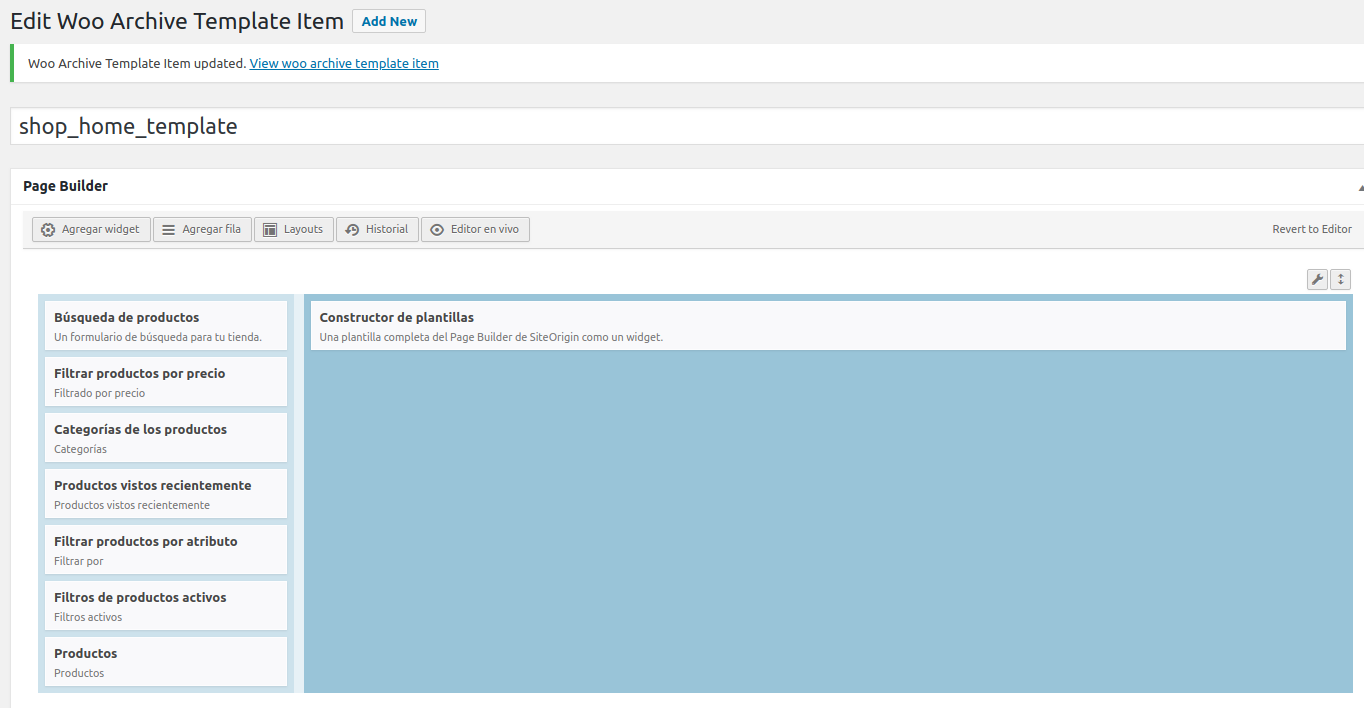
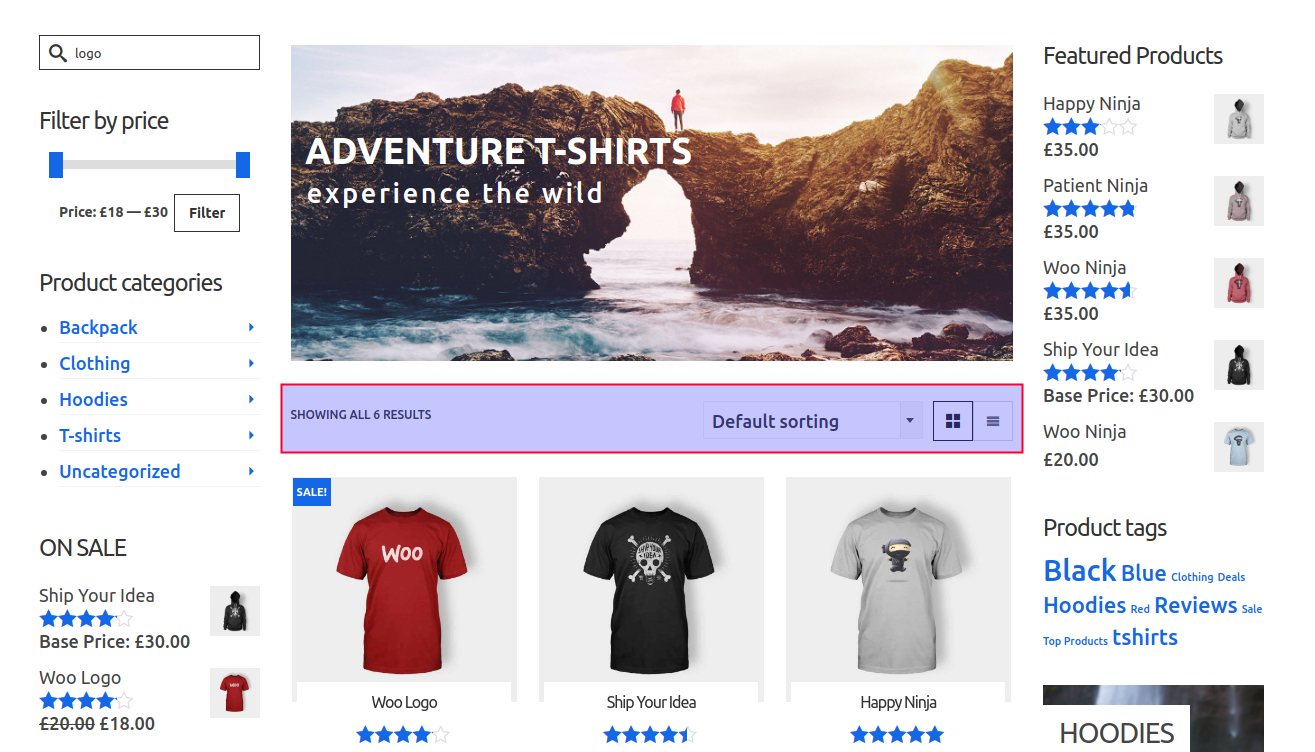
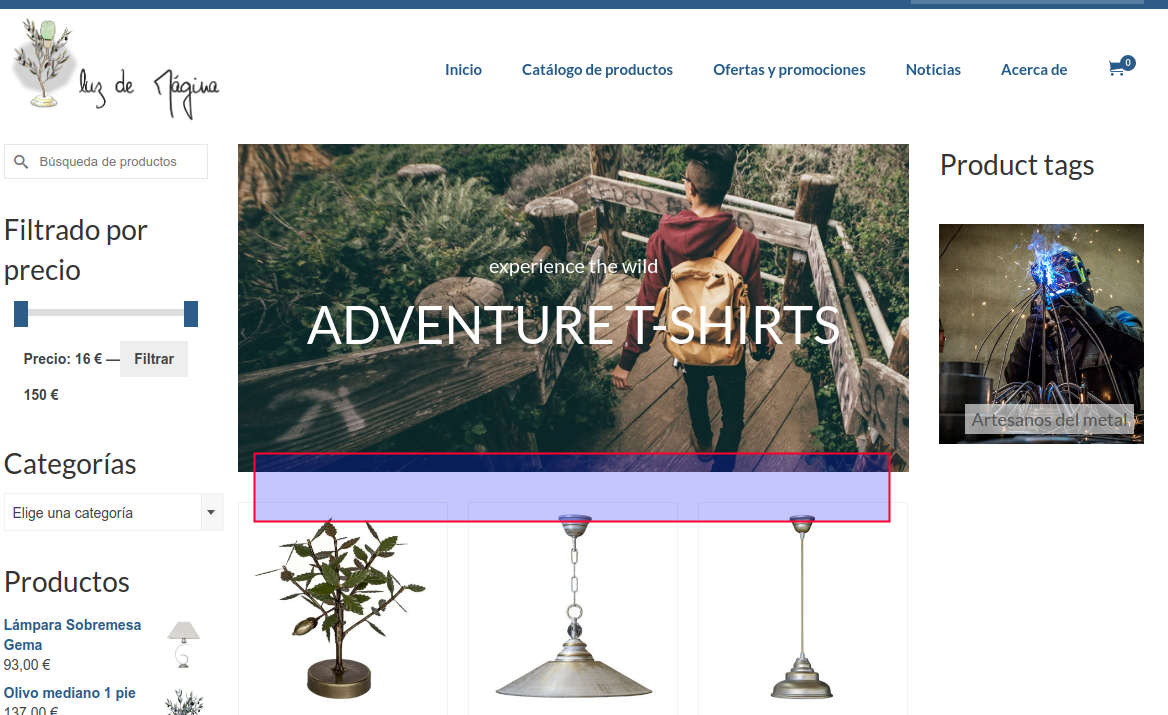
Many thanks,
JuanRa.In forum: Ascend ThemeIn reply to: Logo above site title
This reply has been marked as private.June 4, 2018 at 12:45 pm #192095In forum: Virtue ThemeIn reply to: Graphic Menu Items have disappearred
Ben,
Ultimately, if there’s an effective way to do it through CSS, that sounds like a better solution. Thank you for offering help on this.
This is the logo that would go on the rebeccagallagher.com site:
http://www.rebeccagallagher.com/wp-content/uploads/2018/02/FFD-logo_Nav.pngAnd this is the one that goes on the freshfoliodesign.com site:
http://www.freshfoliodesign.com/wp-content/uploads/2018/02/RGlogo_Nav-e1519248693814.gifAny help you can provide would be fantastic!
Thanks,
Dean -
AuthorSearch Results





