
Notice: These forums are now retired and closed. For active support, please Submit a Ticket or visit our official WordPress.org community pages.
Kadence Theme | Kadence Blocks | Starter Templates | WooCommerce Email Designer | Ascend | Virtue | Pinnacle
Search Results for 'post grid'
-
AuthorSearch Results
-
In forum: Membership Forums
In reply to: Displaying Portfolio like Split Content block
In forum: Membership ForumsIn reply to: Displaying Portfolio like Split Content block
March 30, 2020 at 11:04 am #246944The picture I attached is what I have currently, but I’m looking to have the AJAX taxonomy filter at the top that is available when doing a portfolio grid template page. Is there a way to tie into that with the post grid block? I want all the portfolio types to show up initially and allow the user to narrow it down based on that portfolio type via that AJAX filter. Thanks!
In forum: Membership ForumsIn reply to: Masonry layout for posts
Thanks for the workarounds Ben! Here’s the final CSS we’re using:
/*Posts block layouts fix*/
.wp-block-kadence-postgrid * {
    box-sizing: border-box;
}

/*IE11 fix for posts block grid layout*/
@media (min-width: 1500px) {
	.kt-post-grid-wrap[data-columns-xxl="4"]>.kt-blocks-post-grid-item:nth-child(4n+5) {
clear: both;
	}
}
In forum: Ascend ThemeHi Ben,
yes, there’s some hosting geoIP protection, I’ve added US to allowed countries list.
“But it sounds like you are wanting a different archive layout for the staff post type.”
– I understand a single post (i.e. staff member post) as the post type. That’s doable in the current setting, I have a custom layout for this post type: http://new.katiesclub.sk/staff/katie/ (i.e. I have a custom template for “single” post type.What I am having trouble with is displaying a different “archive” template – grid layout if category=staff group. For now, I have a grid layout for all archives (blanket rule), which works fine for portfolio item grid, portfolio type and any post tag or category. But for staff archive, this layout doesn’t work (images are cropped too much): http://new.katiesclub.sk/staff-group/gelnica/
Elementor allows you to set a custom layout / template for any taxonomy type (post category, post tag for example). But I don’t get the option to select staff group as the display rule (if taxonomy=staff_group, then show template “custom_staff_group_grid”), see image attached.
I can only use this taxonomy filter to overwrite single_custom_post_type template (i.e. single team member).
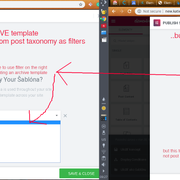
Adding the function you posted doesn’t change that.
Will write to Elementor support too, as I believe your function should have changed that, but it didn’t.
Lukas
In forum: Membership ForumsIn reply to: Masonry layout for posts
March 26, 2020 at 1:23 pm #246826Yeah IE11 has been dropped by many huge web influencers, even large hosts like GoDaddy.
I suggest if you need IE11 support use the masonry layout, which the javascript in masonry should pull it together.
I plan on phasing IE11 support out later this summer.
This css below should make them stay in 4 on IE11.
@media (min-width: 1500px) {
.kt-post-grid-wrap[data-columns-xxl="4"]>.kt-blocks-post-grid-item:nth-child(4n+5) {
    clear: both;
}
}
In forum: Membership ForumsIn reply to: Displaying Portfolio like Split Content block
I think the post grid block will be the easiest solution. There are actually category settings for this block. In the Post Grid/Carousel block settings you should see a Select Taxonomy dropdown. There you can choose Portfolio Type and then select your type (type is the same as category). Then you can use css to align the title/button in the center. Would this work for you?
Hannah
In forum: Membership ForumsIn reply to: Masonry layout for posts
In forum: Membership ForumsMarch 25, 2020 at 3:25 pm #246784I am using the latest version of Virtue Premium and Kadence Blocks and Blocks Pro. I am trying to display my archive portfolio page with a list of my projects similar to the split content block look (image on left or right and title with button to view more centered vertically/horizontally on the other side). I couldn’t figure out how to do it with the portfolio options available through the Portfolio Grid template. I have found a way to sort of mimic this with the Post Grid block. The problem with this is that I lose use of the category filter and also I’m having difficulty getting the title and button to center.
I am able to create a template file, do a WP_Query of the portfolio custom post type, get the taxonomy terms, and pull the custom fields. Can I use php based code (I know very little about Javascript) to display the category filter and then loop through the portfolio items to insert the content into the split content block without having to create a dummy split content block, view the source code and generate the code from that?
I would love to be able to call the code from a template for all your awesome blocks without having to reinvent the wheel.
In forum: Membership ForumsIn reply to: Masonry layout for posts
Yes – I believe that did the trick – thank you!
So here is the CSS tweak I have in place related to the posts block:
/*Kadence Blocks posts block fix*/
.kt-blocks-post-grid-item, .wp-block-kadence-postgrid * {
box-sizing: border-box;
}I believe that first class was added for Internet Explorer backwards compatibility last year. Do you think it’s still needed?
In forum: Virtue ThemeIn reply to: Se puede separar el loop?
Hi Daniel,
There isn’t a built-in function for this. One workaround would be to create three categories, one for your top posts, one for your featured post, and the other for your bottom posts. Then you can display all your posts on one page using multiple shortcodes like this:
[blog_grid orderby=date items=4 columns=4 cat=CAT-SLUG1]
[blog_posts items=1 word_count=30 cat=SLUG2]
[blog_grid orderby=date items=8 columns=4 cat=CAT-SLUG3]
Would this work for you?Hannah
In forum: Membership ForumsIn reply to: Masonry layout for posts
March 25, 2020 at 2:22 pm #246766I see, I added this css:
.wp-block-kadence-postgrid * {
    box-sizing: border-box;
}
That seems to have fixed it.
Ben
In forum: Membership ForumsIn reply to: Masonry layout for posts
March 24, 2020 at 2:35 pm #246697maybe it didn’t reach you
Nope, that is not an email address to use, it’s for form notifications only. Please post logins here. 🙂
It appears the current news page is gone? I created a test page and didn’t have any issues using the masonry layout. Can you please recreate your current news page how you had it before?
Also please remove this this css from your child theme:
/* Mobile portrait (and larger)*/
.kt-post-grid-wrap[data-columns-ss="1"]>.kt-blocks-post-grid-item, .kt-post-grid-wrap[data-columns-ss="1"]>.kt-post-masonry-item {
    width: calc(100% - 30px) !important;
}

/* Tablet portrait (and larger)*/
@media (min-width: 768px) {
	.kt-post-grid-wrap[data-columns-sm="2"]>.kt-blocks-post-grid-item, .kt-post-grid-wrap[data-columns-sm="2"]>.kt-post-masonry-item {
    	width: calc(50% - 30px) !important;
       }
}

/* Tablet-landscape (and larger)*/
@media (min-width: 992px) {
    .kt-post-grid-wrap[data-columns-md="3"] > .kt-blocks-post-grid-item, .kt-post-grid-wrap[data-columns-md="3"] > .kt-post-masonry-item  {
    		width: calc(33.33% - 30px) !important;
	}
}
Ben
In forum: Membership ForumsIn reply to: Masonry layout for posts
In forum: Membership ForumsIn reply to: Masonry layout for posts
I’m wondering if it’s related to the masonry layout and the following CSS:
.kt-post-loop_beb2f2-96 .kt-post-grid-layout-masonry-wrap .kt-post-masonry-item {
padding-left: 15px;
padding-right: 15px;
}.kt-post-grid-wrap[data-columns-md=”3″]>.kt-blocks-post-grid-item,.kt-post-grid-wrap[data-columns-md=”3″]>.kt-post-masonry-item {
width: 33.33%
}When I set the width to calc(100% – 30px) it seems to format much closer to what’s expected. I attempted to use the following, but not sure if it’s exactly what should be used. I’m wondering if maybe the width value in the CSS rule above isn’t taking in to account the padding settings on the block.
/* Mobile portrait (and larger)*/
.kt-post-grid-wrap[data-columns-ss="1"]>.kt-blocks-post-grid-item, .kt-post-grid-wrap[data-columns-ss="1"]>.kt-post-masonry-item {
    width: calc(100% - 30px) !important;
}

/* Tablet portrait (and larger)*/
@media (min-width: 768px) {
	.kt-post-grid-wrap[data-columns-sm="2"]>.kt-blocks-post-grid-item, .kt-post-grid-wrap[data-columns-sm="2"]>.kt-post-masonry-item {
    	width: calc(50% - 30px) !important;
       }
}

/* Tablet-landscape (and larger)*/
@media (min-width: 992px) {
    .kt-post-grid-wrap[data-columns-md="3"] > .kt-blocks-post-grid-item, .kt-post-grid-wrap[data-columns-md="3"] > .kt-post-masonry-item  {
    		width: calc(33.33% - 30px) !important;
	}
}
In forum: Membership ForumsTopic: Masonry layout for posts
When using the Kadence Blocks post block with the masonry layout, it shows three columns in the editor, but only two in the public view.
When we switch over to the Twenty Twenty theme, the three columns are displayed as expected. If we switch to the post block’s grid layout, it shows the three columns correctly.
Wondering if there’s something specific that would be conflicting with the masonry layout and our Generate Press theme.
In forum: Pinnacle ThemeTopic: Portfolio grid
Hi,
1. On my homepage (scroll down) I have added a row with a portfolio grid. I have added 9 portfolio posts. It should be 3 rows with 3 images. Somehow it doesn’t work properly.
2. Is there a way to show or hide a specific row for mobile or desktop?
Rick
-
This topic was modified 6 years, 1 month ago by
rick.
In forum: Ascend ThemeIn reply to: ASCEND THEME: Change button size
In forum: Membership ForumsIn reply to: Moved: Reply To: Member Suggestions
March 16, 2020 at 2:04 pm #246249Hey Michael,
Can you give me an example of what you are wanting to do?
Also, masonry-layout on the post-grid is broken. Grid items take up more space than one column.
Can you send me a link so I can see this?
Ben
In forum: Membership ForumsMarch 15, 2020 at 8:51 am #246203Very simple suggestion for the posts-carousel/grid/masonry-block: Since there are situations, in which a complex query is necessary, add a parameter/argument, so we can catch that through pre_get_posts. If the “key” would be something liked “kadence_post_grid” and the actual value, say, the ID of the page this thing is shown, all my worries would be gone immediately.
Also, masonry-layout on the post-grid is broken. Grid items take up more space than one column.
In forum: Virtue Theme -
This topic was modified 6 years, 1 month ago by
-
AuthorSearch Results



