
Welcome to KadenceWP! This guide is designed to help you start creating beautiful, fast, and professional websites with ease.
Watch this 5 mins video for an overview on how you can start building your website from one of our professionally designed Premium Starter Templates.
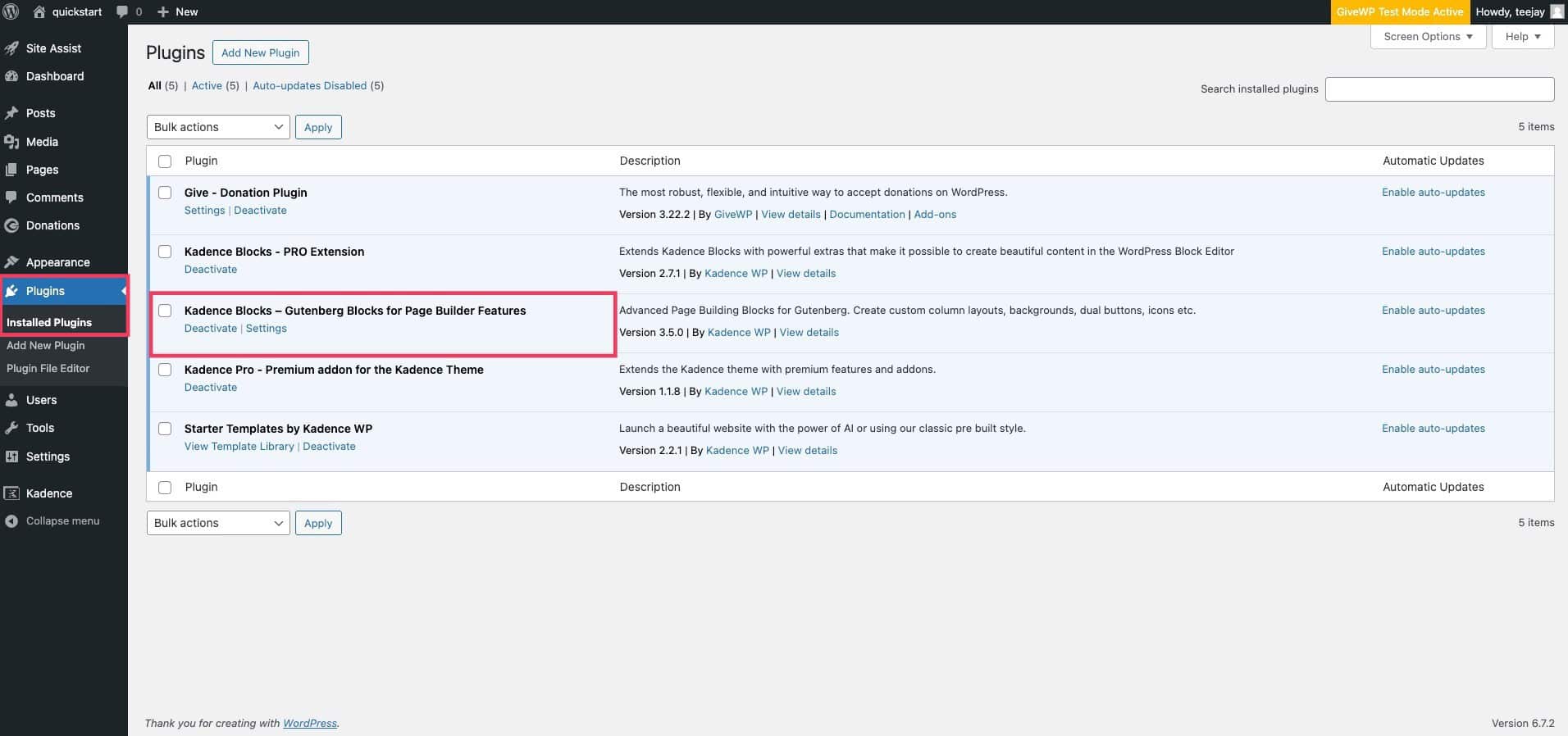
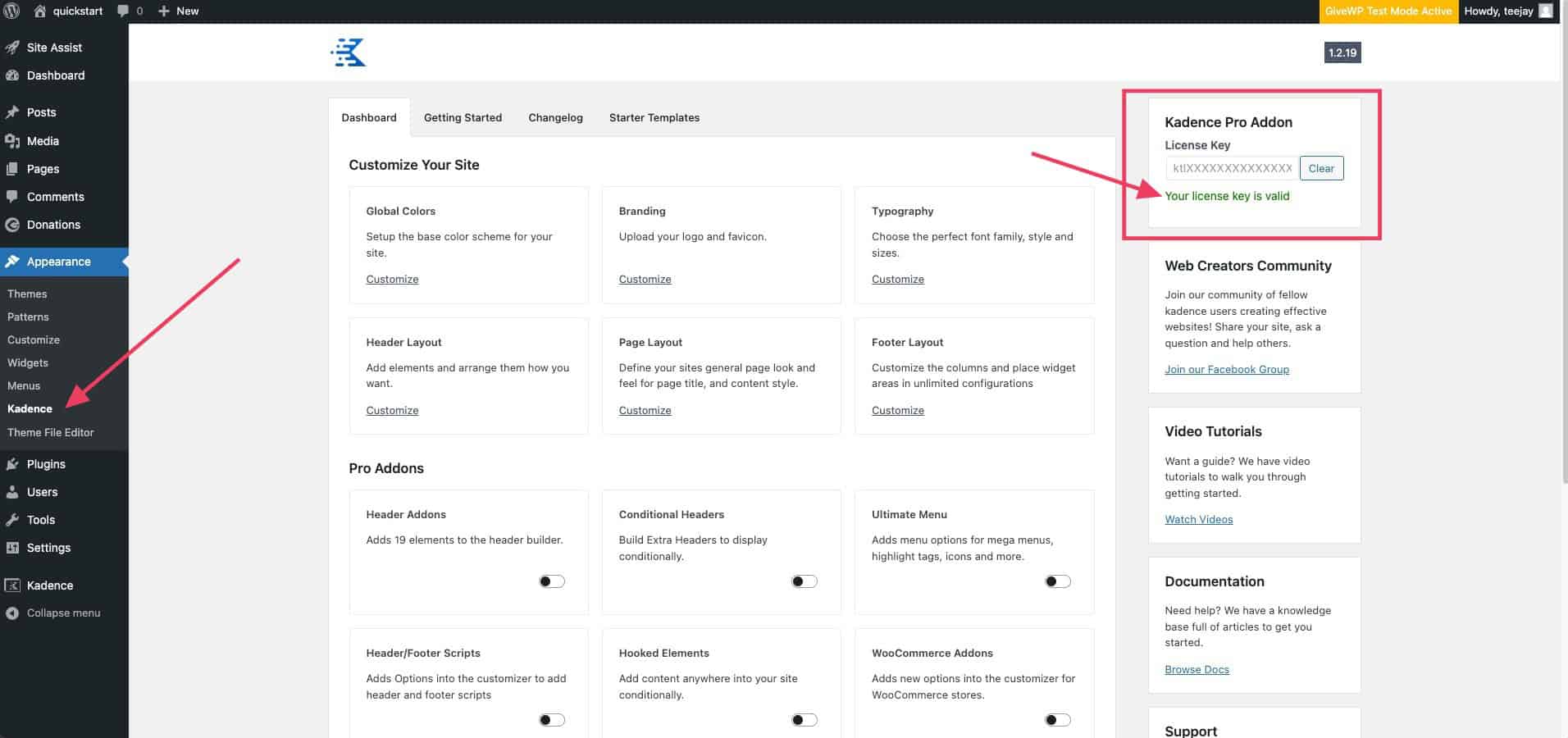
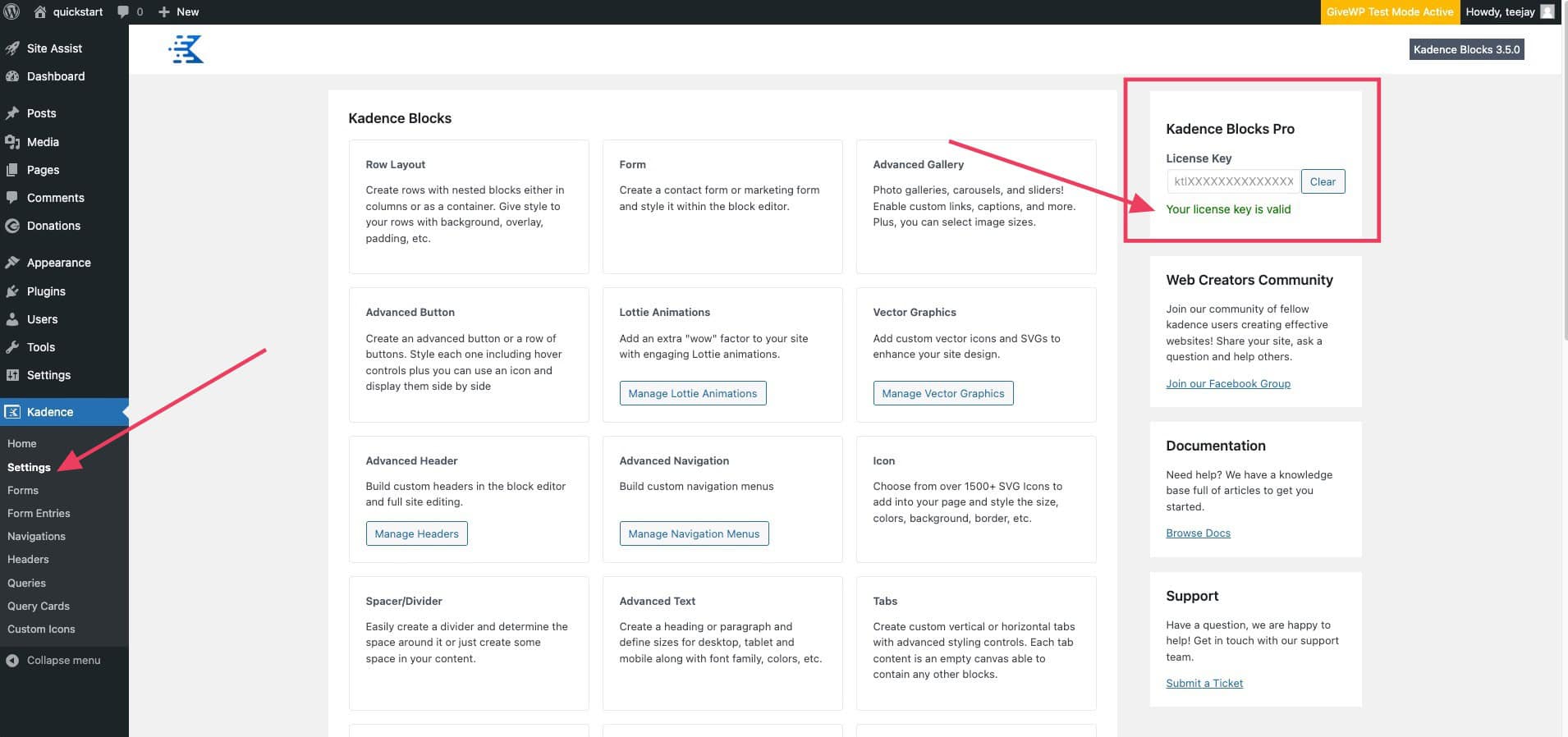
Follow these steps to Install Kadence Theme and Plugins to get started:
|
Kadence Theme (Free) |
|
|
|---|---|---|
|
Kadence Blocks (Free) |
|
|
|
Kadence Starter Template |
|
|
|
Kadence Theme Kit Pro |
|
|
|
Kadence Blocks Pro |
|


Frequently Asked Questions on installing the Kadence Theme and Plugins:
You are now ready to install a Premium Starter Template on your website
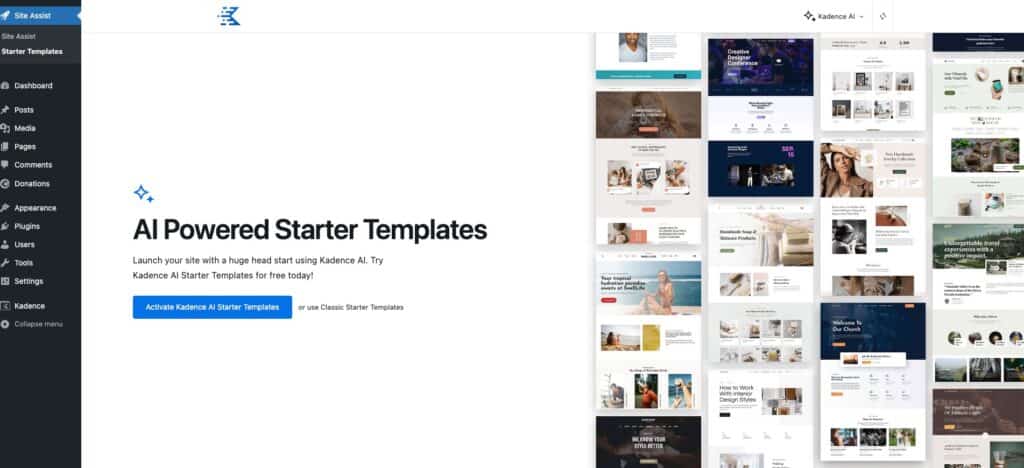
- Go to Site Assist → Starter Template
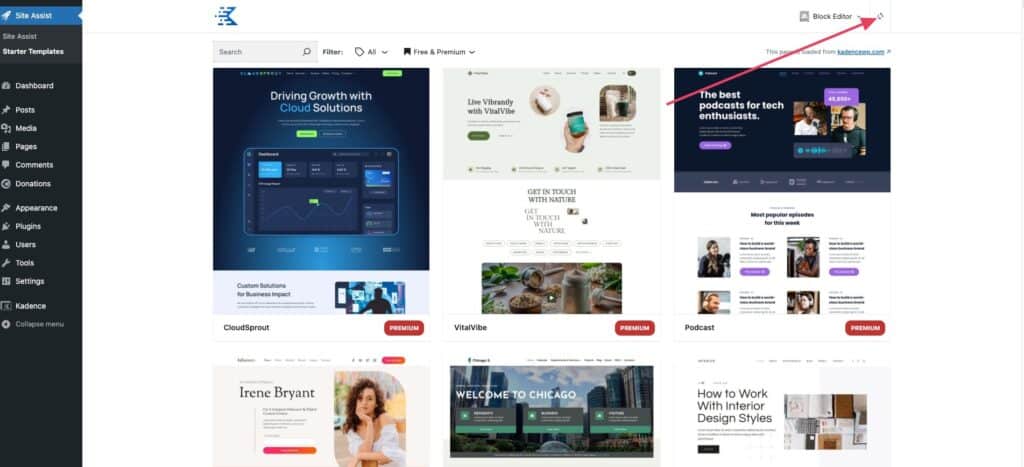
- Select from our Pre-Designed Starter Templates or AI-Powered Starter Templates and follow the installation wizard.
Frequently Asked Questions on installing a Starter Template:
Kadence Pre-Designed Starter Templates are a collection of Free and Premium website templates for blogs, e-commerce, LMS, and more. They require the Kadence Theme and essential plugins to work. Premium templates need a qualifying Kadence plan, and some may require third-party plugins like LearnDash, which are purchased separately. You can still use templates without these plugins, but some content may be limited.
Templates with AI-generated text and images based on your business details. Use Kadence AI Starter Templates with AI-generated text and stock-free images. Simply provide business details, and AI will generate and place tailored content within premade templates—helping you build effective websites quickly and efficiently.
Please review the installation guide and make sure you have the license activated for the Kadence Blocks Pro and the Kadence Theme Pro.
If you are still unable to install the Pro Templates after successfully activating the licenses, try clicking the Sync with Cloud icon in the top right corner of the Starter Templates page.
The Free version of the Kadence Theme is needed for the Kadence Pro Plugin – Premium addon for the Kadence Theme. If you do not have the Kadence Theme as your theme yet, you can install the Kadence Theme by following the instructions in this article: https://www.kadencewp.com/kadence-theme/knowledge-base/getting-started/theme-installation
The issue is usually caused by server limitations, like the memory limit or the max post size being too small.
Importing a starter template in WordPress typically involves several steps that require resources:
- Downloading and Extracting Template Files
- Importing Demo Content
- Importing Media Files
- Setting Up Widgets and Menus
- Installing and Activating Required Plugins
We recommend these settings to have a smooth experience with installing the Starter Template:
- the PHP memory limit set to 512MB
- the max post size bigger or equal to 50MB
- the WP-memory limit 128/256 MB
- the max upload size 50 MB
- the max input vars 2500
- and ideally the max execution time should be around 300
Please check if you have these settings.
In case your hosting provider confirms that the resources are already at the maximum limit for your account, here are some additional steps you can take:
- Try to import the starter template you want to use.
- Check your Media library to see if the media files are being added.
- If so, I try to import the same starter template without enabling the “Delete Previously Imported Posts and Images?” option. Doing this a couple of times might resolve the issue. This will gradually import the media files, pages, settings into your pages if the server is not able to do this all at once.
No. For those who love complete creative freedom, Kadence Blocks offers the flexibility to design pixel-perfect layouts from the ground up.
Here’s a link to our knowledge base to help you get acquainted with our products: https://www.kadencewp.com/help-center
Starter templates are designed to be used on a fresh website. This plugin’s main functions include adding customization settings for the theme, importing pages, posts, products, and media files, and installing and activating required plugins. Once the import is complete, the site will look and function like the demo pages.
However, you can still install a Starter Template on an existing website. If your content was not originally created using a Kadence Starter Template, it should remain unaffected after installation.
We recommend testing this on a staging website first to see how the Starter Template impacts your site.
If you only need to use a specific design from a Starter Template, you can utilize the Design Library instead.
For more details on this feature, visit: Kadence Design Library Guide.
The Starter Template is not designed for this purpose. Instead, you can use the Design Library to add a single page design from a different Starter Pack to your website.
Note: We have updated our Design Library, and these packs are now hidden by default. Below are the steps to add them to your website.
- Open your Editor and navigate to the Kadence Block Controls.
- Expand the Block Visibility settings and scroll to the Components section.
- Click on the Design Library, where you will find the option to enable the Starter Library for All Users. By default, this setting is set to None.
There is also a link where we have a guide on how to Access to Old Design Library and Wireframes.
These templates are not limited to the niche they showcase. You can fully customize them to match your desired look and feel. Starter templates serve as a foundation, not a final design. By updating images, fonts, color palettes, and content, you can significantly transform the design and tailor it to your needs.
You’re all set! Now you can start building and personalizing your website.
Editing Your Website with Kadence
Once your website is set up, you can customize it in several ways:
- Adjust theme settings using the Customizer.
- Modify content and layout with Kadence Blocks.
- Use the Design Library to quickly add and edit page sections.
Using the Design Library for Content Creation
The Kadence Design Library provides pre-built blocks, patterns, and full-page layouts to simplify website design. It allows you to:
- Insert professionally designed sections or full-page layouts.
- Generate AI-powered content for faster creation.
- Customize settings, update images, and edit text as needed.
Additional Resources
- Start-to-Finish Kadence Website Creation – A step-by-step guide on building a WordPress website from scratch with Kadence.
- Kadence AI Overview – A quick demonstration of Kadence AI features.
- In-depth AI Tutorial – A detailed walkthrough on customizing AI-generated templates.
Premium Support
When you have an active license for premium KadenceWP products, you get priority access to WordPress support agents whose main goal is to help you succeed online.
Support Hours:
Response Time: Usually 1–3 business hours for the first reply; issues are typically resolved in 2–3 business days.
Technical Support: Available nearly around the clock, except for weekends (Friday 5PM to Sunday 5PM Central US time).
Customer Success & Accounts: Weekdays, 9AM–5PM Central US time.
Learn More & Get Premium Support
More Tools from Kadence
Once you’ve installed the core and premium features of Kadence (Theme and Blocks) your foundation is set to add even more amazing tools like Kadence Insights, Conversions, Shop Kit, Galleries, and so much more.
Now that you’ve got the basics set up, take your site to the next level with these powerful upgrades:
Kadence Pattern Hub – Save and sync your custom designs across multiple sites with your own personal design library.
Kadence Blocks Pro – Build stunning, high-converting pages with advanced design controls, animations, sliders, forms, and more.
Kadence Theme Kit Pro – Supercharge your customizer with sticky headers, header/footer scripts, conditional elements, and mega menus.
Kadence Insights – Test, track, and optimize your page elements directly within WordPress, and see real-time results to make confident decisions that drive higher conversions.
Kadence Conversions – Create beautiful popups, slide-ins, and banners designed to grow your email list and boost engagement.
Kadence Shop Kit – The ultimate WooCommerce upgrade: product swatches, advanced reviews, checkout manager, and more.

