
Skip to content
Help Center
  • Pricing
  • ProductsExpand
    • Premium PlansGet all the tools you need in one plan
    • Kadence ThemeLightning-fast performance theme for modern websites
    • Kadence BlocksDrop in ready designs with advanced controls for pixel perfect websites
    • Kadence Shop KitCreate a more effective WooCommerce shopping experience
    • Kadence ConversionsBoost sales and build engaged audiences with popups and banners
    • Kadence InsightsEasily create A/B tests. Optimize your pages to drive higher conversions.
    • View All Products
    • Get Kadence + Hosting
      In One Place

      Enjoy faster setup, top-tier performance, and worry-free WordPress hosting – Kadence Theme, Kadence Blocks, and Solid Security all pre-installed.

      Learn More

  • Kadence AI
  • Starter Templates
  • Blog
  • SupportExpand
    • Resource HubStart here for guides, Product docs, FAQs, and Troubleshooting tips, all in one place.
    • Contact SupportStuck on something? We’re here to help! Open a ticket for top-notch support.
    • Contact Our TeamGot pre-sales questions or need help choosing a plan? Open a ticket and our team will guide you.
    • About usCrafted with love in Missoula, Montana. Meet the team behind the mission.
Account Account
Get Kadence
Help Center

Account

  • My Account Page
  • Kadence License Activation & Renewal FAQ
  • Understanding Site Limits and License Usage Guidelines
  • How to Upgrade Your Kadence Purchase
  • How to Renew Your Subscription Early

Kadence General

  • How to Add and Edit WordPress Menus
  • How to eliminate empty space on Posts, Pages, and Archives
  • How to Manually Install and Update Free Kadence Plugins from WordPress.org
  • How to Install and Use the Temporary Login Without Password Plugin on a WordPress Website

Additional Plugins

  • Kadence WooCommerce Email Designer
  • Kadence Page Transitions
  • Kadence Galleries
  • Kadence White Label
  • Kadence Simple Share (Add Social Share Icons to Posts)
  • Kadence Child Theme Builder (Create and Sell Child Themes)
  • Kadence CAPTCHA
  • Kadence Reading Time
  • Classic Kadence Themes and Plugins

Optimization

  • What is Page Speed Insights?
  • Improving Largest Contentful Paint (LCP)
  • Troubleshooting Broken Styles/Features when using Optimization/Caching Plugins
  • Home
  • Knowledge Base
  • Kadence General
  • Account

My Account Page

You can access your Kadence Account using the My Account Page on the Kadence website. Here you can download products, upgrade your subscription, and much more. Below we will overview the My Account Page and what you can do from it.
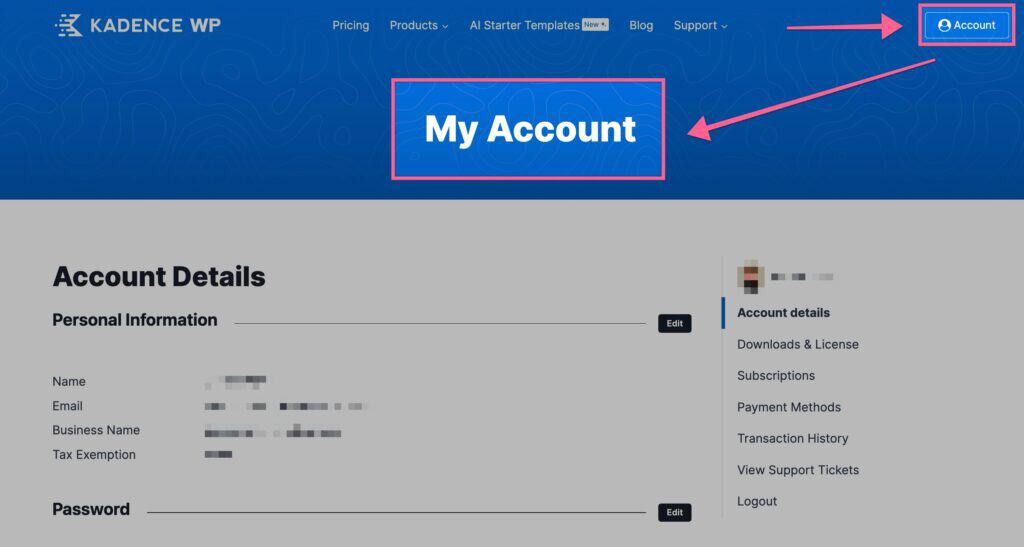
My Account Overview
Table of Contents
  • Account Details
  • Downloads & Licensing
    • Downloading Earlier Versions
    • Classic Themes & Plugins
  • Subscriptions
    • Upgrading Your Subscription
    • Renew your Subscription Early
  • Payment Methods
  • Transaction History
  • View Support Tickets
  • Extra Links/Features

Account Details

You can use the Account Details page to modify the details on your account. This includes your Personal Information (name, email, business name, and tax exemption status). You can also update your password here. You can click on the Edit buttons next to the type of information you wish to change. Then, you can make and save the changes to your account details.
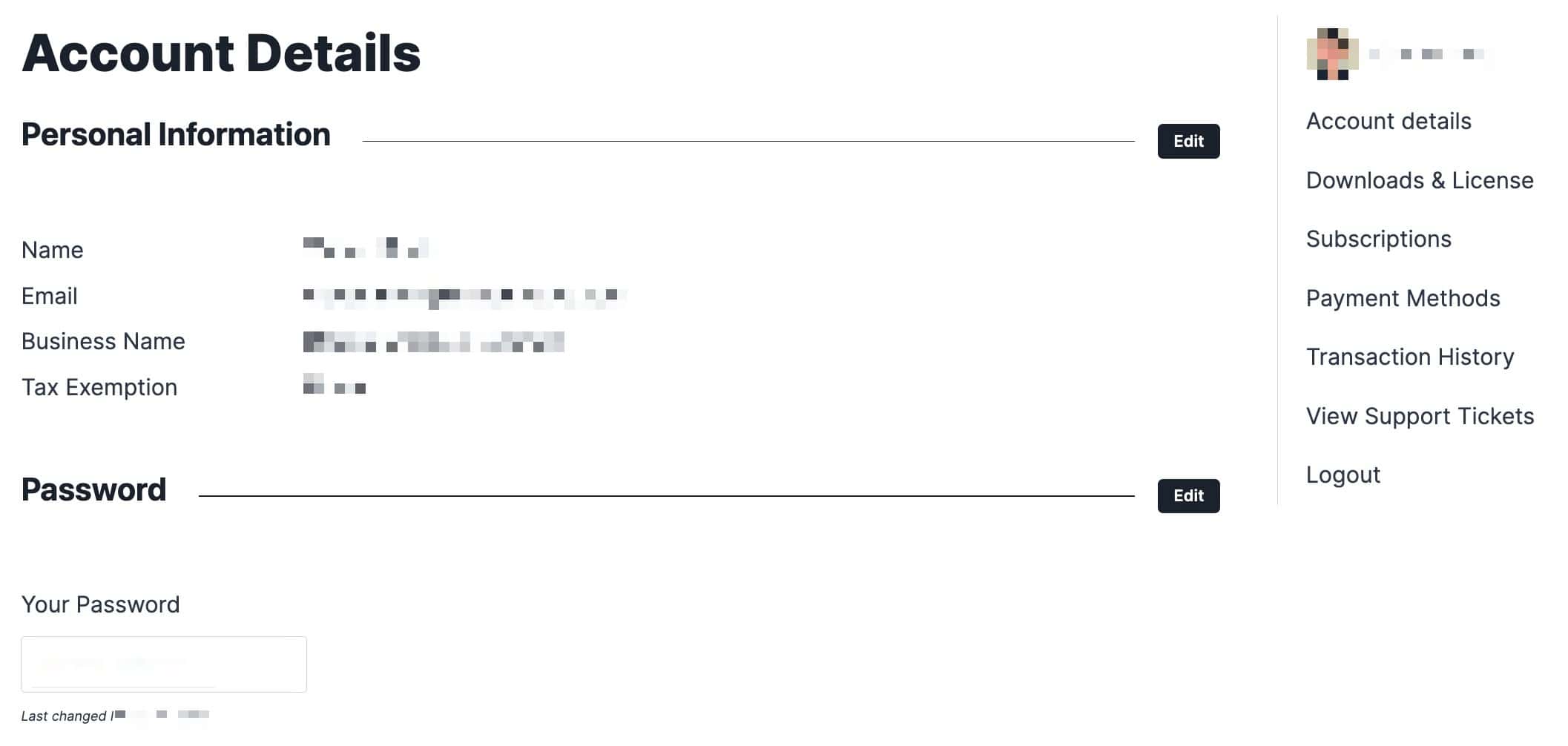
Account Details

Downloads & Licensing

You can access your License API Key, Ai Credit Balance, and Product Downloads using the Downloads & Licensing page.
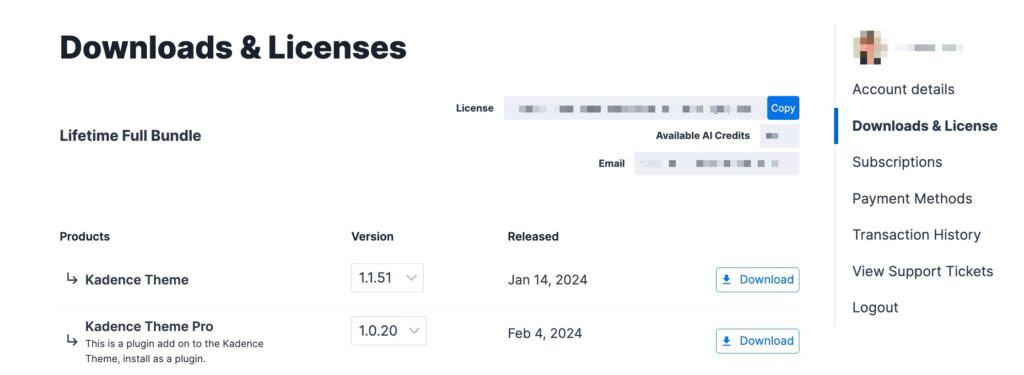
Downloads and License

Downloading Earlier Versions

You can download an earlier version of your Kadence Theme or Plugin. You will see a dropdown selection menu for each product version. You can select an earlier version of that product as needed.
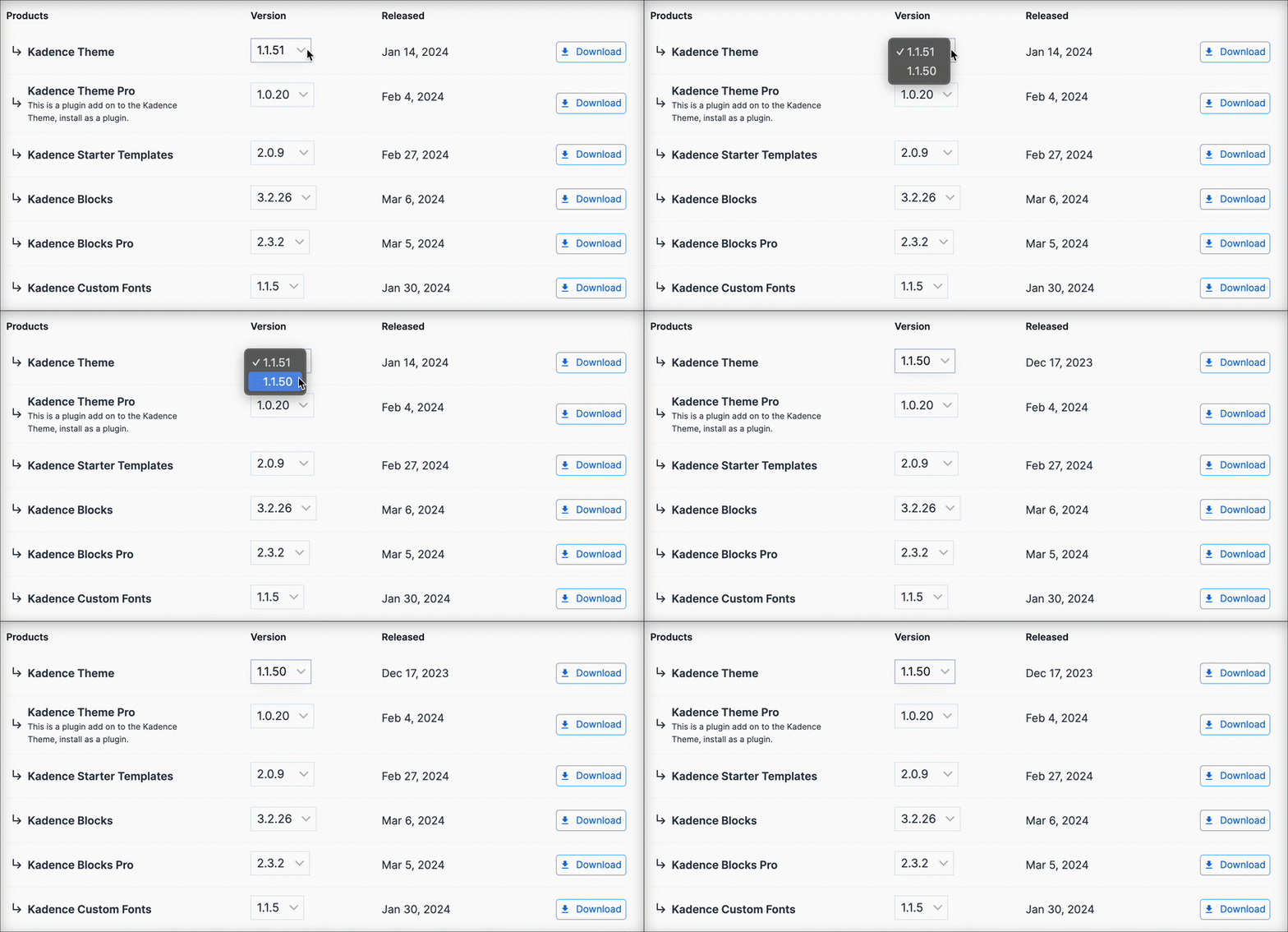
Version Selection

Classic Themes & Plugins

Below your modern product downloads, you will have two expandable tabs. One for our Classic Plugins and one for our Classic Themes. These are older Kadence products that are still maintained and usable.

Classic Themes and Plugins

Subscriptions

You can access the Subscriptions page to view your current subscription(s), upgrade your plan to a higher tier, renew early, and all things related to subscriptions.
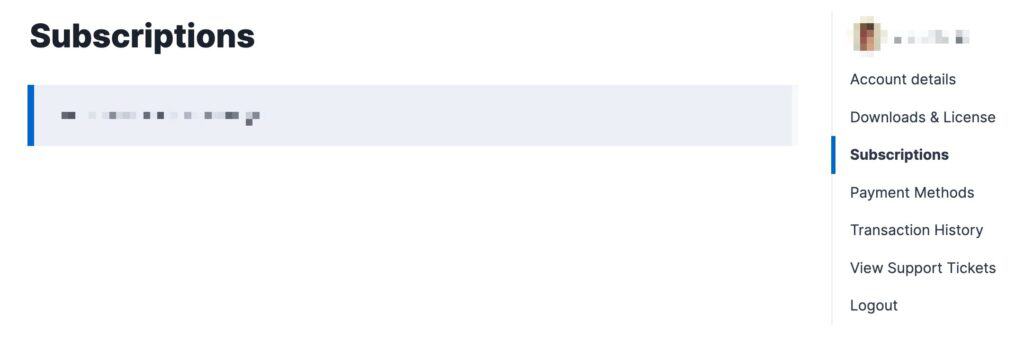
Subscriptions

Under your Subscription Number, you will have access to your Subscription Details. This includes information like when your subscription was purchased, when it expires, the cost of renewal, and the option to enable or disable Auto-Renewal.

Subscription Details

Upgrading Your Subscription

You can upgrade your Subscription directly from the Subscriptions page. If you have a current subscription, you will see a button to upgrade it any higher-tier plans (If available). The price will be prorated based on your current subscription costs and how long you are into that subscription. This is a great solution for users who may hold a single plugin license and want to upgrade to a Plan. Or in the instance that someone may have the Express Plan and want to upgrade to the Ultimate or Lifetime Ultimate Plans.
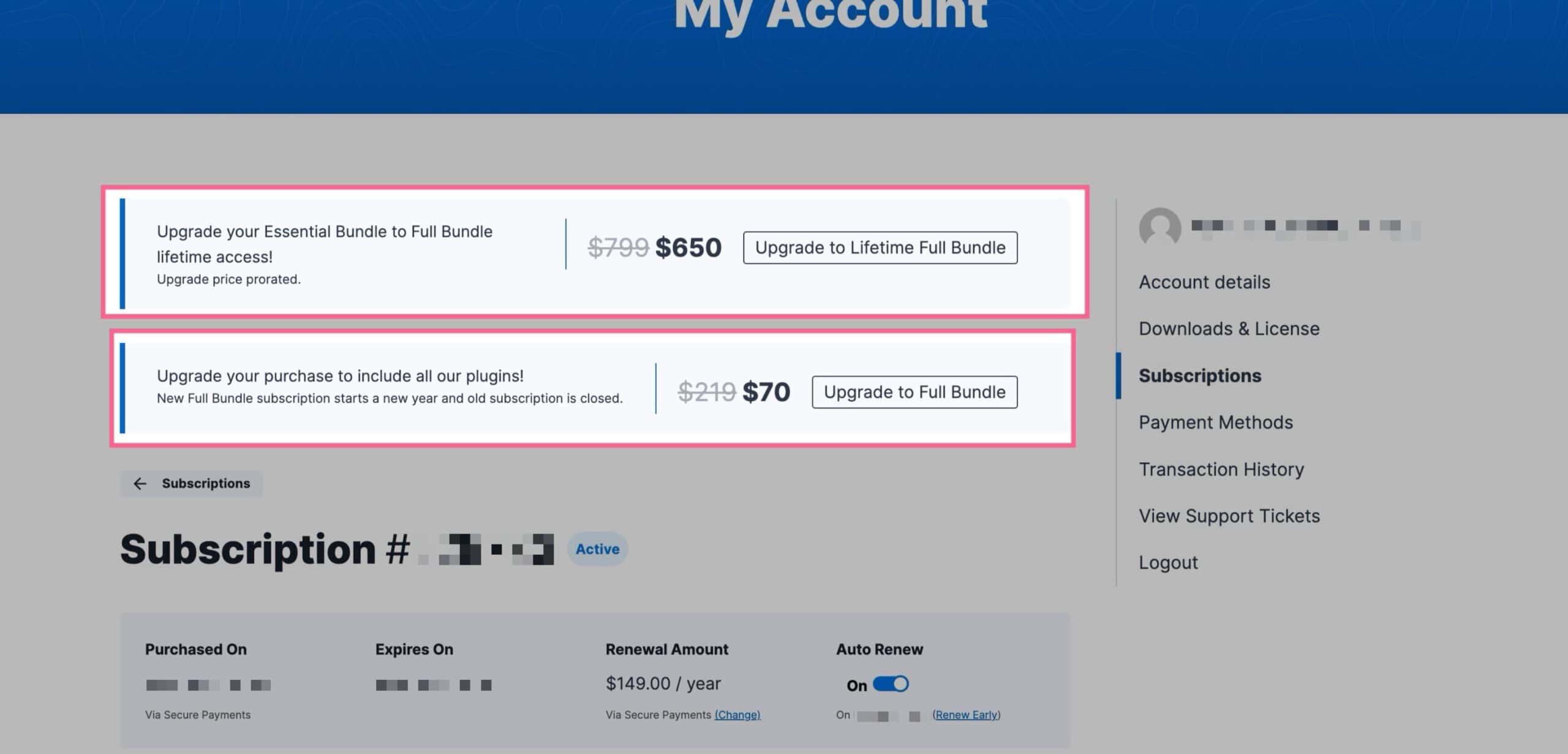
Kadence Upgrade Your Subscription

Renew your Subscription Early

You can also renew your Subscription Early. When viewing your Subscription Details, under the Auto Renew Toggle, you will see a blue link that says Renew Early. You can click on it to complete an early renewal.

Renew Early

Payment Methods

You can add or edit your Kadence payment methods using the Payments Method page. You can also edit your Billing Address from this page.

Payment Methods

Transaction History

You can view all of your Kadence transactions using the Transaction History page. This will state your Order Number, Date, Total, and Status. You can click on the Details button to view your Invoice. You can click on the Invoice button to download your invoice.

View Support Tickets

If you have a Support Ticket open with us, you can access it using the View Support Tickets page. Here you can view your requests and requests that you are cc’d on. You can click here to open a new Free Support Ticket. You can click here to open a new Premium Support Ticket.
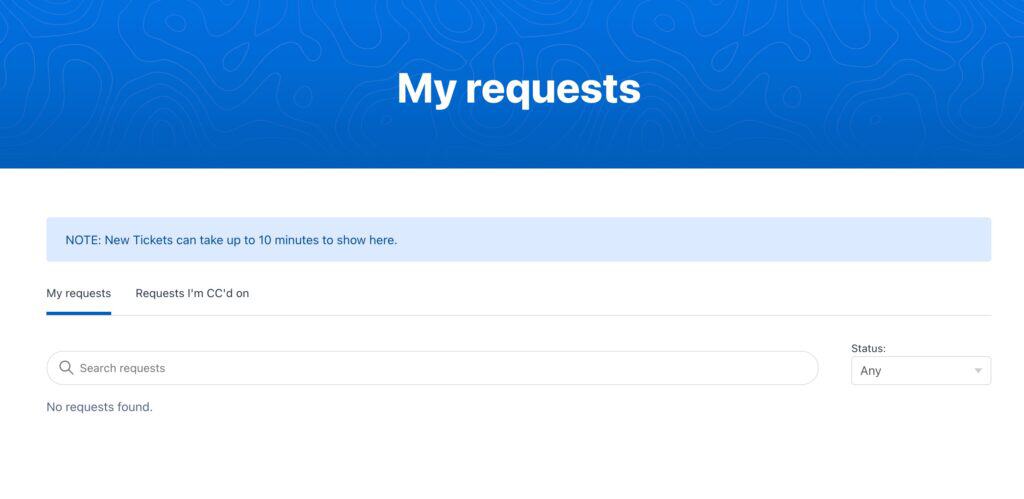
View Support Tickets

Extra Links/Features

At the bottom of the My Account Pages, you will have a few Buttons/Links you can use to navigate our website. This allows you to access your account information easily and also provides resources such as the Knowledge Base and Kadence Blog. You can also use the Support button to open up a new support ticket.


Additional Links
Do you feel this document was helpful?
Kadence License Activation & Renewal FAQ
The Kadence WP Logo
Crafted in Missoula, Montana
  • Follow Kadence on Facebook
  • Follow Kadence on Youtube
  • X
  • Follow Kadence on Instagram
Trustpilot
Products
  • Kadence Plans
  • Kadence Theme
  • Kadence Blocks
  • Kadence AI
  • Kadence Starter Templates
  • Kadence Shop Kit
  • Kadence Conversions
  • Kadence Pattern Hub
  • View All
Resources
  • Blog
  • Podcast
  • Knowledgebase
  • Support ticket
  • Feature Requests
  • FAQ
  • WordPress Hosting Services
About Us
  • About Kadence
  • Become an affiliate
  • Contact us
  • Terms
  • Privacy Policy
  • Security
Our Partner Brands
  • SolidWP
  • LearnDash
  • The Events Calendar
  • GiveWP
  • MemberDash
Kadence Community
  • Kadence Marketplace
  • Join the Facebook Group
  • Subscribe to our YouTube Channel
© 2024 Kadence WP | All prices are in USD
Logo for StellarWP an umbrella brand of Premium WordPress plugins
  • Pricing
  • Products
    • Premium PlansGet all the tools you need in one plan
    • Kadence ThemeLightning-fast performance theme for modern websites
    • Kadence BlocksDrop in ready designs with advanced controls for pixel perfect websites
    • Kadence Shop KitCreate a more effective WooCommerce shopping experience
    • Kadence ConversionsBoost sales and build engaged audiences with popups and banners
    • Kadence InsightsEasily create A/B tests. Optimize your pages to drive higher conversions.
    • View All Products
    • Get Kadence + Hosting
      In One Place

      Enjoy faster setup, top-tier performance, and worry-free WordPress hosting – Kadence Theme, Kadence Blocks, and Solid Security all pre-installed.

      Learn More

  • Kadence AI
  • Starter Templates
  • Blog
  • Support
    • Resource HubStart here for guides, Product docs, FAQs, and Troubleshooting tips, all in one place.
    • Contact SupportStuck on something? We’re here to help! Open a ticket for top-notch support.
    • Contact Our TeamGot pre-sales questions or need help choosing a plan? Open a ticket and our team will guide you.
    • About usCrafted with love in Missoula, Montana. Meet the team behind the mission.
Account Login
