The Product: Additional Information block allows you to display the attributes of a product.

Adding Additional Information
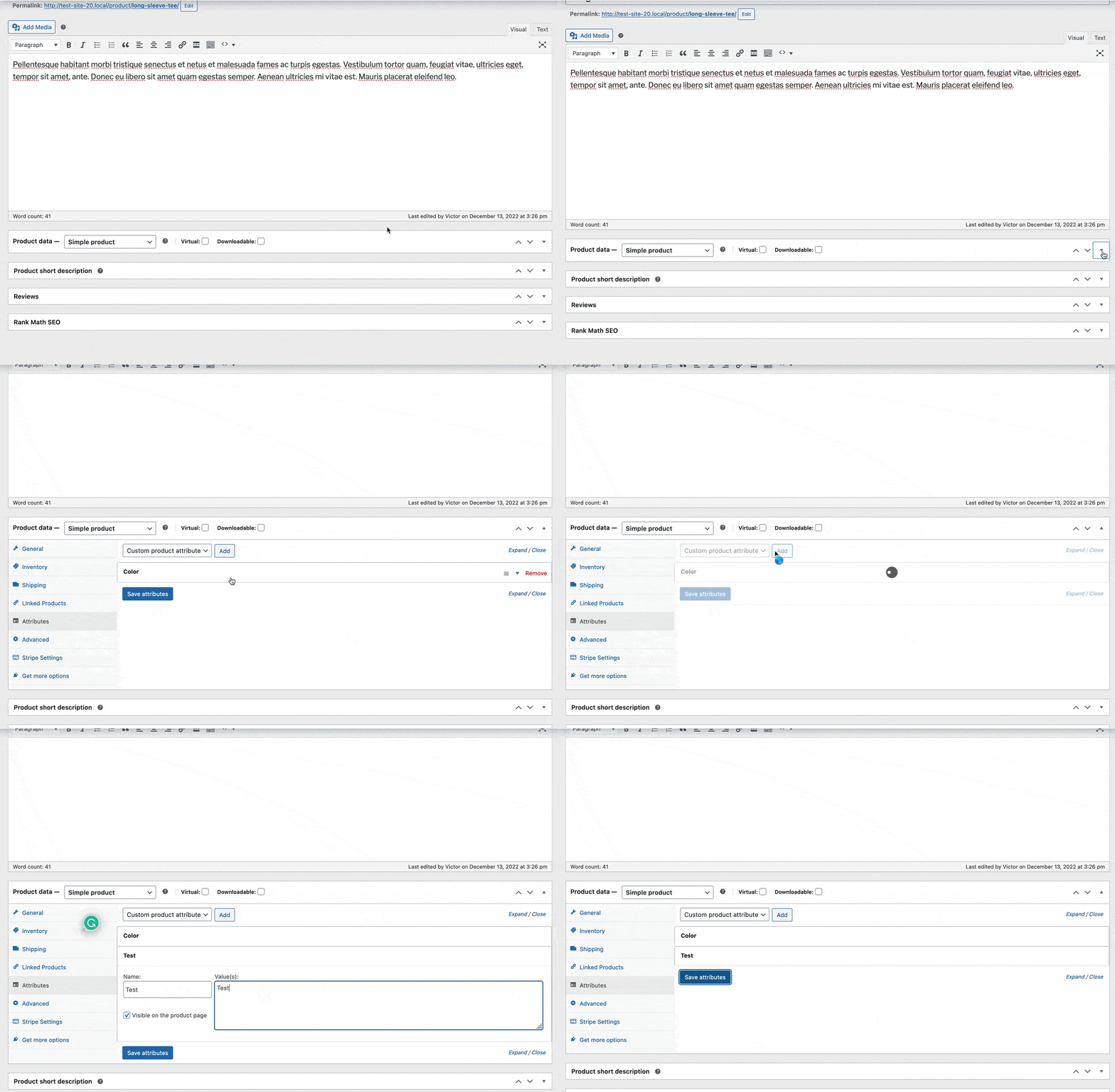
The Product: Additional Information block displays the current attributes of a product. You can add attributes to your product. First, you will need to edit the product. Then look for the product data box. In the product data box, there will be a tab labeled attributes. Here you can add attributes that will display on your Product: Additional Information block.
Product: Additional Information Block
You can add a new Product: Additional Information block to your Woo Template just like any other Block. You can find it under the Woo Templates block section.

Product: Additional Information Block
You can customize your Additional Information block by accessing its Block Settings.

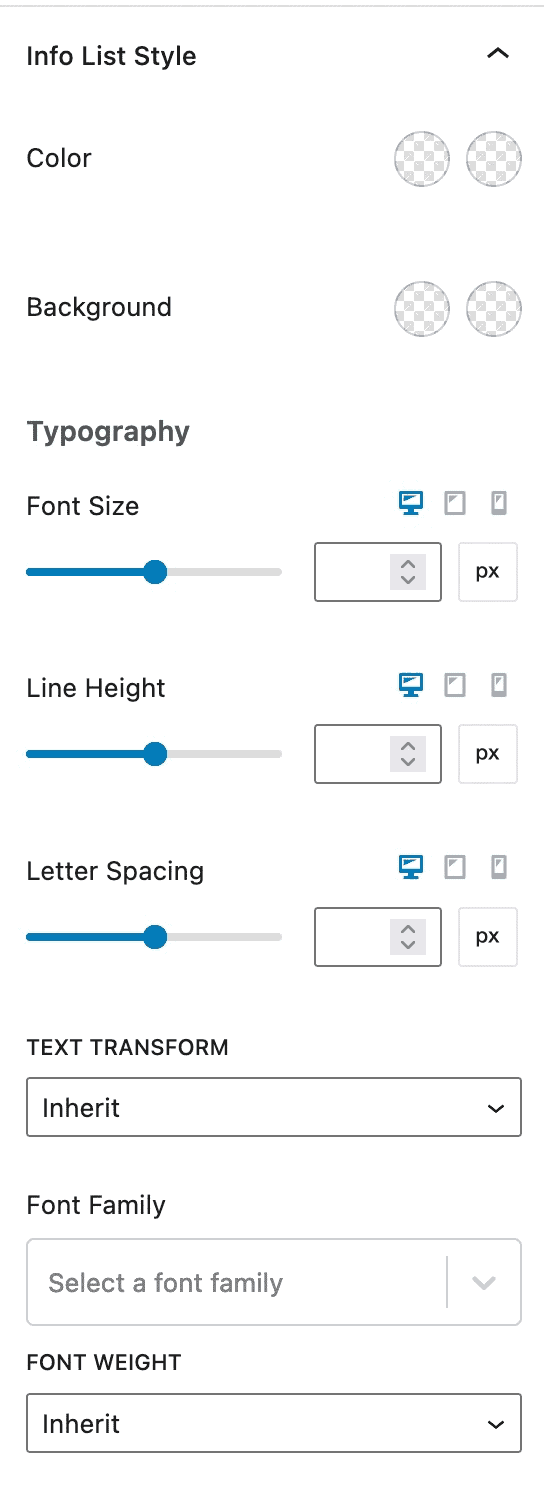
Info List Style – You can customize your info list color and background styles. You can adjust your font family, text transformation, and font-weight. You can also adjust the typography settings for desktop, tablet, and mobile devices.
Info Label Style – You can pick which alignment your Product: Additional Information label uses for desktop, tablet, and mobile devices. You can adjust the width of your label. You can change the typography settings for desktop, tablet, and mobile devices. You can also adjust your label’s text transformation, font family, and font weight.

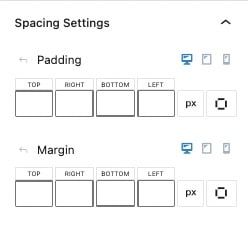
Spacing Settings – You can adjust the padding and margin of your Product: Additional Information block for desktop, tablet, and mobile devices.
Advanced Settings – You can add custom CSS classes to your Product: Additional Information block.