
Skip to content
Help Center
  • Pricing
  • ProductsExpand
    • Premium PlansGet all the tools you need in one plan
    • Kadence ThemeLightning-fast performance theme for modern websites
    • Kadence BlocksDrop in ready designs with advanced controls for pixel perfect websites
    • Kadence Shop KitCreate a more effective WooCommerce shopping experience
    • Kadence ConversionsBoost sales and build engaged audiences with popups and banners
    • Kadence InsightsEasily create A/B tests. Optimize your pages to drive higher conversions.
    • View All Products
    • Get Kadence + Hosting
      In One Place

      Enjoy faster setup, top-tier performance, and worry-free WordPress hosting – Kadence Theme, Kadence Blocks, and Solid Security all pre-installed.

      Learn More

  • Kadence AI
  • Starter Templates
  • Blog
  • SupportExpand
    • Resource HubStart here for guides, Product docs, FAQs, and Troubleshooting tips, all in one place.
    • Contact SupportStuck on something? We’re here to help! Open a ticket for top-notch support.
    • Contact Our TeamGot pre-sales questions or need help choosing a plan? Open a ticket and our team will guide you.
    • About usCrafted with love in Missoula, Montana. Meet the team behind the mission.
Account Account
Get Kadence
Kadence Shop Kit
  • Features
  • Pricing
  • HelpExpand
    • Documentation
    • Submit a Ticket
    • Feature Requests
    • Roadmap
    • Changelog
Help Center
Kadence Shop Kit

Woo Template Blocks

  • Product: Quickview Button Block
  • Woo Template Block – Product: Upsell
  • Woo Template Block – Product: Custom Actions
  • Woo Template Block – Product: Add to Cart
  • Woo Template Block – Product: Title
  • Woo Template Block – Product: Price
  • Woo Template Block – Product: Gallery
  • Woo Template Block – Product: Image
  • Woo Template Block – Product: Short Description
  • Woo Template Block – Product: Description
  • Woo Template Block – Product: Meta
  • Woo Template Block – Product: Tabs
  • Woo Template Block – Product: Rating
  • Woo Template Block – Product: Related
  • Woo Template Block – Product: Upsell
  • Woo Template Block Product: Additional Information
  • Woo Template Block – Product: Reviews Block
  • Woo Template Block – Breadcrumbs
  • Woo Template Block – Product: Notice
  • Woo Template Block – Product: Brand
  • Woo Template Block – Archive: Main Query
  • How to Enable Woo Template Blocks
  • Select a Product for Preview in Woo Template

Shop Kit Setup

  • How to Install & Activate Kadence Shop Kit
  • Product Templates (Woo Templates)
  • Product Quickview
  • Variation Swatches
  • Product Badges
  • Product Galleries
  • Shop Kit Product Brands
  • Kadence Advanced Reviews
  • Size Charts
  • Enable Custom Add to Cart Text
  • How to Set Variation Options
  • Snackbar Style Notices
  • Enable and Add Global Tabs
  • Conditional Cart Banners
  • Checkout Coupon Modal
  • Checkout Editor
  • Extra Category Description
  • Single Product Templates (Woo Templates)
  • Product Catalog Loop Item Templates (Woo Templates)
  • Product Archive Templates (Woo Templates)
  • How to Add Gutenberg Editor to WooCommerce
  • Open Affiliate/External Products In A New Tab

Troubleshooting

  • Troubleshooting Kadence Shop Kit product images not showing

Advanced

  • How to add Extra/Payment Information to Your WooCommerce Product Pages
  • Home
  • Knowledge Base
  • Kadence Shop Kit
  • Kadence Shop Kit
  • Woo Template Blocks

Woo Template Block – Product: Custom Actions

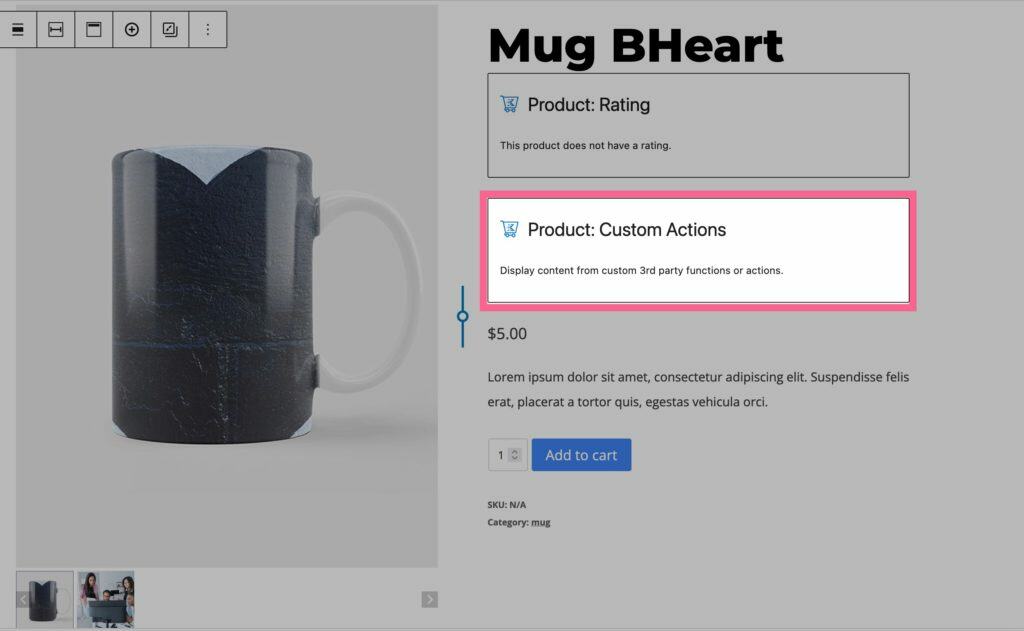
The Product: Custom Actions block allows you to add a Custom Do Action or a Custom Do Function to your product pages. This feature can be used for integrating with 3rd party plugins or just for adding custom functions to the product page.
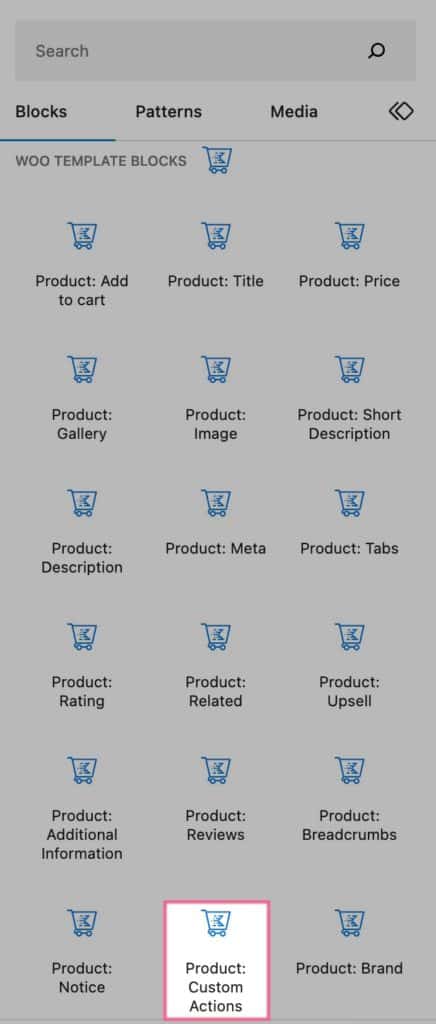
The Product: Custom Actions block can be found under the Woo Template Blocks section of the Block Selector.
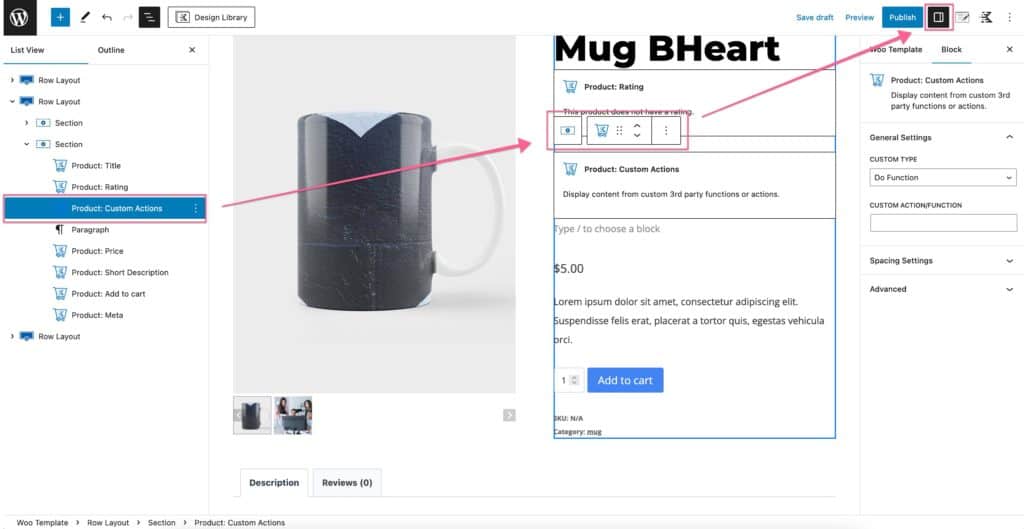
Block Settings

You can customize your Product: Custom Actions Block using the Block Settings.
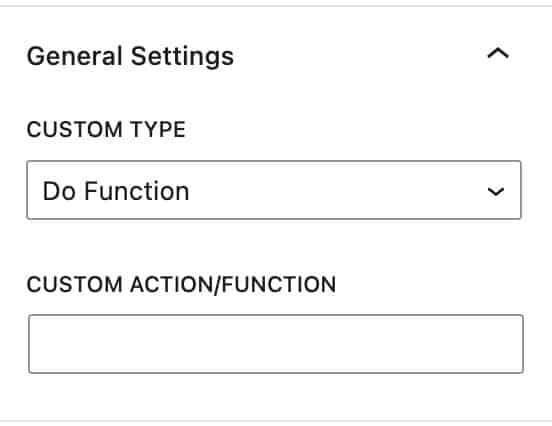
General Settings – Here, you can set the Custom Type as a Do Function or a Do Action. Then in the Custom Action/Function field, you can call that action.
For example, you can add this Code Snippet to your website

function custom_snippet_example() {
	echo '<h1 style="color:white;background:black;">Hello!</h1>';
}

Then you can call this action by using these Block Settings.
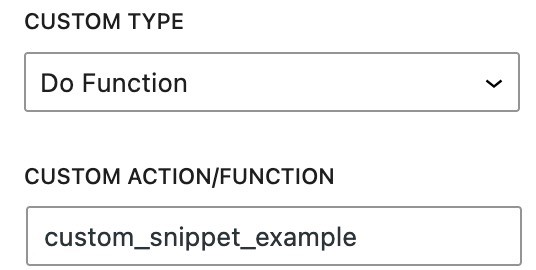
The results will look like this.

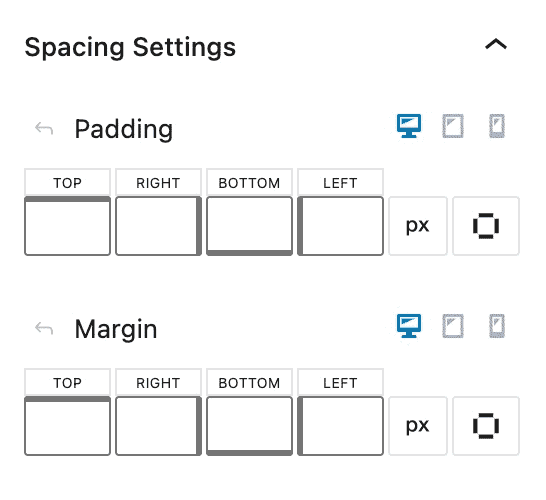
Spacing Settings – The Spacing Settings allow you to add padding and margin for desktop, tablet, and mobile devices.
Product Brand Spacing

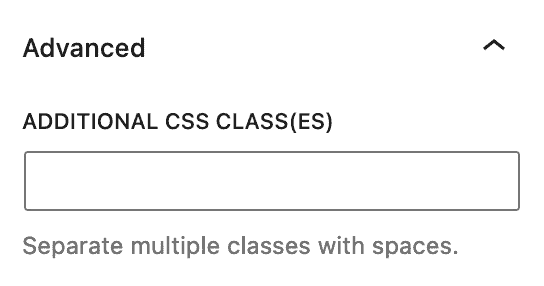
Advanced Settings – The Advanced Settings allow you to add a Custom CSS Class to your block.
Main Query Advanced Settings
Do you feel this document was helpful?
Woo Template Block – Product: UpsellWoo Template Block – Product: Add to Cart
The Kadence WP Logo
Crafted in Missoula, Montana
  • Follow Kadence on Facebook
  • Follow Kadence on Youtube
  • X
  • Follow Kadence on Instagram
Trustpilot
Products
  • Kadence Plans
  • Kadence Theme
  • Kadence Blocks
  • Kadence AI
  • Kadence Starter Templates
  • Kadence Shop Kit
  • Kadence Conversions
  • Kadence Pattern Hub
  • View All
Resources
  • Blog
  • Podcast
  • Knowledgebase
  • Support ticket
  • Feature Requests
  • FAQ
  • WordPress Hosting Services
About Us
  • About Kadence
  • Become an affiliate
  • Contact us
  • Terms
  • Privacy Policy
  • Security
Our Partner Brands
  • SolidWP
  • LearnDash
  • The Events Calendar
  • GiveWP
  • MemberDash
Kadence Community
  • Kadence Marketplace
  • Join the Facebook Group
  • Subscribe to our YouTube Channel
© 2024 Kadence WP | All prices are in USD
Logo for StellarWP an umbrella brand of Premium WordPress plugins
  • Pricing
  • Products
    • Premium PlansGet all the tools you need in one plan
    • Kadence ThemeLightning-fast performance theme for modern websites
    • Kadence BlocksDrop in ready designs with advanced controls for pixel perfect websites
    • Kadence Shop KitCreate a more effective WooCommerce shopping experience
    • Kadence ConversionsBoost sales and build engaged audiences with popups and banners
    • Kadence InsightsEasily create A/B tests. Optimize your pages to drive higher conversions.
    • View All Products
    • Get Kadence + Hosting
      In One Place

      Enjoy faster setup, top-tier performance, and worry-free WordPress hosting – Kadence Theme, Kadence Blocks, and Solid Security all pre-installed.

      Learn More

  • Kadence AI
  • Starter Templates
  • Blog
  • Support
    • Resource HubStart here for guides, Product docs, FAQs, and Troubleshooting tips, all in one place.
    • Contact SupportStuck on something? We’re here to help! Open a ticket for top-notch support.
    • Contact Our TeamGot pre-sales questions or need help choosing a plan? Open a ticket and our team will guide you.
    • About usCrafted with love in Missoula, Montana. Meet the team behind the mission.
Account Login
  • Features
  • Pricing
  • HelpExpand
    • Documentation
    • Submit a Ticket
    • Feature Requests
    • Roadmap
    • Changelog

