
Notice: These forums are now retired and closed. For active support, please Submit a Ticket or visit our official WordPress.org community pages.
Kadence Theme | Kadence Blocks | Starter Templates | WooCommerce Email Designer | Ascend | Virtue | Pinnacle
Search Results for 'cache'
-
AuthorSearch Results
-
In forum: Virtue Theme
Topic: Webpages loading slowly
So I’ve used the EWWW Image Optimizer and W3 Total Cache to compress my site like I read in a previous forum, but I still don’t feel like it’s working, particularly with the revolution slider. May I haven’t configured the plug-ins right… Here’s the website: skinnyskis.com.
Thanks!
AmyIn forum: Virtue ThemeIn reply to: W3 Total Cache
April 8, 2015 at 6:45 pm #36803It depends on your server more then anything. I do recommend using page cache, browser cache to start.
Past that it’s best to talk with your host and learn a little about caching and your servers best configuration. Then do the testing. Test different settings out to find the sweet spot.For the basic start and go use just enabling page cache and browser cache in your general settings will make a big difference.
Ben
In forum: Virtue ThemeTopic: W3 Total Cache
In forum: Virtue ThemeIn reply to: Sidebar is gone
I was to quick. your solution works fine with Safari. If I deactivate W3 cache plugin in Firefox I have some issues:
1. Icons and some pics gone. For this I have open up a ticket at my hoster.
2. The css tweak is not working.General issue, the slider on the start page is loading very slow.
Thanks
Regards Josef
In forum: Pinnacle ThemeIn reply to: mod_security users
April 6, 2015 at 10:08 am #36537I personally think avoiding super cache in favor of w3 total cache is good and I personally don’t recommend next-gen gallery but that doesn’t have anything to do with the theme. The theme will work fine with both.
Ben
In forum: Virtue ThemeTopic: iPad woes
Hi Ben
Finally got casasusegad.com up live on the Virtue theme and the owners and their clients are loving it. So thanks again for a great, flexible theme, and great support. Which leads me to a rather strange endemic problem…
One of their clients emailed them to say they couldn’t ‘view’ the site on their iPad. Just checked myself and what is happening is that (in landscape orientation) neither the long primary menu nor the ‘hamburger’ mobile menu icon appears. Flip the iPad to portrait and the hamburger reappears. Back to landscape and it disappears again (so it is not a quirky cache problem). Works great by physically resizing my laptop browser (real slow at the transition point in both directions).
Any ideas? Reproducible your end?
Best, Colin
In forum: Virtue ThemeIn reply to: Delayed mails after installing Virtue Premium
Try installing this plugin- https://wordpress.org/plugins/w3-total-cache/
Let me know if the issue still remains.Hannah
In forum: Pinnacle ThemeIn reply to: Page Insightst Test
In forum: Virtue ThemeIn reply to: Project layout
Hello Hannah,
I used WP All-in-one migration to set back an earlier backup from before the weekend. Problem solved .. not sure if it was Kadence, WordPress or myself causing this.
Nevertheless I now have a problem when switching from admin to my page generating a ‘Internal Server Error’. After clearing my chrome cache it works for a moment and then goes back to error again…Any ideas?
Thanks for the quick reply!
In forum: Virtue ThemeIn reply to: Keep accordion panes expanded
I really don’t mind that they collapse. But, if you try to expand one lower on the page, with one already expanded higher on the page, the menu just seems to disappear upwards. This is not convenient for the end user.
Example – https://www.charterhosting.com/hosting/ (sorry haven’t setup cache yet)
If you try to expand “Prices” without collapsing any of the higher menus, you will see what I mean.Any ideas besides adding additional plugins?
In forum: Virtue ThemeIn reply to: Need help with spacing
In forum: Virtue ThemeIn reply to: Need help with spacing
In forum: Virtue ThemeIn reply to: text link back to home page
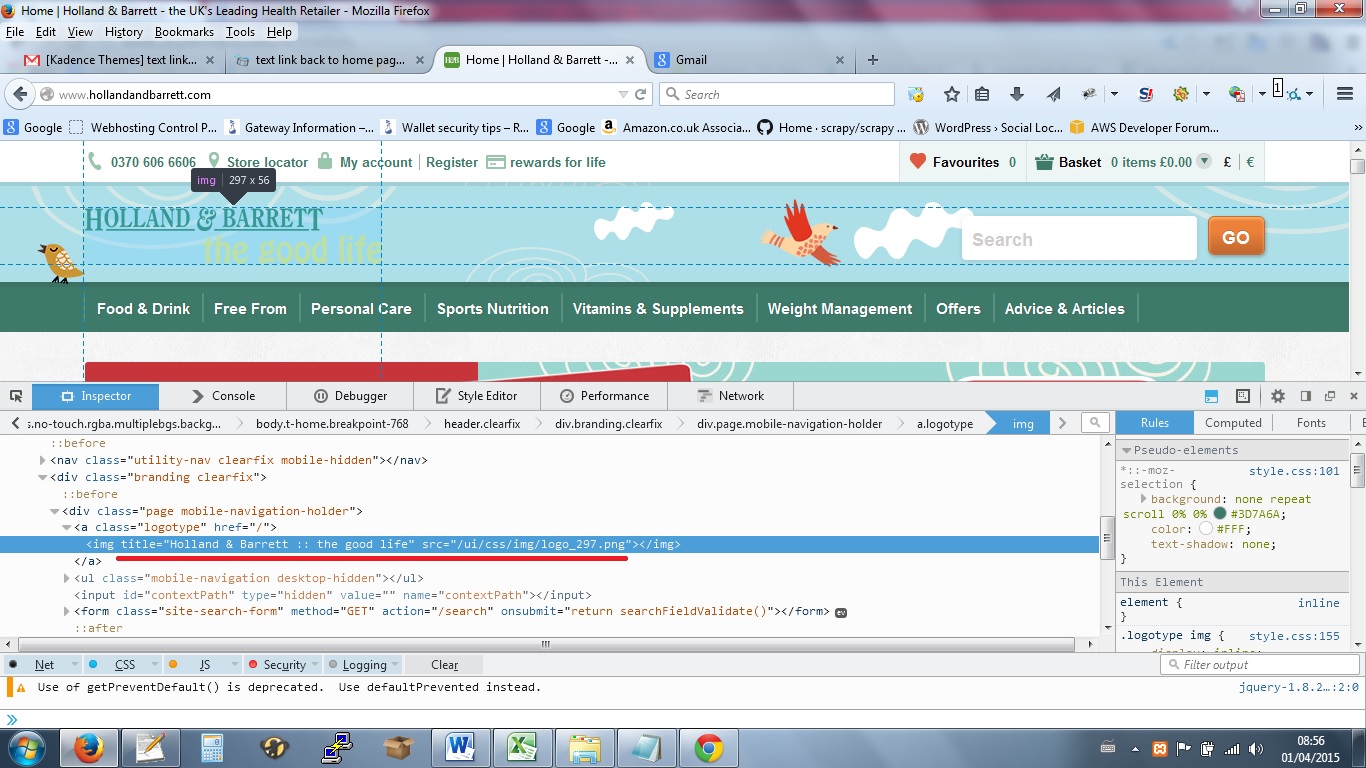
sorry i was looking pre live on local xampp copy of site, I wanted to know if the image logo has a text link back to home page that google sees.
After going live and looking at cache i can see that it does (using the site name as text for link).
Looking at some big sites (www.hollandandbarret.com} they specify a string of text other than the default site name (for SEO).
So i was wondering if it is possible to change the text and define it exsplicitly other than using the site name for the text link.
cheers, lee
 In forum: Pinnacle Theme
In reply to: 3 different questions
In forum: Virtue ThemeIn reply to: Problems with mobile/tablet layout
March 30, 2015 at 11:48 am #357611. Make sure you clear your cache.
If you turn off the shrink header then that is the mobile layout. Logo above the menu. That is what it supposed to do. You will make this really confusing if you switch between header styles at this point. Especially since you’ve added css to change the basic shrink header style.
2. No you should not turn off responsive css, you can’t frankly with the theme but more then that it would be a really bad idea since google not rates your site based on it.3. For user friendliness/google mobile site rank.
Ben
In forum: Pinnacle ThemeIn reply to: Limit on Pinnacle Gallery?
In forum: Pinnacle ThemeIn reply to: Limit on Pinnacle Gallery?
March 30, 2015 at 11:16 am #35750What are your settings in w3 total cache.
One option is to add
<!--nextpage-->and create two galleries. Have half on the first gallery and half on the second. Then add<!--nextpage-->in between the two galleries.Ben
In forum: Pinnacle ThemeIn reply to: Limit on Pinnacle Gallery?
March 29, 2015 at 4:14 pm #35683The limit would only be with your server and how quickly it could process for the mobile device. If your server has a hard time loading all that then it can crash your site. My best advice would be to install w3 total cache and I think once you enable cacheing it should be easier on the server.
Ben
In forum: Virtue ThemeIn reply to: Show tab from hash in URL
Hi Ben,
This code it’s not working. I don’t know how to add an id=1 to tab. If I add it in [tab id=1.. ] id it’s not in a tab. This is working only when I lunch url like this:https://lifewelove.com/en/gallery/montenegro/#sctab423
With this random id is ok, but when I clear cache new id is created and again it’s not working?
How can we fix this?
Sebastian
In forum: Virtue ThemeIn reply to: Show mobile menu
-
AuthorSearch Results



