Notice: These forums are now retired and closed. For active support, please Submit a Ticket or visit our official WordPress.org community pages.
Kadence Theme | Kadence Blocks | Starter Templates | WooCommerce Email Designer | Ascend | Virtue | Pinnacle
Search Results for 'cache'
-
AuthorSearch Results
-
In forum: Virtue Theme
In reply to: Hi Kadence tean
May 19, 2020 at 3:45 pm #249852Hey,
Your server is serving a cached version of your site. You need to clear the server cache, it’s not delivering a cached version to logged-in users.Ben
In forum: Virtue ThemeIn reply to: I can not change the Footer Copyright Text
In forum: Virtue ThemeIn reply to: Product carousel not showing the catergory
In forum: Pinnacle ThemeIn reply to: Show Author image with posts?
In forum: Pinnacle ThemeIn reply to: Show Author image with posts?
In forum: Ascend ThemeIn reply to: Back button
May 7, 2020 at 3:27 pm #249028Hey,
You can’t have a back button scroll to whatever position the current user currently was at. Some browsers do it with their built in back buttons but that has to do with it all be saved in the browser cache. I know of no way you could create something similar with a button.Ben
In forum: Pinnacle ThemeIn reply to: Mobile scrolling to the right
In forum: Pinnacle ThemeIn reply to: Mobile scrolling to the right
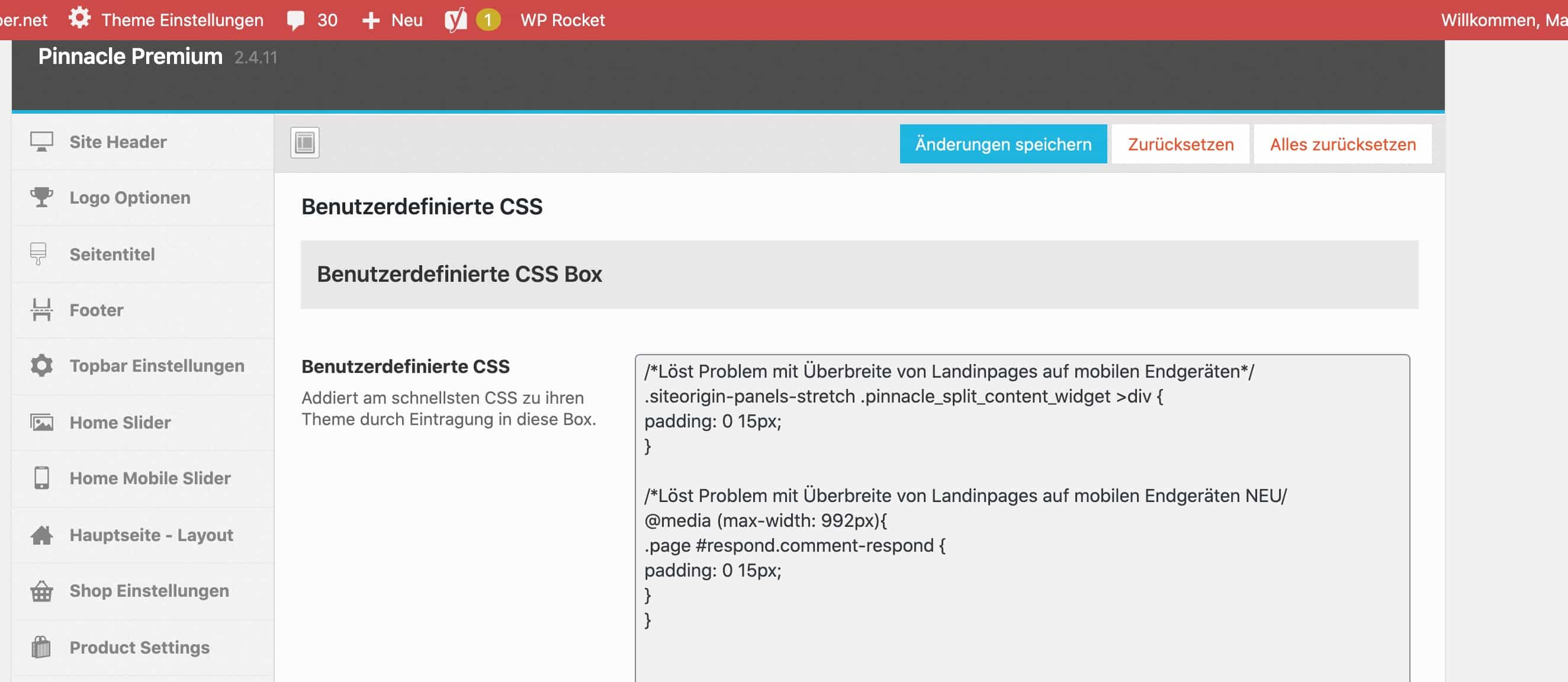
May 7, 2020 at 12:35 pm #249016I don’t see the css applying where are you adding. Have you made sure you cleared the site cache.
Ben
In forum: Ascend ThemeIn reply to: Hover/Rollover effects not working
In forum: Virtue ThemeIn reply to: adding video to block
In forum: Virtue ThemeIn reply to: Smooth scrolling issue
In forum: Virtue ThemeIn reply to: Product Tab unintended scroll
In forum: Ascend ThemeI’m using the kadence gallery to override the standard WP gallery, but with Wp Rocket, sometimes the images load on the page all stacked on top of each other innstead of a 3-column layout. I think you recommended a solution before but I can’t seem to find it.
Any suggestions for which WP Rocket cache setting to turn off for the affected pages?
Thanks
In forum: Virtue ThemeMay 1, 2020 at 11:27 pm #248579Hello Ben,
Thanks for checking! google console seems to need re-verification. I am learning to use WP Super Cache plugin so that should help for speeding up mobile navigation? I have just enabled pre-load mode, which I think will help.
Also before messing with my sitemap, are those specific reported errors of the sitemap even relevant to my SEO ranking?
Author-sitemap
category-sitemap
attachment-sitemap
post-sitemapThe pages and testimonials are reported as successful by google- which are pertinent, but should <>attachments be fixed; could this relate to all images and slideshows?
In forum: Virtue ThemeApril 30, 2020 at 10:22 pm #248516Hello,
Recently I had the issue of many plugins and Virtue theme updating a couple of days before polylang plugin updates. Resulting in my english products, contact, directions about and search pages all from my static home page had returned a 404 not found, temporarily.
Google search console then sent out an email warning of: those same 5 pages with a soft 404. I thought it was related to the temporary plugin issue, since the french pages had no errors, but it turns out that some of the errors were older. I read that soft 404 errors could be caused by caching issues and installed a recommended plugin; WP Super Cache plugin (I hope I am using it correctly).
Today after URL inspection of such pages, I requested an index of these pages and I got strange results.
finally validates as indexed but google console says that its not mobile friendly due to; text too small to read and clickable elements are too close together.
But the french page is almost identical and validates with no issues!
Should I just ignore this as I re-verified another page URL that was giving mobile errors in the console, now shows no errors from URL inspection!
I am wondering how long does it take for the soft 404 errors to be removed from the Coverage page on google console?
Also there are some errors reported with my XML sitemap. Is there is something I need to do with my XML sitemap and if so how do I update it? I will upload those results.
-
This topic was modified 5 years, 12 months ago by
Jonathan Zvonko.
In forum: Virtue ThemeIn reply to: Main menu and top bar are hiding
In forum: Ascend ThemeIn reply to: Can’t edit posts or pages
In forum: Ascend ThemeHannah, yep, we’ve turned off the CDN and the WordPress caching plugin, and regularly clear browser caches across Firefox, Chrome, Safari and Edge.
Ben, That worked. Thanks very much!
Just to clarify, these fields were not present when we first installed bbpress, they appeared when adding & activating plugin “WP User Avatar” and stuck around when “WP User Avatar” was deactivated.
Best,
MichaelIn forum: Ascend ThemeIn forum: Ascend ThemeIn reply to: Can’t edit posts or pages
-
This topic was modified 5 years, 12 months ago by
-
AuthorSearch Results