
When WooCommerce is installed and active in your Kadence-powered WordPress site, you can easily add a functional mini cart in your site’s header.
This feature is available in the free Kadence theme and does not require Kadence Theme Kit Pro. However, with Kadence Theme Kit Pro, you can also add a free shipping notice to your mini cart.
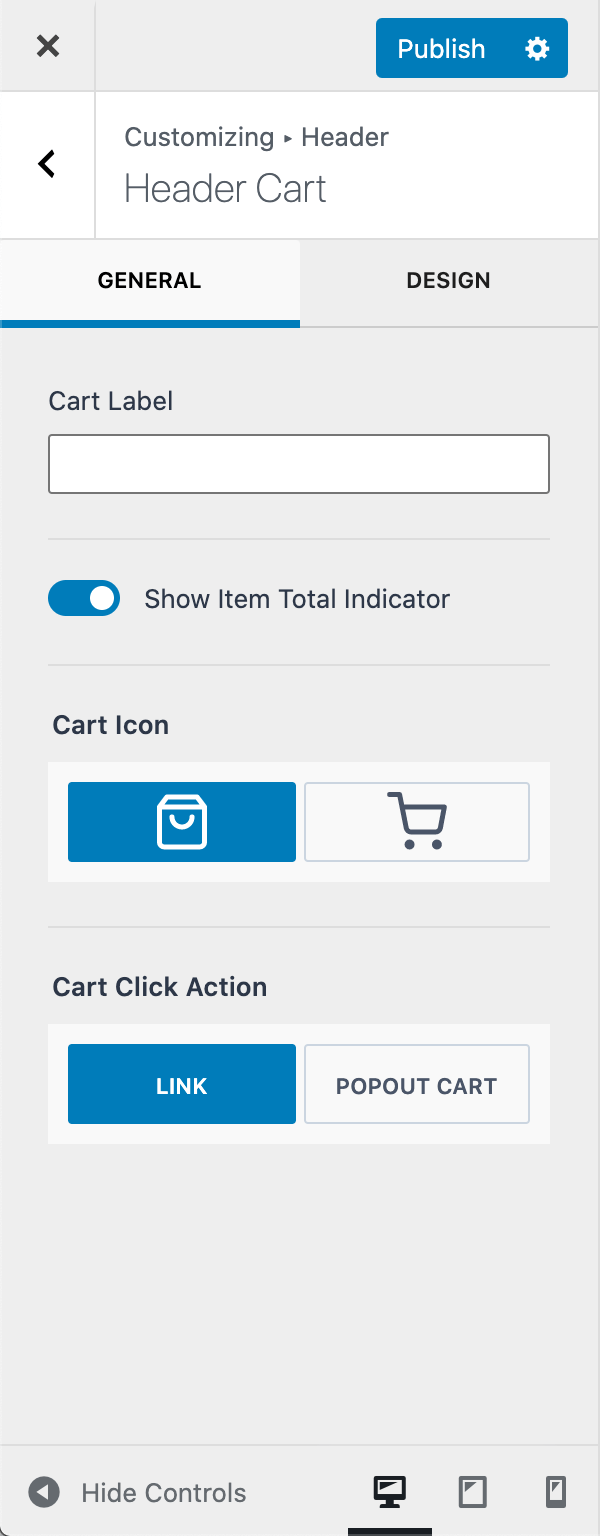
By default, the cart icon will link to your WooCommerce cart page.

With Cart Click Action set to POPOUT CART, clicking the cart icon will slide open the mini cart from the side of the screen.
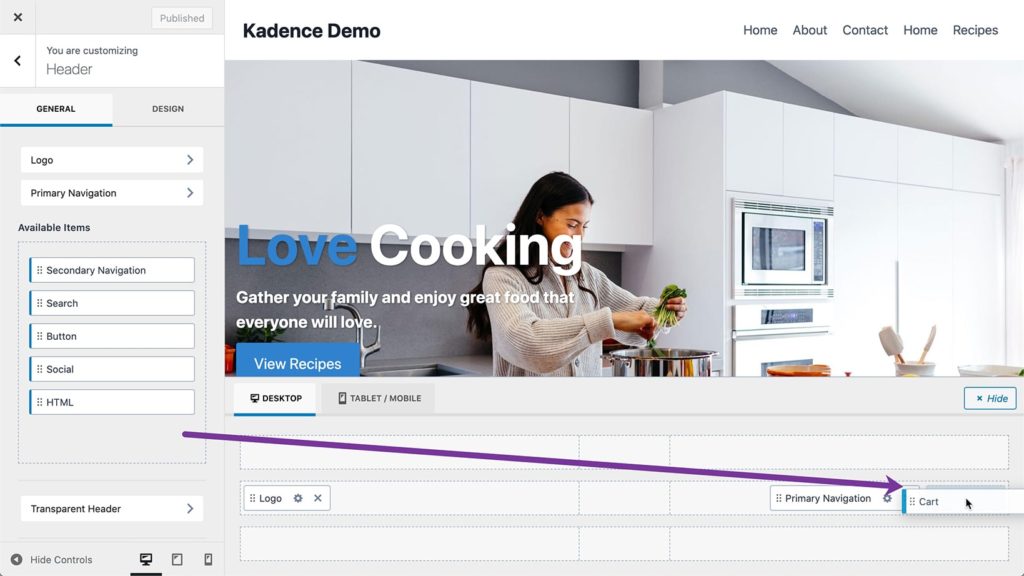
To add a mini cart to your header go to Customizer > Header and drag Cart item to your desired position in the header builder.
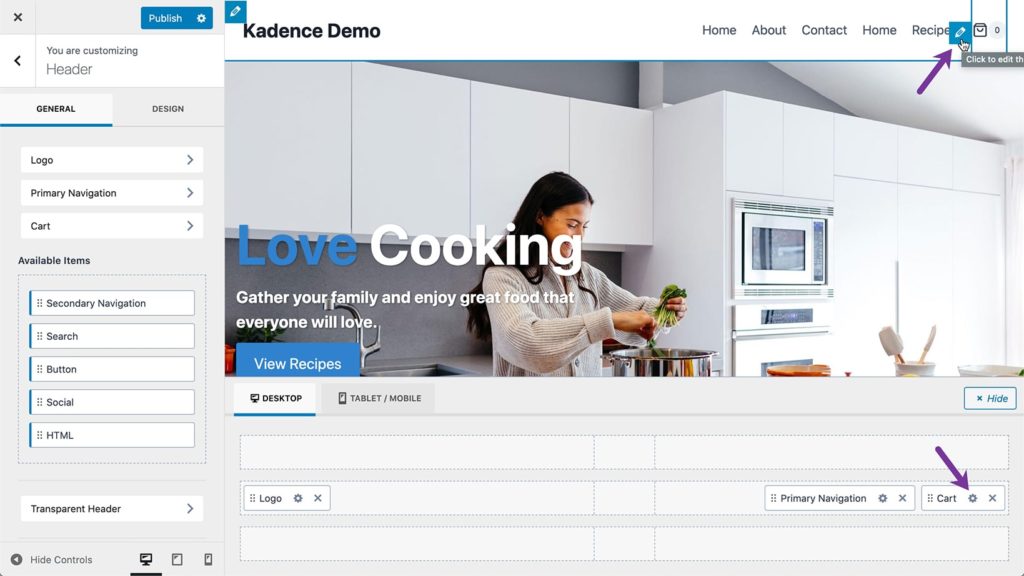
To get to the settings of Cart item, click on the pencil icon for the cart item in the header or the gear icon in the header builder.
Free Shipping Cart Notice (Pro Feature)
When the Cart Click Action is set to Popout Cart or Dropdown Cart, you can also enable the free shipping cart notice. This feature is only available with Kadence Theme Kit Pro.
Amount needed for Free Shipping: Set the minimum cart value needed for free shipping. Note this does not enable free shipping but simply displays the notice when the cart total is less than this value.
Cart Notice Message: Set the message to display when the user has not met the free shipping threshold. Use {cart_difference} to display the amount needed to qualify.


