
If you want to show more or fewer posts on your blog page, you can easily adjust this using the “Blog pages show at most” setting in WordPress. This setting controls how many posts are displayed on your main blog page, as well as on any other archive pages (like categories or tags).
Step-by-Step Instructions
- Go to your WordPress Dashboard.
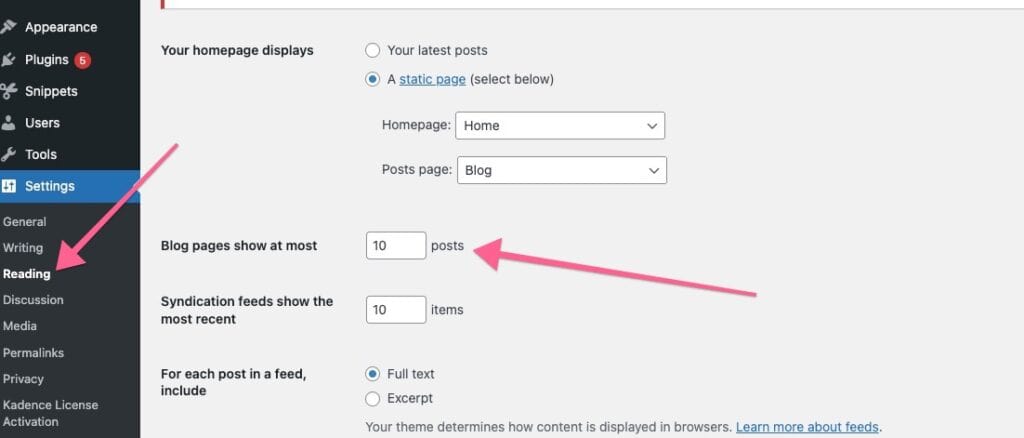
- Navigate to Settings > Reading.
From the left-hand menu, click Settings, then select Reading. - Find the “Blog pages show at most” option.
You’ll see a field labeled Blog pages show at most [number] posts. - Enter the number of posts you want to display.
For example, if you want to show 6 posts per page, enter 6. - Save your changes.
Scroll down and click Save Changes to apply the new setting.
Your blog and archive pages will now show the number of posts you’ve set. If you have more posts than this number, WordPress will automatically create pagination (for example, “Older Posts” and “Newer Posts” links).

