
Importing and Exporting Kadence Elements
Kadence Hooked Elements can be used in many different cases, from adding content to theme hooks across your website, to completely replacing single-post-content with custom templates. There may be an instance where you would like to export your Kadence Elements and import them onto a different website. This document will go over the Kadence Elements Import/Export Feature.
The Kadence Hooked Elements feature is a part of the Kadence Theme Kit Pro plugin.
Exporting Kadence Elements
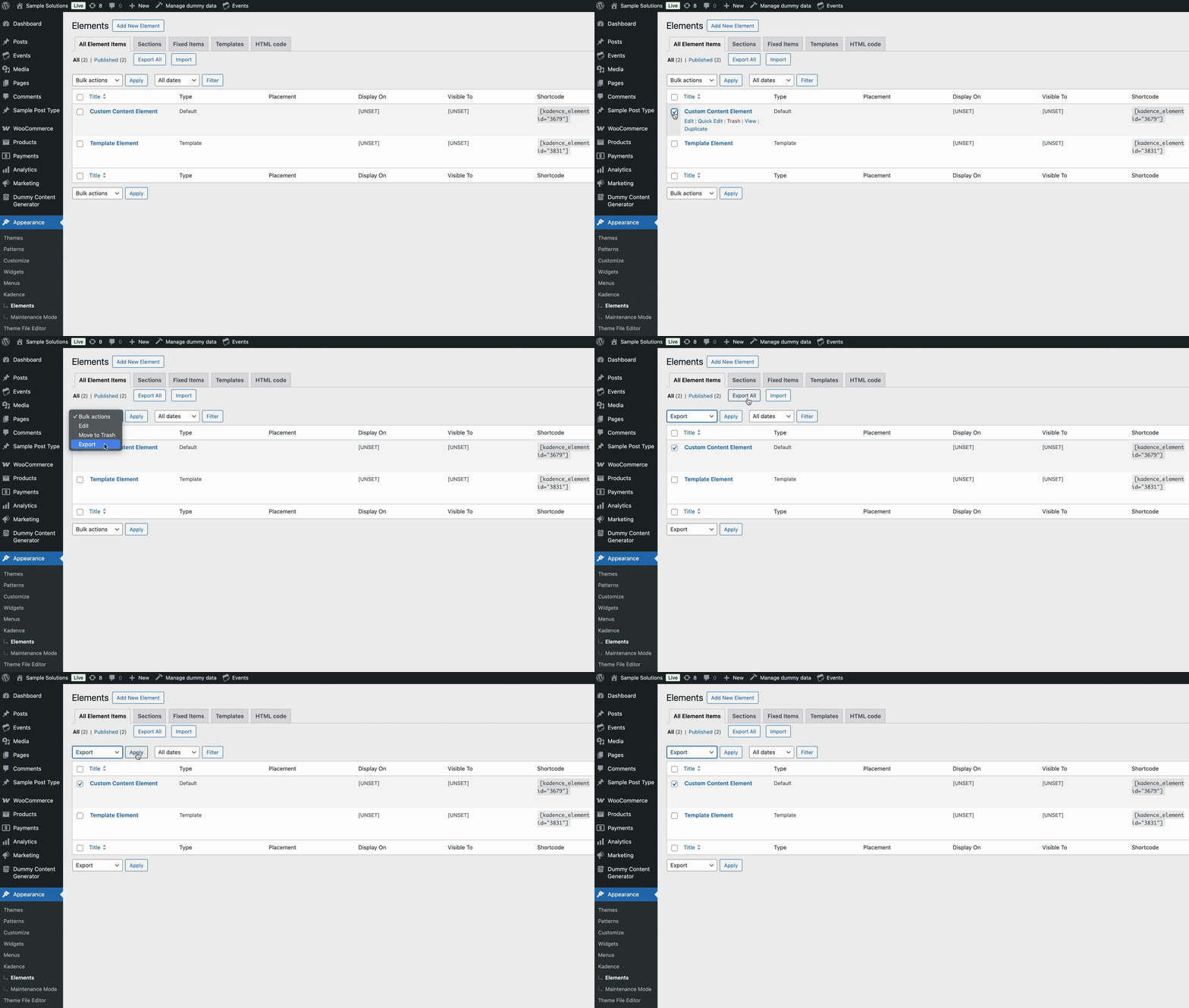
To Export a Kadence Elements, head over to the Dashboard -> Kadence -> Elements page. You can use the Export All Button at the top of the page to export all of your Elements at once. Additionally, you can use the Checkbox to select an Individual Element or a selection of Elements you wish to Export. Once finished, click on the Bulk Actions dropdown, select Export, and you will receive a ZIP download of your Element(s).
Importing Kadence Elements
You can also import Kadence Elements from the Dashboard -> Kadence -> Elements page. Near the top, look for the Import button. Then, upload the ZIP File that contains the Kadence Elements and click the Upload & Import button.
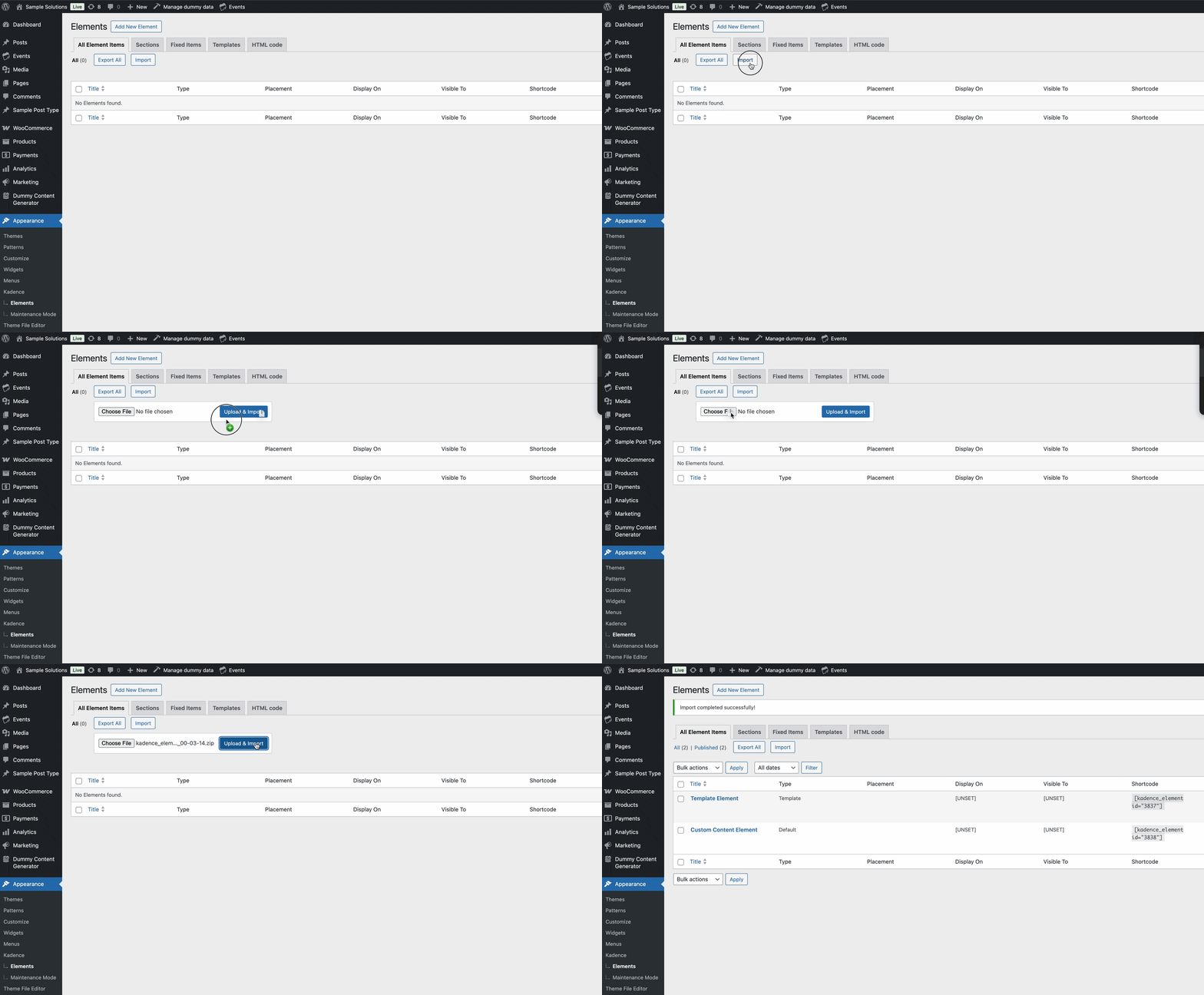
Once finished, you will successfully have imported the Element Content and Settings to your website.

