
The following steps provide details on installing the Starter Templates by Kadence WP plugin on your WordPress site. This free plugin works strictly with the Kadence Theme and allows you to import pre-designed templates or personalized AI-powered designs with Kadence AI.

Premium Templates – To access Premium Starter Templates, your website must meet one of the following requirements:
- The site has the Kadence Creative Kit plugin installed, activated, and licensed. (Included in the Express Plan or higher.)
OR - The site has Kadence Blocks Pro and the Kadence Theme Kit Pro plugins installed, activated, and licensed using the same license key for both plugins. (Included in the Plus Plan or higher.)
Built-in WordPress Installation
You can install the Starter Templates by Kadence WP plugin directly from your WordPress Dashboard. Below are instructions on how you can do this.
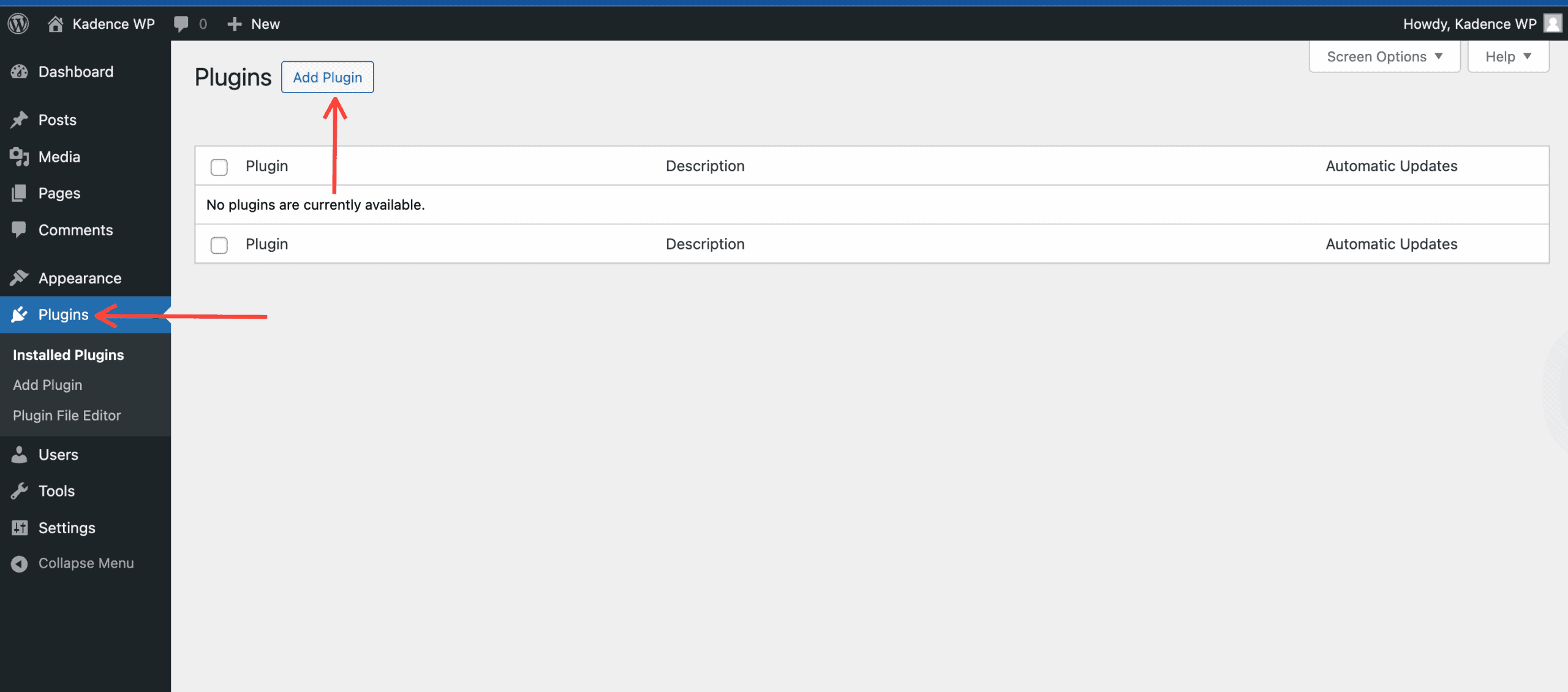
In the WordPress Dashboard, go to Plugins -> Add Plugin
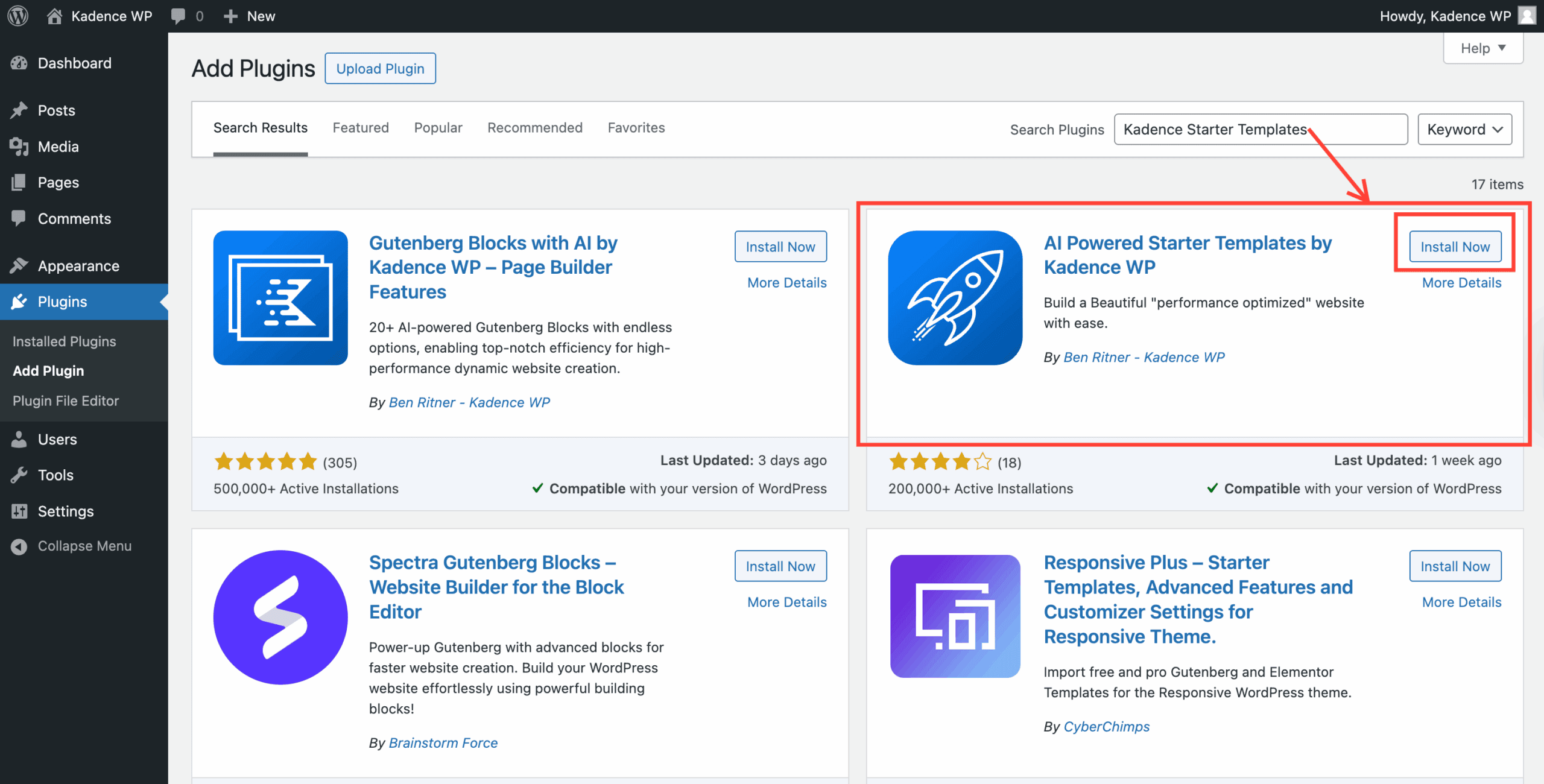
Use the search bar in the top right corner and search for AI Powered Starter Templates by Kadence WP. Once it appears, click Install Now.
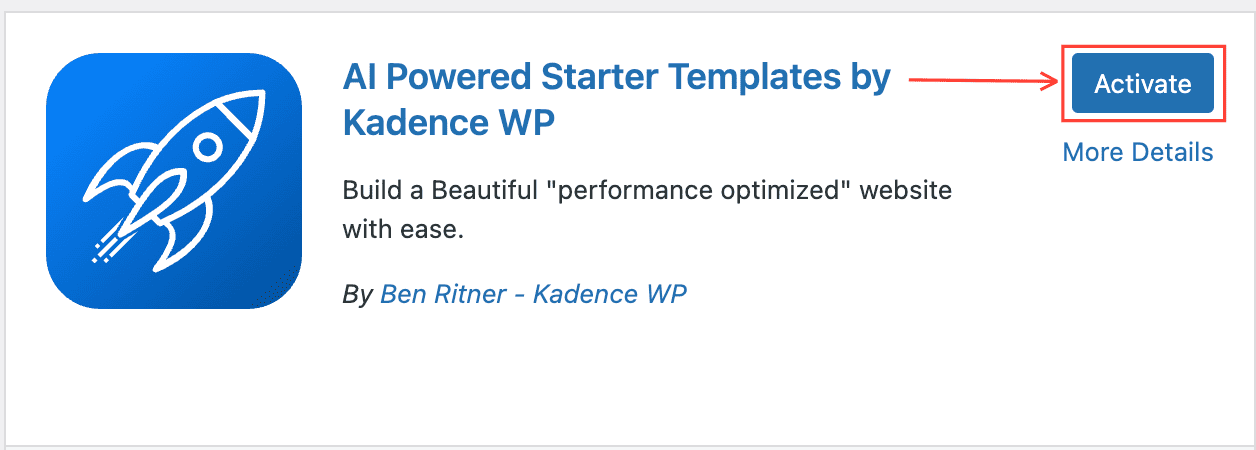
Then, once you have finished installing the plugin, click on the blue Activate button to activate it.
Congratulations! You have successfully installed and activated the Starter Templates by Kadence WP plugin.
Manual Installation
You can install the Starter Templates by Kadence WP plugin manually by downloading it from WordPress.org and uploading it to your WordPress Plugins. Below are instructions on how you can do this.
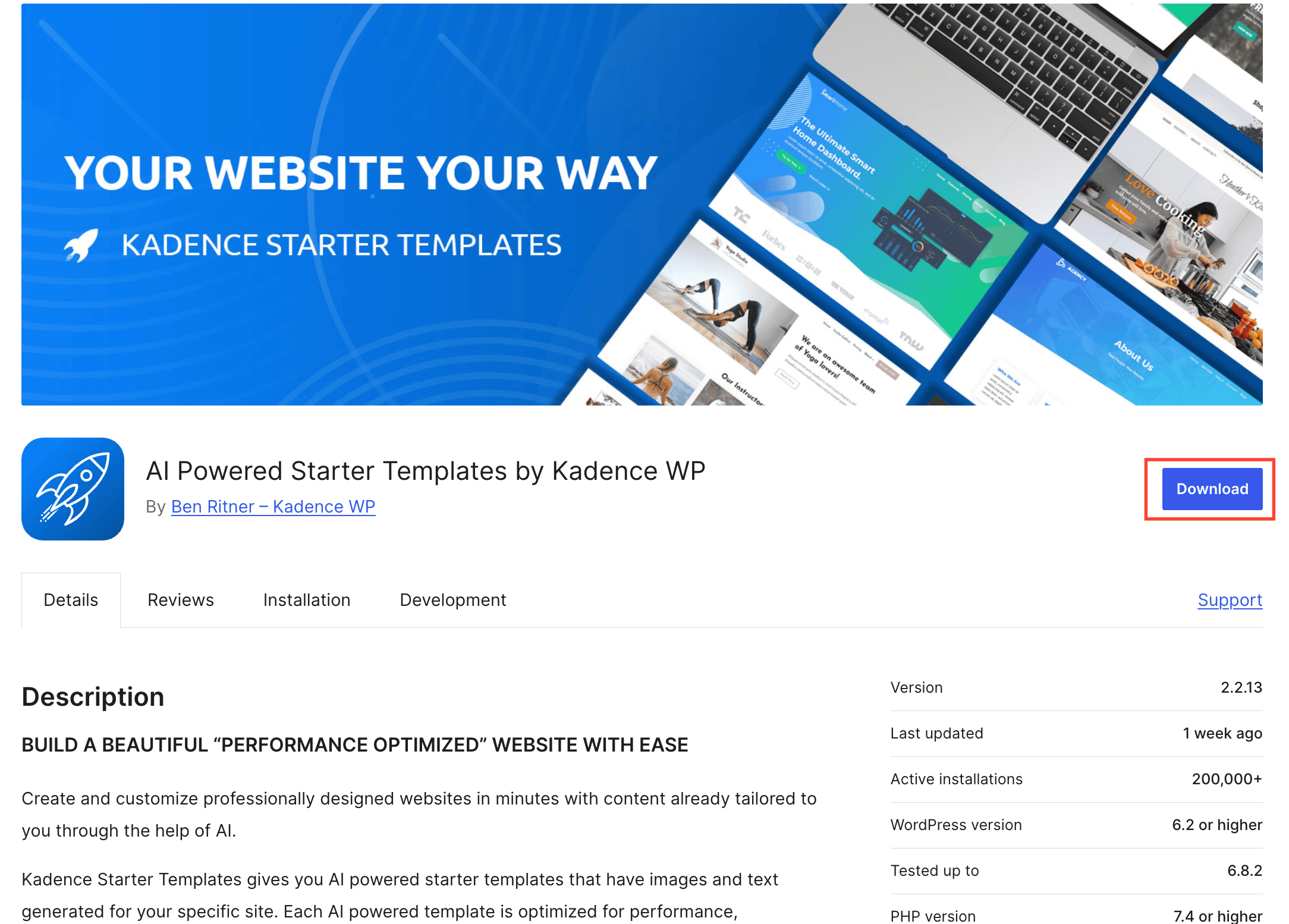
First, download the AI Powered Starter Templates by Kadence WP by clicking here. Be sure to keep the file in its .zip format. Do not extract it, as WordPress requires the ZIP for upload.
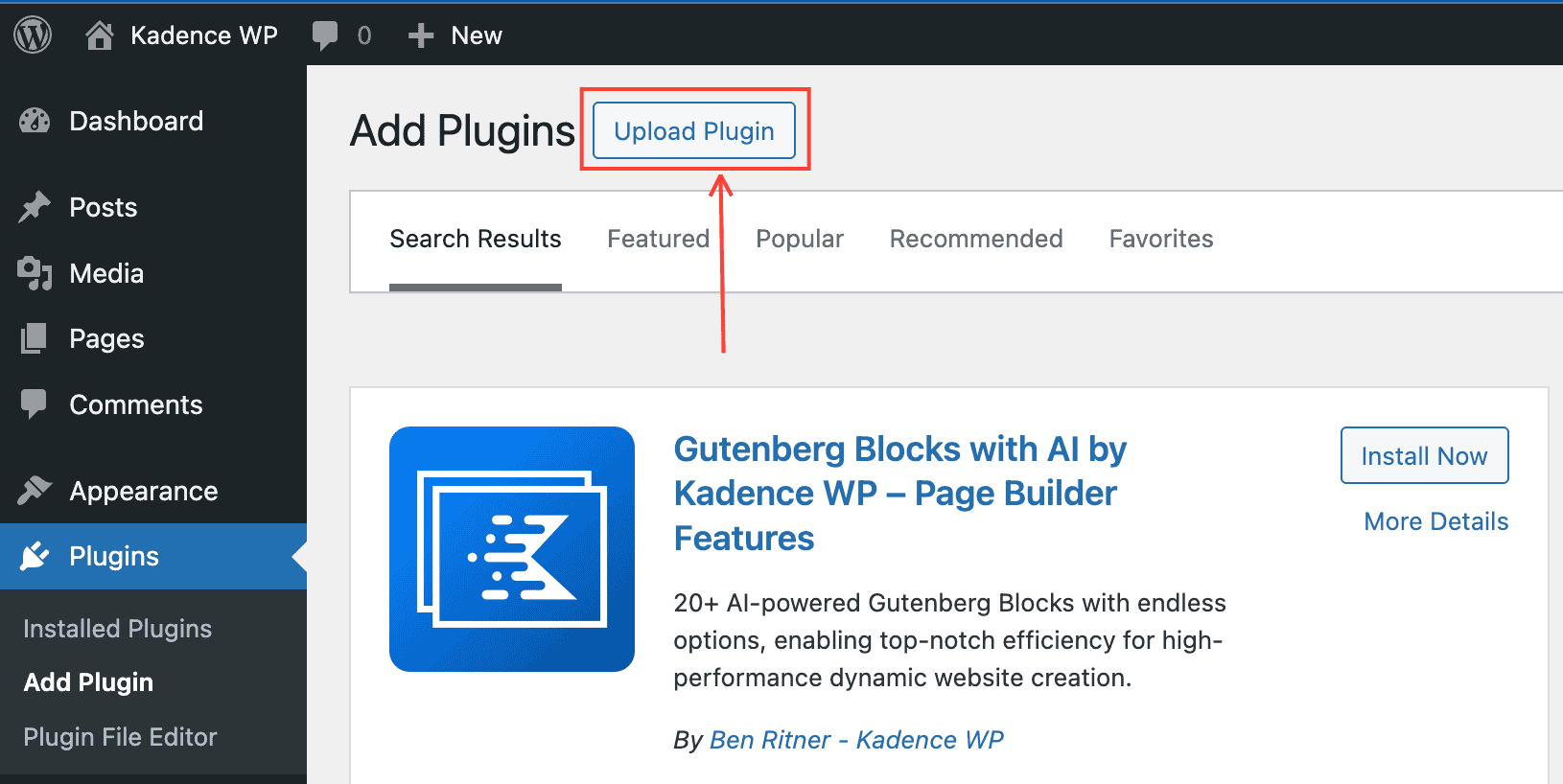
Once downloaded, go to your WordPress Dashboard and navigate to Plugins -> Add Plugin.
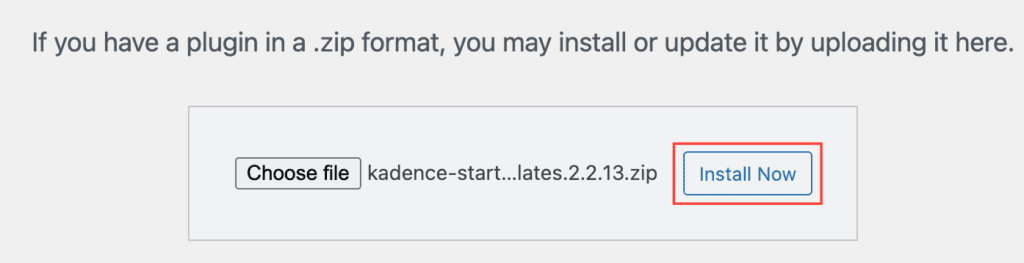
At the top of the page, you will now see an Upload Plugin button. Click on it to upload your ZIP file. You can click the Choose File button and choose the Kadence Starter Templates ZIP file you downloaded.
Once the Plugin File is uploaded, click the Install Now button
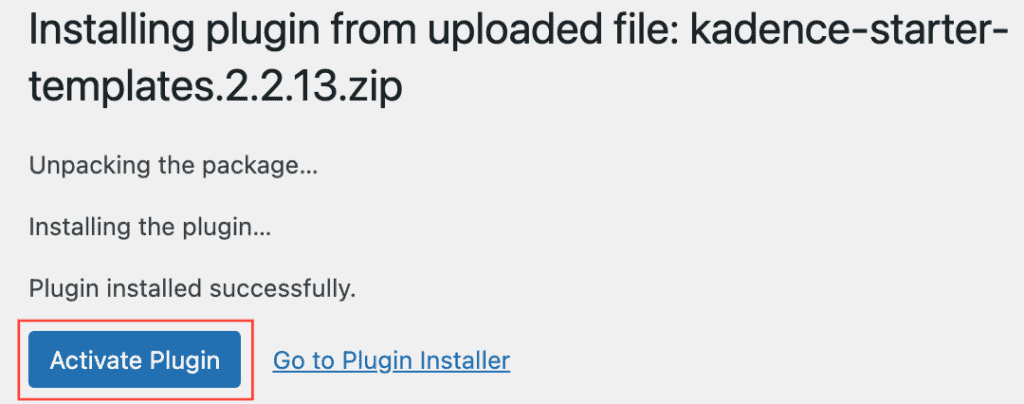
Then click on the blue Activate Plugin button to activate the Starter Templates by Kadence WP.
Congratulations! You have successfully installed and activated the Starter Templates by Kadence WP plugin.
Next Steps
After you have activated the Starter Templates plugin, the next steps depend on your goals. Here are some resources to help you get started.
- Kadence Site Assist – The starter templates plugin includes Site Assist, a system to help set up your starter template, theme settings, website optimization, website security, and more.
- AI Powered V.S. Pre-Designed Templates – Learn the difference between using AI or pre-designed starter templates.
- Getting Started With AI-Powered Starter Templates
- Getting Started With Pre-Designed Starter Templates

