
To hide Kadence Blocks from showing in the WordPress Gutenberg editor using Preferences, follow these simple steps:
- Edit or Add a Post or Page.
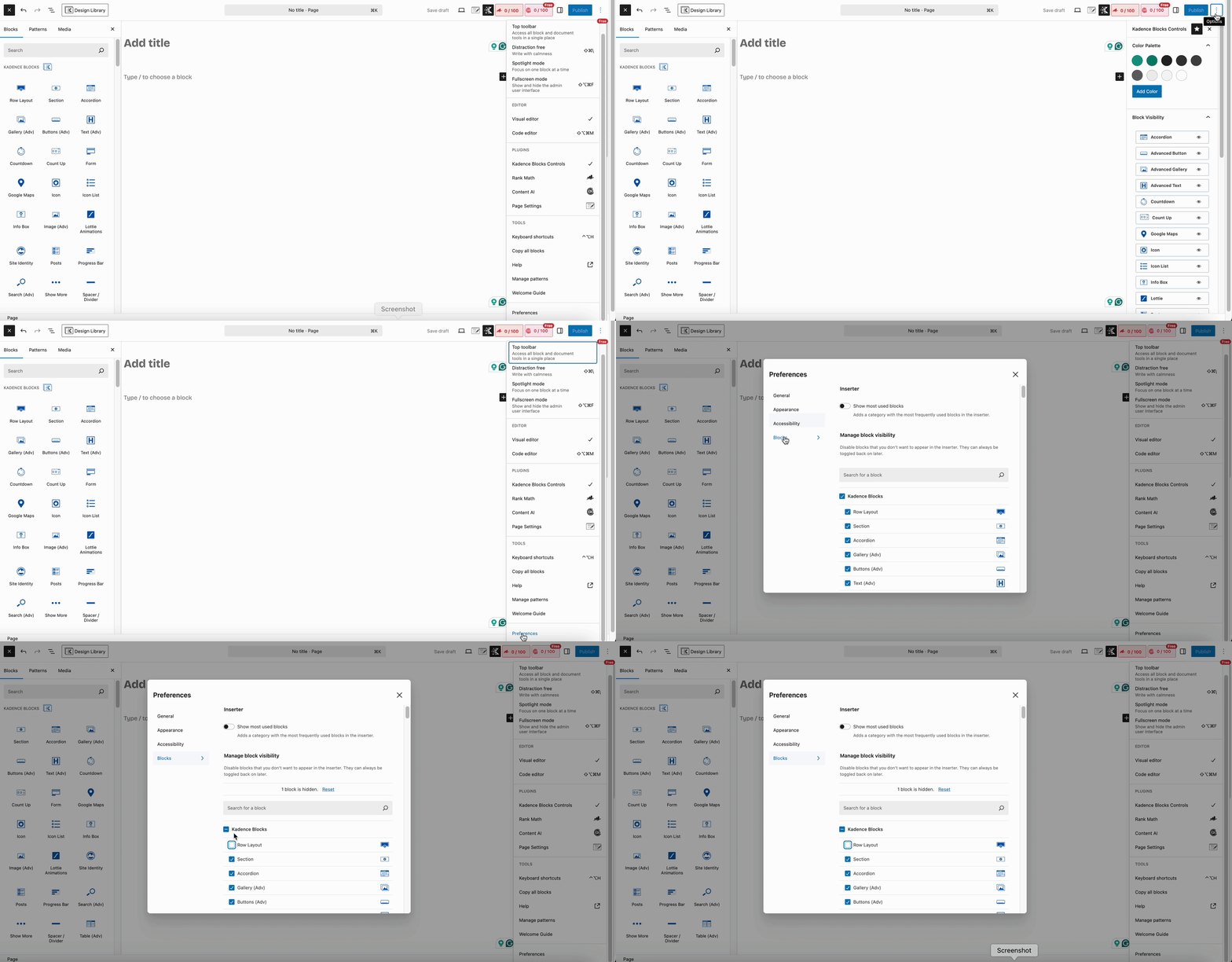
- Open the Preferences menu.
- Click the three vertical dots (⋮) in the top-right corner of the Gutenberg editor.
- Select “Preferences” at the bottom of the dropdown.
- Go to the “Blocks” tab in the Preferences pop-up.
- Find Kadence Blocks.
- Scroll through the list of block types.
- Look for Kadence Blocks (they usually start with names like Row Layout, Advanced Button, etc.).
- Uncheck the blocks that you want to hide.
- Close the Preferences window.
Notes:
- The hidden Kadence blocks will no longer appear in the block inserter (the “+” button).
- They can still appear if already used in existing content unless removed manually.

